Freedom251 › Remote desktop software
ToDesk
What ToDesk is
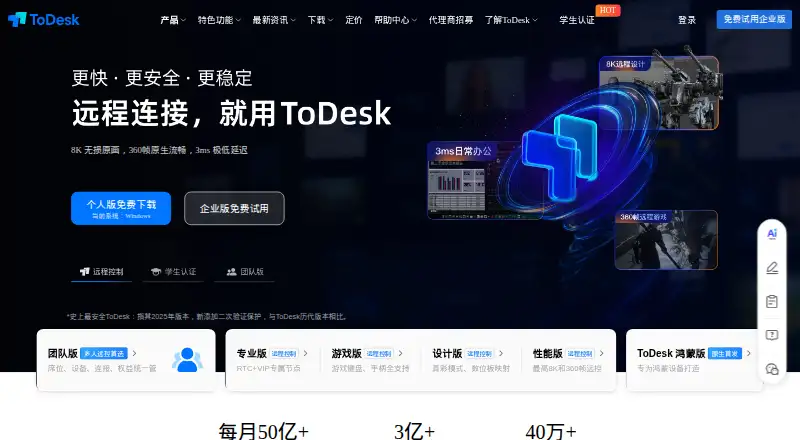
ToDesk is remote-control software for personal, team, and enterprise use. Its stated applications include remote work, remote gaming, collaboration, and technical support. It offers access through apps and the web, with platforms for Windows, macOS, Linux, Android, and iOS; the company also says it supports connections with HarmonyOS. File transfer works across PC and mobile systems, including batch transfers, drag and drop, clipboard copying, and transfer-history management. Session recording and mobile apps are also listed. The free Personal plan is for individual use and supports up to 1080P, 30 frames per second, and 100 devices. A separate free team plan provides tools to create and manage a team, its members, device groups, and team devices. Paid plans cover team and enterprise use as well as Professional, Game, Design, and other tiers with varying device limits and capabilities. Enterprise options include connections to company AD, Feishu, and WeCom accounts, bulk user import, and local-server private deployment with data stored on the enterprise’s own server. The company lists information-system security level protection level three, quality management, and information security management certifications.
Who it suits
ToDesk suits individuals who need remote access for work, gaming, collaboration, or technical support, as well as teams managing members and devices. Organizations can consider its enterprise options for account connections, bulk user import, or private deployment.
What it does well
- Supports Windows, macOS, Linux, Android, and iOS.
- File transfer includes batch transfers, drag and drop, and clipboard copying.
- Session recording and mobile apps are listed.
- Free team plan covers team, member, and device management.
- Enterprise private deployment stores data on the enterprise’s own server.
What to know first
- The free Personal plan is limited to individual use.
- Free Personal is capped at 1080P and 30 frames per second.
- Professional and Game plans have listed annual prices of CNY 15813.20 and CNY 29824.80.
Limits
The free Personal plan is restricted to individual use, up to 1080P, 30 frames per second, and 100 devices. The free team plan lists team creation and management, member and device-group administration, and team-device management.
Plans
| Plan | Billed and limits | Price |
|---|---|---|
| Personal | 100 devices | On request |
| Professional | 150 devices · 1 Android controlled device · 1 virtual display | On request |
| Game | 200 devices · 2 Android controlled devices · 2 virtual displays | On request |
| Design | 200 devices · 2 Android controlled devices · 2 virtual displays | On request |
| 团队免费版 | 基础团队管理 · 创建和管理团队 · 管理团队成员、设备分组和团队设备 | Free |
| 个人版 | 基础远控服务 · 仅限个人使用 · 最高1080P · 最高30帧率 · 最多100台设备 | Free |
| 专业版 | ¥ 158 /年 (¥13.2/月); ¥ 24 /月 (连续包月); ¥ 40 /月 (单月) · 最高2K · 最高60帧率 · 最多150台设备 · 赠送1台安卓被控 · 支持1个虚拟屏 | 158 CNY a year |
| 游戏版 | ¥ 298 /年 (¥24.8/月); ¥ 42 /月 (连续包月); ¥ 68 /月 (单月) · 最高4K · 最高240帧率 · 最多200台设备 · 赠送2台安卓被控 · 支持2个虚拟屏 | 298 CNY a year |
The first 8 of 11 plans, as todesk.com lists them, read 20 Sept 2026. The maker's own page has the final word. Every plan
Getting started
- Visit https://www.todesk.com/.
- Choose access through the web or an app for a supported platform.
- Select the free Personal plan for individual use or the free team plan for team administration.
- Review paid plans if you need their listed device allowances or capabilities.
- For enterprise requirements, review account connections and private deployment options.
Verdict
Choose ToDesk if you need remote control across desktop and mobile platforms, or team and enterprise administration options. The free Personal plan is aimed at individual use and has resolution, frame-rate, and device limits; users needing higher listed limits should review the paid plans.
Questions
Does ToDesk have a free plan?
Yes. The Personal plan is free, and a free team plan is also listed.
What does the free Personal plan include?
It provides basic remote-control service for personal use, up to 1080P and 30 frames per second, with up to 100 devices.
Which platforms does ToDesk support?
The listed platforms are Windows, macOS, Linux, Android, iOS, and web. The company also says remote connections can include HarmonyOS.
What does the free team plan cover?
It lets users create and manage a team, including members, device groups, and team devices.
What enterprise options are listed?
Enterprise offerings include connections to company AD, Feishu, and WeCom accounts, bulk user import, and private deployment on a local server.
What are the listed paid prices?
The Team Professional plan is 799 CNY a year, Enterprise Standard is 805 CNY a year, Professional is 15,813.20 CNY a year, and Game is 29,824.80 CNY a year. Other listed plans have no price shown.
Facts from ToDesk's own pages
- 跨平台连接
- 官方称可在Windows、Mac、Linux、Android、iOS和鸿蒙之间远程连接。 · todesk.com, 11 Oct 2026
- Access mode
- both · todesk.com, 20 Sept 2026
- File transfer
- Yes · todesk.com, 20 Sept 2026
- Free plan
- Yes · todesk.com, 20 Sept 2026
- Managed devices
- 150 · todesk.com, 20 Sept 2026
- Mobile apps
- Yes · todesk.com, 20 Sept 2026
- Session recording
- Yes · todesk.com, 20 Sept 2026
- Supported platforms
- Windows,macOS,Linux,Android,iOS · todesk.com, 20 Sept 2026
Where ToDesk stands on Freedom251
- Remote desktop software#24 of 135