Freedom251 › Enterprise Business Process Analysis Software

Bizagi Modeler
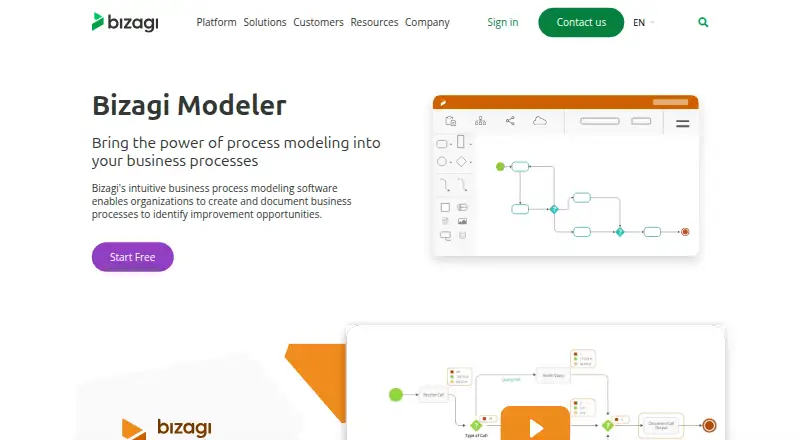
What Bizagi Modeler is
Bizagi Modeler is a business-process modeling tool for creating, documenting, simulating, publishing, and sharing processes with BPMN. It supports BPMN process and value chain diagrams, and imports Microsoft Visio, XPDL, and BPMN diagrams. Documentation can be published to PDF, Word, Excel, the web, and Microsoft SharePoint. The free plan includes process simulation and what-if scenarios, one user, and unlimited processes and models, but stores models locally. Enterprise adds comments on diagrams and shapes, an activity stream, unlimited editors and contributors, and a cloud repository. Enterprise customers can choose data storage from ten centers in the United States, Europe, and Asia. The cloud service encrypts network traffic, and Bizagi says its Cloud Operations team monitors the service around the clock. The product is available on the web and Windows. Bizagi provides a user guide, video tutorials, and a community for questions, ideas, and issue reports. Enterprise pricing is on request.
Who it suits
Bizagi Modeler suits people mapping business processes who want BPMN diagrams, simulation, and publishing options. Teams needing shared editing and cloud storage should look at Enterprise; the free plan is limited to one user and local storage.
What it does well
- Free plan includes process simulation and what-if scenarios.
- Unlimited processes and models on the free plan.
- Imports Visio, XPDL, and BPMN diagrams.
- Publishes documentation to PDF, Word, and Excel.
- Enterprise offers unlimited editors and contributors.
What to know first
- Free plan is limited to one user.
- Free plan provides local storage only.
- Enterprise pricing is available on request.
Limits
The free plan is for one user and stores models locally. Enterprise offers a cloud repository and unlimited editors and contributors, with storage defined according to customer needs.
Plans
| Plan | Billed and limits | Price |
|---|---|---|
| Free | Unlimited individual use · local storage · process modeling, documentation, publishing, and simulation | Free |
| Enterprise | Unlimited editors and contributors · cloud storage and collaboration · SSO and governance | On request |
As bizagi.com lists them, read 4 Oct 2026. The maker's own page has the final word.
Getting started
- Open the Bizagi Modeler website.
- Choose the web option or use the Windows desktop app.
- Start with the free plan, which costs nothing and includes one user.
- Create or import a model using a supported format such as Visio, XPDL, XML, or BPMN.
- Use the user guide, video tutorials, or community for learning and questions.
Bizagi Modeler is a business-process modeling tool for creating BPMN diagrams, documenting workflows, and exploring process scenarios. It is best suited to solo modelers and teams that want simulation alongside documentation. Its free plan is substantial for individual work; shared cloud storage and collaboration require Enterprise.
Overview
Bizagi brings modeling, documentation, simulation, publishing, and sharing into one process-focused product. The free plan allows one user to create unlimited processes and models, making it a practical option for building a personal process library. Local-only storage, however, means it is not a shared workspace for a team.
Key features
Alongside BPMN process diagrams, Bizagi supports value chain diagrams. Process simulation and what-if scenarios are included in the free plan, so individual users can explore possible process changes as well as document workflows.
Imports include Microsoft Visio, XPDL, Bizagi, XML, and BPMN. Exports cover images, Visio, XPDL, XML, BPMN, Word, PDF, web, SharePoint, and Wiki. Documentation can also be published to the web or Microsoft SharePoint. This range helps when a team needs to bring existing diagrams into Bizagi or circulate process documentation through familiar channels; it does not remove the need for Enterprise if models themselves must live in a shared cloud repository.
Enterprise adds cloud repository storage, comments on diagrams and shapes, an activity stream, and unlimited editors and contributors. These features suit groups coordinating review and revisions, while the free plan's single-user limit keeps collaboration out of reach. Version history is available, and a desktop app is offered alongside the web product.
Bizagi says its cloud service encrypts network traffic and is monitored by its Cloud Operations team around the clock. Enterprise customers can choose among ten data centers across the United States, Europe, and Asia. A user guide, video tutorials, and a community for questions, ideas, and issue reports provide learning and support routes.
Pricing
Bizagi uses a freemium model. Free costs nothing and includes one user, unlimited processes and models, and local storage. It also includes process simulation and what-if scenarios, so it fits individuals who can manage their own files and do not need shared editing.
Enterprise has custom pricing. It provides unlimited editors and contributors, unlimited models and diagrams, and storage defined according to customer needs, as well as the cloud repository and collaboration features. It is the relevant plan for teams that need shared cloud work; its custom price means buyers must request a quote rather than compare a published rate. Free is the lower-cost choice for solo work, but its one-user cap and local-only storage are material limits.
Platforms
Bizagi Modeler is available on the web and Windows, including as a desktop app. That covers browser-based access and Windows desktop use, but not other listed operating systems.
Who it's for
Choose Bizagi if you need BPMN modeling with simulation, broad import and publishing options, or a free single-user tool for maintaining process models. Enterprise is a better fit when a team needs cloud-based model storage, comments, an activity stream, and multiple contributors. Look elsewhere if your requirements depend on a platform beyond web or Windows, or if your team needs a shared repository without moving to custom-priced Enterprise.
Pros and cons
- Pro: The free plan combines unlimited processes and models with simulation and what-if scenarios, giving a solo modeler room to develop and examine workflows.
- Pro: Imports and exports span common diagram and document formats, with web and SharePoint publishing for distributing process documentation.
- Con: Free is limited to one user and local storage, so it does not provide a shared cloud workspace.
- Con: Team collaboration and cloud repository storage sit in Enterprise, which has custom pricing rather than a published rate.
Alternatives
Bonita is worth considering if you want a freemium process option with a free plan capped at 150 process instances per month and support for Linux, macOS, self-hosting, and API use.
Camunda may suit readers seeking a freemium platform whose free Self-Managed Development plan covers local development and testing, with Linux, macOS, self-hosting, and API platforms also listed.
HEFLO offers a free Academic plan with cloud-stored diagrams and image downloads, and supports Android, iOS, API, and web.
Open-BPMN is a free option to consider if you want a tool with extension and self-hosted availability alongside web and desktop platforms.
Crismo has a free Individual plan for BPMN 2.0 modeling, diagram versioning, and basic PNG and PDF exports; it may fit someone prioritizing those capabilities in a self-hosted or web option.
ProcessMind offers a free plan for one member with unlimited models and 20 AI credits per month, and supports API and web access.
bpmn.io is a free alternative for readers looking for open-source toolkits covering BPMN, DMN, CMMN, and forms.
Flowable is another option to compare if you want an open-source engine written in Java under the Apache 2.0 license.
Browse Process Mapping Software, Process Orchestration Software, Workflow Orchestration Software, Business Process Management Software, Diagram Software, or Diagramming Software to compare by category.
Verdict
Bizagi Modeler is a strong choice for solo process modelers who want simulation and flexible documentation output without paying for a plan. Teams should choose it when Enterprise's cloud repository and collaboration tools justify custom pricing; those needing shared work without that step should look elsewhere.
Verdict
Bizagi Modeler combines BPMN modeling with simulation and multiple publishing routes, including a free single-user option. Enterprise is the route for cloud repository storage and broader collaboration, with pricing provided on request.
Questions
Is Bizagi Modeler free?
Yes. The Free plan costs nothing and includes one user, unlimited processes and models, and local storage.
What platforms does Bizagi Modeler support?
It is available on the web and Windows, and a desktop app is available.
What can I import and export?
Import options include Visio, XPDL, Bizagi, XML, and BPMN. Export formats include image, Visio, XPDL, XML, BPMN, Word, PDF, web, SharePoint, and wiki.
What does Enterprise add?
Enterprise includes comments on diagrams and shapes, an activity stream, unlimited editors and contributors, and a cloud repository. Enterprise storage is defined according to customer needs.
How much does Enterprise cost?
Enterprise pricing is on request.
Who makes Bizagi Modeler?
The maker is Bizagi, founded in 1989 and headquartered in Washington, DC, United States.
Facts from Bizagi Modeler's own pages
- Cloud repository
- Enterprise customers can store models in a cloud repository, while the free plan provides local storage only. · help.bizagi.com, 4 Oct 2026
- Collaboration
- The Enterprise plan includes comments on diagrams and shapes, an activity stream, and unlimited editors and contributors. · help.bizagi.com, 4 Oct 2026
- Company history
- Bizagi says it was founded in Bogotá in 1989 by Gustavo Gómez and co-founders. · bizagi.com, 4 Oct 2026
- Data location
- Enterprise customers choose a data location from ten data centers across the United States, Europe, and Asia. · help.bizagi.com, 4 Oct 2026
- Diagram formats
- The product imports Microsoft Visio, XPDL, and BPMN diagrams and publishes documentation to PDF, Microsoft Word, and Microsoft Excel. · bizagi.com, 4 Oct 2026
- Diagram types
- BPMN process diagrams; value chain diagrams · help.bizagi.com, 20 Sept 2026
- Founded
- 1989 · bizagi.com, 28 Sept 2026
- Free plan
- Yes · help.bizagi.com, 20 Sept 2026
- Headquarters
- Washington, DC, United States · bizagi.com, 28 Sept 2026
- Integrations
- The product lists Microsoft Visio, IBM Blueworks, XPDL, BPMN, and Microsoft SharePoint among its import or publishing options. · bizagi.com, 4 Oct 2026
- Publishing
- Bizagi Modeler can publish process documentation to the web and Microsoft SharePoint. · bizagi.com, 4 Oct 2026
- Purpose
- Bizagi Modeler lets users model, document, simulate, publish, and share business processes using BPMN. · help.bizagi.com, 4 Oct 2026
- Real-time collaboration
- Yes · help.bizagi.com, 20 Sept 2026
- Security
- Bizagi says its Modeler cloud service encrypts network traffic and is monitored by its Cloud Operations team around the clock. · help.bizagi.com, 4 Oct 2026
- Simulation
- The free plan includes process simulation and what-if scenarios. · bizagi.com, 4 Oct 2026
- Support and learning
- Bizagi provides a user guide, video tutorials, and a community for questions, ideas, and issue reports. · bizagi.com, 4 Oct 2026
Where Bizagi Modeler stands on Freedom251
- Enterprise Business Process Analysis Software#2 of 19
- Business Process Management Software#9 of 52
- Diagramming Software#8 of 44
- Diagram Software#7 of 36
- Process Automation Software#5 of 25
- Process Mapping Software#6 of 27
- Diagramming tools#11 of 46
- Low-Code Business Process Management#7 of 28
- BPM Software#8 of 26
- Business Process Automation Software#5 of 16
- Process Orchestration Software#10 of 31
- Workflow automation tools#61 of 133
- Workflow Orchestration Software#18 of 38