Freedom251 › Design Proofing Software
Ziflow
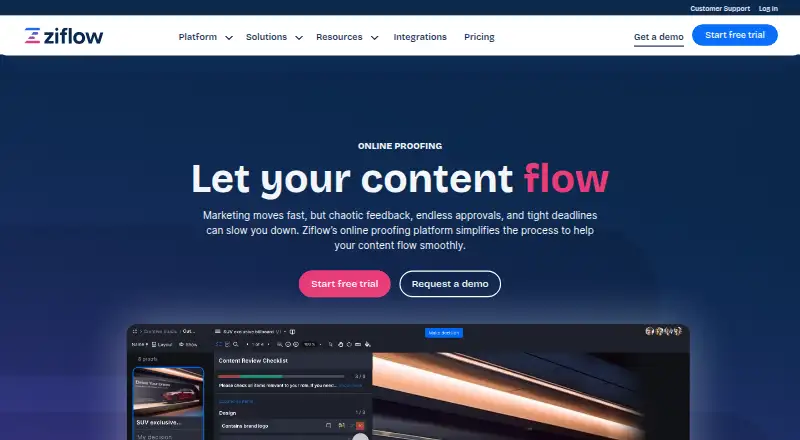
What Ziflow is
Ziflow is an online proofing platform for creative review and approval, covering design files, videos, live websites, and other campaign assets. ReviewAI checks creative work against checklists and brand standards while reviewers retain control. The platform supports more than 1,200 file types and uploads of individual files up to 5TB. Its integrations include monday.com, Dropbox, Slack, Asana, Adobe Creative Cloud, Jira, ClickUp, Microsoft Teams, Wrike, SharePoint, Final Cut Pro X, Airtable, Google Drive, Figma, Salesforce, Zapier, and Smartsheet. A RESTful API can extend workflows to proprietary applications and other platforms. Ziflow works in desktop Chrome, Firefox, and Edge without requiring an app, and supports Chrome on Android plus Chrome or Safari on iOS; a browser extension is recommended for rich media and live website proofs. The Free plan costs nothing and includes 2 users, 2GB storage, 1 workflow stage, and 60 days of review history. Standard is $199 a month billed annually, and Pro is $329 a month billed annually. The maker lists security certifications and encryption controls.
Who it suits
It suits agencies, marketing teams, and in-house creative teams handling high-volume content production. Teams needing reviews across varied file types and connected workflow tools may find its proofing focus relevant.
What it does well
- Supports more than 1,200 file types.
- Single-file uploads can be up to 5TB.
- Free plan includes unlimited proofs and reviewers.
- RESTful API can extend workflows.
- Lists multiple browser and productivity integrations.
What to know first
- Free plan limits teams to 2 users.
- Free plan includes 2GB storage and one workflow stage.
- Standard costs $199 a month, billed annually.
- Browser extension is recommended for rich media and live website proofs.
Limits
The Free plan includes 2 users, 2GB storage, one workflow stage, and 60 days of review history. Standard costs $199 a month billed annually and includes 15 free users, 1TB storage, two workflow stages, and unlimited review history.
Plans
| Plan | Billed and limits | Price |
|---|---|---|
| Free | unlimited proofs · unlimited reviewers · 2 users · 2GB storage · 1 workflow stage · 60 days review history | Free |
| Standard | billed annually · unlimited proofs · unlimited reviewers · 15 free users · 1TB storage · 2 workflow stages · unlimited review history | $199 a month |
| Pro | billed annually · unlimited proofs · unlimited reviewers · 20 free users · 2TB storage · 3 workflow stages · unlimited review history | $329 a month |
| Enterprise | unlimited proofs · unlimited reviewers · 25+ free users · 4TB+ storage · unlimited workflow stages · lifetime review history | On request |
As ziflow.com lists them, read 1 Oct 2026. The maker's own page has the final word.
Getting started
- Visit https://www.ziflow.com/.
- Choose the Free plan or a paid plan; a free trial is available.
- Open Ziflow in a supported desktop or mobile browser without installing an app.
- Use a browser extension in Chrome, Firefox, or Edge for rich media and live website proofs.
- Connect the services your team uses or extend workflows through the RESTful API.
Overview
Ziflow is a proofing and approval workspace for teams reviewing creative work across formats. It is best suited to agencies and busy marketing or in-house creative teams; its breadth of file support and integrations is compelling, but the free plan’s two-user cap makes it a limited fit for a full production team.
Design files, videos, live websites and other campaign assets can move through approval workflows with role permissions, audit logs and unlimited version history. Guest access is comment-only, so outside reviewers can contribute feedback but do not get broader workflow permissions.
Key features
Proofing and workflow
Ziflow supports more than 1,200 file types and single-file uploads up to 5TB. That range suits teams handling mixed campaign materials or very large assets, while smaller teams working with a narrow set of lightweight files may not need such broad support. Approval workflows provide structure for review rounds, but the number of stages depends on the plan: one on Free, two on Standard, three on Pro and unlimited on Enterprise.
Unlimited version history helps teams retain a record across revisions. Role permissions and audit logs add control and traceability, useful when approvals involve multiple stakeholders. The stated collaborator limit is 15 users, so teams should consider that alongside the larger plan allowances for free users.
ReviewAI and integrations
ReviewAI checks checklist items and brand standards during creative reviews, while reviewers retain control. Ziflow says it uses zero-retention processing and does not use customer content to train, fine-tune or improve AI models. These checks can support consistent review criteria, but they do not replace human approval.
Integrations include monday.com, Dropbox, Slack, Asana, Adobe Creative Cloud, Jira, ClickUp, Microsoft Teams, Wrike, SharePoint, Final Cut Pro X, Airtable, Google Drive, Figma, Salesforce, Zapier and Smartsheet. A RESTful API lets teams extend workflows to proprietary applications and other platforms, a useful option for teams with established systems. Browser access works without an app in Chrome, Firefox and Edge on desktops, Chrome on Android, and Chrome or Safari on iOS. For rich media and live website proofs, Ziflow recommends its extension for Chrome, Firefox or Edge.
Security and support
Ziflow states that it maintains SOC 2, GDPR and ISO/IEC 27001, along with SSO, audit-log capabilities and 99.9% uptime. Customer data is encrypted at rest with AES-256; network communications use TLS v1.2 with at least 128-bit AES encryption. Standard includes email and chat support, Pro adds global 24/7 email and chat support, and Enterprise includes enterprise customer support.
Pricing
The free tier is a practical way for a pair of users to try structured proofing, with unlimited proofs and reviewers. Its 2GB storage, one workflow stage and 60 days of review history restrict its usefulness for ongoing or multi-step production.
Standard costs $199 a month, billed annually. It includes unlimited proofs and reviewers, 15 free users, 1TB storage, two workflow stages and unlimited review history. This is the first tier suited to a team that needs more than the free plan’s two users and short history, though its two-stage routing may be too narrow for complex approvals.
Pro costs $329 a month, billed annually. It raises the allowance to 20 free users and 2TB storage, with three workflow stages and unlimited review history. Choose it when those capacity increases and the additional stage matter; teams needing fully flexible routing must look to Enterprise.
Enterprise has custom pricing and includes unlimited proofs and reviewers, 25+ free users, 4TB+ storage, unlimited workflow stages and lifetime review history. Its expanded routing and capacity make it the fit for larger or more complex operations. A free trial is available. Standard and Pro are annual-billing commitments.
Platforms
Ziflow supports web, Android, iOS, macOS and Windows, as well as an API and browser extension. Browser review is available without installing an app, with the supported browsers varying by device; the extension is recommended for rich media and live website proofs.
Who it's for
Agencies, marketing departments and in-house creative teams producing content at volume are the clearest fit. They can benefit from format coverage, structured approvals, integrations and plan tiers that scale storage and workflow stages. A small team with occasional reviews may find the paid entry price difficult to justify, while the two-user free plan may be too restrictive once more collaborators need direct access.
Pros and cons
- Pros: More than 1,200 supported file types and uploads up to 5TB accommodate varied, large creative assets.
- Pros: Approval workflows, unlimited version history, role permissions and audit logs support traceable review across revisions.
- Pros: Broad integrations and a RESTful API can connect review to existing work systems.
- Pros: ReviewAI checks lists and brand standards without taking the decision away from reviewers.
- Cons: Free is capped at two users, 2GB storage, one stage and 60 days of history, so it is mainly a small-scale starting point.
- Cons: Standard begins at $199 a month with annual billing, a substantial commitment for teams that do not need its team capacity.
- Cons: Standard and Pro cap workflow stages at two and three respectively; unlimited stages require Enterprise custom pricing.
- Cons: Guest access is comment-only, limiting what outside collaborators can do within a review.
Alternatives
Online Proofing Software is a useful category to compare if Ziflow’s annual paid entry tier or free-plan caps do not fit. For design-focused comparisons, browse Design Proofing Software; for video-led workflows, see Video Review Software. Teams seeking a broader project-management focus can compare Creative Project Management Software, while document-led teams can explore Document Collaboration Software.
Ashore is worth considering for a solo user who can work within its free plan’s 30 files per month and 1GB storage. Frame.io offers a free plan for up to two members, 2GB storage, 2GB mounted storage and up to two projects, making it an alternative for teams whose needs fit those project and storage limits. Cage has a free plan for one user, one project and 2GB storage with unlimited reviewers, a narrower starting point for a single-project workflow.
Krock.io offers a free plan for one user, 2GB storage, one workspace, two projects and unlimited reviewers. Pastel starts free with one user and one canvas, while its Pro plan is $29 a month, billed at $350/year, for two users, three canvases and 100GB video storage. QuickReviewer offers a free plan with 100MB storage and one team member, but unlimited files and proofs and unlimited free reviewers. Approvallo is another option to compare. Proof Approve offers a free plan with five proof sends per month, one seat and 60-day retention.
Verdict
Ziflow is a strong choice for agencies and creative teams that need broad file coverage, structured approvals and connections to their existing tools. Its free tier can support a small trial, but the annual-billed Standard price and stage limits make it a poor fit for light-use teams or anyone unwilling to commit to a paid workflow. Choose Ziflow when review volume and process control justify that cost; look elsewhere if a smaller, cheaper proofing setup is enough.
Verdict
Ziflow brings proofing, checklist review, and workflow integrations together for creative teams. The free tier is limited in users, storage, and workflow stages, while paid plan prices are listed with annual billing.
Questions
Is there a free plan?
Yes. The Free plan costs nothing and includes unlimited proofs and reviewers, two users, 2GB storage, one workflow stage, and 60 days of review history.
How much do the paid plans cost?
Standard costs $199 a month, billed annually. Pro costs $329 a month, billed annually; Enterprise has no listed price.
Which platforms can I use?
Ziflow lists Android, iOS, macOS, Windows, web, API, and browser extension. Browser access supports desktop Chrome, Firefox, and Edge, Chrome on Android, and Chrome or Safari on iOS.
Does Ziflow integrate with other services?
Yes. Listed integrations include monday.com, Dropbox, Slack, Asana, Adobe Creative Cloud, Jira, Microsoft Teams, Google Drive, Figma, Salesforce, and others.
Can teams extend Ziflow with an API?
Yes. Its RESTful API can extend workflows to proprietary applications and other platforms.
What does ReviewAI do?
ReviewAI verifies checklist items and brand standards during creative reviews, while reviewers retain control.
Facts from Ziflow's own pages
- AI data handling
- Ziflow says ReviewAI uses zero-retention processing and that customer content is not used to train, fine-tune, or improve AI models. · ziflow.com, 1 Oct 2026
- API
- A RESTful API lets teams extend Ziflow workflows to proprietary applications and other platforms. · ziflow.com, 1 Oct 2026
- Audience
- Ziflow serves agencies, marketing teams, and in-house creative teams handling high-volume content production. · ziflow.com, 1 Oct 2026
- Browser access
- Ziflow does not require an app and supports Chrome, Firefox, and Edge on desktops plus Chrome on Android and Chrome or Safari on iOS. · help.ziflow.com, 1 Oct 2026
- Browser extension
- A browser extension is recommended for reviewing rich media and live website proofs in Chrome, Firefox, or Edge. · help.ziflow.com, 1 Oct 2026
- Content review
- The platform supports reviews of design files, videos, live websites, and other campaign assets. · ziflow.com, 1 Oct 2026
- Encryption
- Customer data is encrypted at rest with AES-256 and network communications use TLS v1.2 with at least 128-bit AES encryption. · ziflow.com, 1 Oct 2026
- File support
- Ziflow supports more than 1,200 file types and allows single-file uploads up to 5TB. · ziflow.com, 1 Oct 2026
- Integrations
- Ziflow integrates with monday.com, Dropbox, Slack, Asana, Adobe Creative Cloud, Jira, ClickUp, Microsoft Teams, Wrike, SharePoint, Final Cut Pro X, Airtable, Google Drive, Figma, Salesforce, Zapier, and Smartsheet. · ziflow.com, 1 Oct 2026
- ReviewAI
- ReviewAI verifies checklist items and brand standards for creative reviews while reviewers retain control. · ziflow.com, 1 Oct 2026
- Security certifications
- Ziflow states that it maintains SOC 2, GDPR, ISO/IEC 27001, SSO, 99.9% uptime, and audit-log capabilities. · ziflow.com, 1 Oct 2026
- Support
- Standard includes email and chat support, Pro includes global 24/7 email and chat support, and Enterprise includes enterprise customer support. · ziflow.com, 1 Oct 2026
- What it does
- Ziflow is an online proofing platform that simplifies creative review and approval workflows. · ziflow.com, 1 Oct 2026
Where Ziflow stands on Freedom251
- Design Proofing Software#12 of 29
- Creative Project Management Software#15 of 36
- Video Review Software#19 of 36
- Online Proofing Software#15 of 27
- Document Collaboration Software#25 of 32