Freedom251 › AI Storyboard Generators
Krock.io
What Krock.io is
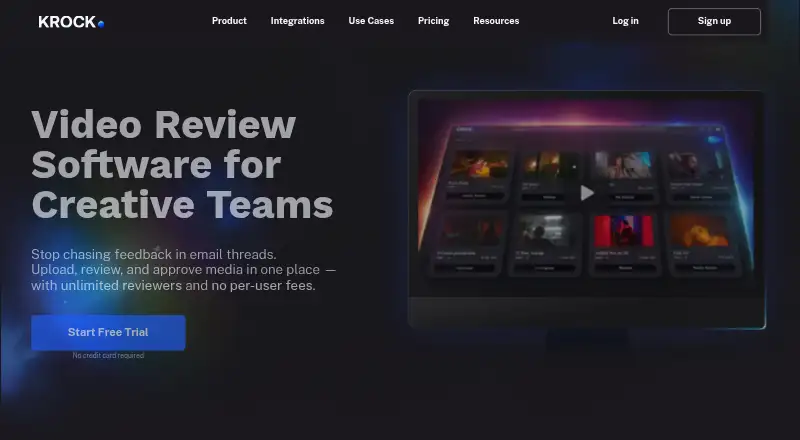
Krock.io is a video review and creative collaboration platform for teams working with media. Reviewers can leave feedback using text, drawings, attachments, and time-codes across video, images, audio, PDFs, and multi-page PDFs. The platform can generate storyboards from text and includes project templates, workspaces, workload Gantt charts, and a calendar view. Integrations include Adobe Creative Cloud, Final Cut Pro, DaVinci Resolve Studio, Slack, calendar sync, and webhooks. Krock.io is available on the web, macOS, and Windows, as well as through an extension. The free plan includes one user, 2 GB storage, one workspace, two projects, 50 AI Tokens, and unlimited reviewers. PRO costs $10/user/mo and includes unlimited team size, from 2Tb storage, unlimited projects and workspaces, 4K playback, custom branding, and storage add-ons. UNLIMITED costs $400 a month, with 100 users included. All plans include standard customer support. Krock.io says user content is not used to teach AI models and is not disclosed to third parties unless required by law.
Who it suits
Krock.io suits video production companies, advertising and digital agencies, animation studios, and content creators who need media review and collaboration. Its project tools may also suit teams coordinating creative work across projects.
What it does well
- Review comments support text, drawings, attachments, and time-codes.
- Supports review of video, images, audio, and PDFs.
- Includes workload Gantt charts and calendar view.
- Two-factor authentication is available for individual accounts.
What to know first
- Free plan is limited to one user.
- Free plan includes 2 GB storage and two projects.
- Storage add-ons are unavailable on Free.
Limits
The Free plan includes one user, 2 GB storage, one workspace, two projects, and 50 AI Tokens. Pro starts at $10 a month per user; Unlimited is $400 a month with 100 users included.
Plans
| Plan | Billed and limits | Price |
|---|---|---|
| Free | No card required · 1 user · 2 GB storage · 1 workspace · 2 projects · 50 AI tokens · unlimited reviewers | Free |
| Pro | Per user · Unlimited team size · from 2 TB storage · unlimited projects/workspaces · 4K playback · custom branding | $10 a month |
| Unlimited | From $400 / 100 users included · Unlimited collaborators/reviewers · unlimited projects/workspaces/team · flat rate | $400 a month |
As krock.io lists them, read 14 Oct 2026. The maker's own page has the final word.
Getting started
- Open the Krock.io website.
- Choose the Free plan, or review Pro and Unlimited pricing.
- Start the 7-day free trial if you want to try a paid plan.
- Use the web platform, macOS or Windows option, or extension.
Overview
Krock.io combines media review and creative project coordination for production teams that need to manage feedback alongside active work. Its strongest fit is a studio or agency reviewing video and other creative assets with clients and collaborators; it is less compelling for someone who only needs a storyboard generator or a lightweight review space.
Comments can combine time-codes, text, drawings, and attachments, with review support for video, images, audio, and PDFs, including multi-page files. Workspaces, templates, workload Gantt charts, and a calendar bring project organization into the same platform. That breadth is useful when review is one stage in a managed production process, but may be more than a small team needs.
Key features
Media feedback and approvals
Time-coded feedback anchors video comments to the relevant moment, while drawings and attachments let reviewers show or explain changes across supported media. Guest reviewers, custom reviewer roles, approval workflows, and version comparison help teams coordinate sign-off and revisions. These controls suit multi-person reviews; the platform’s advantage is less pronounced when feedback is informal or limited to one asset at a time.
Project planning and storyboards
Templates, workspaces, workload Gantt charts, and a calendar provide several ways to structure projects and track schedules. Krock.io can also generate storyboards from text, extending it beyond review and coordination. Teams looking for a dedicated storyboard tool may prefer a focused alternative, but production groups that want storyboarding alongside review can keep more of the workflow together.
Creative-tool integrations and safeguards
Official integrations include Adobe Creative Cloud, Final Cut Pro, DaVinci Resolve Studio, Slack, calendar sync, and webhooks. Media files are stored on Amazon S3, with core application servers hosted on DigitalOcean IaaS. Krock.io says data in transit uses 256-bit HTTPS/SSL encryption and account and project data are encrypted in databases. Two-factor authentication is supported for individual accounts, and the company says user content is not used to train AI models or disclosed to third parties unless required by law.
Pricing
The free plan costs nothing and provides one user, 2 GB of storage, one workspace, two projects, 50 AI Tokens, and unlimited reviewers. That is a useful way for an individual to try the review workflow, but the one-user, two-project, and 2 GB ceilings make it a poor fit for an ongoing team production pipeline.
PRO costs $10 a month, billed per user. It includes unlimited team size, from 2Tb storage, unlimited projects and workspaces, 4K Playback, custom branding, and storage add-ons. It is the practical upgrade for teams that need room to scale projects and contributors; per-user billing means the cost rises with the team. Pro customers can add 1 TB of storage for $10 per month.
UNLIMITED costs $400 a month, billed from $400 / 100 Users Included. It provides unlimited collaborators and reviewers, unlimited projects and workspaces, and an unlimited team at a flat rate. This is aimed at larger organizations that prefer a set price for broad participation rather than PRO’s per-user structure. Additional storage is available to Unlimited customers at 1 TB for $10 per month.
Krock.io offers a 7-day trial and standard customer support on all plans; the team aims to respond within 1–2 business days. Storage add-ons are not available on Free.
Platforms
Krock.io is available on the web, macOS, Windows, and as an extension. Recommended browser versions are Chrome 84+, Firefox 70+, Safari 14.1+, and Edge 84+; recommended desktop requirements are Windows 7+ or macOS 10.15 Catalina+.
Who it's for
Video production companies, advertising and digital agencies, animation studios, and content creators are the intended audience. It is especially suited to teams whose review process benefits from structured approvals, multiple reviewer roles, and project scheduling in one place. A solo creator can start free, but the free plan’s single seat and two-project limit quickly constrain collaborative work.
Pros and cons
- Pros: Review covers video, images, audio, and PDFs, with time-coded comments, drawings, and attachments, so teams can centralize feedback across varied media.
- Pros: Approval workflows, version comparison, guest reviewers, and custom roles support a more deliberate review and sign-off process.
- Pros: Project planning tools and creative-tool integrations make it useful beyond collecting comments on media.
- Cons: Free is restricted to one user, two projects, and 2 GB, so teams must pay to use it as a shared production workspace.
- Cons: PRO is billed per user, which can become a less attractive structure as a team grows; the flat-rate Unlimited plan starts at $400 a month.
Alternatives
For a tool centered on generating storyboards rather than coordinating media review, consider AI Storyboard Generators or Storyboard Software. If the priority is proofing and annotation rather than Krock.io’s broader project-management mix, compare Online Proofing Software. Teams seeking project tracking for creative work can browse Creative Project Management Software, while a narrower review workflow is the focus of Video Review Software.
Choose Cygnus for a storyboard pipeline with a free tier of 200 monthly credits, two projects, all seven pipeline stages, 720p exports, and watermarked output. Boords is a web storyboard option with a free single-user plan that includes 250 AI images per month and unlimited storyboards and scripts. CinemaScape AI offers a free web plan with two projects and ten one-time storyboard generations, alongside a screenplay editor, story canvas, and blocking. Drawstory is another web-based storyboard alternative. GOGUL has a free one-time balance of 100 credits, with eight frames per storyboard and no ZIP, HD ZIP, or PDF export. LTX Studio offers a free web plan with 800 one-time credits. Shai provides free access to its first nine storyboard scenes and 200 credits for creating and editing images, while AI videos are premium-only. ShortPlay Studio includes two free credits for its core storyboard workflow.
Verdict
Krock.io is a strong choice for creative teams that want media review, structured approvals, and project planning under one roof, with integrations for established editing tools. Its free plan is too constrained for sustained team use, and PRO’s per-user billing may not suit larger groups. Choose it when bringing review and production coordination together matters; look elsewhere when the need is only storyboarding or when a broader team needs a flat-rate plan below $400 a month.
Verdict
Krock.io combines time-coded media review with project organization and creative-tool integrations. Its free plan has limits on users, storage, and projects; PRO costs $10/user/mo.
Questions
Is there a free plan?
Yes. The Free plan costs nothing and includes one user, 2 GB storage, one workspace, two projects, 50 AI Tokens, and unlimited reviewers.
How much do the paid plans cost?
Pro costs $10 a month per user. Unlimited costs $400 a month, with 100 users included.
Is a free trial available?
Yes. Krock.io offers a 7-day trial.
Which platforms does Krock.io support?
It is listed for web, macOS, Windows, and extension.
Which tools does Krock.io integrate with?
Listed integrations include Adobe Creative Cloud, Final Cut Pro, DaVinci Resolve Studio, Slack, calendar sync, and webhooks.
Who makes Krock.io, and where is it based?
Krock.io is headquartered in Tallinn, Estonia.
Facts from Krock.io's own pages
- API and webhooks
- The Webhooks documentation describes POST JSON notifications for project, stage, version, media, comment and reply events, plus a connector-parameter endpoint. · krock.io, 14 Oct 2026
- Apple app compatibility
- The KROCK.IO Launcher is free, Mac-only and requires macOS 14 or later. · apps.apple.com, 14 Oct 2026
- Company founding
- LinkedIn lists the company as founded in 2020. · linkedin.com, 14 Oct 2026
- Company headquarters
- LinkedIn lists headquarters in Tallinn, Harjumaa, Estonia. · linkedin.com, 14 Oct 2026
- Company size
- LinkedIn lists company size as 11–50 employees. · linkedin.com, 14 Oct 2026
- Compliance
- Krock.io says it is GDPR compliant and has appointed a Data Protection Officer. · krock.io, 14 Oct 2026
- Content privacy
- Krock.io says user content is not used to teach any AI model and is not disclosed to third parties unless required by law. · krock.io, 1 Oct 2026
- Content rights
- Users retain ownership of uploaded content, and Krock.io says it does not use that content to train AI systems. · krock.io, 14 Oct 2026
- Documentation
- The Help Center is organized into Getting Started, Video tutorials, Board, Collaboration, Project Management, Profile & Security, Features & Integrations and FAQ sections. · krock.io, 14 Oct 2026
- Encryption
- Krock.io states that data in transit uses 256-bit HTTPS/SSL encryption and that account and project data are encrypted in databases. · krock.io, 1 Oct 2026
- GetApp feature feedback
- GetApp lists task management at 4.7 out of 5 from 3 ratings and collaboration tools at 3.5 out of 5 from 2 ratings. · getapp.com, 14 Oct 2026
- Headquarters
- Tallinn, Estonia · krock.io, 23 Sept 2026
- Hosting
- Core application services run on DigitalOcean while media storage and processing use Amazon Web Services. · krock.io, 14 Oct 2026
- Integrations
- Official integrations include Adobe Creative Cloud, Final Cut Pro, DaVinci Resolve Studio, Slack, link steps and Apple/Google/Outlook calendar sync. · krock.io, 14 Oct 2026
- Legal maker
- The Terms of Service identify the service provider as Krock.io, Inc. · krock.io, 14 Oct 2026
- Limit: mobile and integrations
- G2 reviewers report sluggish mobile reviewing/uploads and request deeper editing-software integrations and more advanced project-management tools. · g2.com, 14 Oct 2026
- Limit: storyboard quality
- A Trustpilot reviewer describes the storyboard experience as unusable for professional film production. · trustpilot.com, 14 Oct 2026
- Media feedback
- Users can comment on media with text, drawings, attachments, and time-codes. · krock.io, 1 Oct 2026
- Media review
- Users can review video, images, audio and PDF files with comments, drawings, attachments and time-codes. · krock.io, 14 Oct 2026
- Media support
- The features page lists review and annotation for video, images, audio, PDFs, and multi-page PDF files. · krock.io, 1 Oct 2026
- Praise: Frame.io alternative
- A Trustpilot reviewer says Krock.io was easier for clients, improved the review flow and cost less than Frame.io for a 16-person team. · trustpilot.com, 14 Oct 2026
- Praise: setup
- G2 reviewers describe initial workspace setup and inviting clients as quick and straightforward. · g2.com, 14 Oct 2026
- Praise: timestamped feedback
- G2 reviewers repeatedly praise easy timestamped comments and drawings that reduce revision misunderstandings. · g2.com, 14 Oct 2026
- Product
- Krock.io is a video review software and creative collaboration platform for creative teams. · krock.io, 1 Oct 2026
Where Krock.io stands on Freedom251
- AI Storyboard Generators#1 of 26
- Storyboard Software#2 of 30
- Creative Project Management Software#6 of 36
- Video Review Software#8 of 36
- Online Proofing Software#7 of 27