Freedom251 › AI Storyboard Generators

CinemaScape AI
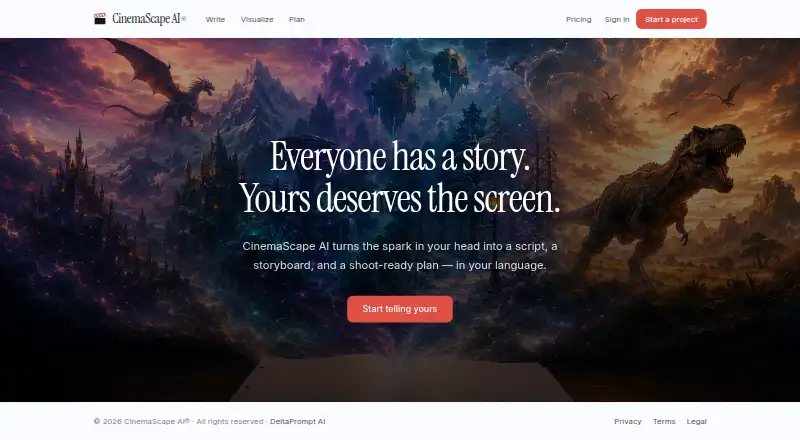
What CinemaScape AI is
CinemaScape AI is a web workspace for moving a film or video project from idea development through screenplay writing and production planning. Its screenplay editor supports screenplay formatting, up to six alternate versions of a scene, auto-save, and version history. AI writing actions can expand a scene or suggest a next one, with Claude or OpenAI selectable for each action. Writers can paste research or upload PDFs for text extraction, then use selected material as context. A scene can generate 4–6 pencil-sketch storyboard panels and a coverage shot list in under 30 seconds. Planning tools include a scene canvas, character relationship graph, script coverage dashboard, estimated shoot days, budget tier, and locations. Collaborators can be invited by email with owner, editor, commenter, or viewer roles, and can comment on scenes and projects. It supports English, Malayalam, Hindi, Tamil, and French, and exports to PDF. Starter is free; Pro costs $9 / mo and Studio costs $19 / mo.
Who it suits
It suits writers, directors, and storytellers developing short films, video content, series, or feature films. The collaboration tools also suit projects involving multiple contributors.
What it does well
- Up to six alternate versions per scene
- Scene research can be supplied through PDFs
- Generates 4–6 storyboard panels and a shot list
- Supports five listed languages
- Collaborator roles and project comments are available
What to know first
- Starter is limited to two projects
- Starter includes 10 storyboard generations one-time
- Monthly credits reset each billing cycle
Limits
Starter is free and limited to 2 projects and 10 storyboard generations as a one-time allowance. Pro is $9 / mo with 10 projects and 800 credits per month; Studio is $19 / mo with unlimited projects and 2,000 monthly credits. Monthly credits reset each billing cycle, while top-up credits roll over.
Plans
| Plan | Billed and limits | Price |
|---|---|---|
| Starter | Free · 2 projects · 10 storyboard generations (one-time) · screenplay editor, story canvas, blocking · PDF export · all 5 languages | Free |
| Studio | $19 / mo · Unlimited projects · 2,000 credits / month (≈50 storyboards) · everything in Pro · earliest access to new features | $19 a month |
| Pro | $9 / mo · 10 projects · 800 credits / month (≈20 storyboards) · all AI writing tools · credit top-ups anytime · team collaboration | $9 a month |
As cinemascapeai.com lists them, read 29 Sept 2026. The maker's own page has the final word.
Getting started
- Open the CinemaScape AI website in a web browser.
- Choose the free Starter plan or select Pro or Studio.
- Create a project and work in the screenplay editor, story canvas, or blocking tools.
- Import a script or add research by pasting text or uploading a PDF.
- Invite collaborators by email and assign an owner, editor, commenter, or viewer role.
- Export a PDF when ready.
Overview
CinemaScape AI is a web workspace for developing screenplays and turning scenes into visual and production plans. It is best for writers and directors who want those steps connected in one place. Its breadth is the draw; recurring AI work is constrained by credits.
Key features
The screenplay editor supports screenplay elements, auto-save, version history, and up to six alternate versions per scene. That makes it useful for exploring different directions without discarding earlier drafts. Script import and PDF export support moving work into the workspace and sharing a document, though PDF is the export format specified.
AI writing can expand a scene or suggest a next one, with Claude or OpenAI selectable for each action. Writers can add AI consultants, paste research, or upload PDFs for text extraction, then choose material as context for generation. This gives writers control over what informs a suggestion, but each action draws credits. Content is sent to the selected AI provider when an action is requested.
A scene can produce four to six pencil-sketch storyboard panels and a coverage shot list, with generation estimated at under 30 seconds. That is a useful first pass from page to visual plan, not a replacement for production judgment. Planning tools include a scene canvas, character relationship graph, script coverage dashboard, estimated shoot days, budget tier, and locations, linking story development with practical planning.
Email invitations support owner, editor, commenter, and viewer roles, and collaborators can comment on scenes and projects. That role structure suits teams that need different levels of access. The interface supports English, Malayalam, Hindi, Tamil, and French, including language adaptation for screenplay and AI features.
The maker says it does not sell personal information or use user content to train its own AI models. Its privacy policy describes TLS in transit, encryption at rest through Supabase, row-level security, and least-privilege service credentials. AI requests still send content to the selected provider, a consideration for writers handling sensitive material.
Pricing
Starter is free, billed Free, and includes two projects, 10 one-time storyboard generations, the screenplay editor, story canvas, blocking, PDF export, and all five languages. It is a sensible way to explore the core workflow, but the project cap and non-renewing storyboard allowance make it restrictive for ongoing production.
Pro costs $9 / mo and includes 10 projects, 800 credits per month (about 20 storyboards), all AI writing tools, credit top-ups anytime, and team collaboration. It fits an individual or small team that needs regular AI assistance, although storyboard generations and writing actions compete for credits: the pricing page estimates about 40 credits per storyboard and 2–12 per writing action. Monthly credits reset each billing cycle; top-up credits roll over.
Studio costs $19 / mo and adds unlimited projects, 2,000 credits per month (about 50 storyboards), and earliest access to new features, with everything in Pro. It is the more suitable tier for multiple active projects or heavier generation, but the same credit accounting applies. Pro and Studio credits renew monthly rather than accumulating; only top-ups carry over.
Platforms
CinemaScape AI runs on the web. PDF is the specified export format, so readers who need other output formats should look elsewhere.
Who it's for
Writers, directors, and storytellers developing short films, video content, series, or feature films are the clearest fit, especially when they want screenplay drafting, storyboarding, shot planning, and production organization together. It is less compelling for writers who only need a screenplay editor, or teams whose work depends on extensive AI generation beyond the monthly credit allowance.
Pros and cons
- Pro: Screenplay, storyboard, shot-list, and production-planning tools share one workspace, reducing the need to separate those stages.
- Pro: Scene alternatives, research context, and selectable AI providers give writers several ways to shape and inform generated suggestions.
- Pro: Team roles and comments support collaboration without giving every invitee the same access.
- Con: Starter allows only two projects and 10 one-time storyboard generations, limiting its usefulness beyond a small trial project.
- Con: AI actions use a shared credit allowance, and monthly credits expire at the billing-cycle reset.
- Con: PDF is the stated export format, which may not suit workflows needing other deliverables.
Alternatives
For a broader set of options, browse AI Storyboard Generators.
Cygnus is worth considering if a macOS option matters or if its free plan's 200 monthly credits and seven pipeline stages better match your workflow. Krock.io may suit teams looking for a multi-platform review workflow, with a free trial and unlimited reviewers on its free plan. Alchemys is another web option, with 1,000 starter credits for new users at first sign-in.
Armox AI may be a better fit for users seeking image and video generation through web or API access; its Pro plan is $20 a month and includes 20K credits/month. Boords is worth comparing for storyboard-focused work: its free Solo plan includes unlimited storyboards and scripts, plus 250 AI images per month. Drawstory is another web-based freemium alternative.
GOGUL may fit a user who wants a one-time free 100-credit balance, though its free plan limits storyboards to eight frames and excludes PDF export. LTX Studio is an alternative to consider for web or API access, with 800 credits on its free plan.
Verdict
Choose CinemaScape AI if you want screenplay development, visual planning, and production organization connected in a web workspace, particularly with collaborators. Its key advantage is that joined-up workflow; its main reason to look elsewhere is the credit ceiling for sustained AI use, along with the limited free-plan capacity.
Verdict
CinemaScape AI brings writing, visual planning, and production planning into one web workspace, with PDF export and team roles. The free Starter plan has project and storyboard limits; Pro starts at $9 / mo.
Questions
Is CinemaScape AI free?
Yes. Starter is billed Free and includes 2 projects, 10 storyboard generations as a one-time allowance, screenplay editing, story canvas, blocking, PDF export, and all five listed languages.
How much are the paid plans?
Pro is $9 / mo and Studio is $19 / mo. Pro includes 10 projects and 800 credits per month; Studio includes unlimited projects and 2,000 credits per month.
Which platforms does CinemaScape AI support?
The listed platform is web.
Which languages does it support?
The maker lists English, Malayalam, Hindi, Tamil, and French, with language adaptation for screenplay and AI features.
Can a team collaborate in CinemaScape AI?
Yes. Users can invite collaborators by email as owners, editors, commenters, or viewers, and leave comments on scenes and projects. Team collaboration is included in Pro.
How does CinemaScape AI handle user content for AI actions?
The maker says it does not use user content to train its own AI models. Content is sent to the selected AI provider when an AI action is requested.
Facts from CinemaScape AI's own pages
- AI writing
- Writers can expand a scene, suggest the next scene, and choose Claude or OpenAI for each action. · cinemascapeai.com, 29 Sept 2026
- Audience
- The maker describes it as a tool for writers, directors, and storytellers working on short films, video content, series, or feature films. · cinemascapeai.com, 29 Sept 2026
- Collaboration
- Users can invite collaborators by email with owner, editor, commenter, or viewer roles and leave comments on scenes and projects. · cinemascapeai.com, 29 Sept 2026
- Data use
- The maker says it does not sell personal information or use user content to train its own AI models; content is sent to the selected AI provider when an AI action is requested. · cinemascapeai.com, 29 Sept 2026
- Integrations and infrastructure
- The privacy policy names Supabase, Vercel, Anthropic, OpenAI, Stripe, and optionally Sentry and PostHog as service providers. · cinemascapeai.com, 29 Sept 2026
- Languages
- The maker lists English, Malayalam, Hindi, Tamil, and French, with language adaptation for screenplay and AI features. · cinemascapeai.com, 29 Sept 2026
- Production planning
- The planning tools include a scene canvas, character relationship graph, script coverage dashboard, estimated shoot days, budget tier, and locations. · cinemascapeai.com, 29 Sept 2026
- Purpose
- CinemaScape AI connects idea development, screenplay writing, storyboards, shot lists, and blocking in one workspace. · cinemascapeai.com, 29 Sept 2026
- Research tools
- Users can add AI consultants, paste research, or upload PDFs for text extraction and use selected material as context for AI generations. · cinemascapeai.com, 29 Sept 2026
- Screenplay editor
- The editor supports screenplay elements, up to six alternate versions per scene, auto-save, and version history. · cinemascapeai.com, 29 Sept 2026
- Security
- The privacy policy says it uses TLS in transit, encryption at rest through Supabase, row-level security policies, and least-privilege service credentials. · cinemascapeai.com, 29 Sept 2026
- Storyboard and shot list
- The maker says a scene can produce 4–6 pencil-sketch storyboard panels and a coverage shot list in under 30 seconds. · cinemascapeai.com, 29 Sept 2026
- Support and contact
- The maker lists [email protected] for privacy questions and [email protected] for terms questions. · cinemascapeai.com, 29 Sept 2026
- Usage limits
- The pricing page estimates about 40 credits per storyboard generation and 2–12 credits per AI writing action; monthly credits reset each billing cycle, while top-up credits roll over. · cinemascapeai.com, 29 Sept 2026
Where CinemaScape AI stands on Freedom251
- AI Storyboard Generators#9 of 26