Freedom251 › Digital Waiver Software
WaiverApp
What WaiverApp is
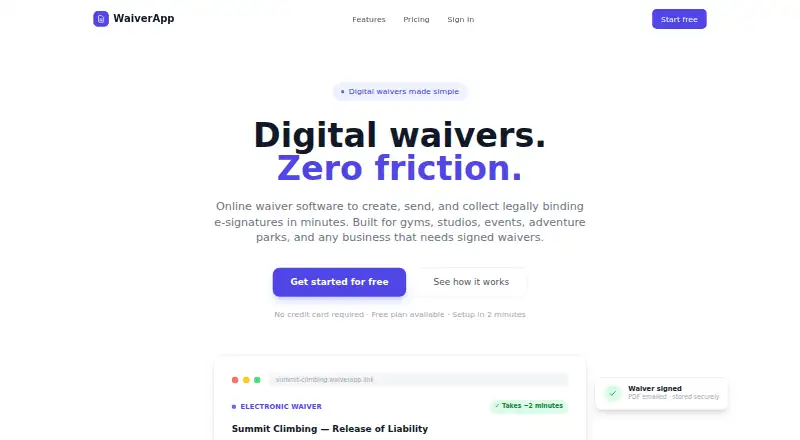
WaiverApp is web software for businesses that create, send, and collect electronic waiver signatures. Its drag-and-drop builder lets businesses create templates with custom fields, signature areas, logos, and brand colors without coding. Signers can draw or type their signatures, and completed PDFs include an audit trail with signer identity, timestamps, and IP address. Waivers can be shared by SMS, email, QR code, or website embed, and signers can complete them on any device without downloading an app. A tablet kiosk mode supports signing at a front desk. Optional government ID scanning can fill form fields and check minimum-age requirements before signing. Waiver completion can trigger webhooks to send data to a CRM, scheduling software, or custom workflow. The Free plan allows 10 waivers per month. Starter costs $13/mo when billed annually and allows 150 waivers monthly; Business costs $33/mo and allows 500. Paid plans add storage and features such as branding, team access, data export, and support. WaiverApp says it encrypts data in transit and at rest, uses access controls and audit logging, and retains signed records for at least seven years unless the customer deletes them earlier or requests deletion.
Who it suits
WaiverApp suits gyms, studios, events, and adventure parks that need to collect electronic waivers online or at a tablet kiosk. It can also fit businesses that need age checks, guardian consent, branded templates, or waiver data sent to other systems.
What it does well
- Build branded templates with custom fields without coding.
- Share waivers by SMS, email, QR code, or website embed.
- Signers can complete waivers on any device without an app.
- Optional ID scanning supports form fill and minimum-age checks.
- Webhooks can send completed waiver data to other systems.
- Business includes data export and retention controls.
What to know first
- The Free plan is limited to 10 waivers per month.
- Offline signing is unavailable.
- API access is unavailable.
- Business is capped at 500 waivers per month; higher volumes require contacting WaiverApp.
Limits
The Free plan allows 10 waivers per month and includes 1 GB of storage. Starter allows 150 waivers monthly and 20 GB of storage; Business allows 500 monthly and 100 GB. Customers needing more than Business's monthly volume should contact WaiverApp.
Plans
| Plan | Billed and limits | Price |
|---|---|---|
| Free | $0/mo · 10 waivers / month · Unlimited templates · 1 GB storage · PDF generation · Email copy to signer · Basic dashboard | Free |
| Starter | $13/mo; Billed $156/year · 150 waivers / month · Unlimited templates · 20 GB storage · Custom branding & logo · Video integrations · Webhook integrations · Minor consent & guardian · ID scan & age verification · Email support | $13 a month |
| Business | $33/mo; Billed $400/year · 500 waivers / month · Unlimited templates · 100 GB storage · Everything in Starter · Custom video integrations · Team member access · HIPAA BAA available · Data export & retention controls · Priority email support | $33 a month |
As waiverapp.link lists them, read 7 Oct 2026. The maker's own page has the final word.
Getting started
- Visit the WaiverApp website in a web browser.
- Choose the Free plan or a paid plan.
- Build a waiver template using custom fields, signature areas, and branding.
- Share the waiver by SMS, email, QR code, or website embed.
- Use tablet kiosk mode for front-desk signing if needed.
WaiverApp is a browser-based service for creating, distributing, and storing electronic waivers. It fits gyms, studios, events, and adventure parks that need branded forms for both remote customers and front-desk visitors. The strongest case is its combination of flexible signing channels, identity and age checks, and webhook automation; volume ceilings and the absence of offline signing or an API limit more demanding operations.
Overview
A drag-and-drop builder lets staff create forms with custom fields, signature areas, logos, and brand colors without coding. Completed waivers can be sent by SMS or email, shared through QR codes, or embedded on a website. Customers sign on any device without installing an app, while kiosk mode supports tablet signing at a reception desk. This mix is practical for businesses handling advance bookings and walk-ins.
Signatures may be drawn or typed. Signed PDFs carry the signer’s identity, timestamp, and IP address in an audit trail, giving operators a stronger record than a bare document. Optional government-ID scanning can populate fields and enforce minimum-age rules before signing; guardian signing covers minor consent.
Completion webhooks can pass information to a CRM, scheduling system, or custom workflow. That is useful for event and activity businesses tying a signed waiver to a booking, although teams requiring direct API access or offline operation need another product.
Key features
- Template and branding controls: The no-code builder and unlimited templates on every plan support different activities, locations, or customer groups without repeatedly rebuilding forms.
- Distribution: SMS, email, QR code, website embed, and kiosk mode cover remote and in-person collection. Device-independent signing removes an app-install step for customers.
- Verified records: Drawn or typed signatures and PDF audit trails with identity, time, and IP details improve accountability and retrieval.
- ID, age, and guardian workflows: ID scanning, minimum-age enforcement, and minor-consent support suit adventure operators and other age-restricted activities.
- Automation: Webhooks connect completed waivers to external systems. There is no API access, so custom integrations are limited to what webhook events can support.
- Security and privacy: Data is encrypted in transit and at rest, with access controls and audit logging. Personal information is not sold, and cookies are limited to authentication sessions rather than tracking or advertising. Signed records are retained for at least seven years unless deleted sooner by the customer or on request.
Pricing
Free — $0.00 per month. The free tier allows 10 waivers per month, unlimited templates, 1 GB of storage, PDF generation, an email copy to the signer, and a basic dashboard. It is suitable for very small or seasonal operations; the ten-waiver ceiling arrives quickly for regular customer traffic.
Starter — $13.00 per month, billed $156/year. This raises capacity to 150 waivers monthly and storage to 20 GB, adding custom branding and logos, video integrations, webhook integrations, minor consent and guardian tools, ID scanning and age verification, and email support. It is the sensible tier for a small business that needs branded, automated collection, but the annual billing commitment and quota still matter.
Business — $33.00 per month, billed $400/year. The 500-waiver monthly limit and 100 GB storage support busier operators. It includes Starter features plus custom video integrations, team-member access, data export and retention controls, priority email support, and a HIPAA Business Associate Agreement option. Businesses exceeding 500 waivers per month must contact WaiverApp, so high-volume pricing is not predictable from these plans.
Platforms
WaiverApp runs on the web. Signers use a browser on any device, and kiosk collection works on a tablet. Offline signing is not supported, which makes a dependable internet connection essential at the point of signing.
Who it's for
Choose it for a gym, studio, event organizer, or adventure park that wants customizable waivers, front-desk kiosk collection, age or identity checks, and webhook links to operational software. Starter suits a small team; Business is better when multiple staff need access, retention controls, exports, or HIPAA paperwork. It is a poor fit for organizations needing offline capture, direct API control, or more than 500 monthly waivers without a custom conversation.
Pros and cons
Pros
- Multiple sharing methods and kiosk mode handle both online registration and walk-in signing.
- Identity, timestamp, and IP audit data make signed PDFs more defensible records.
- ID scanning, age enforcement, and guardian consent address common safety and compliance workflows.
- Business adds exports, retention controls, team access, and an optional HIPAA BAA.
- Webhooks provide a practical path into CRMs and scheduling systems.
Cons
- Free usage stops at 10 waivers per month, while paid tiers cap monthly volume at 150 and 500.
- Annual billing applies to the published Starter and Business prices.
- No offline signing or API access limits resilience and deeper custom integration.
- Higher-volume customers must request pricing beyond the Business allowance.
Alternatives
Digital Waiver Software is the broader category list for comparing services. Choose OnlineWaiverPro if Android and iOS apps matter or if a $10 monthly Basic plan with 50 included waivers fits your volume. WaiverFile suits businesses preferring a no-monthly-fee booking model with a 6% checkout fee plus Stripe processing. Pick ClickWaiver for API access, webhooks, and unlimited waivers on its $29 Pro plan. Survtapp is an option when mobile platforms, API access, and kiosk-device limits are priorities. WaiverDrop offers a free tier with kiosk, touchless mode, and webhooks. WaiverForever is another freemium alternative with a 20-submission free allowance. WaiverKit is web-only and starts with 30 signed waivers per month on its free plan. AgreeDock offers a free 10-signature tier and a low-cost yearly Pro option.
Verdict
WaiverApp is a good choice for small and midsize activity businesses that need branded, device-friendly waiver collection, age and guardian controls, and webhook automation. Its clear weakness is operational headroom: capped monthly volumes, web-only access, no offline mode, and no API. Choose it for a flexible browser workflow; look elsewhere when connectivity independence, deep integration, or larger scale is central.
Verdict
Choose WaiverApp if your business needs a flexible online waiver flow, with kiosk signing, optional ID and age checks, and webhooks. The Free plan supports up to 10 waivers per month, while paid plans start at $13/mo billed annually. Offline signing and API access are unavailable.
Questions
Is there a free plan?
Yes. Free costs nothing and includes 10 waivers per month, unlimited templates, 1 GB storage, PDF generation, an email copy to the signer, and a basic dashboard.
How much do the paid plans cost?
Starter is $13/mo billed annually ($156/year). Business is $33/mo, billed at $400/year.
Which platforms does WaiverApp support?
WaiverApp is available on the web. Signers can complete waivers on any device without downloading an app.
Can WaiverApp export data or connect to other software?
Business includes data export. Waiver completion can also trigger webhooks to sync data with a CRM, scheduling software, or custom workflows.
Does WaiverApp support offline signing or API access?
No. Offline signing and API access are not available.
What support and privacy details are listed?
Starter includes email support, and Business includes priority email support. WaiverApp says it does not sell personal information and uses authentication cookies without tracking or advertising cookies.
Facts from WaiverApp's own pages
- HIPAA
- The homepage says the Business plan offers a HIPAA Business Associate Agreement, encrypted storage, and data retention controls. · waiverapp.link, 7 Oct 2026
- ID and age checks
- Optional government ID scanning can auto-fill form fields and enforce minimum-age requirements before signing. · waiverapp.link, 7 Oct 2026
- Integrations
- Waiver completion can trigger webhooks to sync data with a CRM, scheduling software, or custom workflows. · waiverapp.link, 7 Oct 2026
- Kiosk mode
- The FAQ says customers can use kiosk mode on a tablet at their front desk. · waiverapp.link, 7 Oct 2026
- Plan limit
- The homepage lists 500 waivers per month for Business and says customers needing more volume should contact WaiverApp. · waiverapp.link, 7 Oct 2026
- Privacy
- The privacy policy says WaiverApp does not sell personal information and uses cookies only for authentication sessions, with no tracking or advertising cookies. · waiverapp.link, 7 Oct 2026
- Purpose
- WaiverApp provides online software for creating, sending, and collecting electronic waiver signatures for businesses including gyms, studios, events, and adventure parks. · waiverapp.link, 7 Oct 2026
- Retention
- The privacy policy says signed waiver records are retained for at least seven years unless the customer deletes them earlier or requests deletion. · waiverapp.link, 7 Oct 2026
- Security
- The privacy policy says WaiverApp uses encryption in transit and at rest, access controls, and audit logging. · waiverapp.link, 7 Oct 2026
- Sharing and signing
- Waivers can be shared by SMS, email, QR code, or website embed, and signers can complete them on any device without downloading an app. · waiverapp.link, 7 Oct 2026
- Signatures and records
- Signatures can be drawn or typed, and signed PDFs include an audit trail with signer identity, timestamps, and IP address. · waiverapp.link, 7 Oct 2026
- Support
- Starter includes email support, while Business includes priority email support. · waiverapp.link, 7 Oct 2026
- Template builder
- Its drag-and-drop template builder supports custom fields, signature areas, logos, and brand colors without coding. · waiverapp.link, 7 Oct 2026
Where WaiverApp stands on Freedom251
- Digital Waiver Software#10 of 25