Freedom251 › Digital Waiver Software

AgreeDock
What AgreeDock is
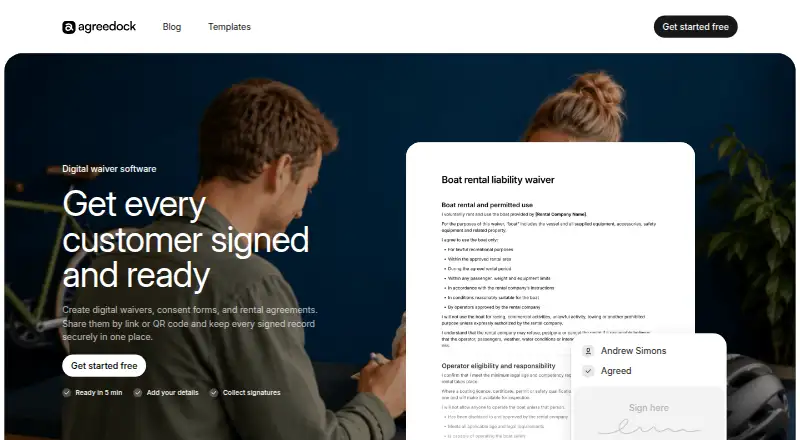
AgreeDock helps businesses create digital waivers, consent forms, and rental agreements, then share them through a link or QR code and keep signed records. A form can be drafted from a description using AI or started from a template; businesses can add their details, questions, terms, and branding. Customers can sign in person or in a browser on a phone, tablet, or computer without downloading an app. Businesses can see who signed, search customer records, and download completed waivers as PDFs. A PDF can include the form text, customer responses, signature, signing date, and document version. Each signed record preserves the version the customer accepted. The site presents AgreeDock for tattoo and piercing studios, gyms and fitness studios, beauty salons, yoga and Pilates studios, camps and retreats, activity businesses, and rental businesses. For activity businesses, it works alongside an existing booking or ticketing system. The Free plan costs nothing and includes 10 signatures per month, one active waiver, and a signing link and QR code. Pro is listed at $10 a year, with the plan displayed as $10 and $15 /month; it includes unlimited signatures and waivers, expiration tracking, signed PDF records, and priority support. The site lists paid pricing from $15/mo. AgreeDock says it does not provide legal advice or guarantee validity or enforceability in every situation.
Who it suits
AgreeDock suits businesses that collect signed waivers, consent forms, or rental agreements, especially the industries listed on its site. It may also suit activity businesses that want forms alongside an existing booking or ticketing system.
What it does well
- Forms can be shared by link or QR code
- Online signing works in a browser without an app
- Signed PDFs can include responses and document version
- Free plan includes 10 monthly signatures
What to know first
- Free plan allows one active waiver
- AgreeDock does not provide legal advice
- It does not guarantee legal validity in every situation
Limits
The Free plan includes 10 signatures per month and one active waiver. Pro lists unlimited signatures and waivers, expiration tracking, signed PDF records, and priority support.
Plans
| Plan | Billed and limits | Price |
|---|---|---|
| Free | 10 signatures per month · 1 active waiver · signing link and QR code | Free |
| Pro | Yearly billing; displayed as $10 and $15 /month · Unlimited signatures · unlimited waivers · signing link and QR code · expiration tracking · signed PDF records · priority support | $10 |
As agreedock.com lists them, read 8 Oct 2026. The maker's own page has the final word.
Getting started
- Visit the AgreeDock website.
- Use the web service to create a form from an AI description or a template.
- Add business details, questions, terms, and branding.
- Share the form with a link or QR code, or arrange for customers to sign in person.
Verdict
AgreeDock combines form creation, browser and in-person signing, and records that preserve accepted versions. Businesses should review its plan limits and remember that it does not guarantee legal enforceability.
Questions
Is there a free plan?
Yes. The Free plan includes 10 signatures per month, one active waiver, and signing by link or QR code.
How much does AgreeDock cost?
The site lists paid pricing from $15/mo. The Pro plan lists unlimited signatures and waivers, expiration tracking, signed PDF records, and priority support.
What devices can customers use to sign?
Customers can sign in a browser on a phone, tablet, or computer, or sign in person. Browser signing does not require an app download.
Can I download signed forms?
Yes. Businesses can download completed waivers as PDFs. A PDF can include the waiver text, customer responses, signature, date signed, and document version.
Does AgreeDock connect to booking or ticketing systems?
For activity businesses, the site says AgreeDock handles waivers and signatures alongside a business’s booking or ticketing system.
Does AgreeDock provide legal advice?
No. AgreeDock says it is not a law firm, does not provide legal advice, and does not guarantee a form or signature is valid or enforceable in every situation.
Facts from AgreeDock's own pages
- AI and templates
- Users can describe a form for AI to create or start from a template, then add business details, questions, terms, and branding. · agreedock.com, 8 Oct 2026
- Browser access
- The signing page opens in a browser without an app download and works on phones, tablets, and computers. · agreedock.com, 8 Oct 2026
- Data roles
- AgreeDock says it generally acts as a processor for personal data submitted through a customer’s form, while the customer generally acts as controller. · agreedock.com, 8 Oct 2026
- Industries
- The site presents AgreeDock for tattoo and piercing studios, gyms and fitness studios, beauty salons, yoga and Pilates studios, camps and retreats, activity businesses, and rental businesses. · agreedock.com, 8 Oct 2026
- Integrations
- The activity-business page says AgreeDock handles waivers and signatures and works alongside a business’s booking or ticketing system. · agreedock.com, 8 Oct 2026
- Legal limits
- AgreeDock says it is not a law firm, does not provide legal advice, and does not guarantee that a form or signature is legally valid or enforceable in every situation. · agreedock.com, 8 Oct 2026
- PDF contents
- A completed waiver PDF can include the waiver text, customer responses, signature, date signed, and document version. · agreedock.com, 8 Oct 2026
- Product
- AgreeDock lets businesses create digital waivers, consent forms, and rental agreements, then share them by link or QR code and store signed records. · agreedock.com, 8 Oct 2026
- Records
- Businesses can see who signed, search customer records, and download completed waivers as PDFs. · agreedock.com, 8 Oct 2026
- Security measures
- The privacy policy says measures may include encryption in transit, access controls, authentication, monitoring, logging, backups, vulnerability management, restricted staff access, and incident-response procedures. · agreedock.com, 8 Oct 2026
- Signing
- Customers can sign online from a phone, tablet, or computer, or sign in person. · agreedock.com, 8 Oct 2026
- Support
- The Pro plan lists priority support, and the site provides [email protected] as a contact address. · agreedock.com, 8 Oct 2026
- Version history
- Previously signed records preserve the version of the waiver each customer accepted. · agreedock.com, 8 Oct 2026
Where AgreeDock stands on Freedom251
- Digital Waiver Software#5 of 25