Freedom251 › Consumer Video Feedback Software
VideoAsk
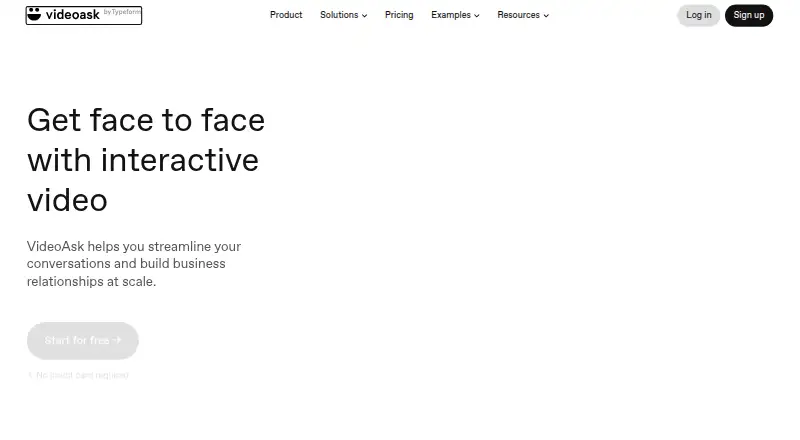
What VideoAsk is
VideoAsk is a web-based tool for building interactive video conversations and forms. Creators can ask open-ended questions and receive replies as video, audio, or text, then respond through the service to continue the exchange. Multi-step flows and conditional logic can guide respondents to different steps or webpages. The tool is intended for tasks such as qualifying leads, recruiting candidates, and collecting testimonials. It supports screen and webcam recording, basic video editing, transcription, and viewer analytics. Each videoask step can be up to 5 minutes; paid plans can allow video or audio answers of up to 5 minutes. Video and audio recording or uploading uses processing minutes, while playback is unlimited. Unused minutes do not carry over, and exceeding the allowance prevents creators from viewing submissions until they upgrade or reach the next billing cycle. VideoAsk offers a free plan at no cost, with a maximum of 3 steps per videoask. It is available on web, iOS, and Android, though the Android app can reply to respondents but cannot build or edit forms.
Who it suits
VideoAsk suits teams collecting video, audio, or text responses for lead qualification, recruitment, or testimonials. It can also fit creators who want conditional, multi-step conversations and follow-up replies.
What it does well
- Accepts video, audio, or text responses
- Conditional logic can route respondents
- Includes screen and webcam recording
- Transcription and viewer analytics are available
- Free plan includes up to 3 steps
What to know first
- Processing minutes limit media submissions
- Unused processing minutes do not carry over
- Android app cannot build or edit forms
Limits
The free Start plan permits a maximum of three steps per videoask. Video and audio recording or uploading uses processing minutes; unused minutes do not carry over, and after exceeding the allowance creators cannot view submissions until upgrading or the next billing cycle.
Plans
| Plan | Billed and limits | Price |
|---|---|---|
| Start | Maximum 3 steps per videoask | Free |
As videoask.com lists them, read 7 Oct 2026. The maker's own page has the final word.
Getting started
- Open the VideoAsk website.
- Choose the free Start plan at no cost.
- Create a videoask with up to three steps on the free plan.
- Add questions and, if needed, conditional routing to other steps or webpages.
- Share the videoask so respondents can answer by video, audio, or text.
- Use the web or iOS app to manage forms; the Android app can reply to respondents.
VideoAsk is a web-based tool for interactive, asynchronous video conversations and forms. It is best suited to marketers, recruiters, and small teams that need personal, branching responses rather than a conventional form. Choose it for conversational lead qualification and follow-up, but plan around its processing-minute rules.
Overview
VideoAsk turns recorded prompts into a response flow. People can answer open-ended questions with video, audio, or text, and the creator can reply within VideoAsk to continue a two-way exchange. That format is well matched to qualifying leads, screening candidates, and collecting testimonials where context and tone matter.
Multi-step videoasks and conditional logic can direct respondents to different questions or webpages. This supports compact funnels that adapt to an answer instead of forcing everyone through the same sequence. Each step can be up to five minutes, giving room for a substantive prompt while keeping the interaction asynchronous.
Key features
Media responses and recording
Respondents can record or upload video and audio, or write a text reply. Screen and webcam recording support demonstrations and introductions, while basic editing helps tidy a clip before it is used. Transcription turns spoken answers into readable material, and viewer analytics add engagement signals. Paid plans can allow video or audio answers up to five minutes, matching the maximum length of each videoask step.
Logic, integrations, and security
Conditional routing can send people to a later step or an external webpage, making the tool more useful for qualification than a fixed video message. Documented integrations include calendars and Zendesk, plus Zapier workflows involving Slack, HubSpot, Airtable, and Google Drive. Respondent data is stored with AWS and encrypted in transit and at rest. Data Protection Agreements with Standard Contractual Clauses address international transfers.
Video and audio recording or uploading uses processing minutes. Playback is unlimited, but unused minutes expire rather than carrying forward. If the allowance is exceeded, respondents may still submit media, while creators cannot view those submissions until upgrading or reaching the next billing cycle. That is the most consequential operational limitation for campaigns with unpredictable volume.
Pricing
| Plan | Price | What it includes |
|---|---|---|
| Start | free | Up to three steps per videoask; screen and webcam recording, basic video editing, transcription, viewer analytics, and a five-minute maximum video length. |
The free Start plan is a sensible way to build short qualification or testimonial flows without a software bill. Its three-step ceiling limits more involved funnels, and processing-minute usage still matters because submissions can become inaccessible after the allowance is exhausted. Paid plans are the route for longer branching experiences and video or audio answers up to five minutes, but their pricing is custom rather than stated here.
Platforms
VideoAsk runs on the web and has iOS and Android apps. The Android app can reply to respondents, but it cannot build or edit forms, so Android users who manage workflows will need the web interface. iOS and web access provide the broader creation experience.
Who it's for
Choose VideoAsk when a lead, applicant, or customer should explain something in their own voice and may need a reply from your team. Its branching logic suits lightweight qualification funnels, while transcription and analytics help teams review responses at scale. It is less suitable when every submitted recording must remain immediately viewable regardless of usage spikes, or when form creation must happen entirely in an Android app.
Pros and cons
- Pros: Video, audio, and text answers accommodate different respondent preferences.
- Pros: Conditional paths and webpage routing support adaptive qualification flows.
- Pros: Two-way replies keep the exchange conversational after submission.
- Pros: Transcription, analytics, and integrations connect responses to follow-up work.
- Cons: Processing minutes do not roll over, and over-limit media cannot be viewed until access is restored.
- Cons: The free plan permits only three steps per videoask.
- Cons: Android supports replies but not form building or editing.
Alternatives
For a broader directory of related products, see Video Marketing and Video Messaging Software.
- Dubb is a better pick if you need desktop and browser coverage, an API or extension, and a paid Pro plan with unlimited videos and HD quality.
- Hippo Video suits teams seeking video flows and automated personalized-video capabilities alongside captions.
- Bonjoro fits a straightforward personal-video workflow, with a free tier allowing up to 50 videos and a $15-per-month Starter option on annual pricing.
- Vidyard is worth considering for limited AI-video creation plus recording, editing, sharing, and integrations on its free plan.
- Vimeo is the stronger choice for hosting and storage, including a $12-per-month Starter plan with 2 TB storage and 2 TB monthly bandwidth.
- Animoto is an alternative for producing conventional marketing videos, with unlimited free videos but a watermark.
- Cinema8 offers interactive-video hosting with a free plan including one seat, 2 GB storage, 500 GB bandwidth, and 10 videos.
- Wave.video is aimed at broader video creation and livestreaming rather than respondent-led conversations.
Verdict
VideoAsk is a strong choice for teams that want asynchronous, personal answers and branching follow-up in one flow. Its main advantage is turning a form into an exchange; look elsewhere if processing-minute lockouts, three-step free flows, or Android creation limits conflict with your operation.
Verdict
VideoAsk combines interactive forms with asynchronous video, audio, and text exchanges. Check the processing-minute limits and Android app restrictions if those affect your workflow.
Questions
Is VideoAsk free?
Yes. The Start plan costs nothing and includes up to three steps per videoask.
Which platforms does VideoAsk support?
VideoAsk is available on the web, iOS, and Android. The Android app can reply to respondents but cannot build or edit forms.
What kinds of answers can respondents send?
They can respond to open-ended questions with video, audio, or text messages.
Can creators respond to submissions?
Yes. Creators can reply through VideoAsk to continue a two-way conversation.
What integrations are documented?
VideoAsk documents integrations including calendars, Zendesk, and Zapier workflows with Slack, HubSpot, Airtable, and Google Drive.
Who makes VideoAsk?
VideoAsk identifies itself as a Typeform product.
Facts from VideoAsk's own pages
- Company
- VideoAsk identifies itself as a Typeform product. · app.videoask.com, 7 Oct 2026
- Founded
- 2012 · videoask.com, 28 Sept 2026
- Headquarters
- Barcelona, Spain · videoask.com, 28 Sept 2026
- Integrations
- VideoAsk documents integrations including calendars, Zendesk, and Zapier workflows with services such as Slack, HubSpot, Airtable, and Google Drive. · videoask.com, 7 Oct 2026
- Logic and funnels
- VideoAsk supports multi-step videoasks and conditional logic that can route respondents to different steps or webpages. · videoask.com, 7 Oct 2026
- Mobile apps
- VideoAsk offers iOS and Android apps; its help page says the Android app can reply to respondents but cannot build or edit forms. · videoask.com, 7 Oct 2026
- Over-limit behavior
- If processing minutes are exceeded, respondents can still submit media, but creators cannot view submissions until upgrading or the next billing cycle. · videoask.com, 7 Oct 2026
- Privacy
- VideoAsk says it uses Data Protection Agreements with Standard Contractual Clauses for international data transfers. · app.videoask.com, 7 Oct 2026
- Product
- VideoAsk is a web-based interactive video tool for creating personalized asynchronous conversations and forms. · app.videoask.com, 7 Oct 2026
- Recording limits
- Each videoask step can be up to 5 minutes, and paid plans can allow video or audio answers up to 5 minutes. · videoask.com, 7 Oct 2026
- Response types
- Respondents can answer open-ended questions with video, audio, or text messages. · app.videoask.com, 7 Oct 2026
- Security
- VideoAsk says respondent data is stored with AWS and data is encrypted in transit and at rest. · app.videoask.com, 7 Oct 2026
- Support
- Users can contact support through the Help Center or from within their VideoAsk account, and the Help Center also links to a community. · app.videoask.com, 7 Oct 2026
- Two-way conversations
- Creators can reply to collected responses through VideoAsk to continue a two-way conversation. · app.videoask.com, 7 Oct 2026
- Usage limit
- Video and audio recording or uploading counts toward processing minutes; playback is unlimited, and unused minutes do not carry over. · videoask.com, 7 Oct 2026
- Use cases
- VideoAsk says it can be used to qualify leads, recruit candidates, and collect testimonials. · app.videoask.com, 7 Oct 2026
Where VideoAsk stands on Freedom251
- Consumer Video Feedback Software#5 of 23
- Video Marketing#9 of 23
- Video Messaging Software#16 of 29