Freedom251 › Video Making Software

Animoto
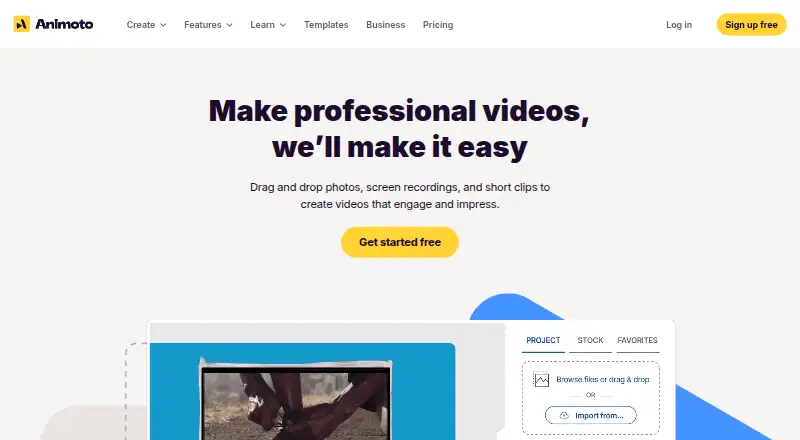
What Animoto is
Animoto is a video creation service for turning photos, video clips, text, and music into videos to share. It is available on the web and as an iOS app designed for making videos on an iPhone. The free plan includes unlimited videos, more than 50 music tracks, three standard fonts, and 30 color swatches, but free videos carry an Animoto watermark and cannot be downloaded. Animoto hosts videos and provides share links and embed codes. Professional and Professional Plus users can customize play pages with branding and a call-to-action button. Animoto 3 projects export at 360p, 720p, or 1080p; Professional and Professional Plus plans include 4K export. The mobile app’s sharing menu lists Facebook, Instagram, Vimeo, Twitter, and YouTube. For the website, Animoto recommends a desktop or laptop with Chrome or Firefox, as some features may not work as intended in mobile browsers. Subscriptions recur monthly or annually unless canceled.
Who it suits
Animoto may suit consumers, professional photographers, businesses, and educators making videos from photos, clips, text, and music. People wanting to use the website should plan to access it on a desktop or laptop browser.
What it does well
- Free plan allows unlimited videos.
- Free plan includes 50+ music tracks.
- Hosted videos have share links and embed codes.
- Professional plans include 4K export.
What to know first
- Free videos include an Animoto watermark.
- Free plan does not include video downloads.
- Some features may not work as intended in mobile browsers.
- Free trial is not offered.
Limits
The Free plan includes a watermark and does not include video downloads. Its listed features include music upload, 50+ tracks, three standard fonts, and 30 color swatches; 4K export is listed for Professional and Professional Plus users.
Plans
| Plan | Billed and limits | Price |
|---|---|---|
| Free | unlimited video creation · 50 music tracks · 3 fonts · 30 color swatches · 720p · Animoto watermark | Free |
| Premium | — | On request |
| Premium | — | On request |
| Basic | flat rate per month · 1080p HD · no Animoto branding · unlimited downloads · unlimited sharing | $16 a month |
| Professional | flat rate per month · 1M+ Getty Images assets · 3,000 music tracks · 40 fonts · 1 saved brand · 1080p | $29 a month |
| Professional Plus | flat rate per month · Professional features · up to 3 users · reseller licensing for commercial buyers | $79 a month |
As animoto.com lists them, read 21 Oct 2026. The maker's own page has the final word.
Getting started
- Open Animoto on the web or get the Video Maker & Editor app for iOS.
- For the website, use a desktop or laptop with Chrome or Firefox.
- Start with the Free plan or choose a subscription plan.
- Create a video from photos, video clips, text, and music.
- Share using the mobile app’s listed social destinations, or use Animoto’s share links or embed codes.
- For a single month, turn off auto-renewal; otherwise subscriptions recur monthly or annually until canceled.
Overview
Animoto makes videos from photos, clips, text and music, then hosts them for sharing. It is best suited to consumers, photographers, businesses and educators who want a straightforward way to turn existing media into a video. Its strongest case is the path from creation to hosted sharing; the free tier is constrained if you need downloadable, unwatermarked work.
Key features
Animoto combines media, text and music, and supports text-to-video and social resizing. Free users can upload music and choose from more than 50 tracks, three standard fonts and 30 color swatches. That gives personal projects some room for variation, but businesses seeking a distinctive visual identity may find the font choices narrow.
Videos are hosted on Animoto’s servers and can be shared by link or embedded. Professional and Professional Plus let users brand the play page and add a call-to-action button, a practical advantage for businesses that want the viewing experience to support a campaign. Basic adds 1080p HD downloads and removes the Animoto watermark. Animoto 3 videos export at 360p, 720p or 1080p; Professional and Professional Plus support 4K export for Animoto 3 projects.
Professional also includes saved brands, voiceover and multiple audio tracks, making it better suited to repeat production. Professional Plus adds team workspace and collaboration features for shared work. Animoto’s iOS app sharing menu names Facebook, Instagram, Vimeo, Twitter and YouTube. The service says it encrypts data in transit and at rest using keys managed by AWS, and does not use customer data for third-party marketing or advertising.
Pricing
Animoto is freemium, with no free trial. Free costs nothing and allows unlimited videos, but exports carry a “Made with Animoto” watermark and cannot be downloaded. It is useful for trying the service or sharing hosted videos, not for producing clean files to reuse elsewhere.
Premium, Basic, Professional and Professional Plus have custom pricing. Basic is the relevant step up if you need watermark removal and 1080p downloads. Professional is a stronger fit for branded play pages, 4K Animoto 3 exports, saved brands, voiceover and multiple audio tracks. Professional Plus is aimed at teams that need workspace and collaboration features. Subscriptions can be monthly or annual and recur unless canceled; a single month can be purchased by turning off auto-renewal.
Platforms
Animoto is available on the web and iOS. Its help guidance recommends using the website on a desktop or laptop with Chrome or Firefox, since some features may not work as intended in mobile browsers. The iOS app is designed for making videos on an iPhone.
Who it's for
Animoto fits people who want to assemble photos, clips, text and music into shareable videos, especially consumers, photographers, businesses and educators. Hosted links and embeds suit creators who want to distribute a finished video without first downloading it. If you need an unwatermarked file, the free plan is not enough; businesses that need branded viewing pages should look to Professional or Professional Plus.
Pros and cons
- Pros: Unlimited free videos and hosted links make it possible to create and share without a paid subscription.
- Pros: Paid tiers add practical production options, from 1080p downloads and watermark removal to 4K export, saved brands and collaboration.
- Cons: Free videos carry a watermark and cannot be downloaded, limiting their use outside Animoto’s hosting.
- Cons: The website is recommended for desktop or laptop use; mobile browsers may not handle every feature as intended.
- Cons: Premium, Basic, Professional and Professional Plus use custom pricing, so their cost cannot be weighed against their feature differences here.
Alternatives
For a different route to slideshow creation, SlideLabs AI has a free plan with five slideshows a month and image downloads; its Growth plan costs $34.99 a month and adds 150 slideshows a month plus posting and scheduling to TikTok. Choose it if those slideshow and publishing limits fit better than Animoto’s hosted-video workflow. Cinematic Slideshow Studio offers unlimited projects and 1 GB cloud storage on its free plan, with 720p at 30 fps and three monthly exports with a watermark; its Pro plan costs $14 a month. It may suit a reader prioritizing those project and storage terms.
FlexClip is another freemium video option, with apps for Android, iOS, web and Windows; its free plan allows 12 online projects, videos up to 10 minutes, and one stock video and one stock audio item per project. It is worth considering if those platform and project allowances match your needs. Steve AI has a free plan with 1,200 seconds of AI videos and 200 credits, and a Basic plan at $120 a year; consider it if those AI-video credits and annual price suit your workflow.
Ambience AI has a free plan with 100 credits, one seat and a seven-day free trial, plus a Premium plan at $15 a month with 2,000 credits per month and one seat. Focal has a Starter plan at $10 a month with 1,000 monthly credits, 50 daily credits, and up to 1,000 seconds of video per month. InVideo AI offers a free plan with a weekly quota reset. Lumen5 has a free plan with two AI voiceover minutes. These are alternatives to consider if their stated credits, quotas or voiceover allowance align better with your needs.
Browse AI Slideshow Makers, Social Media Video Makers, Video Marketing or Video Editing Software for more options in those categories.
Verdict
Choose Animoto if you want to turn existing media into hosted videos with share links and embeds, and can accept the free plan’s watermark and download restriction or move to a paid tier. Its mix of hosting and, on higher plans, branded viewing pages is useful for creators and businesses distributing finished videos. Look elsewhere if you need an unwatermarked downloadable file at no cost, or if desktop-oriented web use does not suit you.
Verdict
Animoto offers a free way to create and host videos, with paid plans adding features such as watermark removal and 4K export. The free plan’s watermark and lack of downloads are important limits to weigh before choosing it.
Questions
Is there a free plan?
Yes. The Free plan costs nothing and allows unlimited videos, with 50+ music tracks, three standard fonts, 30 color swatches, and a watermark.
Can I download videos on the Free plan?
No. The Free plan does not include video downloads, and its videos carry a “Made with Animoto” watermark.
Which platforms does Animoto support?
Animoto is available on the web and as an iOS Video Maker & Editor app designed for making videos on an iPhone.
What export resolutions are available?
Animoto 3 videos export at 360p, 720p, and 1080p. Professional and Professional Plus users can export Animoto 3 projects at 4K.
Can I add branding to hosted videos?
Professional and Professional Plus users can customize video play pages with branding and a call-to-action button.
How does subscription billing work?
Subscriptions can be monthly or annual and recur unless canceled. A single month can be purchased by turning off auto-renewal.
Facts from Animoto's own pages
- Age requirement
- Users must be at least 13, subject to special education terms for younger students. · help.animoto.com, 21 Oct 2026
- API and integrations
- Animoto states that it currently offers no public APIs or integrations with external tools, including Google Classroom and Office 365. · help.animoto.com, 21 Oct 2026
- Billing
- Subscriptions can be monthly or annual and recur unless canceled; the help page says a single month can be purchased by turning off auto-renewal. · help.animoto.com, 3 Oct 2026
- Browser support
- Animoto recommends using the website on a desktop or laptop with Chrome or Firefox; some features may not work as intended on mobile browsers. · help.animoto.com, 3 Oct 2026
- Commercial licensing
- Free and Basic are for personal-use videos, Professional permits resale for a buyer's personal use, and Professional Plus permits resale for commercial profit use. · help.animoto.com, 21 Oct 2026
- Company facts
- LinkedIn lists Animoto as a privately held software company founded in 2006, headquartered in New York, with 51–200 employees. · linkedin.com, 21 Oct 2026
- Creation features
- The Free plan includes music upload and access to 50+ music tracks, 3 standard fonts, and 30 color swatches. · help.animoto.com, 3 Oct 2026
- Data location
- Animoto says account data is stored in the United States. · help.animoto.com, 21 Oct 2026
- Documentation and support
- Customer support is available seven days a week through email or a help request form. · help.animoto.com, 21 Oct 2026
- Editing workflow
- The product uses drag-and-drop editing, customizable templates, licensed music and stock media for video creation. · g2.com, 21 Oct 2026
- Export resolution
- Animoto 3 videos export at 360p, 720p, and 1080p, while Professional and Professional Plus users can export at 4K. · help.animoto.com, 3 Oct 2026
- Exports
- Basic, Professional and Professional Plus provide watermark removal, share links, embeds and 1080p downloads; Professional tiers also support 4K for Animoto 3 projects. · help.animoto.com, 21 Oct 2026
- Free plan
- Yes · apps.apple.com, 19 Sept 2026
- Free plan limit
- Videos made on the Free plan include a “Made with Animoto” watermark, and that plan does not include video downloads. · help.animoto.com, 3 Oct 2026
- Funding
- CB Insights reports approximately $30 million raised across seven funding rounds and Redbrick as the acquirer in August 2023. · cbinsights.com, 21 Oct 2026
- Installation and connectivity
- The service requires no installed software and works only online with an internet connection. · help.animoto.com, 21 Oct 2026
- Intended users
- Animoto describes its video service as serving consumers, professional photographers, businesses, and educators. · prnewswire.com, 3 Oct 2026
- Legal entity
- Animoto's terms identify the operator as Animoto Inc., a California corporation. · p-static.animoto.com, 21 Oct 2026
- Licence
- The service is proprietary and operated by Animoto Inc.; any open-source components are governed by separate third-party licences. · p-static.animoto.com, 21 Oct 2026
- Limit: billing value
- GetApp reviewers complain about rising prices, limited lower-tier assets and auto-renewal or cancellation problems. · getapp.com, 21 Oct 2026
- Limit: customer service
- Trustpilot reviews include complaints about unavailable live support, unanswered emails, missing media and incorrect landing-page behavior. · trustpilot.com, 21 Oct 2026
- Limit: customization
- G2 reviewers report limited templates, limited customization and editing that often goes little beyond trimming. · g2.com, 21 Oct 2026
- Limit: editing control
- TrustRadius reviewers describe constrained text placement, image layouts, transitions and individual animation control. · trustradius.com, 21 Oct 2026
- Mobile app
- Animoto offers a Video Maker & Editor app for iOS, and its help page says it is designed for making videos on an iPhone. · help.animoto.com, 3 Oct 2026
Where Animoto stands on Freedom251
- Video Making Software#4 of 31
- Video Marketing#3 of 23
- Social Media Video Makers#4 of 29
- AI Slideshow Makers#4 of 22
- Video Editing Software#39 of 155
- Video Creation And Editing Software#9 of 31