Freedom251 › AI video generators

InVideo AI
What InVideo AI is
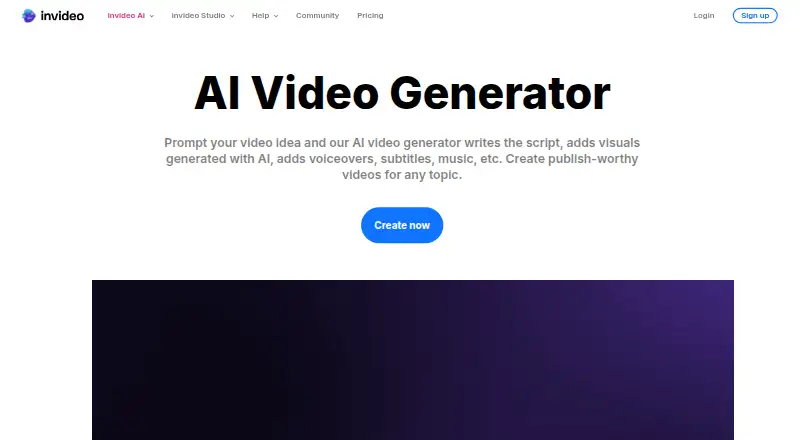
InVideo AI is a web and browser-extension tool for making videos with AI features. It supports text-to-video and image-to-video creation, along with AI avatars, and lists a maximum resolution of 4K. Users can upload audio and import local video, image, and audio files. Watermark-free export and commercial use are supported. The service is cloud-deployed, with a browser extension as another deployment option, and mobile apps are available. Its listed support channels include email, chat, phone, community, and documentation. The company lists SOC 2 and GDPR compliance, and says the product fits solo users, small businesses, mid-market companies, and enterprises. InVideo AI has a free plan with a weekly quota reset. Its Basic plan lists 190 credits per month, five seats, 10 GB of storage, and 45 premium stock footage; Pro lists 1,000 credits per month, 10 seats, 30 GB, and 150 premium stock footage. Ultra is listed at $60 a month, billed annually, with 3,000 credits per month, 20 seats, 80 GB, and 180 premium stock footage. The website is https://invideo.io/make/ai-video-generator/.
Who it suits
InVideo AI suits individuals and organizations that want to create videos from text or images and use AI avatars. Its listed team sizes range from solo users to enterprise, and its import options include local video, image, and audio files.
What it does well
- Creates videos from text and images.
- Supports AI avatars and resolution up to 4K.
- Watermark-free export and commercial use are supported.
- Mobile apps and a browser extension are available.
- Support includes email, chat, phone, community, and docs.
What to know first
- The free plan has a weekly quota reset.
- Ultra is billed annually at $60 a month.
Limits
The free plan has a weekly quota reset. The listed Basic and Pro plan allowances are 190 and 1,000 credits per month respectively, with seat, storage, and premium stock footage limits; Ultra lists 3,000 credits per month, 20 seats, 80 GB, and 180 premium stock footage.
Plans
| Plan | Billed and limits | Price |
|---|---|---|
| Free | Weekly quota reset | Free |
| Basic | $9$4 per seat/mo, billed annually · 190 credits/mo · up to 5 seats · Agent Two Lite · 45 premium stock footage · 100 GB storage · no Seedance 2.0/2.5 | $4 a month |
| Pro | $30$15 per seat/mo, billed annually · 1,000 credits/mo · up to 10 seats · 10 guest seats · all models and features · Seedance 2.0/2.5 · 150 premium stock footage · 300 GB storage | $15 a month |
| Ultra | $80$40 per seat/mo, billed annually · 3,000 credits/mo · up to 20 seats · 20 guest seats · all models and features · Seedance 2.0/2.5 · 180 premium stock footage · 800 GB storage | $40 a month |
As invideo.io lists them, read 20 Sept 2026. The maker's own page has the final word.
Getting started
- Open https://invideo.io/make/ai-video-generator/ in a web browser.
- Choose the free plan or a listed paid plan.
- Use text-to-video or image-to-video to start creating.
- Upload audio or import local video, image, or audio files as needed.
- Use the web app, browser extension, or mobile app.
InVideo AI is a cloud video-creation service for turning prompts, images, and supplied media into finished videos, with avatar and high-resolution output options. It suits solo creators through enterprise teams that need a browser-based workflow and commercial rights. Its broad input and collaboration limits make it more adaptable than a narrowly focused generator, but the free tier’s recurring quota and the paid tiers’ unpublished prices require careful budgeting.
Overview
InVideo AI combines text-to-video and image-to-video generation with AI avatars, watermark-free export, and output up to 4K. You can upload local video, image, and audio files, including your own soundtrack or source material. Commercial use is permitted, which makes the service viable for client work, marketing, and business publishing rather than only personal experiments.
The service runs in the cloud through a web interface and browser extension. Mobile apps are also available, while the listed deployment is cloud and browser extension. Support spans email, chat, phone, community, and documentation. SOC 2 and GDPR compliance are relevant advantages for organizations with formal security or privacy requirements.
Key features
Generation and output
- Text-to-video and image-to-video: Prompt-driven creation covers both script-led concepts and animation of still imagery, so it can serve varied production briefs without requiring one fixed source format.
- AI avatars: Avatar-led videos are supported alongside generated scenes, giving teams an option for presenter-style communication.
- 4K and watermark-free exports: The resolution ceiling and clean exports suit polished publishing and commercial distribution.
- Media import: Local video, image, and audio files can be brought into projects, which is useful when generated material must be combined with existing assets.
Business controls
Seat counts, storage, credits, and premium stock-footage allowances vary by paid tier. That structure lets a team scale access and production capacity, but the Basic and Pro prices are custom pricing, so comparing total cost requires a sales conversation.
Pricing
InVideo AI uses a freemium model. The Free plan costs nothing and resets its quota weekly. It is suitable for trying the workflow or producing occasional work, but a weekly allowance is a recurring cap rather than an unlimited free workspace.
Basic has custom pricing and includes 190 credits per month, five seats, 10 GB of storage, and 45 premium stock-footage items. It fits a small team with modest monthly volume; the lower credit, storage, and stock allowances constrain heavier production.
Pro also has custom pricing and raises capacity to 1,000 credits per month, 10 seats, 30 GB of storage, and 150 premium stock-footage items. This is the more credible tier for a growing production group that needs several editors and a larger asset library.
Ultra costs $60 a month, billed annually. It provides 3,000 credits per month, 20 seats, 80 GB of storage, and 180 premium stock-footage items. The annual billing commitment matters: it offers the clearest published price and the highest stated capacity, but is harder to justify for irregular users.
Platforms
Use InVideo AI on the web or through its browser extension, with cloud deployment and mobile apps also available. This favors distributed teams and users moving between desktop and mobile workflows, while the browser-centered setup may not suit people seeking a fully offline editor.
Who it's for
Solo creators can start on the free tier or choose Basic when they need a few seats and predictable monthly credits. Small and mid-market teams are better matched to Pro, where collaboration and storage expand substantially. Enterprise buyers get the largest stated seat and credit limits on Ultra, plus SOC 2 and GDPR compliance and broad support channels. The service is a strong fit for commercial video, social content, presentations, and avatar-led communications; it is less suitable when a weekly free quota or annual billing does not match the production schedule.
Pros and cons
Pros
- Wide creation mix: Text-to-video, image-to-video, avatars, imports, and audio upload cover more starting points than a single-mode generator.
- Commercial-ready delivery: Watermark-free export, commercial use, and 4K output support professional publishing.
- Scalable collaboration: Paid plans grow from five to 20 seats, with credits, storage, and stock footage increasing at each step.
- Organization-friendly support: SOC 2, GDPR, and support by email, chat, phone, community, and docs address operational requirements.
Cons
- Free usage is capped: The weekly quota reset limits sustained production without upgrading.
- Two plan prices are custom: Basic and Pro cannot be costed precisely from their published terms.
- Ultra bills annually: The 60.00 USD monthly rate comes with an annual billing commitment, which reduces flexibility for occasional users.
Alternatives
For a wider starting list, see AI video generators, Video Ad Maker Software, AI Slideshow Makers, Social Media Video Makers, Video Collage Maker Software, or Social Media Template Libraries.
- HeyGen is the better choice when avatar video is the priority and a free user needs up to three one-minute videos per month across web, iOS, or Android.
- Pika suits users who prefer API, iOS, or web access and a packs-only free-credit model with parallel generations.
- TikTok Symphony Creative Studio is preferable for TikTok-focused creation with weekly video credits and no credit charge for image generation, avatar videos, translation, or editing.
- Synthesia is an alternative for teams wanting a free monthly allowance of 1,200 credits, 10 minutes, and 25 AI-generated assets.
- AKOOL is another freemium option with API, macOS, web, and Windows support and a free Starter listing.
- FlexClip fits users who want mobile and desktop apps, but its free plan limits projects, duration, and stock items.
- Runway is worth considering for API users who want a free-forever allocation of 125 one-time credits and 5 GB of storage.
- Kling AI offers a free Basic tier with 30 element creations and no monthly credits, making it a different fit for occasional generation.
Verdict
Choose InVideo AI when you need one browser-based system for prompt and image-driven video, avatars, imported media, commercial publishing, and team seats that scale to 20. Its strongest case is breadth: it combines generation, editing inputs, clean exports, and business-oriented compliance. Look elsewhere if you need a clearly priced lower tier, unrestricted free production, or monthly billing without Ultra’s annual commitment.
Verdict
Pick InVideo AI if you need text-to-video or image-to-video creation, AI avatars, and support for commercial use. The free plan has a weekly quota reset, while Ultra’s listed price is billed annually.
Questions
Does InVideo AI have a free plan?
Yes. The Free plan is listed as free and has a weekly quota reset.
Which platforms are available?
The listed platforms are web and extension. Mobile apps are also available.
What video creation features are listed?
It supports text-to-video, image-to-video, AI avatars, and a maximum resolution of 4K.
Can I use videos commercially or export without a watermark?
Yes. Commercial use and watermark-free export are listed as supported.
What does the Ultra plan include and cost?
Ultra is listed at $60 a month, billed annually. It includes 3,000 credits per month, 20 seats, 80 GB of storage, and 180 premium stock footage.
What file types can I import?
The listed media import sources are local video files, local image files, and local audio files.
Facts from InVideo AI's own pages
- AI avatars
- Yes · invideo.io, 20 Sept 2026
- AI media generation
- The product generates images and videos inside the same workspace instead of requiring separate generator tools. · invideo.io, 21 Oct 2026
- Commercial use
- Yes · invideo.io, 20 Sept 2026
- Company headquarters
- LinkedIn lists the primary location as Singapore, Singapore 048619. · linkedin.com, 21 Oct 2026
- Company legal name
- Crunchbase lists the legal name as Invideo Innovation Pte Ltd. · crunchbase.com, 21 Oct 2026
- Company scale
- LinkedIn says the service has more than 7 million users in over 195 countries who have made millions of videos in more than 75 languages. · linkedin.com, 21 Oct 2026
- Company size fit
- solo, small, mid market, enterprise · invideo.io, 20 Sept 2026
- Compliance
- SOC 2, GDPR · invideo.io, 20 Sept 2026
- Content training policy
- Invideo says it does not use user content, inputs, outputs or designs to train or fine-tune its proprietary AI models. · invideo.io, 21 Oct 2026
- Credit rules
- Credits pay for video creation and generative models, and unused credits do not roll over to the next month. · invideo.io, 21 Oct 2026
- Custom agents
- Users can build agents for roles including scriptwriter, cinematographer, sound designer, music designer and colorist. · invideo.io, 21 Oct 2026
- Deployment
- cloud, browser extension · invideo.io, 20 Sept 2026
- Documentation depth
- The Help Center lists 64 editor/timeline articles, 12 MCP articles, 11 pricing articles and additional collections for agents, models, teams, usage and exports. · help.invideo.io, 21 Oct 2026
- Founded
- LinkedIn lists invideo as founded in 2017. · linkedin.com, 21 Oct 2026
- Free access
- Invideo states that its free plan works without entering card details and resets limited credits weekly on Monday at 00:00 UTC. · help.invideo.io, 21 Oct 2026
- Free plan
- Yes · invideo.io, 20 Sept 2026
- Funding
- Crunchbase shows six funding rounds and lists investors including Weekend Fund, while the total funding amount is restricted on the public page. · crunchbase.com, 21 Oct 2026
- Headquarters
- 16192 Coastal Hwy, Lewes, Delaware, United States · invideo.io, 28 Sept 2026
- Image-to-video
- Yes · invideo.io, 20 Sept 2026
- Integrations
- The hosted MCP server connects invideo Editor with Claude, ChatGPT, Claude Code, Codex, Cursor, VS Code and other remote-MCP clients. · help.invideo.io, 21 Oct 2026
- License
- Invideo terms grant access under a limited, non-exclusive subscription license and state that the service software, models, interfaces and documentation belong to Invideo or its licensors. · invideo.io, 21 Oct 2026
- Limit: accessibility
- An Apple App Store reviewer reports that VoiceOver labels and download feedback are insufficient for blind and visually impaired users. · apps.apple.com, 21 Oct 2026
- Limit: output quality and refunds
- G2 reviewers report mismatched visuals, missing audio or images, poor long-form results, credit charges for corrections and denied refunds after credits are consumed. · g2.com, 21 Oct 2026
- Limit: pricing and credits
- Trustpilot reviewers repeatedly complain that subscription and credit consumption are unclear, expensive and can exhaust credits before a usable export. · trustpilot.com, 21 Oct 2026
Where InVideo AI stands on Freedom251
- AI video generators#3 of 242
- Video Ad Maker Software#2 of 31
- Social Media Template Libraries#3 of 41
- Video Editing Software#15 of 155
- Social Media Video Makers#5 of 29
- AI Slideshow Makers#5 of 22
- Video Creation And Editing Software#8 of 31
- AI Content Creation Platforms#8 of 29
- Video Making Software#9 of 31
- AI Video Generation & Editing Software#10 of 30
- Content Creation tools#13 of 31