Freedom251 › AI video generators

Kling AI
by Kling AI
What Kling AI is
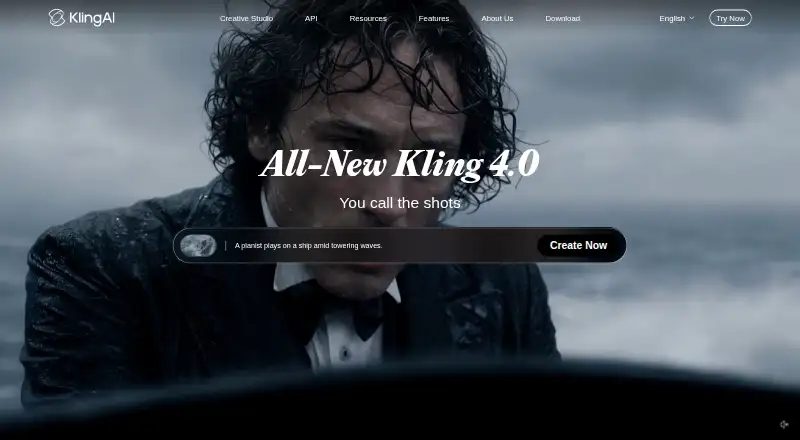
Kling AI creates videos from text or images and can also generate AI avatars. Its text-to-video and image-to-video tools produce clips up to 15 seconds long, at resolutions up to 4K. The listed platform is API, and API access and commercial use are supported. The maker is based in Singapore.
A free Basic plan includes 30 element creations and no monthly credits. Paid plans are billed monthly: Standard is $10 a month with 660 credits and 50 element creations; Pro is $37 a month with 3,000 credits and 150 element creations; Premier is $92 a month with 8,000 credits and 150 element creations; and Ultra is $180 a month with 26,000 credits and 500 element creations. The listed pricing note says paid plans start at $10/mo.
Who it suits
Kling AI suits people who want to generate short videos from prompts or images, or create AI avatars. Its API access and commercial-use option may also suit developers and commercial projects.
What it does well
- Generates videos from text and images
- Supports AI avatars
- Outputs up to 4K resolution
- Offers API access and commercial use
- Free Basic plan includes 30 element creations
What to know first
- Videos are limited to 15 seconds
- Basic has no monthly credits
- Paid plans start at $10/mo
Limits
Basic is free forever and includes 30 element creations, but no monthly credits. Paid monthly plans list between 660 and 26,000 credits and between 50 and 500 element creations, depending on the plan. Generated videos can be up to 15 seconds long.
Plans
| Plan | Billed and limits | Price |
|---|---|---|
| Basic | free forever · 30 element creations · no monthly credits · commercial use not allowed | Free |
| Standard | $10 shown; next renewal $8.8; first-subscription discount only · 660 credits/month · 50 element creations · 1080p · watermark removal · video extension · commercial use | $6.99 a month |
| Pro | $37 shown; next renewal $32.56; first-subscription discount only · 3,000 credits/month · 150 element creations · 1080p · watermark removal · video extension · priority features · commercial use | $25.99 a month |
| Premier | $92 shown; next renewal $80.96; first-subscription discount only · 8,000 credits/month · 150 element creations · 1080p · watermark removal · video extension · priority features · commercial use | $64.99 a month |
| Ultra | $180 shown; next renewal $159.99; first-subscription discount only · 26,000 credits/month · 500 element creations · 1080p · watermark removal · video extension · priority features · beta invitations if applicable · commercial use | $127.99 a month |
As kling.ai lists them, read 15 Oct 2026. The maker's own page has the final word.
Getting started
- Visit the Kling AI website.
- Choose the free Basic plan or a paid monthly plan.
- Use text prompts or images to create videos, or use the AI avatar option.
- Use the API access option if it fits your project.
Kling AI is a generative-video service for creators and software teams that need prompt-driven clips, image animation, or AI avatars. It is best suited to short-form production with a defined monthly credit budget. The main trade-off is a 15-second clip ceiling and a free tier without recurring credits.
Overview
Kling AI supports text-to-video and image-to-video generation, letting you either describe a scene or animate an existing picture. AI avatars add a presenter-oriented option alongside those two workflows. Generated videos can run up to 15 seconds and reach 4K resolution, so the service is better for scenes, social clips, product snippets, and other short assets than for a complete long-form sequence in one render.
API access makes Kling AI relevant when video generation needs to sit inside another product or internal workflow. Commercial use permits business projects, which broadens its usefulness beyond personal experimentation. The company is headquartered in Singapore.
Key features
Prompt and image generation
Text-to-video is the straightforward choice for creating a scene from an idea, while image-to-video gives existing artwork or photography motion. AI avatars provide a third direction for content that needs a synthetic on-screen person. The combination is flexible, but every individual output remains capped at 15 seconds; longer narratives require separate clips and an editing process outside that single generation.
4K output and integration
A maximum resolution of 4K gives high-resolution delivery room for creators whose final work needs more than standard-definition output. API access is particularly useful for developers automating generation or embedding it in a software service. Commercial-use support removes a major barrier for client, marketing, and product work. The platform is presented through an API rather than as a specifically identified mobile or web app, so people wanting a conventional consumer interface should compare other choices.
Pricing
Kling AI uses a freemium structure. Basic costs nothing, is billed free forever, includes 30 element creations, and has no monthly credits. That makes it suitable for trying the workflow or producing occasional elements, but not for dependable month-to-month video volume.
Standard costs $10 a month, with 660 credits per month and 50 element creations. It is the sensible entry point for an individual who needs a recurring allowance at the lowest paid price, although the credit pool can constrain frequent iteration. Pro costs $37 a month and raises the allowance to 3,000 credits and 150 element creations, a better fit for regular creator workloads.
Premier costs $92 a month, providing 8,000 credits and 150 element creations. It favors heavier generation where credits, rather than element creation count, are the main bottleneck. Ultra costs $180 a month and includes 26,000 credits plus 500 element creations, aimed at substantial production volume or multiple active projects. The paid plans are shown with monthly billing; introductory discounts may also be displayed, so the ongoing monthly price is the useful baseline for budgeting.
Across the paid tiers, the central choice is credit capacity versus element-creation allowance. Standard limits both, while Pro and Premier substantially expand credits without increasing the element allowance beyond 150. Ultra is the only tier with 500 element creations, making it the clearest option when creating many distinct elements matters as much as rendering volume.
Platforms
Kling AI provides API access. That suits developers and teams integrating generation into an application or automated pipeline; readers seeking an explicitly supported Android, iOS, or browser app should consider alternatives with those platforms.
Who it's for
Choose Kling AI if you make short clips, need both text and image starting points, want AI avatars, or require 4K output for commercial work. Its paid tiers also give a clear progression from modest individual use to high-volume generation. It is a weaker fit for projects that depend on clips longer than 15 seconds, a free plan with continuing monthly credits, or a ready-made mobile and web experience.
Pros and cons
Pros
- Text-to-video and image-to-video cover both new scene creation and animation of existing visuals.
- AI avatars add a presenter-style format beyond standard scene generation.
- Up to 4K output supports high-resolution delivery.
- API access and commercial use make it viable for software products and paid client work.
- Paid plans scale from 660 to 26,000 monthly credits.
Cons
- The 15-second maximum video length limits single-generation scenes and long-form production.
- Basic has no monthly credits, so free use is limited to its 30 element creations.
- Premier offers 8,000 credits but the same 150 element creations as Pro, which may not suit workflows creating many distinct elements.
- The platform offering is API-focused, not a specifically identified mobile or web app.
Alternatives
For a broader starting point, browse AI video generators. If animating still images is your priority, AI Photo Animation Tools is the more focused category.
HeyGen is preferable when you need Android, iOS, and web access alongside its API, and its free plan allows up to three one-minute videos each month. Pick Pika if iOS and web support matter and a credit-pack model suits your usage. Animate Photo AI is an option for web-based photo animation with a 50-credit free plan and paid access to multiple video and image models.
AnimateDiff suits users seeking a free, self-hosted or Linux-capable project with no paid plans. Hedra is worth considering when a 2,000-credit Basic tier with commercial use is enough. Immersity AI fits API users wanting a free, watermarked 720p conversion option for non-commercial work. Merge is an iOS alternative with 300 monthly credits on its free Starter tier. PicAlive is another iOS choice, with a first free animation and usage limits on free videos.
Verdict
Kling AI is a strong choice for creators and developers who need short, commercially usable clips from text or images, with AI avatars, 4K output, and an API. Start with Standard for recurring individual use, move to Pro or Premier as credit demand grows, and choose Ultra when element volume is also high. Look elsewhere if your work needs longer single videos, a monthly free-credit allowance, or a conventional mobile or web app.
Verdict
Kling AI combines text-to-video and image-to-video generation with AI avatars and outputs up to 4K. Compare the plan's credits and element-creation allowance with the amount of video generation you need.
Questions
Is Kling AI free?
Yes. Basic is free forever and includes 30 element creations, with no monthly credits.
What do the paid plans cost?
Standard is $10.00 per month, Pro is $37.00 per month, Premier is $92.00 per month, and Ultra is $180.00 per month.
What can Kling AI generate?
It supports text-to-video, image-to-video, and AI avatars.
How long and detailed can its videos be?
The maximum video length is 15 seconds, and the maximum output resolution is 4K.
Does Kling AI provide API access and allow commercial use?
API access and commercial use are both listed.
Where is Kling AI based?
Its maker, Kling AI, has headquarters in Singapore.
Facts from Kling AI's own pages
- AI avatars
- Yes · kling.ai, 20 Sept 2026
- API access
- Yes · kling.ai, 20 Sept 2026
- API authentication
- The developer API supports API-key bearer authentication and legacy AccessKey/SecretKey JWT authentication, with Python and Java examples. · kling.ai, 15 Oct 2026
- API capabilities
- The text-to-video API accepts prompts, 720p/1080p/4K resolution, 3–15 second duration, aspect ratios, native audio, multi-shot mode and callbacks. · kling.ai, 15 Oct 2026
- API changelog
- The September 2026 API updates added Video Commerce API and Agent access for talking-head and product-promotion videos. · kling.ai, 15 Oct 2026
- Commercial use
- Yes · kling.ai, 20 Sept 2026
- Company headquarters and size
- LinkedIn lists Kuaishou Technology as headquartered in Beijing, founded in 2011, with more than 20,000 employees and a 10,001+ company-size classification. · linkedin.com, 15 Oct 2026
- Company legal entity
- The service terms identify Kling AI Pte. Ltd. and its affiliates as the contracting company. · kling.ai, 15 Oct 2026
- Corporate ownership
- Crunchbase lists Kling AI as a sub-organization of Kuaishou Technology and an active for-profit company. · crunchbase.com, 15 Oct 2026
- Credit exchange rate
- The published standard purchase rate is 66 credits for one US dollar. · kling.ai, 15 Oct 2026
- Credit validity
- Membership credits last one month, purchased credits last two years, and failed generations are refunded according to the credits policy. · kling.ai, 15 Oct 2026
- Developer integrations
- Kling provides an MCP endpoint and CLI that can be used with Cursor, Claude, ComfyUI nodes, Makefiles, shell pipelines and CI workflows. · kling.ai, 15 Oct 2026
- Documentation
- Official guides cover model usage, motion control, text-to-video, image-to-video, camera movement, start/end frames, motion brush, lip-sync and virtual try-on. · kling.ai, 15 Oct 2026
- Face-data statement
- The privacy policy says it does not analyze facial-recognition features to identify people or collect, share or store face data. · kling.ai, 15 Oct 2026
- Free plan
- Yes · kling.ai, 20 Sept 2026
- Headquarters
- Singapore · kling.ai, 23 Sept 2026
- Image-to-video
- Users can upload portraits, product photos or illustrations and animate them into videos. · kling.ai, 15 Oct 2026
- Launch news
- Kuaishou announced global Kling AI beta access on July 25, 2024 after more than one million applications and said 66 daily inspiration credits were provided. · kuaishou.gcs-web.com, 15 Oct 2026
- License and hosting
- Kling is described as a closed, hosted model accessed through the web app, mobile apps or hosted API rather than self-hosted software. · github.com, 15 Oct 2026
- Limit: credit and billing complaints
- Google Play reviewers complained that unused monthly credits disappeared at renewal and that credits could be charged for generations that vanished. · play.google.com, 15 Oct 2026
- Limit: generation failures
- Apple reviewers reported repeated image-to-video generation failures despite a paid subscription. · apps.apple.com, 15 Oct 2026
- Limit: prompt reliability
- Tom's Guide found results could be hit or miss with complex prompts and reported that some requested actions were ignored or characters changed. · tomsguide.com, 15 Oct 2026
- Limit: support and login
- Trustpilot reviewers reported login/password problems, unresponsive support, poor transformations and concern that credits were consumed without satisfactory results. · trustpilot.com, 15 Oct 2026
- Maximum resolution
- 4k · kling.ai, 20 Sept 2026
Where Kling AI stands on Freedom251
- AI video generators#2 of 242
- AI Camera Motion Video Tools#2 of 19
- AI Video Effects Generators#3 of 27
- Image-to-Video Generators#4 of 23
- AI Character Generators#4 of 23
- AI Filmmaking Tools#4 of 21
- AI Cinematic Video Generators (camera control)#5 of 26
- AI Photo Animation Tools#5 of 25
- Text-to-Video Generators#7 of 23
- AI Content Creation Platforms#11 of 29
- AI Video Generation & Editing Software#13 of 30