Freedom251 › Video Ad Maker Software
Biteable
by Biteable
What Biteable is
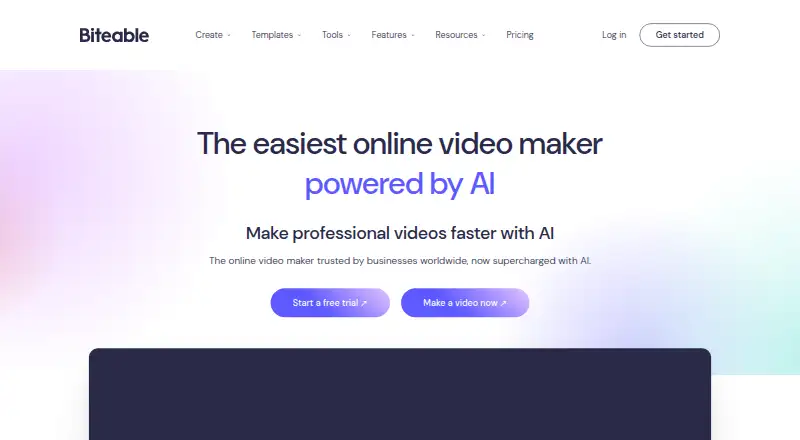
Biteable is a web-based AI video maker for creating, editing, and sharing videos. Start with a template or a blank project, add a script or idea, choose an AI avatar and voice, customize the video, then export or share it. Its AI tools can turn scripts into editable storyboards and videos, generate voiceovers, translate text, create avatars, and generate ads. The service lists thousands of customizable templates, millions of stock clips and animations, and royalty-free music across plans. Team features include collaborative editing, shared asset libraries, and video and screen recording. Finished videos can be shared by hosted link or embed code, or downloaded as MP4. Biteable describes use with services including Slack, Microsoft Teams, HubSpot, Mailchimp, and Salesforce. Its seven-day trial requires no credit card, but trial videos carry a watermark and cannot be downloaded as MP4. After the trial, edit-only access allows editing but not publishing or downloading; videos from non-paying accounts may be removed after up to three months. Pro is listed from $15.00 per month per user when billed annually, and Premium and Business plans add different team and support provisions. Biteable was founded in 2014 and is headquartered in Wilmington, Delaware.
Who it suits
Biteable suits individuals and teams making videos from scripts, ideas, templates, or AI avatars. Its shared assets and collaborative editing may fit teams, while its plans range from a single user to organizations with custom requirements.
What it does well
- AI can turn scripts into editable storyboards and videos.
- Thousands of templates, millions of stock clips and animations, and royalty-free music are listed across plans.
- Team plans list collaborative editing and shared asset libraries.
- Videos can be shared by hosted link, embed code, or MP4 download.
- The seven-day trial requires no credit card.
What to know first
- The trial adds a Biteable watermark and does not allow MP4 downloads.
- After the trial, edit-only access does not allow publishing or downloading.
- Videos from non-paying accounts may be removed after up to three months.
- Pro and Premium limit video length to 10 and 20 minutes respectively.
Limits
The seven-day trial adds a watermark and blocks MP4 downloads. Pro includes one user and a 10-minute video limit; Premium includes three users and videos up to 20 minutes. After the trial, edit-only access does not allow publishing or downloading.
Plans
| Plan | Billed and limits | Price |
|---|---|---|
| Pro | billed annually · Includes 1 user · Unlimited HD exports · Custom brand profile · Screen and video recordings · Video analytics | $15 a month |
| Premium | billed annually · Includes 3 users · Unlimited 4K, HD, and SD exports · AI text-to-speech voices · AI text translation · Automatic closed captions · Custom fonts | $49 a month |
| Business | Contact us for organizations with custom requirements · Unlimited publishers and team members · enforceable SSO · priority support · invoice billing options | On request |
| Pro (yearly) | $15 per month, billed yearly; $180/year · 1 user · 20 avatar clips (up to 10 min/month) · unlimited HD exports · 10-minute video limit | $180 a year |
| Pro (monthly) | $29 per month, billed monthly · 1 user · 20 avatar clips (up to 10 min/month) · unlimited HD exports · 10-minute video limit | $29 a month |
| Premium (yearly) | $49 per month, billed yearly; $588/year · 3 users · 40 avatar clips (up to 20 min/month) · unlimited 4K/HD/SD exports · videos up to 20 minutes | $588 a year |
| Premium (monthly) | $99 per month, billed monthly · 3 users · 40 avatar clips (up to 20 min/month) · unlimited 4K/HD/SD exports · videos up to 20 minutes | $99 a month |
As biteable.com lists them, read 19 Sept 2026. The maker's own page has the final word.
Getting started
- Visit the Biteable website.
- Start the seven-day trial or choose a paid plan.
- Begin with a template or a blank project.
- Add a script or idea, then select an AI avatar and voice if desired.
- Customize the video, then share it or export it.
Verdict
Choose Biteable if you want a web-based video maker with AI creation tools, templates, and collaborative editing. Check the plan and trial restrictions if you need downloadable videos during evaluation, longer videos, or more users than the included seats.
Questions
How much does Biteable cost?
Pro is listed at $15.00 per month per user when billed annually, or $29.00 per month when billed monthly. Premium is $49.00 per month when billed annually, or $99.00 per month when billed monthly. Business pricing is available by contacting Biteable.
Is there a free plan or trial?
A seven-day trial is available without a credit card. Trial videos have a Biteable watermark and cannot be downloaded as MP4; after the trial, edit-only access allows editing but not publishing or downloading.
Which platforms does it support?
Biteable is listed as a web platform.
What can its AI tools do?
They can turn scripts into editable storyboards and videos, generate voiceovers, translate text, create avatars, and generate ads.
How can I share a video?
Videos can be shared by hosted link or embed code, or downloaded as MP4. Biteable describes use with Slack, Microsoft Teams, HubSpot, Mailchimp, and Salesforce.
How many users do the paid plans include?
The listed Pro plan includes one user, Premium includes three users, and Business includes unlimited publishers and team members.
Facts from Biteable's own pages
- AI data handling
- Biteable says AI task data is sent to OpenAI, AWS, or ElevenLabs for processing and is not retained beyond completing the requested task. · help.biteable.com, 4 Oct 2026
- AI tools
- Biteable says its AI can turn scripts into editable storyboards and videos, generate voiceovers, translate text, create avatars, and generate ads. · biteable.com, 4 Oct 2026
- Company
- Biteable says it started in 2014 and describes its platform as serving users from entrepreneurs to Fortune 500 companies. · biteable.com, 4 Oct 2026
- Founded
- 2014 · biteable.com, 28 Sept 2026
- Free plan
- No · biteable.com, 19 Sept 2026
- Headquarters
- Wilmington, Delaware, United States · biteable.com, 28 Sept 2026
- Product
- Biteable is an online AI video maker for creating professional videos. · biteable.com, 4 Oct 2026
- Security
- Biteable says its databases are hosted in AWS US-EAST-1 across multiple availability zones but not multiple regions, and it requires multi-factor authentication for production network access. · help.biteable.com, 4 Oct 2026
- Sharing and integrations
- Videos can be shared by hosted link, embed code, or MP4 download; Biteable's guide describes use with platforms including Slack, Microsoft Teams, HubSpot, Mailchimp, and Salesforce. · help.biteable.com, 4 Oct 2026
- Support
- The Pro and Premium plans list 24/7 support, while Business includes priority customer support. · biteable.com, 4 Oct 2026
- Team collaboration
- Yes · biteable.com, 19 Sept 2026
- Team use
- The pricing comparison lists collaborative editing, shared asset libraries, and video and screen recording on all plans. · biteable.com, 4 Oct 2026
- Templates and media
- The pricing page lists thousands of customizable templates, millions of stock clips and animations, and royalty-free music across all plans. · biteable.com, 4 Oct 2026
- Trial
- The 7-day trial requires no credit card, adds a Biteable watermark, and does not allow MP4 downloads. · help.biteable.com, 4 Oct 2026
- Trial and free access limits
- After the trial, edit-only access allows editing but not publishing or downloading, and videos from non-paying accounts may be removed after up to three months. · help.biteable.com, 4 Oct 2026
- Video creation
- Users can start from a template or from scratch, add a script or idea, select an AI avatar and voice, customize the video, then export and share it. · biteable.com, 4 Oct 2026
Where Biteable stands on Freedom251
- Video Ad Maker Software#6 of 31
- Social Media Template Libraries#9 of 41
- Explainer Video Software#9 of 40
- Video Marketing#6 of 23
- AI Slideshow Makers#6 of 22
- Video Making Software#10 of 31
- Video Intro Maker Software#10 of 30
- Infographic Software#15 of 42
- Video Editing Software#58 of 155
- Social Media Video Makers#11 of 29