Freedom251 › Crowd Testing Tools

Userfeel
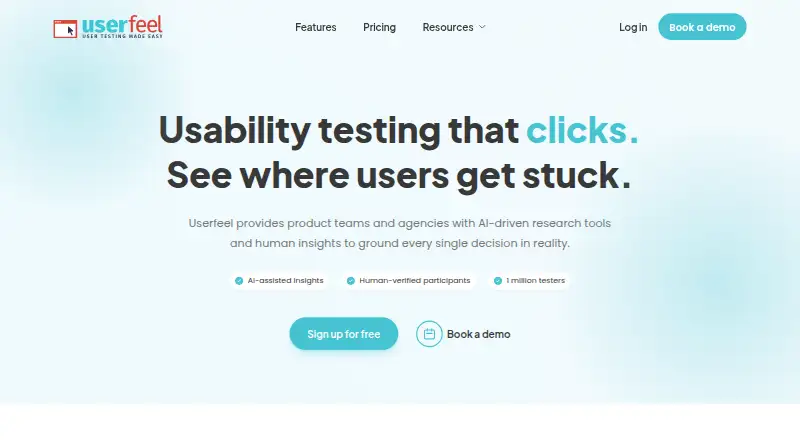
What Userfeel is
Userfeel provides usability research tools for product teams, agencies, and ecommerce brands, combining AI analysis with human feedback. Researchers can run moderated and unmoderated tests, surveys, card sorting, and tree testing. They can recruit from Userfeel’s panel, which the company says includes more than one million testers across over 40 languages, or bring their own testers. Filters include country, language, age, gender, and role. Studies can cover desktop, mobile, tablet, and app contexts. AI tools provide session summaries, sentiment analysis, and recommendations linked to session evidence; voice transcription creates searchable, time-stamped transcripts. The free plan includes 3 credits per month and supports bringing your own tester. Paid plans start at $3,000 a year for Solo; Team is $5,500 a year and Enterprise is $15,000 a year. Userfeel says its data is stored in the European Union and that it complies with ISO/IEC 27001:2022, SOC 2 Type 2, EU GDPR, UK GDPR, and the UK Data Protection Act 2018. Its support and development provider has access to Userfeel servers and data for those purposes.
Who it suits
Userfeel suits product teams, agencies, and ecommerce brands conducting ongoing user research. Researchers can use its tester panel or bring their own participants.
What it does well
- Offers moderated and unmoderated research methods.
- Panel includes over one million testers in 40-plus languages.
- Supports participant filters and researcher-provided testers.
- AI analysis links recommendations to session evidence.
- Free plan includes 3 credits per month.
What to know first
- Free plan provides only 3 credits monthly.
- Solo costs $3,000 a year.
- Support and development provider has server and data access.
Limits
The Free plan provides three credits per month and one admin, with bring-your-own-tester support. Solo, the lowest-priced paid plan listed, costs $3,000 a year and includes 50 credits, two admins, and five viewers.
Plans
| Plan | Billed and limits | Price |
|---|---|---|
| Free | monthly · 3 credits/month · 3 unmoderated sessions · bring your own tester · demographic filters · screener questions · templates · transcription · 1 admin | Free |
| Enterprise | annually · 300 credits · $50/credit · priority support · 5 admins · unlimited viewers | $15,000 a year |
| Solo | annually · 50 credits · $60/credit · Userfeel 1M+ panel · moderated and unmoderated tests · surveys · 2 admins · 5 viewers | $3,000 a year |
| Team | annually · 100 credits · $55/credit · non-English panel · AI analysis · tree tests · card sorts · 3 admins · 10 viewers | $5,500 a year |
| Custom | custom · custom research rhythm · dedicated success manager · custom invoicing · unlimited viewers | On request |
As userfeel.com lists them, read 14 Oct 2026. The maker's own page has the final word.
Getting started
- Visit https://www.userfeel.com/
- Start with the Free plan at no cost or choose a paid plan
- Use the web service or one of the listed desktop and mobile platforms
- Use your own tester or recruit participants from Userfeel’s panel
Overview
Userfeel is a user-research platform for product teams, agencies, and ecommerce brands that need participant recruitment alongside usability studies. It is best suited to teams with a recurring research program and enough annual work to use its credits; occasional researchers may find the yearly commitments harder to justify.
Its mix of moderated and unmoderated tests, surveys, card sorting, and tree testing makes it useful across different research questions. Teams can recruit from a panel Userfeel says exceeds 1 million testers in more than 40 languages, or bring their own participants. Filters include country, language, age, gender, and role.
Studies cover desktop, mobile, tablet, and app contexts, with prototype and mobile app support. AI session summaries, sentiment analysis, evidence-linked recommendations, and searchable, time-stamped voice transcripts help teams review results. Userfeel was founded in 2010 and is headquartered in London.
Userfeel Ltd says it complies with ISO/IEC 27001:2022 and SOC 2 Type 2, as well as EU GDPR, UK GDPR, and the UK Data Protection Act 2018. Its privacy policy says data is stored in the European Union. Development and support are provided by Netstudio EE, whose employees have access to Userfeel servers and data for those purposes. The Upload to YouTube feature sends a test video to the customer's account as an unlisted video.
Key features
- Several study methods: Moderated and unmoderated testing, surveys, card sorting, and tree testing give teams options beyond usability tests alone. Tree tests and card sorts are included in Team, so buyers considering lower tiers should account for that plan distinction.
- Recruitment choices: The large multilingual panel and demographic filters suit studies that need targeted participants across markets. Bringing your own testers is also supported, including on Free.
- AI-assisted review and transcripts: Summaries, sentiment analysis, and recommendations linked to session evidence can help organize findings; searchable timestamps make it easier to revisit spoken feedback. AI analysis is included in Team.
- Replacement guarantee and credit validity: Pricing includes replacement for unsatisfactory tester sessions, and purchased credits remain valid for a full year. That offers some protection against a poor session, but does not remove the need to plan usage around annual terms.
Pricing
Userfeel uses a freemium model. Paid plans are billed annually, so the entry price is a meaningful commitment for teams whose research volume is irregular.
| Plan | Price | What it includes |
|---|---|---|
| Free | free | 3 credits per month, 1 admin, bring-your-own tester, demographic filters, and screener questions. |
| Solo | $3,000/ year | 50 credits, 2 admins and 5 viewers, access to the 1M+ tester panel, moderated and unmoderated tests, and surveys. |
| Team | $5,500/ year | 100 credits, 3 admins and 10 viewers, non-English panel, AI analysis, tree tests, and card sorts. |
| Enterprise | $15,000/ year | 300 credits, 5 admins, unlimited viewers, priority support, and the best per-credit rate. |
| Custom | Custom pricing | Custom research rhythm, a dedicated success manager, custom invoicing, and unlimited viewers. |
Free is a useful way to try a small number of studies with your own participants, but its three-credit monthly allowance and single admin constrain ongoing work. Solo adds panel recruitment and core test types, making it the practical starting point for teams that need recruited participants. Team is the stronger fit for multilingual work or teams that need AI analysis and the additional methods. Enterprise raises the credit and viewer ceilings and adds priority support; Custom suits organizations that need a tailored research cadence or invoicing rather than a fixed tier. The annual plans have defined credit and seat limits, while purchased credits are valid for a year.
Platforms
Userfeel supports Android, iOS, macOS, web, and Windows. Studies can be run in desktop, mobile, tablet, and app contexts.
Who it's for
Userfeel fits product teams, agencies, and ecommerce brands that expect to run research continuously, particularly when recruitment across languages or participant characteristics matters. Its combination of methods and panel access favors teams that can plan against annual credit allowances. A solo practitioner or team running only occasional studies may be better served by a smaller, less committed option.
Pros and cons
- Pro — broad study coverage: Testing, surveys, card sorting, and tree testing support varied research needs within one platform.
- Pro — panel plus self-recruitment: Teams can use a large multilingual panel with demographic filters or bring their own testers.
- Pro — annual credit validity and replacement guarantee: Credits last a full year, and unsatisfactory tester sessions are covered by a replacement guarantee.
- Con — substantial annual entry price: Solo costs $3,000/ year, which may be difficult to justify for sporadic studies.
- Con — features and capacity are tiered: AI analysis, tree tests, and card sorts start at Team, while even Enterprise caps admins at five.
- Con — support and development access: Netstudio EE employees have access to Userfeel servers and data to provide those services, a relevant consideration for organizations with strict access policies.
Alternatives
- UX Research Software is a category list for comparing research platforms across the broader field.
- Usability Testing Software is the relevant list if usability testing is the primary requirement.
- AI User Research Tools is a category list for buyers prioritizing AI-supported research.
- Lyssna is worth considering for quick studies: its free plan includes unlimited quick studies, three seats, and 15 self-recruited test and survey responses.
- QuestionPunk is an alternative with a free Basic plan capped at 20 responses per month and including AI interviews and follow-ups.
- Trymata may suit buyers who prefer buying test credits as needed: its PayGO plan requires no subscription and stores results for up to six months.
- UXArmy offers a free plan with one full seat and 15 monthly credits, but no recordings or participant panel.
- Maze is another freemium option with a free plan described as having limited features after its trial.
- HeyMarvin is another freemium alternative.
- MUiQ is a paid alternative with a $59,980 / year Platform Access plan that includes five seats and unlimited concurrent studies and participant collection.
- Strella is another paid alternative.
Verdict
Choose Userfeel if your team runs recurring research and values recruitment, multiple study methods, and multilingual reach in one service. Its strongest case is breadth backed by a sizable tester panel; the principal reason to look elsewhere is the $3,000/ year starting commitment and credit-based limits, especially for low-volume teams.
Verdict
Userfeel combines several research methods with participant recruitment, transcription, and AI analysis. Consider the annual plan pricing and the stated data access for support and development when assessing fit.
Questions
Is there a free plan?
Yes. Free costs nothing and includes three credits per month.
How much does Solo cost?
Solo costs $3,000 a year, billed at $3,000 per year.
Which platforms are listed?
The listed platforms are Android, iOS, macOS, web, and Windows.
Can I recruit participants?
Yes. Researchers can use Userfeel’s tester panel or bring their own testers.
What research methods are available?
Userfeel offers moderated and unmoderated tests, surveys, card sorting, and tree testing.
Where is Userfeel data stored?
Userfeel’s privacy policy states that its data is stored within the European Union.
Facts from Userfeel's own pages
- AI analysis
- Paid Team and Enterprise tiers include AI Assistant, session summaries, recommendations and sentiment analysis. · userfeel.com, 14 Oct 2026
- API listing
- GetApp lists an API feature for Userfeel but shows no reviews for that feature. · getapp.com, 14 Oct 2026
- Card and tree testing
- Card sorting and tree testing are offered for information-architecture research. · userfeel.com, 14 Oct 2026
- Company founding
- LinkedIn states that Userfeel was founded in 2010. · linkedin.com, 14 Oct 2026
- Company size
- LinkedIn lists Userfeel as a privately held company with 51–200 employees. · linkedin.com, 14 Oct 2026
- Data location
- The privacy policy states that Userfeel data is stored within the European Union. · userfeel.com, 30 Sept 2026
- Device coverage
- Tests can run on Windows and Mac desktops, iOS and Android phones, and tablets, with simultaneous screen and audio recording. · userfeel.com, 14 Oct 2026
- Devices
- Userfeel says studies can be run on desktop, mobile, tablet, and app contexts. · userfeel.com, 30 Sept 2026
- Export
- The FAQ says recordings and raw results can be exported as text and CSV files. · userfeel.com, 14 Oct 2026
- Founded
- 2010 · userfeel.com, 28 Sept 2026
- Guarantee and credits
- Pricing includes a replacement guarantee for unsatisfactory tester sessions, and purchased credits are valid for a full year. · userfeel.com, 30 Sept 2026
- Headquarters
- London, England, United Kingdom · userfeel.com, 28 Sept 2026
- Intended users
- Userfeel describes its service as continuous user research for product teams, agencies, and ecommerce brands. · userfeel.com, 30 Sept 2026
- ISO certification
- An official certificate records Userfeel Ltd's ISO/IEC 27001:2022 certification, initially issued March 28, 2024. · userfeel.com, 14 Oct 2026
- Language reach
- Userfeel says studies can be run in more than 40 languages. · userfeel.com, 14 Oct 2026
- Legal entity
- UK Companies House lists USERFEEL LTD as an active private company incorporated on March 3, 2015, at 71–75 Shelton Street, London. · find-and-update.company-information.service.gov.uk, 14 Oct 2026
- Limit: app reliability
- Google Play reviewers report errors after completing tests, required permissions that feel excessive, and few available assignments. · play.google.com, 14 Oct 2026
- Limit: mobile permissions and payment
- Apple reviewers report concerns about requests for photo and contact access and delays in receiving survey payments. · apps.apple.com, 14 Oct 2026
- Limit: navigation
- A Capterra reviewer says the dashboard is difficult to navigate and requires moving back and forth between pages. · capterra.com, 14 Oct 2026
- Limit: test availability
- Reviewers report that available tester work can be inconsistent and competition for assignments is high. · capterra.com, 14 Oct 2026
- Notable news: AI suite
- Userfeel announced its AI Suite on February 4, 2026, covering automated task generation, session summaries and stakeholder-ready decks. · userfeel.com, 14 Oct 2026
- Own participants
- Customers can invite their own participants through a token link or direct email invitations. · userfeel.com, 14 Oct 2026
- Panel quality controls
- New testers must pass a qualification exam, duplicate accounts are blocked, and Userfeel experts manually review qualification tests. · userfeel.com, 14 Oct 2026
- Participant panel
- Userfeel says its vetted tester panel has over 1 million testers and supports studies in more than 40 languages. · userfeel.com, 30 Sept 2026
Where Userfeel stands on Freedom251
- Crowd Testing Tools#2 of 25
- Consumer Video Feedback Software#2 of 23
- Usability Testing Software#10 of 52
- AI User Research Tools#8 of 33
- User Testing#7 of 25
- UX Research Software#9 of 29
- User Experience Software#11 of 33