Freedom251 › Screen Recording Software
Vidyard
by Vidyard
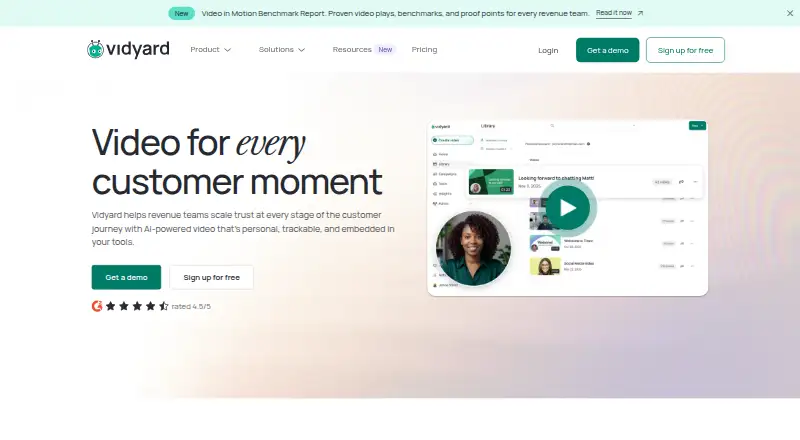
What Vidyard is
Vidyard is a video recording and sharing service for web, Windows, and macOS, with a Chrome option. It can record webcam video, system audio, and microphone audio at up to 4K quality. The Free plan includes five recorded videos per month, 15 AI videos, and recordings up to 30 minutes, along with limited editing, sharing, and integrations. Free plans also include stock avatars and three custom AI avatars; automated video creation and delivery are limited. The Starter plan offers a 14-day trial and unlimited recording. Vidyard supports branded sharing pages, private audiences, and password-protected videos. Its analytics cover engagement, views, leads, pipeline, revenue, and team performance. Video engagement data can sync with Salesforce, HubSpot, Marketo, Eloqua, and Pardot. Teams and Enterprise plans add team controls and integrations; Enterprise includes unlimited integrations, SSO user management, secure playback, and custom permissions and security options. The annual pricing option offers 30% savings.
Who it suits
Vidyard suits individuals or teams that record and share videos, including sales teams tracking viewer engagement. Teams and Enterprise plans include added team controls and integrations.
What it does well
- Records webcam, system audio, and microphone
- Video quality up to 4K
- Supports password-protected sharing
- Analytics include leads, pipeline, and revenue
- CRM engagement sync includes Salesforce and HubSpot
What to know first
- Free recordings are limited to 30 minutes
- Free plan limits videos per month
- Free plan limits automated video creation and delivery
Plans
| Plan | Billed and limits | Price |
|---|---|---|
| Free | 5 recorded videos per month · 15 AI videos · 30-minute recordings | Free |
| Starter | Unlimited video recording | On request |
| Teams | CRM and marketing automation integrations · Advanced team performance analytics · Advanced branded sharing pages · Customizable calls to action · Video captions | On request |
| Enterprise | Unlimited integrations · SSO user management · Secure playback · Custom permissions and security options | On request |
| Video Agent Add-On | — | On request |
As vidyard.com lists them, read 28 Sept 2026. The maker's own page has the final word.
Vidyard is a video recording and sharing platform with analytics and tools for sales and marketing workflows. It suits people and teams who want to connect video engagement to business activity, rather than just capture a clip. The free tier is a useful starting point, but its monthly video cap and recording-length limit narrow its reach.
Overview
Vidyard records webcam, microphone, and system audio, with video quality up to 4K. It runs on the web, Windows, macOS, and as a Chrome extension. A 30-minute ceiling on each free recording is workable for short demos and updates, but not for longer sessions; paid plans remove that limit.
Branded sharing pages, private audiences, and password protection give senders options for controlling distribution. Analytics cover views and engagement as well as leads, pipeline, revenue, and team performance. That combination makes Vidyard more persuasive for business video than for someone who only needs a basic recorder.
Key features
Video engagement data can sync with Salesforce, HubSpot, Marketo, Eloqua, and Pardot. Video Agent workflows connect with HubSpot, Salesforce, Marketo, Salesloft, and Zapier, while Vidyard also works with Slack, CRMs, sales API, and engagement platforms. These integrations are most useful when video is already part of a sales or marketing process; they add less for a solo user who simply records and shares.
Teams and Enterprise include team permissions, security options, and user management, with Enterprise adding SSO user management, secure playback, and custom permissions and security options. Those controls matter when multiple users need governed access, but are unlikely to justify a higher-tier plan for an individual creator.
Pricing
Vidyard uses a freemium model. The Free plan costs nothing and includes limited AI video creation, recording, editing, sharing, and integrations. It allows five recorded videos per month, 15 AI videos, and recordings up to 30 minutes. The recording quota makes it suitable for trying short, occasional videos, but active users may outgrow it quickly. Free plans also include stock avatars and three custom AI avatars, while automated video creation and delivery are limited.
Starter has custom pricing and offers a 14-day trial. It is currently 10% off and provides unlimited video recording, making it a more practical fit when the Free plan's recording cap or monthly quota gets in the way. The pricing page offers a 30% annual savings option.
Teams has custom pricing and is positioned for teams of five or more. It adds CRM and marketing automation integrations, advanced team performance analytics, advanced branded sharing pages, customizable calls to action, and video captions. It is the clearest step up for a group that needs coordinated sharing and performance insight, but smaller teams should weigh those additions against custom pricing.
Enterprise has custom pricing for scaled revenue workflows. Unlimited integrations, SSO user management, secure playback, and custom permissions and security options target organizations with broader integration and access requirements. The Video Agent Add-On also has custom pricing and provides unlimited AI-powered video workflows and unlimited AI videos. Paid plans allow unlimited recording; the Free plan remains capped at 30 minutes per recording.
Platforms
Vidyard supports web, Windows, macOS, and Chrome extension. That range accommodates desktop recording and browser-based use, though no mobile platform is included among its supported platforms.
Who it's for
Vidyard is a strong fit for sales and marketing teams that share video with audiences and want to track engagement through CRM-connected workflows. The Free plan can suit occasional short recordings, while teams needing higher volume, advanced analytics, or administration can consider Teams or Enterprise. It is less compelling for people who need only a lightweight recorder or do not use the business systems its integrations connect.
Pros and cons
- Pros: Recording supports webcam, microphone, and system audio, with up to 4K quality, giving business users flexibility in how they present.
- Pros: Analytics span engagement through pipeline and revenue, and CRM syncing can connect viewer activity to sales tools.
- Pros: Private audiences, password protection, and branded sharing pages offer useful control over distribution.
- Cons: Free users are limited to five recorded videos monthly and 30 minutes per recording, which can constrain regular or longer use.
- Cons: Starter, Teams, Enterprise, and the Video Agent Add-On have custom pricing, so the cost of scaling is not straightforward to compare.
Alternatives
For a broader comparison, browse Video Prospecting Software, Video Marketing, Screen Recording Software, and Video Messaging Software.
- Dubb is another freemium option with a free plan and trials; its Pro plan costs $499 a year, billed annually, and includes unlimited videos and HD quality.
- Hippo Video offers a free plan and trial, with support for mobile platforms as well as desktop and browser use.
- Bonjoro has a free-forever plan with up to 50 videos and no credit card required; consider it if that stated cap suits your needs.
- BHuman offers a free plan with 15 shared credits and up to 15 personalized videos or one minute in Speakeasy.
- Castify offers a free plan with up to 10 videos, 30 minutes per video, and up to five members.
- ngram has a free plan with 600 one-time credits, up to 60 seconds of premium AI-generated footage, 720p exports, and a watermark.
- RepliQ offers a free plan with 30 videos and a monthly plan at $39 a month.
- Vimotion offers a free first video, including a hero video up to 60 seconds and two social cuts.
Verdict
Choose Vidyard if your sales or marketing work depends on sharing video and tying viewer engagement to CRM and revenue workflows. Its recording, controlled sharing, and business analytics make a coherent package for those teams. Look elsewhere if you need a low-cost, high-volume recorder: the Free plan's quotas are restrictive, and paid-plan custom pricing makes costs harder to judge in advance.
Verdict
Vidyard combines recording, sharing, and engagement analytics, with plan features ranging from a limited free option to team and enterprise controls. The Free plan's monthly video and recording limits are worth checking against intended use.
Facts from Vidyard's own pages
- Video analytics
- Vidyard offers analytics for engagement, views, leads, pipeline, revenue, and team performance. · vidyard.com, 28 Sept 2026
- Annual discount
- The pricing page offers a 30% annual savings option. · vidyard.com, 28 Sept 2026
- Chrome availability
- Vidyard provides a Chrome option from the site navigation. · vidyard.com, 28 Sept 2026
- Company name
- The site identifies the company as Buildscale, Inc d/b/a Vidyard. · vidyard.com, 28 Sept 2026
- CRM integrations
- Video engagement data can sync with Salesforce, HubSpot, Marketo, Eloqua, and Pardot. · vidyard.com, 28 Sept 2026
- Help resources
- Vidyard provides a Help Center with how-to and help articles. · vidyard.com, 28 Sept 2026
- Founded
- 2010 · vidyard.com, 28 Sept 2026
- Free AI videos
- Free plans include 15 AI videos. · vidyard.com, 28 Sept 2026
- Free automation
- Free plans limit automated video creation and delivery. · vidyard.com, 28 Sept 2026
- Free avatars
- Free plans include stock avatars and three custom AI avatars. · vidyard.com, 28 Sept 2026
- Free monthly limit
- Free plans limit the number of videos available per month. · vidyard.com, 28 Sept 2026
- Free plan
- Yes · vidyard.com, 21 Sept 2026
- Free plan
- Vidyard offers a free plan with no credit card required. · vidyard.com, 28 Sept 2026
- Headquarters
- Kitchener, Ontario, Canada · vidyard.com, 28 Sept 2026
- Max recording length
- 30 · vidyard.com, 21 Sept 2026
- Microphone recording
- Yes · vidyard.com, 21 Sept 2026
- Capture platforms
- web,windows,macos,chrome_extension · vidyard.com, 21 Sept 2026
- Supported apps
- Vidyard can work with Slack, CRMs, and sales API and engagement platforms. · vidyard.com, 28 Sept 2026
- System audio
- Yes · vidyard.com, 21 Sept 2026
- Team controls
- Teams and Enterprise plans provide team permissions, security options, and user management. · vidyard.com, 28 Sept 2026
- Trial duration
- The Starter plan offers a 14-day trial. · vidyard.com, 28 Sept 2026
- Agent integrations
- Video Agent workflows connect with HubSpot, Salesforce, Marketo, Salesloft, and Zapier. · vidyard.com, 28 Sept 2026
- Maximum video quality
- 4k · vidyard.com, 21 Sept 2026
- Recording limit
- The Free plan allows up to 30 minutes per recording; paid plans are unlimited. · vidyard.com, 28 Sept 2026
Where Vidyard stands on Freedom251
- Screen Recording Software#18 of 132
- Screen recorders#7 of 28
- Video Hosting Platforms#40 of 114
- Video Prospecting Software#10 of 26
- Video Marketing#10 of 23
- Video Messaging Software#19 of 29