Freedom251 › Screen Recording Software
EaseUS RecExperts
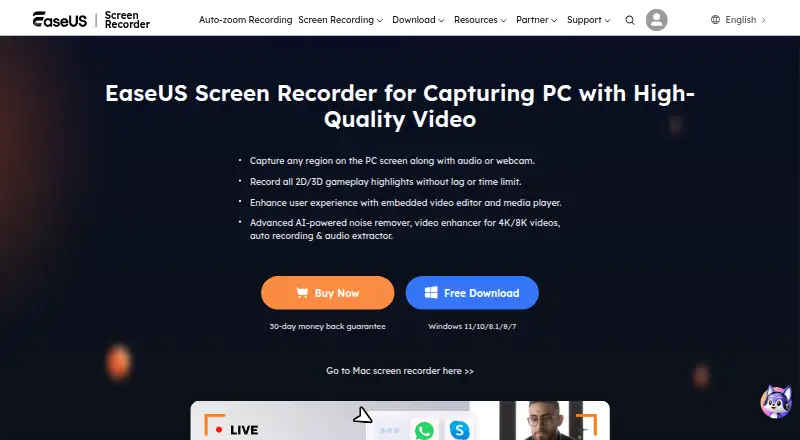
What EaseUS RecExperts is
EaseUS RecExperts records screen activity for meetings, streaming video, gameplay, tutorials, and presentations. The Windows app supports full-screen, selected-region, multi-screen, and scheduled recording, and can capture the screen and webcam at the same time with a virtual background. It records system sound and microphone audio, with AI noise removal in its audio recording feature. Windows editing tools can cut, merge, and rotate recordings, and trim video to the millisecond. Its built-in player supports up to 13 input and output formats, including MP4 and MP3. The Mac version offers screen and audio recording, webcam capture, simultaneous multiple-screen recording, and capture up to 60 FPS. A browser recorder is free, needs no download, and exports MP4; it saves recordings locally. The desktop free plans allow unlimited recording time, but Mac playback is limited to one minute per recording. Paid plans and prices vary by platform, term, and number of computers.
Who it suits
RecExperts may suit people who need to record meetings, gameplay, tutorials, or presentations on Windows or macOS. The browser recorder offers a no-download option for recording in supported browsers.
What it does well
- Captures webcam, system audio, and microphone audio.
- Windows supports scheduled and multi-screen recording.
- Video quality reaches up to 4K.
- Browser recorder exports MP4 without a download.
- Windows tools include trimming, merging, and rotation.
What to know first
- Mac free plan limits playback to one minute per recording.
- Monthly plan costs $19.95 a month.
- Mac Pro is listed at $19.95, paid once.
Limits
The Mac free plan allows unlimited recording time but limits playback of each recording to one minute. Windows Free is listed with unlimited recording time, no watermark, and free features. The browser recorder is free; no usage limit is listed.
Plans
| Plan | Billed and limits | Price |
|---|---|---|
| Free | 1 minute playback time per recording | Free |
| Monthly | Auto-Renew. Cancel Anytime. · 1 computer | $19.95 a month |
| Yearly | Auto-Renew. Cancel Anytime. · 1 computer | $5.80 a year |
| Lifetime | One-time price. · 1 computer | $119.95 a month |
| Business 2PC | 2PCs, Lifetime Free Upgrades · 2 computers | $199.95 a month |
| Business 5PC | 5PCs, Lifetime Free Upgrades · 5 computers | $449.95 a month |
| Windows Free | Unlimited recording time · no watermark · free features | Free |
| Mac Free | Unlimited recording time · 1-minute playback limit per recording | Free |
The first 8 of 14 plans, as recorder.easeus.com lists them, read 20 Sept 2026. The maker's own page has the final word. Every plan
Getting started
- Visit https://recorder.easeus.com/.
- Choose the Windows or macOS app, or use the browser recorder in a supported browser.
- Use the free plan, or select a paid plan for the relevant platform.
- For browser recording, start without downloading an app and export the recording as MP4.
Verdict
RecExperts covers desktop and browser recording, with different capabilities and free-plan limits across its offerings. Compare the applicable plan details before choosing, especially the Mac playback restriction and listed billing terms.
Questions
Is EaseUS RecExperts free?
Yes. Windows Free and Mac Free are listed as free, and the browser recorder is free. Mac Free limits playback to one minute per recording.
What does the Windows free plan include?
Windows Free is listed as free, with unlimited recording time, no watermark, and free features.
What platforms does it support?
The desktop product supports Windows and macOS. A browser recorder is also available in supported browsers.
What does a paid plan cost?
The listed options include Windows Monthly at $19.95 a month for one computer and Windows Lifetime at $119.95, paid once for one computer. Windows Yearly is listed at $5.80 a year, with billing described as $5.8/month; cancel anytime.
Can it record online meetings?
The product page says it can record meetings in Zoom, Google Meet, and Teams.
Who makes RecExperts?
The maker is EaseUS RecExperts, which was formally established in 2004 and is headquartered in Chengdu, Sichuan Province, China.
Facts from EaseUS RecExperts's own pages
- Audio
- RecExperts can capture system sound and microphone audio, and its audio recording feature includes AI noise removal. · recorder.easeus.com, 7 Oct 2026
- Browser recorder
- The browser recorder is free, requires no download, records in supported browsers, and exports MP4 directly from the web. · recorder.easeus.com, 7 Oct 2026
- Company history
- EaseUS says it was formally established in 2004. · easeus.com, 7 Oct 2026
- Desktop free limits
- The Mac free plan permits unlimited recording time but limits playback of each recording to one minute. · recorder.easeus.com, 7 Oct 2026
- Editing
- The Windows suite includes tools to cut, merge and rotate recordings and trim video to the millisecond. · recorder.easeus.com, 7 Oct 2026
- Founded
- 2004 · recorder.easeus.com, 28 Sept 2026
- Free plan
- Yes · recorder.easeus.com, 20 Sept 2026
- Integrations
- The product page says it can record meetings in Zoom, Google Meet and Teams. · recorder.easeus.com, 7 Oct 2026
- Mac support
- The Mac version supports screen and audio recording, webcam capture, simultaneous multiple-screen capture, and recording up to 60 FPS. · recorder.easeus.com, 7 Oct 2026
- Microphone recording
- Yes · recorder.easeus.com, 20 Sept 2026
- Capture platforms
- Windows,macOS · recorder.easeus.com, 20 Sept 2026
- Playback and formats
- The built-in player supports input and output in up to 13 formats, including MP4 and MP3. · recorder.easeus.com, 7 Oct 2026
- Privacy and security
- The browser recorder says recordings are saved locally with no upload, and EaseUS says it uses encryption and other safeguards to protect user data. · recorder.easeus.com, 7 Oct 2026
- Purpose
- RecExperts records screen activity for meetings, streaming video, gameplay, tutorials and presentations. · recorder.easeus.com, 7 Oct 2026
- Screen capture
- The Windows product supports full-screen, selected-region, multi-screen and scheduled recording. · recorder.easeus.com, 7 Oct 2026
- Support
- The purchase page advertises live chat and email support within 24 hours and a 30-day money-back guarantee. · recorder.easeus.com, 7 Oct 2026
- System audio
- Yes · recorder.easeus.com, 20 Sept 2026
- Maximum video quality
- 4k · recorder.easeus.com, 20 Sept 2026
- Webcam
- The Windows app can record the screen and webcam simultaneously and supports a virtual background. · recorder.easeus.com, 7 Oct 2026
- Webcam recording
- Yes · recorder.easeus.com, 20 Sept 2026
Where EaseUS RecExperts stands on Freedom251
- Screen Recording Software#19 of 132
- Screen and Video Capture Software#6 of 30
- Screen recorders#8 of 28