Freedom251 › Screen Recording Software

Kommodo
What Kommodo is
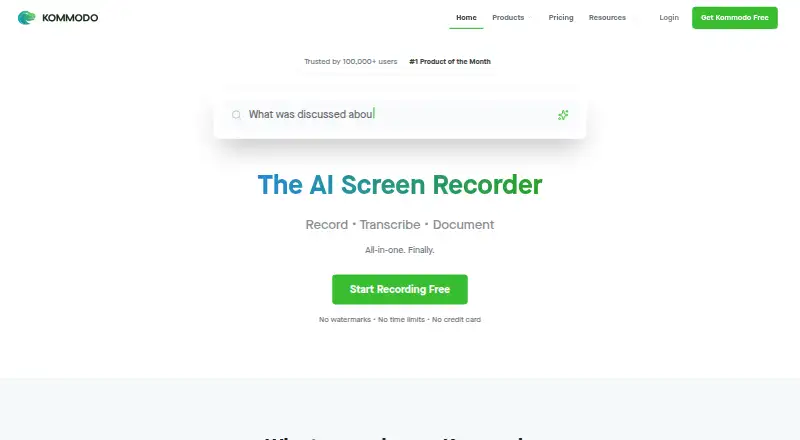
Kommodo combines screen recording, transcription, documentation, and AI tools for video and meeting recordings. Its desktop app captures the full screen and system audio, while the Chrome extension records browser tabs. Users can edit recordings through their transcripts, including removing pauses and rerecording over mistakes. A recorded demo can be turned into a step-by-step guide with screenshots and instructions. For meetings, Kommodo can create transcripts, summaries, action items, and weekly recaps; Google Calendar sync helps schedule recordings and arrange them around calendar events. The service says it can capture Zoom, Microsoft Teams, Google Meet, and other calls without a meeting bot joining. Its AI assistant searches a video library and answers with clickable links to relevant timestamps. Kommodo says video data and chatbot interactions are not used to train its AI models. The free Starter plan includes 15 videos and one user. Kommodo Premium costs $9 a month billed yearly, and includes unlimited videos, SOPs, team collaboration, and AI search.
Who it suits
Kommodo suits people and teams creating screen recordings, meeting notes, or step-by-step documentation. Its meeting and calendar features may be useful to teams organizing recordings around scheduled calls.
What it does well
- Desktop app records full screen and system audio.
- Recordings can be edited by transcript.
- Demos can become guides with screenshots and instructions.
- AI search answers include clickable timestamp links.
What to know first
- Starter is limited to 15 videos and one user.
- API access is for Premium and Enterprise plans.
- API transcript files are capped at 5 MB.
Limits
Starter includes 15 videos, one user, and AI search indexing for 10 videos. The listed Premium plan includes unlimited videos, unlimited SOPs, team collaboration, and AI search; API access is for Premium and Enterprise plans.
Plans
| Plan | Billed and limits | Price |
|---|---|---|
| Kommodo Premium | Yearly 40% Off · Unlimited videos · unlimited SOPs · team collaboration · AI search | $9 a month |
| Starter | $0/mo · 1 user · 15 videos · no recording-length limit · screen, webcam and meeting recorder · Google Calendar · guides up to 10 steps | Free |
| Premium | $9.00/mo billed yearly ($108/year) · 1+ users · unlimited videos · unlimited SOPs · team collaboration · AI assistant · 4K recording | $9 a month |
As kommodo.ai lists them, read 29 Sept 2026. The maker's own page has the final word.
Getting started
- Visit the Kommodo website.
- Choose the free Starter plan or a paid plan.
- Use the web app, desktop app, or Chrome extension on a supported platform.
- Record the screen with the desktop app or browser tabs with the Chrome extension.
- Connect Google Calendar with consent to use calendar data for meeting reminders and recording prompts.
Kommodo is a screen and meeting recorder that turns video into transcripts, guides, and searchable follow-up. It suits people who need a durable record of demos and meetings, not just a clip to share. Its breadth is attractive, though the free plan is limited to one user and 15 videos.
Overview
Kommodo combines screen capture with transcription, editing, documentation, and AI tools. The desktop app records the whole screen and system audio; its Chrome extension captures browser tabs. Webcam recording and video quality up to 4K make it capable of capturing polished demos as well as desktop activity.
Its strongest distinction is the work it does after recording. A demo can become a step-by-step guide with screenshots and instructions, while meeting recordings can produce transcripts, summaries, action items, and weekly recaps. This is a more useful workflow for teams that need documentation and follow-up than for someone who simply wants to make and share short videos.
Key features
Recording, editing, and calls
The transcript-based editor can remove pauses and rerecord over mistakes, giving presenters a way to refine a recording without relying only on timeline editing. Kommodo says it can capture Zoom, Microsoft Teams, Google Meet, and other video calls without a meeting bot joining. Google Calendar sync helps schedule recording and organize recordings with calendar events.
Search and documentation
The AI assistant searches a user's video library and answers questions with clickable links to the relevant timestamps. That can make accumulated recordings more useful than a folder of videos, particularly when people need to find a specific decision or instruction later. The guide-generation and meeting-summary tools extend that value from retrieval to documentation and follow-up.
Privacy and API
Kommodo says it does not use video data or chatbot interactions to train its AI models. Its privacy policy says Calendar data is accessed with consent for reminders and recording prompts, is not shared with third parties, and that information is stored on servers in the United States. Organizations evaluating it should weigh that storage location alongside their own data requirements.
The API exposes recordings, transcripts, and AI metadata, but access is limited to Premium and Enterprise. The API page gives a limit of 1,000 requests per hour, up to 100 in-flight requests, and a 5 MB transcript file cap. Priority support and the option to book a product tutorial with the founder are offered to AI Assistant users.
Pricing
Kommodo uses a freemium model and offers a 30-day trial. Starter is free and includes 15 videos, one user, and AI search indexing for 10 videos. That is enough to assess an individual workflow, but the video cap and single seat make it a poor fit for sustained team use or a large searchable archive.
Kommodo Premium costs $9 a month billed yearly, with 40% off, and includes unlimited videos, unlimited SOPs, team collaboration, and AI search. It is the practical tier for ongoing use when multiple people need to collaborate or recordings need to remain available without the Starter video ceiling. API access is available on Premium and Enterprise; Enterprise has custom pricing.
Platforms
Kommodo supports web, Windows, macOS, iOS, Android, and a Chrome extension, covering browser and desktop workflows as well as mobile access. Its stated export format is WebM, so teams with requirements for other export formats should check that fit before committing.
Who it's for
Kommodo is best suited to teams that routinely record product demonstrations, internal walkthroughs, or meetings and want the resulting video to produce searchable notes, action items, or reusable guides. The combination of calendar-linked meeting capture and timestamped AI search is particularly relevant when people need to revisit a growing library.
It is less compelling for a solo user who only needs occasional short recordings: the extra documentation and meeting features may be unnecessary, while the free plan still caps video count and search indexing. Teams with strict requirements about data location or non-WebM exports should also confirm that Kommodo fits before making it their standard recorder.
Pros and cons
- Pros: One workflow spans screen and meeting capture, transcript editing, guides, summaries, and searchable video; useful when recordings need to become documentation rather than end as clips.
- Pros: The AI assistant returns timestamp links to source recordings, making it easier to follow an answer back to its context.
- Pros: Premium removes the stated video cap and adds team collaboration and unlimited SOPs, while covering API access.
- Cons: Starter is restricted to one user and 15 videos, and search indexes only 10 videos; those limits constrain ongoing team and archive use.
- Cons: Premium is billed yearly, so its $9.00 USD monthly price is not a month-to-month term.
- Cons: Information is stored on servers in the United States, and WebM is the stated export format; either may be a constraint for some organizations.
Alternatives
Cap is worth considering when open-source code under the AGPL license is a priority; Kommodo's emphasis is instead on turning recordings into guides, meeting follow-up, and searchable answers.
Loom offers a free Starter plan with 25 videos, 5-minute screen recordings, and up to 50 members. Choose it when those stated free-plan limits suit the job better than Kommodo's 15-video, one-user Starter, rather than for Kommodo's broader documentation workflow.
ScreenPal has a free plan with 15-minute recordings, 10 hosted videos, and 5 video quizzes, plus a $4 a month Deluxe plan. It is an option when those recording and quiz limits fit better than Kommodo's focus on meeting notes and searchable video.
Siesta AI is another freemium option with a free Start plan that includes limited tokens, a one-time 10M tokens, 100 MB data ingestion, and workflow limits. Consider it when those stated AI and ingestion allowances are a closer match; Kommodo's specific strength is its recording-to-documentation workflow.
ClipCast has a free plan with five-minute recordings, 200 MB storage, 25 active clips, 720p, and 30-day video retention. Choose it when those clip limits suit the need; Kommodo instead adds meeting capture and documentation tools.
Doculigent is described by its maker as fully open source and links to public GitHub code, a relevant distinction for readers who prioritize open-source software.
Floik has a Starter plan with five published Flos, 10 created Flos, five-minute recordings per Flo, and 25 guide steps per Flo. Its Pro plan costs $39 a month. Consider it when those guide-specific limits or its stated paid plan better fit the work; Kommodo combines guides with meeting summaries and video search.
ScreenApp AI Meeting Notes is an alternative focused on meeting notes.
For more options, browse AI Screen Recorders or Screen Recording Software.
Verdict
Choose Kommodo if your ideal recorder is also a documentation and meeting-follow-up system: its combination of transcript editing, guide creation, summaries, and timestamped video search gives recordings a second life. Look elsewhere if you need only occasional clips, cannot accept yearly billing for the paid tier, or require a different export format or data-storage location.
Verdict
Kommodo combines recording, editing, meeting summaries, documentation, and searchable video libraries. Its free plan has stated video and user limits; Premium costs $9 a month billed yearly.
Questions
Does Kommodo have a free plan?
Yes. Starter is listed as free and includes 15 videos, one user, and AI search indexing for 10 videos.
How much is Kommodo Premium?
Kommodo's pricing note says paid plans start at $20/mo.
What platforms does Kommodo support?
It supports web, Windows, macOS, iOS, Android, and a Chrome extension.
Does Kommodo offer a free trial?
Yes. The pricing note lists a 30-day trial.
Can I use the API?
The public API provides access to recordings, transcripts, and AI metadata. API access is for Premium and Enterprise plans.
How does Kommodo handle video and calendar data?
Kommodo says video data and chatbot interactions are not used to train its AI models. Its privacy policy says Google Calendar data is accessed with consent for meeting reminders and recording prompts, is not shared with third parties, and information is stored on servers in the United States.
Facts from Kommodo's own pages
- AI assistant
- The assistant searches the video library, answers questions with clickable timestamp citations and can draft follow-up content. · kommodo.ai, 15 Oct 2026
- AI meeting recorder
- Google Calendar synchronization can trigger recording of meetings without a bot joining the call. · kommodo.ai, 15 Oct 2026
- API
- The public API provides access to recordings, transcripts, and AI metadata; the page says API access is for Premium and Enterprise plans. · kommodo.ai, 29 Sept 2026
- API availability
- API tokens are limited to Premium and Enterprise accounts; Free and Starter users can read the documentation but cannot generate tokens. · kommodo.ai, 15 Oct 2026
- API capabilities
- API endpoints list recordings, fetch AI metadata and transcripts, list folders and members, update recordings and publish recording pages. · github.com, 15 Oct 2026
- API limits
- The API page lists a rate limit of 1,000 requests per hour, up to 100 in-flight requests, and a transcript file cap of 5 MB. · kommodo.ai, 29 Sept 2026
- Automatic SOPs
- Kommodo tracks cursor actions during a demonstration and converts them into step-by-step guides with screenshots. · kommodo.ai, 15 Oct 2026
- Browser recorder limits
- The free online recorder allows recordings up to one hour, has no watermark and can create a private share link without an account. · kommodo.ai, 15 Oct 2026
- Calendar integration
- Kommodo syncs with Google Calendar to help schedule meeting recording and organize recordings with calendar events. · kommodo.ai, 29 Sept 2026
- Company facts
- LinkedIn lists Kommodo as privately held, founded in 2018, headquartered in Edgewater, New Jersey, with 2–10 employees. · linkedin.com, 15 Oct 2026
- Company legal name
- Crunchbase lists the legal entity as Komodo Technologies, Inc., also known as Kommodo Decks. · crunchbase.com, 15 Oct 2026
- Data location
- The privacy policy says information is processed and stored on servers in the United States. · kommodo.ai, 15 Oct 2026
- Data storage
- The privacy policy says information is stored on servers located in the United States. · kommodo.ai, 29 Sept 2026
- Documentation depth
- The API quickstart includes Python code, endpoint tables, response schemas, pagination guidance and HTTP error handling. · github.com, 15 Oct 2026
- Editing
- Its video editor can edit recordings by transcript, including removing pauses and rerecording over mistakes. · kommodo.ai, 29 Sept 2026
- Free plan
- Yes · kommodo.ai, 22 Sept 2026
- Funding
- The public Crunchbase profile identifies Kommodo as private but does not display a funding total in the accessible profile. · crunchbase.com, 15 Oct 2026
- Guides
- Kommodo can turn a recorded demo into a step-by-step guide with screenshots and instructions. · kommodo.ai, 29 Sept 2026
- Integrations
- Official pages name Google Calendar integration and sharing of meeting outputs to Slack or Jira. · kommodo.ai, 15 Oct 2026
- Limit: dashboard complexity
- Tooltivity says the web app’s broad mix of videos, guides, pages, meetings and assistant features requires some exploration to learn. · tooltivity.com, 15 Oct 2026
- Limit: free-plan downloads
- Tooltivity reports that the Starter plan stops at 15 videos and requires Premium to download files. · tooltivity.com, 15 Oct 2026
- Limit: reliability
- Chrome review analysis reports bugs, occasional recording failures or synchronization problems and inconsistent support response times. · chrome-stats.com, 15 Oct 2026
- Maker
- The maker's blog identifies Khanan Grauer as Kommodo's founder and CEO. · kommodo.ai, 29 Sept 2026
- Meeting intelligence
- Recorded meetings receive editable transcripts, summaries, action items and weekly recaps. · kommodo.ai, 15 Oct 2026
Where Kommodo stands on Freedom251
- Screen Recording Software#20 of 132
- AI Screen Recorders#10 of 39