Freedom251 › Screen Recording Software

Loom
by Loom
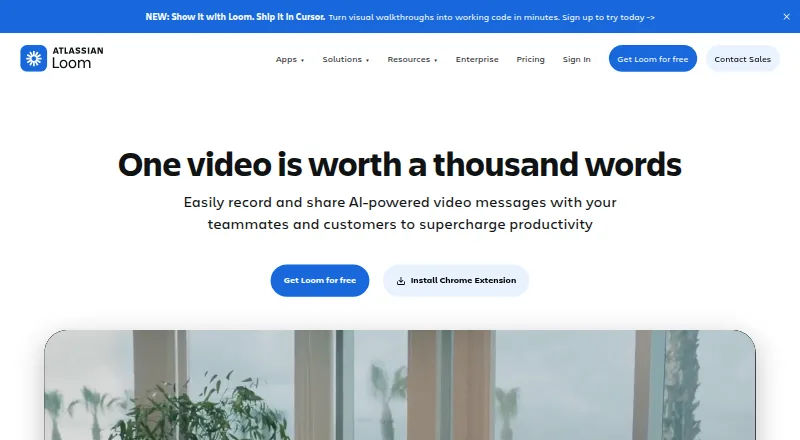
What Loom is
Loom is a video messaging tool for recording and sharing screen videos, with webcam, system audio, and microphone capture. It is available on web, Windows, macOS, iOS, Android, and as a Chrome extension, with video quality up to 4K. Videos can be shared or embedded across workplace tools, where collaborators can add comments, emojis, tasks, and calls to action. The editor trims and stitches clips and adds backgrounds, text, arrows, and box overlays. Transcripts and captions are available in more than 50 languages. The free Starter plan allows up to 50 workspace members and 25 videos per person, with a five-minute limit per recording. Business costs $18 a month per user and includes unlimited videos and recording time; Business + AI costs $24 a month per user and adds AI features such as titles, summaries, chapters, tasks, and filler-word removal. Integrations include Slack, Jira, Confluence, GitHub, and Gmail. Enterprise includes security controls, dedicated support, and a 99.95 percent uptime service-level agreement.
Who it suits
Loom suits people and teams who communicate through short screen recordings and shared video messages. The plans also address teams that need collaboration tools, AI features, or enterprise security and support.
What it does well
- Captures webcam, system audio, and microphone.
- Supports recordings up to 4K.
- Captions and transcripts cover over 50 languages.
- Videos can be shared or embedded across workplace tools.
- Free Starter plan includes up to 25 videos per person.
What to know first
- Starter recordings are limited to five minutes.
- Business costs $18 a month per user.
- Business + AI costs $24 a month per user.
- Deactivated members forfeit fees and access for the billing cycle.
Plans
| Plan | Billed and limits | Price |
|---|---|---|
| Starter | billed monthly · Up to 50 members · Up to 25 videos per person · 5 minutes per video recording · Unlimited screenshots | Free |
| Business | billed monthly · Unlimited members · Unlimited videos per person · Unlimited video recording length · Unlimited screenshots | $18 a month |
| Business + AI | billed monthly · Unlimited members · Unlimited videos per person · Unlimited video recording length · Unlimited screenshots | $24 a month |
| Enterprise | Unlimited members · Unlimited videos per person · Unlimited video recording length · Unlimited screenshots | On request |
As loom.com lists them, read 28 Sept 2026. The maker's own page has the final word.
Loom is a screen recorder and video-messaging tool for people who need to explain work asynchronously. It suits teams that want recordings, editing and viewer responses in one workflow. Its free tier is useful for short clips, but the five-minute cap makes a paid plan the practical choice for longer recordings.
Overview
Loom brings screen capture and webcam recording together with tools for sharing and responding to video messages. Recordings can include microphone and system audio, and can be shared or embedded across workplace tools. Video quality goes up to 4K, while transcripts and captions support more than 50 languages.
The editor can trim and stitch clips and add backgrounds, text, arrows and box overlays. Recipients can react with emojis, comment, handle tasks and follow calls to action. Those features make Loom more suited to workplace updates and explanations than a recorder focused only on producing a video file.
Founded in 2015 and headquartered in San Francisco, Loom was acquired by Atlassian and is integrating its systems. Loom says millions of people across 400,000 companies use the product.
Key features
Capture, edit and share
Loom records webcam video, microphone audio and system audio. Capture is supported on the web, Windows, macOS, iOS, Android and through a Chrome extension. The combination of clip editing and annotations helps users shape an explanation before sharing it; reactions, comments and tasks give recipients ways to respond without making the video itself the whole conversation.
Transcripts, integrations and AI
Transcripts and captions are available in more than 50 languages. Integrations include Slack, Jira, Confluence, GitHub and Gmail, which can help teams fit video messages into tools they already use. Loom AI adds automatic titles, summaries, chapters and tasks, as well as filler-word removal; it is included with Business + AI and is a reason to pay more than the standard Business price.
Pricing
Loom uses a freemium model, with Starter free and paid plans billed per user monthly. Annual payment saves 17 percent compared with monthly billing. A 14-day free trial is offered for Business + AI.
| Plan | Price | What it includes |
|---|---|---|
| Starter | free | Up to 50 workspace members, 25 videos per person, five-minute recordings and unlimited screenshots. |
| Business | $18 a month per user | Unlimited members, videos per person, recording length and screenshots; priority support. |
| Business + AI | $24 a month per user | Business-level unlimited videos, recording length and screenshots, plus Loom AI features and a 14-day free trial. |
| Enterprise | Custom pricing | Unlimited members, videos, recording length and screenshots, advanced security, Salesforce integration and a 99.95% uptime SLA. |
Starter can cover brief updates, but its five-minute recording limit and 25-video-per-person allowance constrain frequent or detailed use. Business removes those caps and fits teams that record regularly without needing the AI additions. Business + AI is the step up for teams that want automated summaries, chapters or filler-word removal. Enterprise is aimed at organizations needing stronger controls and support: it adds SSO, SCIM, custom retention policies, privacy settings, Atlassian Guard Standard, EBA Compliance, dedicated support and an account manager.
Workspace membership affects billing administration: deactivated members forfeit fees and access for the remainder of the billing cycle. That term matters when changing seats mid-cycle.
Platforms
Loom supports web, Windows, macOS, iOS and Android, with capture also available through a Chrome extension. That range makes it viable for teams recording across desktop and mobile devices.
Who it's for
Loom is a good fit for teams that explain processes, share updates or hand off tasks through recorded messages, especially when they value comments, integrations and multilingual transcripts. It is less suitable for users who need longer recordings but do not want a paid subscription, or who want a recorder without workplace collaboration features.
Pros and cons
- Pros: Business removes per-person video and recording-length caps, so regular users need not ration clips.
- Pros: Editing, annotations, viewer responses and task-oriented tools support a complete asynchronous message workflow.
- Pros: More than 50 transcript and caption languages broaden its usefulness across distributed teams.
- Pros: Enterprise combines security controls with dedicated support and a 99.95% uptime SLA.
- Cons: Starter recordings stop at five minutes, a meaningful constraint for walkthroughs or detailed explanations.
- Cons: Loom AI requires the higher-priced Business + AI tier rather than standard Business.
- Cons: Enterprise requires custom pricing, so buyers cannot compare its cost from a fixed monthly rate.
Alternatives
Choose ScreenPal if a free plan with recordings up to 15 minutes is more important than Loom's longer paid-plan allowance; its free tier also caps hosted videos at 10. OBS Studio is a better fit for users who want free recording without usage limits and can work within its Linux, macOS and Windows platform support. For browser-extension users, Screencastify offers a free tier with up to 10 recordings and 30 minutes per video, but limits that tier to five members.
Dadan may suit users seeking a free plan with 25 videos, 2 GB of storage and 720p resolution. Zight is another freemium option, with its free Share plan allowing five-minute recordings, 1 GB of storage and one included user. Vidyard is worth considering when its free tier's limited AI videos, recording, editing, sharing and integrations match the need; it allows five recorded videos per month. Cap is an alternative for readers who want open-source software under the AGPL license. Jumpshare offers a Basic plan with 25 uploads, five-minute recording time and a 250 MB maximum file size per upload.
For broader comparisons, browse Screen Recording Software, AI Screen Recorders and Video Messaging Software.
Verdict
Choose Loom if your team wants screen recordings to work as shareable, editable messages with collaboration and transcript tools built in. Business is the sensible tier for frequent recording without length or video-count limits; look elsewhere if a five-minute free cap is too restrictive and paying per user is not an option.
Verdict
Loom pairs screen recording with collaboration features, editing tools, and transcripts. Starter has a five-minute recording cap, while longer recording time and unlimited videos are listed with Business.
Facts from Loom's own pages
- Atlassian acquisition
- Loom was acquired by Atlassian and is integrating its systems. · loom.com, 28 Sept 2026
- Loom AI
- Loom AI provides auto titles, summaries, chapters, tasks, and filler-word removal. · loom.com, 28 Sept 2026
- Annual billing
- Annual payment saves 17 percent compared with monthly billing. · loom.com, 28 Sept 2026
- Enterprise compliance
- Enterprise includes Atlassian Guard Standard and EBA Compliance. · loom.com, 28 Sept 2026
- Collaboration tools
- Video messages support emojis, comments, tasks, and calls to action. · loom.com, 28 Sept 2026
- Company adoption
- Millions of people across 400,000 companies use Loom. · loom.com, 28 Sept 2026
- Enterprise uptime
- Enterprise offers a 99.95 percent uptime service-level agreement. · loom.com, 28 Sept 2026
- Founded
- 2015 · loom.com, 23 Sept 2026
- Free plan
- Starter costs $0 and includes 25 videos with 5-minute screen recordings. · loom.com, 28 Sept 2026
- Headquarters
- San Francisco, California · loom.com, 23 Sept 2026
- Tool integrations
- Integrations include Slack, Jira, Confluence, GitHub, Gmail, and more. · loom.com, 28 Sept 2026
- Microphone recording
- Yes · loom.com, 20 Sept 2026
- Capture platforms
- web,windows,macos,ios,android,chrome_extension · loom.com, 20 Sept 2026
- Video editing
- The editor can trim and stitch clips and add backgrounds, text, arrows, and box overlays. · loom.com, 28 Sept 2026
- Deactivation billing
- Deactivated workspace members forfeit fees and access for the rest of the billing cycle. · loom.com, 28 Sept 2026
- Security controls
- Enterprise security includes SSO, SCIM, custom retention policies, and privacy settings. · loom.com, 28 Sept 2026
- Sharing and embedding
- Videos can be shared or embedded across workplace tools. · loom.com, 28 Sept 2026
- Starter members
- Starter supports up to 50 workspace members and up to 25 videos per person. · loom.com, 28 Sept 2026
- Paid from
- 18 · loom.com, 20 Sept 2026
- Support options
- Business includes priority support; Enterprise adds dedicated support and an account manager. · loom.com, 28 Sept 2026
- System audio
- Yes · loom.com, 20 Sept 2026
- Transcript languages
- Transcripts and captions are available in more than 50 languages. · loom.com, 28 Sept 2026
- Maximum video quality
- 4k · loom.com, 20 Sept 2026
- Webcam recording
- Yes · loom.com, 20 Sept 2026
Where Loom stands on Freedom251
- Screen Recording Software#3 of 132
- Screen recorders#2 of 28
- Web App#8 of 32
- Screen and Video Capture Software#8 of 30
- AI Screen Recorders#11 of 39
- Browser Based#11 of 34
- Video Messaging Software#11 of 29
- Extensions#10 of 23