Freedom251 › Screen Recording Software

Cap
by Cap
What Cap is
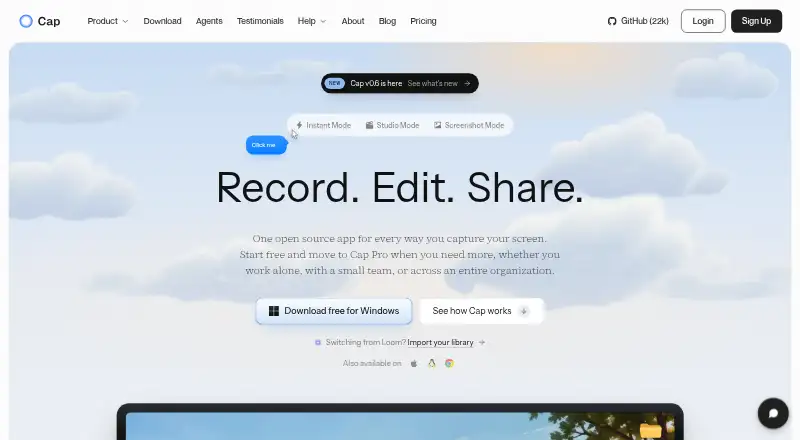
Cap is an open-source screen recording and sharing platform with Instant, Studio, and Screenshot modes. Instant Mode uploads as you record and copies a share link when recording stops. Studio Mode records locally in 4K at 60fps with separate screen, camera, and microphone tracks, then provides editing and export. Its editor includes privacy masks, automatic zoom, captions, animated text, scenes, color grades, and audio tracks. Share pages can include comments, reactions, transcripts, and chapters; viewers can watch in a browser without an account. You can use Cap Cloud, connect S3-compatible storage or Google Drive, or self-host. Cap Pro supports custom S3 storage and Google Drive, and the platform includes a Loom video importer. The free plan is for personal use, with local recording without a time limit and shareable links up to five minutes. Paid plans include Desktop License at $29 per year and Cap Pro Annual at $8.16 per user per month, billed annually. Commercial use requires a paid plan.
Who it suits
Cap suits people who want to record, edit, and share screen videos, including teams that need workspaces or a self-hosted option. Its free plan is limited to personal use.
What it does well
- Studio records locally in 4K at 60fps.
- Separate screen, camera, and microphone tracks.
- Viewers can watch share pages without an account.
- Self-hosting and S3-compatible storage are options.
What to know first
- Free plan is for personal use only.
- Free shareable links are limited to five minutes.
- Commercial usage requires a paid plan.
Limits
The Free plan allows local recording without a time limit, but shareable links are limited to five minutes and the plan is for personal use. Commercial usage requires a paid plan.
Plans
| Plan | Billed and limits | Price |
|---|---|---|
| Free | forever · personal use · local Studio recordings · shareable links up to 5 minutes | Free |
| Desktop License | $29 per license, per year · One user per license · Unlimited local recordings and editing · 20 cloud shareable links/month, up to 5 min each | $29 a year |
| Cap Pro | $12 per user, per month · Unlimited cloud storage and bandwidth · AI titles, summaries, chapters, and transcriptions · Team workspaces · Priority support | $12 a month |
| Enterprise | Cap Pro for large organizations · SAML SSO add-on · Signed BAA add-on · SCIM provisioning can be arranged · Volume discounts · Custom S3 and Google Drive storage | On request |
| Cap Pro monthly | per user, billed monthly · unlimited cloud storage and bandwidth · AI titles, summaries, chapters and transcripts · custom domain · password shares · analytics · team workspaces · S3/Google Drive storage | $12 a month |
| SAML SSO add-on | flat rate, unlimited users · available with Cap Pro Enterprise | $199 a month |
| Desktop License annual | per license, per year · commercial rights · unlimited local recording and editing · 20 cloud links/month up to 5 minutes · community support | $29 a year |
| Desktop License lifetime | one-time · commercial rights · unlimited local recording and editing · 20 cloud links/month up to 5 minutes · community support | $58, paid once |
The first 8 of 12 plans, as cap.so lists them, read 14 Oct 2026. The maker's own page has the final word. Every plan
Getting started
- Go to cap.so
- Choose Cap Cloud, connect S3-compatible storage or Google Drive, or self-host
- Select Instant, Studio, or Screenshot mode
- Record locally or upload while recording, then edit and share
Overview
Cap is an open-source screen recorder and sharing platform built around quick link-based updates and more deliberate local production. It suits people who want both workflows in one product; its free plan is personal-use only and limits shareable links to five minutes.
That split is Cap’s strongest distinction: Instant prioritizes speed, while Studio offers local 4K recording and a full editor. The trade-off is that commercial users need a paid plan, and cloud-sharing allowances vary by plan.
Cap began in 2023 as an open-source alternative to Loom. Its code is published under the AGPL license, and users can choose Cap Cloud, their own S3-compatible storage or Google Drive, or self-hosting.
For a wider comparison, see Screen Recording Software and Video Messaging Software.
Key features
- Instant and Studio modes: Instant uploads during recording and copies a share link when you stop, a practical route for quick updates. Studio records locally in 4K at 60fps with separate screen, camera, and microphone tracks, better suited to material that needs refinement before sharing.
- Editing tools: Privacy masks, automatic zoom, captions, animated text, scenes, color grades, and audio tracks offer meaningful control over a finished recording. This makes Studio more capable for tutorials and polished explainers than a bare capture workflow.
- Browser sharing: Share pages support comments, reactions, transcripts, and chapters, and viewers need no account to watch. That reduces friction for recipients while providing ways to respond and navigate longer videos.
- Storage choices and integrations: Cap supports Cap Cloud, self-hosting, and user-controlled S3-compatible storage or Google Drive. Cap Pro adds custom S3 storage and Google Drive integration, and Cap includes a Loom video importer.
- Security and control: Cap says Cap Cloud has SOC 2 Type II and ISO 27001 controls and is HIPAA compliant, with signed BAAs available for organizations handling PHI. The open-source AGPL code is public and auditable; organizations needing a BAA should account for the separate add-on cost.
- Exports: Supported formats include MP4, WebM, MOV, GIF, SRT, and WebVTT, covering video, animation, and caption-file outputs.
Pricing
Cap is freemium, but the free plan is explicitly for personal use. Commercial use requires a paid plan, so the free tier is not a safe fit for workplace recording even if its local recording allowance is generous.
| Plan | Price | What it includes and who it suits |
|---|---|---|
| Free | free | Personal use, local recording with no time limit, and shareable links up to 5 min. Good for personal captures; the share-length cap and commercial restriction are substantial boundaries. |
| Desktop License | $29 a year | One user per license, unlimited local recordings and editing, and 20 cloud shareable links/month up to 5 min each. It fits a solo commercial user focused on local work, but the monthly link quota limits frequent cloud sharing. |
| Desktop License Lifetime | $58 a month | Commercial usage rights, unlimited local recordings and editing, Studio Mode with full editor, export to any format, and a license that never renews. It targets users prioritizing local production and one-time licensing; the stated price and billing term are unusual enough to check carefully before buying. |
| Desktop License (lifetime) | $58, paid once | One user per license, unlimited local recordings and editing, and 20 cloud shareable links/month up to 5 min each; billed once and never renews. This is the clearer fit for a solo user wanting local work and a limited sharing quota without recurring renewal. |
| Cap Pro | $12 a month | Unlimited cloud storage and bandwidth, AI titles, summaries, chapters, and transcriptions, team workspaces, and priority support. It suits teams or frequent sharers who want cloud capacity and support, at the higher month-to-month rate. |
| Cap Pro Annual | $8.16 a month | Billed annually; includes unlimited cloud storage and bandwidth, AI-generated titles, summaries, chapters, and transcriptions, custom domain, password-protected shares, viewer analytics, and team workspaces. The annual commitment is best for regular users who need branded or access-controlled sharing and analytics. |
| Cap Pro (annual billing) | $8.16 a month | Billed $8.16 a month, billed annually; includes unlimited cloud storage and bandwidth, AI titles, summaries, chapters, and transcriptions, team workspaces, and priority support. It suits teams wanting Pro’s storage and support for a lower monthly equivalent, but lacks the custom domain, password protection, and analytics listed with Cap Pro Annual. |
| Enterprise | Custom pricing | Cap Pro for large organizations, with SAML SSO and signed BAA add-ons, SCIM provisioning by arrangement, volume discounts, and custom S3 and Google Drive storage. It is the organizational option for managed access or storage requirements. |
The Desktop License is billed per license per year, while its lifetime counterpart is one user per license and billed once. Cap Pro’s monthly option is per user; teams over 10 users can receive volume discounts. Enterprise add-ons are separate: a Signed BAA costs $99 a month per organization, and SAML SSO costs $199 a month at a flat rate for unlimited users. Community support comes with Desktop License, while Cap Pro includes priority support.
Platforms
Cap supports API, browser extension, Linux, macOS, web, Windows, and self-hosting. The combination of desktop and browser access makes it relevant to users who want local recording as well as browser-based sharing, while self-hosting gives organizations another deployment choice.
Who it's for
Cap is strongest for individuals and teams that move between quick screen updates and edited recordings, or need control over where recordings are stored. Local recording and editing favor creators who want production control; team workspaces, cloud storage, and sharing features make Cap Pro more appropriate for collaborative or frequent distribution.
It is a weaker fit for occasional commercial users who only need short links: the free plan is personal-only, and the Desktop License limits cloud links to 20 per month, each up to five minutes. Organizations requiring SSO or signed BAAs should compare the additional fees with their security and access needs.
Pros and cons
- Pro: Instant and Studio cover both immediate sharing and locally recorded, editable 4K video, so users need not choose a single capture style.
- Pro: Browser viewing without an account, plus comments, reactions, transcripts, and chapters, helps recipients engage without extra setup.
- Pro: AGPL code and options for self-hosting or user-controlled storage give technically capable users meaningful data-control choices.
- Con: Free is personal-use only, and its shareable links are capped at five minutes, limiting use as a no-cost workplace recorder.
- Con: The Desktop License includes only 20 cloud links per month, each capped at five minutes, despite unlimited local recording and editing.
- Con: Pricing details distinguish Cap Pro Annual from Cap Pro (annual billing), with different stated feature sets; buyers should match the plan to the features they need.
Alternatives
Consider Loom if you want another freemium screen-recording option; its Starter plan includes 25 videos and five-minute screen recordings. Dadan is worth comparing when a free allowance of up to 25 videos, 2 GB storage, and 720p resolution is a better match. Screencastify offers a free plan with up to 10 recordings and 30 minutes per video, a different balance if longer individual recordings matter more than Cap’s local Studio workflow.
Dubb, Hippo Video, Volley, Bonjoro, and Jumpshare are other options to compare.
For AI-focused recording choices, browse AI Screen Recorders.
Verdict
Choose Cap if you need a single platform for fast link sharing and locally recorded, editable screen video, especially if storage control or team sharing matters. Look elsewhere if you need unrestricted short-form commercial sharing on a free plan, or if a five-minute link cap and limited Desktop License quota do not fit your workflow.
Verdict
Cap combines screen recording, editing, and browser-based sharing, with local recording and storage choices. Check plan limits carefully if you need commercial use or longer shareable links.
Questions
Is Cap free?
Yes. Its Free plan costs nothing and is for personal use, with unlimited-time local recording and shareable links up to five minutes.
What platforms does Cap support?
Cap lists API, extension, Linux, macOS, self-hosted, web, and Windows. Its platform support is also described as browser and desktop.
Is Cap open source?
Yes. Cap says its code is fully open source under the AGPL license.
How much does Cap Pro Annual cost?
Cap Pro Annual is $8.16 a month, billed annually. It includes unlimited cloud storage and bandwidth, AI-generated titles, summaries, chapters, and transcriptions, team workspaces, and other listed features.
Can I use Cap for commercial work?
The Free plan is for personal use. Cap says a paid plan is required for commercial usage.
What storage options does Cap offer?
You can use Cap Cloud, connect your own S3-compatible storage or Google Drive, or self-host the platform.
Facts from Cap's own pages
- 4K recording
- Cap supports recording up to 4K resolution and 60 frames per second. · cap.so, 14 Oct 2026
- AI features
- Cap Pro generates titles, summaries, clickable chapters and transcriptions for recordings. · cap.so, 14 Oct 2026
- API
- The developer service exposes REST endpoints for server-side video and usage management. · cap.so, 14 Oct 2026
- CLI and MCP
- Cap ships a command-line interface and local MCP server with JSON output for recording, exporting, uploading and library management. · cap.so, 14 Oct 2026
- Comments
- Shared recordings support timestamp-linked threaded comments and reactions. · cap.so, 14 Oct 2026
- Commercial licensing
- Commercial use of distributed Cap Desktop binaries requires either a Desktop License or Cap Pro. · cap.so, 14 Oct 2026
- Commercial use limit
- The free plan is for personal use; Cap says a paid plan is required for commercial usage. · cap.so, 28 Sept 2026
- Company history
- Cap says it started in 2023 as an open source alternative to Loom. · cap.so, 28 Sept 2026
- Company legal name
- Crunchbase lists the company legal name as Cap Software, Inc. · crunchbase.com, 14 Oct 2026
- Company size
- LinkedIn lists Cap as a privately held technology company with 2–10 employees. · linkedin.com, 14 Oct 2026
- Custom storage
- Cap Pro can store recordings in a customer Google Drive or S3-compatible bucket. · cap.so, 14 Oct 2026
- Data control
- Users can use Cap Cloud, connect their own S3-compatible storage or Google Drive, or self-host the platform. · cap.so, 28 Sept 2026
- Documentation
- The documentation includes installation, quickstart, sharing, self-hosting, commercial licensing and developer API sections. · cap.so, 14 Oct 2026
- Editing
- The editor supports privacy masks, automatic zoom, captions, animated text, scenes, color grades, and audio tracks. · cap.so, 28 Sept 2026
- Founded
- 2023 · cap.so, 23 Sept 2026
- Free plan
- Yes · cap.so, 20 Sept 2026
- Headquarters evidence
- The Chrome Web Store listing gives Cap Software, Inc. a Dover, Delaware, United States address. · chromewebstore.google.com, 14 Oct 2026
- Instant Mode
- Instant Mode uploads during recording and places a share link on the clipboard when recording stops. · cap.so, 14 Oct 2026
- Instant recording
- Instant Mode uploads as you record and copies a share link to your clipboard when recording stops. · cap.so, 28 Sept 2026
- Integrations
- Cap Pro supports custom S3 storage and Google Drive, and Cap includes a Loom video importer. · cap.so, 28 Sept 2026
- License
- The public repository uses AGPLv3 for most code, while cap-camera and scap crate families use MIT licensing. · github.com, 14 Oct 2026
- Limit: feature gap reported by users
- A Reddit commenter said an earlier Cap version lacked Screen Studio's cursor smoothing, auto-zoom and automatic speed-up features. · reddit.com, 14 Oct 2026
- Limit: pricing complaints
- AlternativeTo comments complain about a recurring 9-euro monthly price for a screen recorder and mandatory subscription concerns. · alternativeto.net, 14 Oct 2026
- Limit: reliability
- Product Hunt's review summary reports crashes, failed launches, buggy camera rendering, unreliable multi-screen capture and slow Studio exports. · producthunt.com, 14 Oct 2026
Where Cap stands on Freedom251
- Screen Recording Software#1 of 132
- AI Screen Recorders#1 of 39
- Video Messaging Software#1 of 29