Freedom251 › Screen Recording Software
vosso
What vosso is
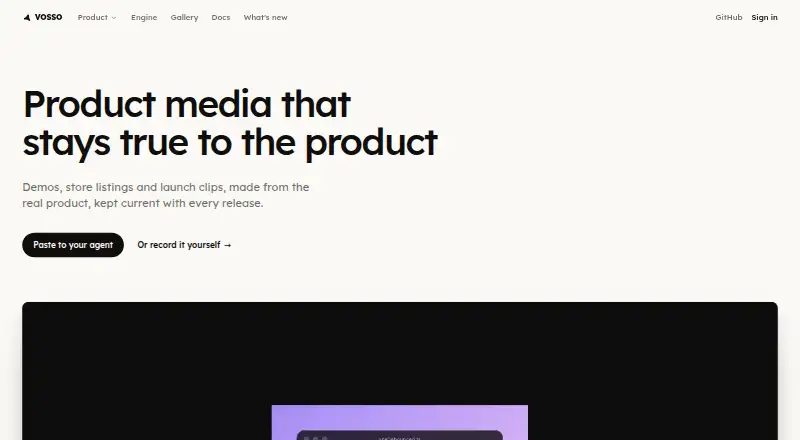
Vosso turns screen recordings, URLs, programs, 3D models, and coding-agent work into editable videos and still images. Its edits—including zooms, trims, titles, and music—remain editable, so you can adjust them without making a new recording. The recorder uses clicks and cursor movement to plan automatic zooms; you can move, retime, or remove each one. Recording and exporting take place locally in the browser. A recording is sent to Vosso only if you choose to save or export a project through the platform. Browser-based exports are free, have no watermark, and support resolutions from 720p to 4K. Vosso can record webcam video, system audio, and microphone audio. The free plan costs nothing and includes 30 minutes of recording length, 5 GB of storage per account, 10 daily saves, and 20 private projects. Hosted recordings are limited to 30 minutes, and free-plan recording files are limited to 1.5 GB. Vosso is available on the web, Chrome extension, Windows, macOS, Linux, and API. Its release workflow also documents a GitHub Action for recording product flows, rendering release media, and pushing versions.
Who it suits
Vosso suits people who want to turn screen captures, URLs, programs, 3D models, or coding-agent work into editable video and stills. It may also suit teams that want to automate release media through a GitHub Action or use the HTTP API.
What it does well
- Edits can be changed without recording again.
- Automatic zooms can be moved, retimed, or deleted.
- Browser exports are free and have no watermark.
- Exports support resolutions from 720p to 4K.
- Recording and exporting happen locally in the browser.
What to know first
- Free hosted recordings are limited to 30 minutes.
- Free-plan recording files are limited to 1.5 GB.
- The free plan caps storage at 5 GB per account.
- The free plan allows 10 daily saves and 20 private projects.
Limits
The free plan includes 30 minutes of recording length, 5 GB of storage per account, 10 daily saves, and 20 private projects. Hosted recordings are limited to 30 minutes, and a free-plan recording file is limited to 1.5 GB.
Plans
| Plan | Billed and limits | Price |
|---|---|---|
| Free | 30-minute hosted recordings · 5 GB storage · 10 new saves per rolling 24 hours · 20 private voses · 100 versions per vos per day | Free |
As vos.so lists them, read 8 Oct 2026. The maker's own page has the final word.
Getting started
- Open the Vosso website or use the Chrome extension, Windows, macOS, or Linux platform.
- Record a screen, webcam, or other supported input.
- Adjust zooms, trims, titles, or music as needed.
- Export in the browser, or save or export a project through the platform.
- For a release workflow, configure the documented GitHub Action with a VOS_API_KEY secret.
Verdict
Choose Vosso if you want editable recordings with adjustable zooms, local browser recording and exporting, and free exports up to 4K. The free plan’s recording length, file size, storage, saves, and private project limits may make it a poor fit for heavier use.
Questions
How much does Vosso cost?
The Free plan costs nothing.
What does the free plan include?
It includes 30 minutes of recording length, 5 GB of storage per account, 10 daily saves, and 20 private projects.
Which platforms does Vosso support?
Vosso lists web, Chrome extension, Windows, macOS, Linux, and API.
Can I export without a watermark?
Browser-based exports are free, have no watermark, and support resolutions from 720p to 4K.
Does Vosso offer an API or integration?
Its HTTP API supports hosted-content operations and uses the same contract as the Vosso CLI. Its release workflow documents a GitHub Action that uses a VOS_API_KEY secret.
How does Vosso handle recordings?
Recording and exporting happen locally in the browser. Recordings are sent to Vosso only when you choose to save or export a project through the platform.
Facts from vosso's own pages
- API
- The HTTP API supports hosted-content operations and uses the same contract as the vos CLI. · vos.so, 8 Oct 2026
- Deterministic rendering
- The same input renders the same pixels on a user's laptop and on vosso's render fleet. · vos.so, 8 Oct 2026
- Editing
- Zooms, trims, titles, and music are editable data, so changes can be made without re-recording. · vos.so, 8 Oct 2026
- Export
- The recorder page says browser-based exports are free, have no watermark, and support resolutions from 720p to 4K. · vos.so, 8 Oct 2026
- Free plan
- Yes · vos.so, 21 Sept 2026
- Integrations
- The release workflow documents a GitHub Action that can record product flows, render release media, and push versions using a VOS_API_KEY secret. · vos.so, 8 Oct 2026
- Local processing
- Recording and exporting happen locally in the browser; recordings are sent to vosso only if the user chooses to save or export a project through the platform. · vos.so, 8 Oct 2026
- Max recording length
- 30 · vos.so, 21 Sept 2026
- Microphone recording
- Yes · vos.so, 21 Sept 2026
- Notable limit
- A hosted recording is limited to 30 minutes, and a recording file is limited to 1.5 GB on the free plan. · vos.so, 8 Oct 2026
- Platforms
- The recorder works in Chrome and Edge on desktop operating systems, including Windows, Mac, and Linux. · vos.so, 8 Oct 2026
- Product
- Vosso turns screen recordings, URLs, programs, 3D models, or coding-agent work into editable videos and stills. · vos.so, 8 Oct 2026
- Recorder
- The recorder plans automatic zooms from clicks and cursor data, and lets users move, retime, or delete each zoom. · vos.so, 8 Oct 2026
- Security
- Vosso says it uses encryption in transit and reputable infrastructure, and that it does not sell user data or use it for advertising. · vos.so, 8 Oct 2026
- Support
- The privacy policy lists [email protected] for questions and account data access or deletion requests. · vos.so, 8 Oct 2026
- System audio
- Yes · vos.so, 21 Sept 2026
- Maximum video quality
- 4k · vos.so, 21 Sept 2026
- Webcam recording
- Yes · vos.so, 21 Sept 2026
Where vosso stands on Freedom251
- Screen Recording Software#13 of 132