Freedom251 › File Manager Software
TagSpaces
by TagSpaces
What TagSpaces is
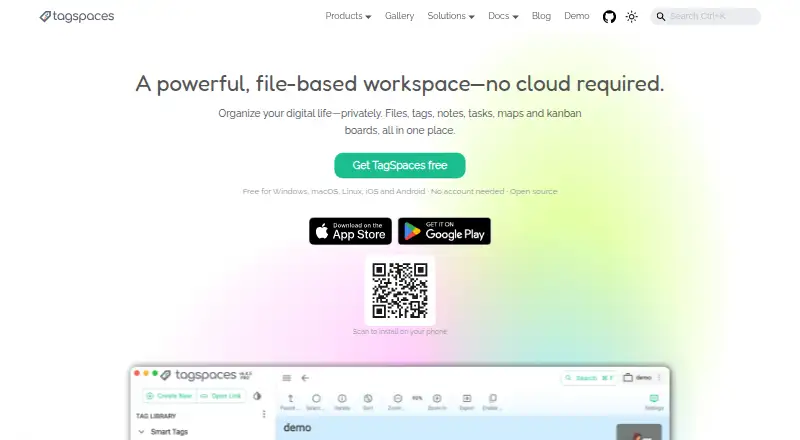
TagSpaces organizes files and folders in a file-based workspace, using tags, notes, tasks, maps, and kanban boards. Tags, descriptions, and colors are stored alongside files rather than in a central database, keeping that metadata portable. Notes can be saved as Markdown, HTML, or plain-text files, and the app says it previews more than 50 formats, including images, PDFs, audio, video, spreadsheets, and source code. The free TagSpaces Lite plan includes file tagging and management, notes, local AI chats, web clipping, and S3 storage. Its free Web Clipper saves pages, articles, screenshots, and bookmarks as local files. TagSpaces also offers offline AI features through local models using Ollama. It runs on desktop and mobile platforms and is available on the web; the maker lists cloud storage access, a tabbed interface, and a portable version. Pro and Custom editions add further tools, while Lite Web and Pro Web provide self-hosted web options. TagSpaces is made by a company founded in 2015 and based in Munich, Germany.
Who it suits
TagSpaces may suit developers, researchers, designers, and privacy-conscious users who want to organize files locally with tags and portable metadata. Its self-hosted web editions may fit users with S3-compatible object storage.
What it does well
- Free Lite plan includes file tagging and notes.
- Metadata stays alongside files, not in a central database.
- Previews more than 50 file formats.
- Web Clipper saves pages and bookmarks as local files.
- Offline AI features use local models through Ollama.
What to know first
- Pro Web requires S3-compatible storage.
- Lite Web and Pro Web work exclusively with object storage.
- Internet data transmission cannot be guaranteed absolutely secure.
Plans
| Plan | Billed and limits | Price |
|---|---|---|
| TagSpaces Lite | Desktop app · open source · file tagging and management · notes · local AI chats · web clipping · S3 storage | Free |
| TagSpaces Lite Web | Self-hosted web app · Docker deployment · iOS or Android PWA · works exclusively with object storage | Free |
| TagSpaces Pro | per year and user; subscription can be canceled any time · Windows, Mac, and Linux · annual subscription or one-time payment · one-time license includes future updates · support for one year after one-time purchase | On request |
| TagSpaces Pro Web | contact us; volume pricing offered · Self-hosted web app · S3-compatible object storage required · includes Lite Web and most Pro features | On request |
| TagSpaces Custom | quote on request · On-premises web app or tailored desktop app · MFA · white-label packages · custom extensions · priority technical support | On request |
As tagspaces.org lists them, read 4 Oct 2026. The maker's own page has the final word.
TagSpaces is a file-based workspace for people who want tags, notes, previews, and planning views without putting metadata in a central database. It suits developers, researchers, designers, and privacy-focused users who need the same organized files across desktop, mobile, web, or self-hosted setups. Lite is a capable free starting point; Pro and the web and custom editions make sense when collaboration, richer search, or managed deployment matters.
Overview
TagSpaces organizes files and folders with tags, descriptions, colors, notes, tasks, maps, and kanban boards. Tags and other metadata sit beside the files, so moving a folder does not strand its organization in a proprietary database. Notes can be ordinary Markdown, HTML, or plain-text files, which is useful when long-term readability and portability matter.
The application runs locally without requiring an account, depending on a cloud service, collecting data, or tracking activity. That is a strong fit for private archives and offline work, although its privacy policy cautions that internet transmission can never be completely protected. TagSpaces was founded in 2015 and is headquartered in Munich, Germany. Its Lite code is AGPL-3.0 licensed; most viewer and editor extensions and the command-line tool use MIT licenses. Browse our File Manager Software directory for more choices.
Key features
- Portable organization: Tags, descriptions, and colors are stored alongside files. This keeps a workspace understandable when copied, backed up, or opened elsewhere, rather than tying it to one application database.
- Notes and workspace views: Markdown, HTML, and plain-text notes are standard files. Pro adds kanban, map, and calendar views, turning a file collection into a more structured project workspace.
- Previews: TagSpaces says it previews more than 50 formats, including images, PDFs, audio, video, spreadsheets, and source code. That breadth reduces the need to launch separate viewers while sorting mixed folders.
- Web Clipper: The free clipper saves pages, articles, screenshots, and bookmarks as local files. It supports Chrome, Firefox, Edge, Brave, Opera, and Vivaldi, making browser capture practical without a hosted reading service.
- Local AI: Offline models through Ollama can summarize files and generate tags and image descriptions. This keeps those operations local, but it requires an Ollama-based setup rather than a turnkey online AI service.
- Storage and sync: S3-compatible targets include AWS S3, Wasabi, Cloudflare R2, S3Proxy, and Garage; Google Drive, Dropbox, and Syncthing syncing are also mentioned. Lite Web and Pro Web work only with object storage, and Pro Web specifically requires S3-compatible storage.
- Interface and deployment: A tabbed interface and portable version suit users managing several locations or carrying an installation. Self-hosted and web offerings extend the product beyond a single desktop.
Pricing
TagSpaces Lite — free: The free desktop app is open source and includes file tagging and management, notes, local AI chats, web clipping, and S3 storage. It is the right choice for an individual who values local control and file portability and does not need Pro-only collaboration or views.
TagSpaces Pro — custom pricing: Pro adds collaborative tag use, local AI tag and description generation, advanced full-text search, kanban, map, and calendar views, plus custom folder icons, colors, and backgrounds. Choose it when teams or large, searchable collections justify the upgrade. A one-time purchase includes support for one year, and purchases qualify for a full refund within 14 days.
TagSpaces Custom — custom pricing: This is for organizations needing an on-premises web application or tailored desktop app, multi-factor authentication, white-label packages, custom extensions, and priority technical support.
TagSpaces Lite Web — custom pricing: It provides a self-hosted web app, Docker deployment, mobile PWA use, and S3-compatible object storage. It fits teams that want browser and mobile access while operating their own infrastructure.
TagSpaces Pro Web — custom pricing: This combines a self-hosted web application and S3-compatible storage with most Pro features and volume pricing. It is aimed at larger deployments; the object-storage requirement rules it out for setups built around ordinary local folders alone.
Platforms
TagSpaces supports web, Windows, macOS, Linux, iOS, Android, and a Chrome extension, with self-hosted deployment also offered. The mix covers desktop archives, mobile access, browser clipping, and Docker-based web installations rather than locking users to one operating system.
Who it's for
Choose TagSpaces for a privacy-conscious personal archive, research library, design asset collection, or developer workspace where metadata must travel with files. Lite is particularly compelling for individuals who want local notes, previews, clipping, and AI chats at no cost. Pro is better for collaborative tagging and richer project views; Custom and the web editions suit organizations that need on-premises control, authentication, branding, or volume deployment.
Pros and cons
Pros
- Metadata stored beside files remains portable and avoids a central database dependency.
- Lite combines tagging, notes, previews, clipping, local AI chats, and S3 access at no charge.
- Local operation without accounts, tracking, or mandatory cloud services supports privacy-sensitive workflows.
- Desktop, mobile, browser, and self-hosted options accommodate varied environments.
Cons
- Pro, Custom, Lite Web, and Pro Web use custom pricing, making budgeting difficult before contacting the maker.
- Web editions require object storage, with Pro Web specifically requiring S3 compatibility.
- Collaborative tags, advanced full-text search, and kanban, map, and calendar views are reserved for Pro rather than Lite.
- Internet transfers still carry security risks despite the local-first design.
Alternatives
Pick Dolphin for a free, open-source file manager on Linux or Windows when tagging workspaces and local AI are unnecessary. WinSCP is the better free Windows choice for SFTP, FTP, FTPS, SCP, WebDAV, and S3 transfers. Choose Filestash when a browser-oriented, freemium file interface and multi-platform access are priorities. Krusader, Midnight Commander, GNOME Commander, and Thunar are free file managers for users who prefer conventional Linux tools. Altap Salamander suits Windows users seeking a freeware manager with plugins.
Verdict
TagSpaces is a strong recommendation for people who want file organization, notes, previews, and local automation while keeping metadata portable and activity private. Start with Lite if you work alone; move to Pro for collaboration and richer views, or to the web and custom editions for self-hosted organizational deployment. Look elsewhere if you only need a conventional file manager or transfer client, or if custom-priced object-storage requirements do not fit your setup.
Verdict
TagSpaces combines file organization, notes, previews, and local AI with metadata stored beside files. Lite is free; prices for the other listed editions are not provided.
Facts from TagSpaces's own pages
- Browser clipper
- The free Web Clipper saves pages, articles, screenshots, and bookmarks as local files and supports Chrome, Firefox, Edge, Brave, Opera, and Vivaldi. · tagspaces.org, 4 Oct 2026
- Cloud storage access
- Yes · tagspaces.org, 20 Sept 2026
- File metadata
- Tags, descriptions, and colors are stored alongside files, avoiding a centralized database and keeping metadata portable. · tagspaces.org, 4 Oct 2026
- File previews
- The product says it can preview more than 50 file formats, including images, PDFs, audio, video, spreadsheets, and source code. · tagspaces.org, 4 Oct 2026
- Founded
- 2015 · tagspaces.org, 28 Sept 2026
- Free plan
- Yes · tagspaces.org, 20 Sept 2026
- Headquarters
- Munich, Germany · tagspaces.org, 28 Sept 2026
- Integrations
- The maker lists S3-compatible storage options including AWS S3, Wasabi, Cloudflare R2, and self-hosted S3Proxy or Garage; it also mentions syncing with Google Drive, Dropbox, or Syncthing. · tagspaces.org, 4 Oct 2026
- Intended users
- The maker describes the project as serving developers, researchers, designers, and privacy-conscious users. · tagspaces.org, 4 Oct 2026
- Local AI
- TagSpaces offers offline AI features using local models through Ollama, including file summaries, tags, and image descriptions. · tagspaces.org, 4 Oct 2026
- Notes
- Users can create notes in Markdown, HTML, or plain text as standard files. · tagspaces.org, 4 Oct 2026
- Open source
- TagSpaces Lite is licensed under AGPL-3.0, while most file viewer and editor extensions and the command-line tool are MIT-licensed. · tagspaces.org, 4 Oct 2026
- Paid support and refund
- Pro includes support for one year after a one-time purchase, and the maker offers a full refund within 14 days of purchase. · tagspaces.org, 4 Oct 2026
- Supported platforms
- web,windows,macos,linux,ios,android,chrome_extension · tagspaces.org, 20 Sept 2026
- Portable version
- Yes · tagspaces.org, 20 Sept 2026
- Privacy
- The maker says TagSpaces runs on the user's device without an account, cloud dependency, or data collection, and that activity is not tracked. · tagspaces.org, 4 Oct 2026
- Purpose
- TagSpaces organizes files and folders with tags, notes, tasks, maps, and kanban boards in a file-based workspace. · tagspaces.org, 4 Oct 2026
- Security
- The privacy policy says internet-based data transmission can have security gaps and absolute protection cannot be guaranteed. · tagspaces.org, 4 Oct 2026
- Self-hosting limit
- TagSpaces Lite Web and Pro Web work exclusively with object storage, and Pro Web requires S3-compatible storage. · tagspaces.org, 4 Oct 2026
- Tabbed interface
- Yes · tagspaces.org, 20 Sept 2026
Where TagSpaces stands on Freedom251
- File Manager Software#7 of 100