Freedom251 › File Manager Software
Thunar
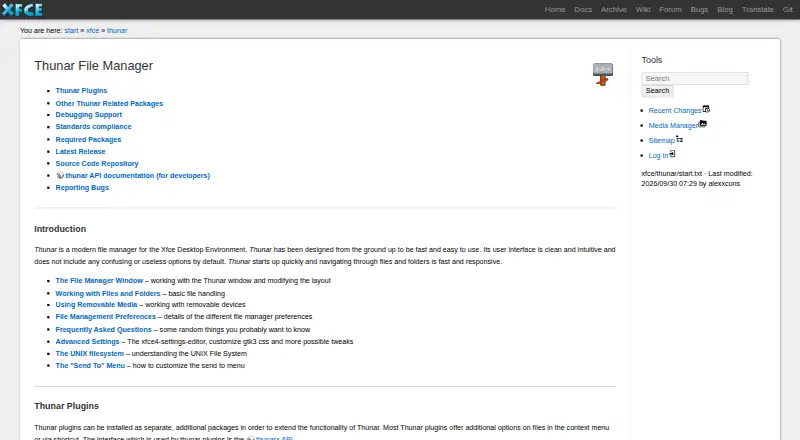
What Thunar is
Thunar is a free Linux file manager for the Xfce desktop environment, built for basic file and folder management. It handles copying, moving, renaming and duplicating items, creating symbolic links, and undoing or redoing up to ten recent operations. Tabs support working across multiple locations. Its Properties dialog displays details such as file type, file and folder size, and partition space, and allows users to change UNIX file permissions. Separate plugins can add bulk renaming, custom actions, archive handling, media tag support, Samba shares, volume management and version control actions. GNOME Virtual File System is required for trash support, removable-media mounting and remote filesystems. With thunar-volman installed, Thunar can manage removable drives and media, including optional automatic mounting and opening; configured automatic opening or running prompts for confirmation. The project lists compatibility with desktop standards including XDG Base Directory, Shared MIME Database, File URI and Desktop Trash specifications. The documentation lists version 4.21.7 as released on 2026-10-10.
Who it suits
Thunar suits Linux users of the Xfce desktop who need basic file management and utilities such as tabs and batch renaming. Its separate plugins can extend its capabilities for specific tasks.
What it does well
- Free file manager for Linux and Xfce.
- Tabs and batch renaming are supported.
- Undo or redo up to ten recent operations.
- Properties shows file, folder and partition details.
- Plugins add archive and media-tag handling.
What to know first
- GNOME Virtual File System is required for trash support.
- Remote filesystems require GNOME Virtual File System.
- Some capabilities require separate plugins or thunar-volman.
Plans
| Plan | Billed and limits | Price |
|---|---|---|
| Thunar (free software) | Free download · release tarball available | Free |
As docs.xfce.org lists them, read 11 Oct 2026. The maker's own page has the final word.
Getting started
- Open the Xfce Thunar documentation website.
- Download the free release tarball.
- Install Thunar in an Xfce environment on Linux.
- Install GNOME Virtual File System for trash support, removable media mounting, and remote filesystems.
- Install thunar-volman to manage removable drives and media.
Verdict
Thunar covers everyday file operations and can gain additional tools through separate plugins. Some features, including trash support and removable-media management, depend on additional components.
Questions
How much does Thunar cost?
The listed plan is free software at no cost.
Which platforms does Thunar support?
Thunar is listed for Linux.
Does Thunar have tabs and batch renaming?
Yes. It has a tabbed interface and batch rename support; plugins can also add bulk renaming.
Can Thunar handle removable media and remote filesystems?
Removable media management is available with thunar-volman. GNOME Virtual File System is required for removable media mounting and remote filesystems.
Can Thunar open new media automatically?
With thunar-volman, optional automatic mounting and opening are available. When automatic opening or running is configured, Thunar asks for confirmation.
Facts from Thunar's own pages
- Archive support
- Yes · docs.xfce.org, 21 Sept 2026
- Audience
- The Xfce site describes its file manager as providing basic file management and utilities such as a bulk renamer. · xfce.org, 11 Oct 2026
- Batch rename
- Yes · docs.xfce.org, 21 Sept 2026
- Extensions
- Separate plugins can add bulk renaming, custom actions, archive handling, media tag support, Samba shares, volume management, and version control actions. · docs.xfce.org, 11 Oct 2026
- File details
- Its Properties dialog shows details such as file type and size, folder size and partition space, and lets users change UNIX file permissions. · docs.xfce.org, 11 Oct 2026
- File operations
- It supports common file and folder operations including copy, move, rename, duplicate, symbolic links, and undo and redo for up to ten recent operations. · docs.xfce.org, 11 Oct 2026
- Free plan
- Yes · docs.xfce.org, 21 Sept 2026
- Supported platforms
- linux · docs.xfce.org, 21 Sept 2026
- Project organization
- The Xfce site describes Xfce as a modular desktop environment whose components are packaged separately so users can choose packages. · xfce.org, 11 Oct 2026
- Purpose
- Thunar is a file manager for the Xfce desktop environment, designed to be fast and easy to use. · docs.xfce.org, 11 Oct 2026
- Release
- The documentation lists Thunar 4.21.7 as released on 2026-10-10. · docs.xfce.org, 11 Oct 2026
- Remote files
- The documentation says GNOME Virtual File System is required for Thunar's trash support, removable media mounting, and remote filesystems. · docs.xfce.org, 11 Oct 2026
- Removable media
- With the thunar-volman package installed, Thunar can manage removable drives and media, including optional automatic mounting and opening. · docs.xfce.org, 11 Oct 2026
- Safety prompt
- When configured to auto-run or auto-open content on new drives and media, Thunar prompts the user for confirmation as a security precaution. · docs.xfce.org, 11 Oct 2026
- Standards
- The project lists support for desktop standards including XDG Base Directory, Shared MIME Database, File URI, and Desktop Trash specifications. · docs.xfce.org, 11 Oct 2026
- Support
- The project directs users to its bug reporting page for open bugs and instructions for submitting reports. · docs.xfce.org, 11 Oct 2026
- Tabbed interface
- Yes · docs.xfce.org, 21 Sept 2026
Where Thunar stands on Freedom251
- File Manager Software#20 of 100