Freedom251 › Email Migration Software

SysTools Migrator
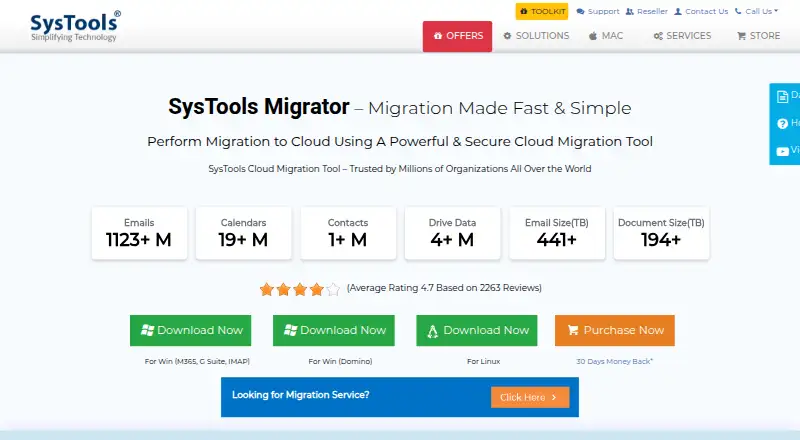
What SysTools Migrator is
SysTools Migrator transfers data between cloud platforms. Listed data types include email, contacts, calendars, documents, attachments, files, groups, and other mailbox data. Migration routes include Microsoft 365, Google Workspace, Google Drive, OneDrive, SharePoint, Microsoft Teams, Exchange, Lotus Notes, IMAP, Domino, Zimbra, and Google Vault. Users can select data categories, filter by date range, prioritize users, monitor status in real time, and review migration reports. Batch and concurrent multi-user migration are supported, as is delta migration for data that arrives after an initial transfer.
The product runs on Linux and Windows and supports calendar and contact migration, tenant-to-tenant moves, Microsoft 365, Google Workspace, and IMAP. Its product page lists OAuth 2.0 authorization for Office 365, encryption, and ISO 9001:2015 and ISO 27001:2013 certifications, and advertises free 24x7 support. The free version costs nothing and migrates 2 user accounts. The paid version is priced on request, with license quota based on migrated user accounts. Each source-to-destination user migration consumes one quota; migrating again after changing either account uses another. The trial migrates email for 2 users, and the software does not migrate Trash or Deleted Items folders.
Who it suits
SysTools Migrator may suit IT admins, managers, and individual users moving data between supported cloud platforms. Its batch migration and user-prioritization options are relevant to multi-user transfers.
What it does well
- Supports batch and concurrent multi-user migration.
- Select data categories and filter by date range.
- Delta migration handles data arriving after an initial transfer.
- Free version migrates 2 user accounts.
- Advertises free 24x7 support.
What to know first
- Trial migrates email for only 2 users.
- Trash and Deleted Items folders are not migrated.
- Each source-to-destination migration uses one license quota.
- Paid version is priced on request.
Limits
The free version covers 2 user accounts; the trial migrates email for 2 user accounts. Additional users require a purchased migration license. Each source-to-destination user migration uses one license quota, and migrating again after changing either account uses another quota.
Plans
| Plan | Billed and limits | Price |
|---|---|---|
| Free Version | Migrate 2 user accounts | Free |
| Paid Version | Paid version; license quota is based on user accounts migrated | $35 |
As systoolsgroup.com lists them, read 7 Oct 2026. The maker's own page has the final word.
Getting started
- Visit the SysTools Migrator website.
- Choose the free version or review the paid version on request.
- Use the Linux or Windows platform.
- Log in with admin credentials.
- Select the source and destination migration route, then choose data categories and any date-range filter.
- Start the migration and monitor its status or review its report.
SysTools Migrator is built for moving email and related cloud data between services. It is most suitable for IT administrators, managers, and individuals handling supported routes, particularly when several accounts or a tenant-to-tenant transfer are involved. Its administrative controls are substantial, but the two-user trial and per-user quota rules make license planning essential.
Overview
Migrator covers email, contacts, calendars, documents, attachments, files, groups, and other mailbox data. Its route list spans Microsoft 365, Google Workspace (G Suite), Google Drive, OneDrive, SharePoint, Microsoft Teams, Exchange, Lotus Notes, IMAP, Domino, Zimbra, and Google Vault. That breadth suits organizations consolidating services or changing providers rather than users making a narrow, single-purpose export.
Tenant-to-tenant moves are supported, as are calendar and contact migration. The main boundary is data completeness: Trash and Deleted Items folders are excluded. A migration that must preserve those folders will need another approach or a separate retention plan.
Key features
Coordinated multi-user migration
Batch and concurrent processing let administrators move multiple users in an organized run, while user prioritization helps put critical accounts first. Real-time status monitoring and migration reports provide operational visibility, which is valuable during a staged business move. For a single personal mailbox, these controls add less practical benefit.
Selective and delta transfers
You can choose data categories and filter by date range instead of copying every available item. That can shorten a transfer or keep it focused on a defined period. Delta migration then brings newly arrived data across after the initial pass, useful when a final cutover follows the first migration rather than happening immediately.
Security and credentials
The product lists OAuth 2.0 authorization for Office 365, encryption, and ISO 9001:2015 and ISO 27001:2013 certifications. Its FAQ says administrators log in with admin credentials and that account credentials are not saved in SysTools’ database. Free 24x7 support is advertised, giving teams a stated support channel during a scheduled move.
Pricing
| Plan | Price | What it includes | Best for |
|---|---|---|---|
| Free Version | free | Migrate 2 user accounts | Checking a route or small proof of concept |
| Paid Version | price on request | Paid migration; license quota is based on user accounts migrated | Organizations moving more than two users |
The free version is a genuine two-account starting point, but it is not a broad pilot for a department. The trial version migrates emails for two users; additional users require a purchased migration license. At the paid rate, each source-to-destination user migration consumes one license quota. If either account changes and you migrate that user again, another quota is consumed, so retries and account changes can increase the effective cost. The paid listing gives a per-contact price rather than a single project fee, making it more predictable for a known user count but less forgiving when the scope changes.
Platforms
SysTools Migrator runs on Linux and Windows. It supports Microsoft 365, Google Workspace, and IMAP, alongside the broader route list in the overview. That combination fits mixed-platform administration, while teams standardized on another operating system will need a compatible workstation.
Who it's for
IT administrators and managers coordinating a multi-user or tenant-to-tenant move are the strongest match: batch execution, prioritization, monitoring, reports, filtering, and delta migration address the practical stages of a managed transfer. An individual user with one supported account can also benefit, especially when calendar, contacts, or files must move with mail, but the administrative feature set may be more than necessary. Anyone requiring Trash or Deleted Items preservation should look elsewhere.
Pros and cons
Pros
- Broad route coverage: Microsoft 365, Google Workspace, major storage and collaboration services, legacy mail systems, and IMAP are all represented.
- Useful cutover controls: Category selection, date filters, and delta migration help manage staged transfers.
- Operational oversight: Concurrent batches, prioritization, live status, and reports support accountable team migrations.
- Stated security measures: OAuth 2.0 for Office 365, encryption, and ISO certifications address common governance requirements.
Cons
- Trial capped at two users: Larger teams cannot fully assess a multi-user run without buying licenses.
- Quota can be consumed again: Changing either account and rerunning a migration uses another license quota.
- Folders omitted: Trash and Deleted Items do not migrate.
- Per-contact billing: The paid price scales with migrated accounts, and scope changes can raise the total.
Alternatives
Choose Email Migration Software when you want to compare a wider directory of migration products before committing.
Zoho Mail is a better fit when you need a full mail service with a forever-free plan for five users, one domain, and 5 GB per user rather than a migration utility.
MailJerry suits users seeking a freemium migration tool with unlimited mailboxes, 150 MB per mailbox, and up to three simultaneous migrations on one device.
Cigati Email Migrator is worth considering for macOS or Windows users who want a demo covering the first 100 emails per folder before licensing unlimited migration.
imap-migrate is the simpler free choice for IMAP-folder transfers when Python 3.12 or higher and IMAP access on both accounts are acceptable.
SysTools Email Migration Tool offers a similar two-user free demo and a paid listing priced at $35, paid once for five users, with unlimited user count stated for the licensed edition.
imapsync is an alternative for users who prefer a freemium IMAP-focused tool available across Linux, macOS, Windows, self-hosted, and web environments.
CloudM Migrate is an option for web, Windows, API, or self-hosted deployments, including a Google Workspace shared-drive and public-folder offering priced per 10GB.
Inbox Hop provides another paid migration option with a free plan and web and Windows support.
Verdict
Choose SysTools Migrator for a managed, multi-user cloud or tenant migration where route breadth, selective transfer, monitoring, and delta passes matter. Its strongest reason to buy is the combination of broad integrations and administrator-oriented control. Look elsewhere if preserving Trash or Deleted Items is mandatory, if you need a trial larger than two users, or if per-user quota billing makes reruns too costly.
Verdict
SysTools Migrator covers a wide set of cloud migration routes and includes filtering, monitoring, and delta migration. Check the two-user trial limit, license quota rules, and excluded Trash and Deleted Items folders before planning a transfer.
Questions
Is SysTools Migrator free?
A Free Version is priced at $0 and migrates 2 user accounts. A trial is also available; it migrates email for 2 users.
How much does the paid version cost?
The Paid Version is priced on request. Its license quota is based on the user accounts migrated.
Which platforms does it support?
SysTools Migrator is listed for Linux and Windows.
What data and migration routes does it support?
It migrates email, contacts, calendars, documents, attachments, files, groups, and other mailbox data. Listed routes include Microsoft 365, Google Workspace, Google Drive, OneDrive, SharePoint, Microsoft Teams, Exchange, Lotus Notes, IMAP, Domino, Zimbra, and Google Vault.
Does it migrate Trash or Deleted Items?
No. The FAQ says the software does not migrate Trash or Deleted Items folders.
How are credentials handled?
The FAQ says admin credentials are used to log in and account credentials are not saved in SysTools’ database.
Facts from SysTools Migrator's own pages
- Credentials
- The FAQ says admin credentials are used to log in and account credentials are not saved in SysTools’ database. · systoolsgroup.com, 7 Oct 2026
- Data types
- It migrates email, contacts, calendars, documents, attachments, files, groups, and other listed mailbox data. · systoolsgroup.com, 7 Oct 2026
- Delta migration
- The product can migrate newly arrived data after an initial migration through its delta migration feature. · systoolsgroup.com, 7 Oct 2026
- Headquarters
- Delhi, India · systoolsgroup.com, 28 Sept 2026
- Integrations
- Listed migration routes include Microsoft 365, Google Workspace (G Suite), Google Drive, OneDrive, SharePoint, Microsoft Teams, Exchange, Lotus Notes, IMAP, Domino, Zimbra, and Google Vault. · systoolsgroup.com, 7 Oct 2026
- Intended users
- The product page identifies IT admins, managers, and individual users as groups that can benefit from the software. · systoolsgroup.com, 7 Oct 2026
- License limit
- Each source-to-destination user migration consumes one license quota, and migrating again after changing either account consumes another quota. · systoolsgroup.com, 7 Oct 2026
- Migration features
- It supports batch and concurrent multi-user migration, user prioritization, real-time status monitoring, and migration reports. · systoolsgroup.com, 7 Oct 2026
- Purpose
- SysTools Migrator is a cloud migration tool for transferring data between cloud platforms. · systoolsgroup.com, 7 Oct 2026
- Security
- The product page lists OAuth 2.0 authorization for Office 365, encryption, and ISO 9001:2015 and ISO 27001:2013 certifications. · systoolsgroup.com, 7 Oct 2026
- Selective migration
- Users can select data categories and filter migrations by date range. · systoolsgroup.com, 7 Oct 2026
- Support
- The product page advertises free 24x7 support. · systoolsgroup.com, 7 Oct 2026
- Trial limit
- The trial version migrates emails for 2 users; additional users require a purchased migration license. · systoolsgroup.com, 7 Oct 2026
- Unsupported data
- The FAQ says the software does not migrate Trash or Deleted Items folders. · systoolsgroup.com, 7 Oct 2026
Where SysTools Migrator stands on Freedom251
- Email Migration Software#8 of 25