Freedom251 › Email Migration Software

Cigati Email Migrator
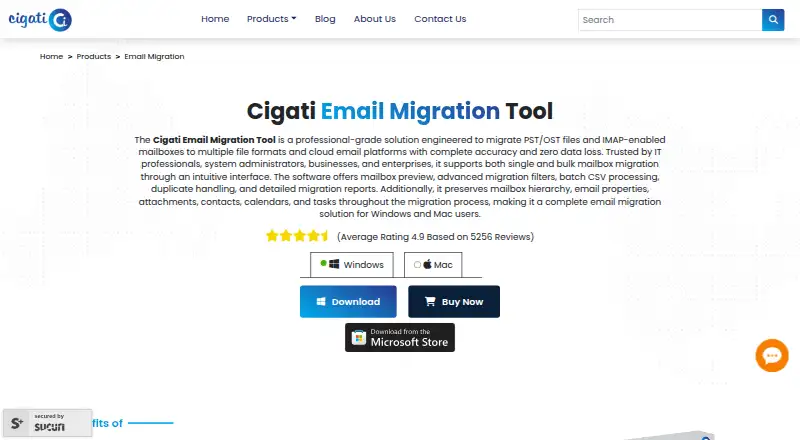
What Cigati Email Migrator is
Cigati Email Migrator moves PST and OST files and IMAP mailboxes to file formats and email platforms. It supports single and bulk transfers, including batch processing of IMAP accounts imported from a CSV file. Destinations include PST, PDF, Office 365, IMAP, Google Workspace, and Microsoft 365/Outlook, with additional export formats for IMAP migrations. The product says it preserves folder hierarchy, email properties, attachments, contacts, calendars, and tasks. Users can filter by date range and folder, and PST/OST jobs can also filter by item type. Duplicate detection compares subject, sender, recipient, CC, and body; an option skips previously transferred items. PST/OST migration can export contacts as VCF files and calendars as ICS files. Reports list successful, skipped, and failed mailbox items after migration. The free demo transfers only the first 100 emails per folder, while unlimited migration requires the licensed edition. PST/OST preview is available only when one file is selected. For IMAP migration to Microsoft 365 using modern authentication, administrator consent is generally required, though user-level credentials may work where supported. Cigati says its products process data locally on the user's machine. The software is listed for Windows and macOS.
Who it suits
Cigati Email Migrator suits people moving PST or OST files or IMAP mailboxes who need batch processing, selective migration, or exports for contacts and calendars. It supports Windows and macOS and lists Google Workspace and Microsoft 365 among its destinations.
What it does well
- Supports single and bulk mailbox migration.
- Batch IMAP account processing can use a CSV file.
- Filters support date ranges, folders, and item types.
- Reports list successful, skipped, and failed items.
- Contacts and calendars can export as VCF and ICS.
What to know first
- Free demo migrates only the first 100 emails per folder.
- PST/OST preview requires selecting a single file.
- Microsoft 365 modern authentication generally requires administrator consent.
Limits
The free demo migrates only the first 100 emails per folder; unlimited migration requires the licensed edition. The demo has no stated time limit. PST/OST preview is available only when a single file is selected.
Plans
| Plan | Billed and limits | Price |
|---|---|---|
| Free demo | First 100 emails per folder · Unlimited migration requires the licensed edition | Free |
As cigatisolutions.com lists them, read 8 Oct 2026. The maker's own page has the final word.
Getting started
- Open the Cigati Email Migrator product page.
- Install the product on Windows or macOS.
- Choose a PST/OST file or connect an IMAP mailbox as the source.
- Select a destination, then apply any date, folder, or item-type filters.
- Use the free demo for up to 100 emails per folder, or use the licensed edition for unlimited migration.
Overview
Cigati Email Migrator is a Windows and macOS utility for moving PST or OST files and IMAP mailboxes into file formats and email platforms. It suits individuals and administrators who need selective transfers or want to move multiple mailboxes in batches. Its range of migration controls is useful, though the demo’s 100-email-per-folder cap and possible Microsoft 365 administrator consent make a full migration a paid, sometimes coordinated job.
Key features
Single and bulk migration cover PST/OST files and IMAP mailboxes, with IMAP accounts importable in batches from CSV. That makes Cigati a better fit for coordinated mailbox moves than a tool focused on one account at a time. Destinations include PST, PDF, Office 365, IMAP, Google Workspace, and Microsoft 365/Outlook, with further export formats for IMAP migrations.
Cigati says it preserves folder hierarchy, email properties, attachments, contacts, calendars, and tasks. Date-range and folder filters help limit a transfer to relevant material; PST/OST jobs can also be narrowed by item type. Duplicate detection compares subject, sender, recipient, CC, and body, while Skip Previously Migrated can exclude items already transferred in an earlier run. Together, these controls can reduce redundant work when a migration needs multiple passes.
After each task, reports identify successful, skipped, and failed items, giving administrators a way to check for incomplete transfers. PST/OST jobs can export contacts as VCF and calendars as ICS, and split output PST files by a chosen size. Preview has a practical constraint: PST/OST preview works only when one file is selected, while IMAP preview requires a successful connection.
IMAP migrations can remove successfully migrated source emails after verification. That can help with mailbox cleanup, but it makes the verification step important before allowing deletion. For Microsoft 365 IMAP migration with modern authentication, administrator consent is generally required; valid user-level IMAP credentials may work where supported. This may make the migration dependent on an organization’s administrator.
Cigati Solutions says its products process data locally on the user’s machine and that data does not leave the system. That is a relevant consideration for users moving sensitive mail, though it is the maker’s security statement.
Pricing
The Free demo costs nothing and migrates only the first 100 emails per folder. The demo has no stated time limit, but its cap makes it useful for checking a small transfer rather than completing a large mailbox move. Unlimited migration requires the licensed edition; its price is custom pricing.
The full version includes 24×7 technical support. That may matter for time-sensitive or multi-mailbox work, where a failed or incomplete transfer needs follow-up. The demo does not include unlimited migration, so readers planning a full transfer should establish the license cost before committing to a workflow.
Platforms
Cigati describes compatibility with Windows and macOS, and specifically lists Windows 11, 10, 8.1, 8, and 7. The platform list does not include Linux or mobile operating systems, so it is not a fit for users who need to run the migration directly from those environments.
Who it's for
Cigati is suited to people moving PST/OST archives or IMAP mailboxes who need folder and date filters, duplicate handling, reports, or batch processing. Its Google Workspace and Microsoft 365 support, plus contact and calendar migration, make it relevant to users moving more than email messages. It is less compelling for a small, one-off transfer if the demo cap is insufficient and the licensed price is a deciding factor.
Pros and cons
- Pros: Batch IMAP account import from CSV can simplify a multi-mailbox migration.
- Pros: Filters, duplicate detection, and skip-previously-migrated controls help limit redundant or unwanted transfers.
- Pros: Reports distinguish successful, skipped, and failed items, aiding migration review.
- Cons: The demo moves only 100 emails per folder, so it cannot serve as a full migration for larger mailboxes.
- Cons: PST/OST preview is limited to one selected file, which constrains review of multi-file jobs.
- Cons: Microsoft 365 modern-authentication migrations generally require administrator consent, which can add coordination for users without admin access.
Alternatives
Zoho Mail is a better fit for readers choosing an ongoing email service rather than a migration utility: its free plan includes five users, one domain, and 5 GB of mail storage per user.
MailJerry is another migration option; readers comparing alternatives can review its mailbox and device limits alongside Cigati’s demo cap.
imap-migrate suits readers looking for a free IMAP folder migration tool who can use Python 3.12 or higher and have IMAP access on both accounts.
SysTools Email Migration Tool may suit readers who want a free demo covering full mailbox migration for up to two user accounts, rather than Cigati’s 100-email-per-folder demo.
SysTools Migrator offers a free version for migrating two user accounts, a clearer account-count trial limit for readers evaluating a small migration.
imapsync is an alternative for readers comparing IMAP migration software; its Software only plan is €72, paid once.
CloudM Migrate is an alternative for readers seeking a migration product with Google Workspace Shared Drives and public-folder support, priced per 10GB by quote.
Inbox Hop is another paid migration option to compare.
For a broader comparison, see Email Migration Software.
Verdict
Choose Cigati Email Migrator if you need to move PST/OST files or IMAP mailboxes in batches and value selective filters, duplicate controls, and item-level reports. Its support for contacts, calendars, Google Workspace, and Microsoft 365 broadens its usefulness beyond a basic message transfer. Look elsewhere if you need a generous free migration, Linux support, or a process that avoids possible Microsoft 365 administrator involvement.
Verdict
Cigati Email Migrator covers several mailbox sources, destinations, and selective transfer options. Check the demo limit and authentication requirements before planning a migration.
Questions
Is Cigati Email Migrator free?
A free demo is available and migrates the first 100 emails per folder. Unlimited migration requires the licensed edition; no price is listed here.
Which platforms does it support?
The product is listed for Windows and macOS. Its Windows page lists Windows 11, 10, 8.1, 8, and 7.
What can it migrate to?
Destinations include PST, PDF, Office 365, IMAP, Google Workspace, and Microsoft 365/Outlook. IMAP migrations also have additional export formats.
Does it migrate contacts and calendars?
Yes. PST/OST migrations can export contacts as VCF files and calendars as ICS files.
What happens to mailbox data during migration?
The product says it preserves folder hierarchy, email properties, attachments, contacts, calendars, and tasks. It also generates a report of successful, skipped, and failed items.
Does Microsoft 365 migration require administrator access?
For IMAP migrations to Microsoft 365 using modern authentication, administrator consent is generally required. User-level IMAP credentials may work where supported.
Facts from Cigati Email Migrator's own pages
- Authentication requirement
- For IMAP migration to Microsoft 365 using modern authentication, administrator consent is generally required, though valid user-level IMAP credentials may work where supported. · cigatisolutions.com, 8 Oct 2026
- Batch migration
- Supports single and bulk mailbox migration, including batch IMAP account processing from a CSV file. · cigatisolutions.com, 8 Oct 2026
- Company background
- Cigati says it was founded in 2017 and builds software for email migration, data recovery, and cloud backup. · cigatisolutions.com, 8 Oct 2026
- Contacts and calendars
- PST/OST migrations can export contacts as VCF files and calendars as ICS files. · cigatisolutions.com, 8 Oct 2026
- Data preservation
- The product says it preserves folder hierarchy, email properties, attachments, contacts, calendars, and tasks during migration. · cigatisolutions.com, 8 Oct 2026
- Data preserved
- The product says it preserves folder hierarchy, email properties, attachments, contacts, calendars, and tasks during migration. · cigatisolutions.com, 8 Oct 2026
- Destinations
- Destinations include PST, PDF, Office 365, IMAP, Google Workspace, and Microsoft 365/Outlook, with additional export formats for IMAP migrations. · cigatisolutions.com, 8 Oct 2026
- Duplicate handling
- Duplicate detection compares subject, sender, recipient, CC, and body, and previously migrated items can be skipped. · cigatisolutions.com, 8 Oct 2026
- Export options
- PST/OST migration can export contacts as VCF and calendars as ICS, and can split output PST files by a user-defined size. · cigatisolutions.com, 8 Oct 2026
- Filtering
- Users can filter by date range and folders, and PST/OST migrations can filter by item type. · cigatisolutions.com, 8 Oct 2026
- Founded
- 2017 · cigatisolutions.com, 28 Sept 2026
- Free demo limit
- The free demo migrates only the first 100 emails per folder. · cigatisolutions.com, 8 Oct 2026
- Incremental migration
- The Skip Previously Migrated option identifies already transferred items so later runs can migrate only new mailbox data. · cigatisolutions.com, 8 Oct 2026
- Local processing
- Cigati’s About page states that its products process data locally on the user's machine and that data does not leave the system. · cigatisolutions.com, 8 Oct 2026
- Mailbox preview
- Preview is available for a single selected PST/OST file and for IMAP mailboxes after a successful connection. · cigatisolutions.com, 8 Oct 2026
- Maker security statement
- Cigati Solutions says its tools process data locally on the user's machine and that data does not leave the system. · cigatisolutions.com, 8 Oct 2026
- Microsoft 365 authentication
- For IMAP migrations to Microsoft 365 using modern authentication, administrator consent is generally required, with user-level IMAP credentials supported where applicable. · cigatisolutions.com, 8 Oct 2026
- Migration modes
- Supports single and bulk migration for PST/OST files and IMAP mailboxes, including batch IMAP account import by CSV. · cigatisolutions.com, 8 Oct 2026
- Migration reports
- The software generates a report listing successful, skipped, and failed mailbox items after each migration task. · cigatisolutions.com, 8 Oct 2026
- Operating systems
- The product page lists Windows 11, 10, 8.1, 8, and 7, and describes compatibility with Windows and macOS. · cigatisolutions.com, 8 Oct 2026
- Preview limitation
- PST/OST mailbox preview is available only when a single PST or OST file is selected. · cigatisolutions.com, 8 Oct 2026
- Purpose
- Migrates PST/OST files and IMAP mailboxes to file formats and email platforms. · cigatisolutions.com, 8 Oct 2026
- Reports
- The product generates reports listing successful, skipped, and failed mailbox items after migration. · cigatisolutions.com, 8 Oct 2026
- Selective migration
- Users can filter by date range and folders, and PST/OST migrations can filter by item type. · cigatisolutions.com, 8 Oct 2026
Where Cigati Email Migrator stands on Freedom251
- Email Migration Software#1 of 24