Freedom251 › Email Migration Software
MailJerry
What MailJerry is
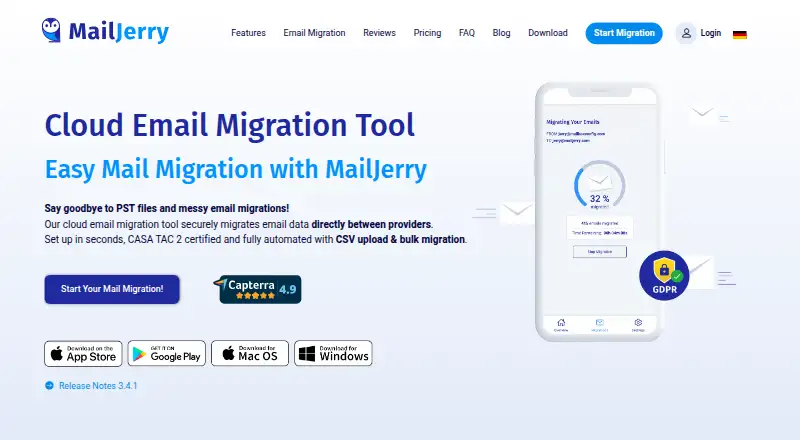
MailJerry is a cloud tool for moving email data directly between providers. It transfers messages, folders, drafts, labels, and sent objects, and says it works with all IMAP providers; named services include Gmail, Microsoft 365, Exchange, Yahoo, GMX, and iCloud. Bulk migration can handle multiple mailboxes, with CSV upload available on paid plans. Paid features can synchronize mailboxes, automatically transfer new messages, or back up email on daily, weekly, or monthly intervals. Migration controls include date-range filtering, bandwidth throttling, status details, and automatic reconnection after an interrupted server connection. MailJerry says email data is encrypted, that the tool cannot read message contents, and that it does not store email messages. It also states that its migration tool complies with GDPR. The free plan allows unlimited mailboxes but limits each to 150 MB and simultaneous migrations to three; it excludes auto-sync, backup mode, bulk migration, CSV upload, and date filtering. The Monthly Plan costs $14.90 a month, billed monthly and cancelable anytime, including VAT. The Yearly Plan costs $129.90 a year, billed yearly and cancelable anytime, including VAT. Calendar and contact migration are not supported.
Who it suits
MailJerry suits people or organizations moving email between providers, including those migrating several mailboxes. Paid plans add synchronization, backup, and broader migration controls.
What it does well
- Transfers messages, folders, drafts, labels, and sent objects.
- Works with all IMAP providers, according to the maker.
- Paid plans include mailbox sync and backup features.
- Migration controls include date filtering and bandwidth throttling.
What to know first
- Free plan caps each mailbox at 150 MB.
- Free plan allows three simultaneous migrations.
- Calendar and contact migration are not supported.
- Free plan excludes bulk migration and auto-sync.
Limits
The free plan caps each mailbox at 150 MB and allows up to three simultaneous migrations. It excludes auto-sync, backup mode, bulk migration, CSV upload, and date filtering. The monthly plan allows up to 10 simultaneous migrations; the yearly plan allows up to 20.
Plans
| Plan | Billed and limits | Price |
|---|---|---|
| Free | Unlimited mailboxes · 150 MB per mailbox · max. 3 simultaneous migrations · use on max. 1 device · no license key required | Free |
| Yearly Plan | billed yearly, cancel anytime; incl. VAT · Unlimited mailboxes · unlimited data (Flat Rate) · max. 20 simultaneous migrations · auto-sync every 3 hours · backup mode · bulk migration · CSV upload · date filter · use on 4 devices | $129.90 a year |
| Monthly Plan | billed monthly, cancel anytime; incl. VAT · Unlimited mailboxes · unlimited data (Flat Rate) · max. 10 simultaneous migrations · auto-sync every 3 hours · backup mode · use on 2 devices | $14.90 a month |
As mailjerry.com lists them, read 29 Sept 2026. The maker's own page has the final word.
Getting started
- Open the MailJerry website.
- Choose the free, monthly, or yearly plan.
- Use the service on Android, iOS, macOS, web, or Windows.
- For a bulk migration with CSV upload, choose the yearly plan.
Overview
MailJerry is a cloud tool for moving email between providers, carrying messages along with folders, drafts, labels and sent items. It is best for people or organizations moving IMAP mailboxes that may also need continued synchronization. Its wide provider compatibility is a strength, but its focus stops at email rather than full account migration.
Key features
MailJerry says it works with all IMAP providers and names Gmail, Microsoft 365, Exchange, Yahoo, GMX and iCloud; it also supports Google Workspace. That breadth makes it relevant for common provider-to-provider moves, while the lack of calendar, contact and tenant-to-tenant migration rules it out for projects that need those transfers.
Migration controls include date-range filtering, bandwidth throttling, status details and automatic reconnection after a server interruption. These help tailor a transfer to a time window or a constrained connection. Date filtering is limited to the Yearly Plan. Bulk migration and CSV upload are also Yearly Plan features, useful for teams managing multiple mailboxes but unnecessary overhead for a one-off move.
Paid plans add mailbox sync every three hours and backup mode, with backups on daily, weekly or monthly intervals. That makes MailJerry more useful after the initial transfer for keeping new mail moving or preserving mailbox copies. The maker says mail is encrypted, messages are not stored, and the tool cannot read their contents; it also states GDPR compliance. Release notes report CASA Risk and Vulnerability Assessment by TAC Security and ESOF verification.
Support requests typically receive a reply within 12–24 hours, often sooner during weekday working hours. MailJerry is offered by CODE black Software GmbH, whose imprint gives an address in Mondsee, Austria.
Pricing
The Free plan costs nothing and allows unlimited mailboxes, but caps each at 150 MB, permits three simultaneous migrations and limits use to one device. It excludes auto-sync, backup mode, bulk migration, CSV upload and date filtering. That is enough for a small transfer, but the mailbox cap and concurrency limit make it a poor fit for larger moves.
The Monthly Plan costs $14.90 a month, billed monthly, cancel anytime, including VAT. It offers unlimited mailboxes and data, up to 10 simultaneous migrations, auto-sync every three hours, backup mode and use on two devices. It suits ongoing or larger transfers that do not need bulk tools or date filtering.
The Yearly Plan costs $129.90 a year, billed yearly, cancel anytime, including VAT. It raises concurrency to 20 and device use to four, and adds bulk migration, CSV upload and date filtering alongside unlimited mailboxes and data, three-hour sync and backup mode. It is the better fit for organized multi-mailbox moves; the monthly option costs less upfront but gives up those bulk features and half the concurrency.
Platforms
MailJerry supports Android, iOS, macOS, web and Windows. Plan device limits still matter: one device on Free, two on Monthly and four on Yearly.
Who it's for
MailJerry is strongest for users moving email between IMAP-compatible providers, particularly when they need mailbox sync or scheduled backups afterward. The Free plan can suit a modest transfer; organizations handling multiple accounts are better served by Yearly for CSV-assisted bulk migration. Choose another tool when calendars, contacts or tenant-to-tenant moves are part of the job.
Pros and cons
- Pros: Broad IMAP compatibility and support for Microsoft 365 and Google Workspace make it applicable to many provider changes.
- Pros: Paid sync and scheduled backups extend its use beyond a one-time migration.
- Pros: The Yearly Plan combines bulk migration, CSV upload and date filtering for multi-mailbox work.
- Cons: Free transfers are capped at 150 MB per mailbox and three simultaneous jobs.
- Cons: Calendars, contacts and tenant-to-tenant moves are outside its scope.
- Cons: Bulk migration and date filtering require the Yearly Plan.
Alternatives
Email Migration Software is the broader category directory for comparing migration tools.
Choose imap-migrate if a free, open-ended alternative is preferable and Linux, macOS or Windows works for you; its Free plan migrates IMAP folders and requires Python 3.12 or higher plus IMAP access to both accounts. SysTools Email Migration Tool is worth considering when a two-account demo or a one-time license is a better fit: its free demo covers up to two user accounts, while its paid version is $35, paid once.
Zoho Mail is an email service rather than a direct migration match, but its free plan includes five users, one domain and 5 GB mail storage per user. imapsync is another alternative for readers comparing email migration tools. For Google Workspace subscriptions rather than mailbox migration, consider Google Workspace. CloudM Migrate, Priasoft Migration Suite for Exchange and Cloudiway Mailbox Migration Tool are additional alternatives to compare.
Verdict
Choose MailJerry for a focused email move across IMAP providers, especially if ongoing sync or scheduled backups matter. Its provider range and Yearly bulk tools are the clearest reasons to pick it; look elsewhere when a project must move calendars, contacts or entire tenants, or when the free mailbox cap is too restrictive.
Verdict
MailJerry focuses on email migration, with paid options for ongoing sync and backups. The free plan has per-mailbox and concurrency limits, and the tool does not move calendars or contacts.
Questions
Is there a free plan?
Yes. The Free plan costs nothing and includes unlimited mailboxes, 150 MB per mailbox, and up to three simultaneous migrations.
How much do the paid plans cost?
The Monthly Plan is $14.90 a month, billed monthly, and the Yearly Plan is $129.90 a year, billed yearly. Both include VAT and can be cancelled anytime.
Which email providers does MailJerry support?
MailJerry says it works with all IMAP providers and lists Gmail, Microsoft 365, Exchange, Yahoo, GMX, and iCloud. Microsoft 365, Google Workspace, and IMAP support are listed.
Which platforms can I use?
MailJerry is available on Android, iOS, macOS, web, and Windows.
Can MailJerry migrate calendars or contacts?
No. Calendar migration and contacts migration are listed as unsupported.
Who offers MailJerry?
MailJerry is offered by CODE black Software GmbH, whose imprint lists an address in Mondsee, Austria.
Facts from MailJerry's own pages
- Bulk migration
- Bulk migration supports migrating multiple mailboxes and adding them through a CSV upload. · mailjerry.com, 29 Sept 2026
- Compliance
- MailJerry states that its migration tool complies with GDPR. · mailjerry.com, 29 Sept 2026
- Email content
- It migrates emails, folders, drafts, labels, and sent objects. · mailjerry.com, 29 Sept 2026
- Free plan limits
- The free plan limits each mailbox to 150 MB and simultaneous migrations to three, and excludes auto-sync, backup mode, bulk migration, CSV upload, and date filtering. · mailjerry.com, 29 Sept 2026
- Headquarters
- Mondsee, Austria · mailjerry.com, 28 Sept 2026
- Mailbox synchronization
- After an initial migration, paid features can sync mailboxes, automatically transfer new messages, or back up mail on daily, weekly, or monthly intervals. · mailjerry.com, 29 Sept 2026
- Maker and location
- MailJerry is offered by CODE black Software GmbH, whose imprint lists an address in Mondsee, Austria. · mailjerry.com, 29 Sept 2026
- Migration controls
- Features include date-range filtering, bandwidth throttling, migration status details, and automatic reconnection after a server connection is interrupted. · mailjerry.com, 29 Sept 2026
- Platforms
- MailJerry offers migration through a browser and downloads for Windows and Mac OS, and says it supports iOS and Android. · mailjerry.com, 29 Sept 2026
- Provider compatibility
- The service says it works with all IMAP providers and lists Gmail, Microsoft 365, Exchange, Yahoo, GMX, and iCloud. · mailjerry.com, 29 Sept 2026
- Purpose
- MailJerry is a cloud email migration tool that transfers email data directly between providers. · mailjerry.com, 29 Sept 2026
- Security
- The feature page says email data is encrypted, the tool cannot read email contents, and MailJerry does not store email messages. · mailjerry.com, 29 Sept 2026
- Security verification
- The download page's release notes say MailJerry passed CASA Risk and Vulnerability Assessment by TAC Security and is ESOF-verified. · mailjerry.com, 29 Sept 2026
- Support
- MailJerry says support requests typically receive a reply within 12–24 hours, often sooner during weekday working hours. · mailjerry.com, 29 Sept 2026
Where MailJerry stands on Freedom251
- Email Migration Software#3 of 24