Freedom251 › Email Migration Software
Stellar Migrator for Exchange
What Stellar Migrator for Exchange is
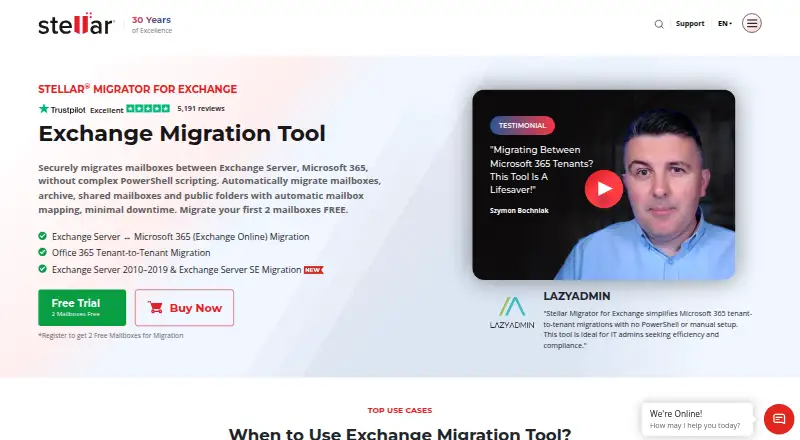
Stellar Migrator for Exchange moves mailboxes between Exchange Server and Microsoft 365, including tenant-to-tenant transfers, without complex PowerShell scripting. It supports Exchange Server to Exchange Server, Exchange Server to Microsoft 365, Microsoft 365 to Exchange Server, and Microsoft 365 tenant-to-tenant routes. The Windows software handles primary, shared, and archive mailboxes, plus public folders. Teams can run cutover, staged, or hybrid migrations all at once or in batches, then use delta migration to transfer new or changed data after the initial migration. Up to 10 mailboxes and their items can be migrated simultaneously. Mailboxes can be matched automatically or mapped manually, including through a CSV file. Users can select email, contacts, calendars, tasks, notes, and journals, and filter mail by date range. Failed or incomplete migrations can be rerun, with automatic retries configurable from 1 to 5 attempts. A free trial covers 2 mailboxes. Mailbox pricing is $250, paid once, billed at $10 per mailbox, with quantity selected on the page and one license per source mailbox. The maker says data is copied from source to target without affecting source server data.
Who it suits
It suits organizations moving to Microsoft 365, consolidating Exchange environments, or moving tenants during restructurings, mergers, or acquisitions. It requires a supported 64-bit Windows system with at least 8 GB of memory.
What it does well
- Supports Exchange and Microsoft 365 migration routes
- Cutover, staged, and hybrid migration methods
- Migrates up to 10 mailboxes simultaneously
- Free trial covers 2 mailboxes
- Free migration support is offered
What to know first
- Windows-only platform
- Requires at least 8 GB of memory
- Google Workspace and IMAP are not supported
- Mailbox pricing is $250, paid once
Limits
The free trial covers two mailboxes. Mailbox Pricing is billed at $10 per mailbox, with a $250.00 USD one-time listing, quantity selected on the page, and one license per source mailbox.
Plans
| Plan | Billed and limits | Price |
|---|---|---|
| Free Trial | 2 mailboxes · no credit card required · all migration capabilities available | Free |
| Mailbox Pricing | $10 Per Mailbox · Mailbox quantity selected on page; one license per source mailbox | $250, paid once |
As stellarinfo.com lists them, read 7 Oct 2026. The maker's own page has the final word.
Getting started
- Visit the Stellar Migrator for Exchange website.
- Use a Windows 11, 10, 8.1, or 8 computer, or Windows Server 2022, 2019, 2016, or 2012, with at least 8 GB of memory.
- Choose the free trial for two mailboxes or select Mailbox Pricing and the mailbox quantity.
- Choose a supported Exchange Server or Microsoft 365 migration route and migration method.
- Map mailboxes automatically, manually, or with a CSV file, then select the mailbox data and filters to migrate.
Verdict
Stellar Migrator for Exchange covers several Exchange and Microsoft 365 migration routes, with batch, selective, and retry options. Check the Windows requirements and per-source-mailbox licensing before planning a migration.
Questions
Is there a free plan or trial?
A free trial covers two mailboxes, includes all migration capabilities, and requires no credit card.
How much does paid mailbox migration cost?
Mailbox Pricing is listed at $250, paid once and billed at $10 per mailbox. The mailbox quantity is selected on the page, and one license is required per source mailbox.
Which systems can it migrate between?
Supported routes include Exchange Server to Exchange Server, Exchange Server to Microsoft 365, Microsoft 365 to Exchange Server, and Microsoft 365 tenant to tenant.
Which platforms does it support?
It runs on Windows 11, 10, 8.1, or 8, and Windows Server 2022, 2019, 2016, or 2012. At least 8 GB of memory is required.
Can it move contacts and calendars?
Yes. Users can select contacts and calendars, along with email, tasks, notes, and journals.
Does it support Google Workspace or IMAP?
No. Google Workspace and IMAP support are both listed as unavailable.
Facts from Stellar Migrator for Exchange's own pages
- Founded
- 1993 · stellarinfo.com, 28 Sept 2026
- Headquarters
- Houston, Texas, United States · stellarinfo.com, 28 Sept 2026
- Hosted Exchange
- The product can migrate hosted Exchange mailboxes to Microsoft 365 using an administrator account or individual user credentials. · stellarinfo.com, 7 Oct 2026
- Incremental migration
- Delta migration transfers new or modified data after the initial migration. · stellarinfo.com, 7 Oct 2026
- Intended users
- The maker describes it for organizations moving to Microsoft 365, consolidating Exchange environments, and migrating tenants during restructurings, mergers, or acquisitions. · stellarinfo.com, 7 Oct 2026
- Mailbox concurrency
- The software can migrate up to 10 mailboxes and their items simultaneously. · stellarinfo.com, 7 Oct 2026
- Mailbox mapping
- It offers automatic mailbox matching and manual mapping, including use of a mapped CSV file. · stellarinfo.com, 7 Oct 2026
- Mailbox types
- It supports primary, shared, and archive mailboxes, as well as public folders. · stellarinfo.com, 7 Oct 2026
- Migration methods
- The product supports cutover, staged, and hybrid migrations, with migrations run all at once or in batches. · stellarinfo.com, 7 Oct 2026
- Migration routes
- Supported routes include Exchange Server to Exchange Server, Exchange Server to Microsoft 365, Microsoft 365 to Exchange Server, and Microsoft 365 tenant to tenant. · stellarinfo.com, 7 Oct 2026
- Purpose
- The software migrates mailboxes between Exchange Server and Microsoft 365 without complex PowerShell scripting. · stellarinfo.com, 7 Oct 2026
- Retry support
- Failed or incomplete migrations can be rerun, with automatic retry attempts configurable from 1 to 5. · stellarinfo.com, 7 Oct 2026
- Security and data handling
- The maker says data is copied directly from source to target and does not impact source server data. · stellarinfo.com, 7 Oct 2026
- Selective migration
- Users can select folder types such as email, contacts, calendars, tasks, notes, and journals, and filter mail items by date range. · stellarinfo.com, 7 Oct 2026
- Support
- The maker offers free support during migration and says its technical team can guide customers through preparation and migration. · stellarinfo.com, 7 Oct 2026
- System requirements
- The product requires 64-bit Windows 11, 10, 8.1, or 8, or Windows Server 2022, 2019, 2016, or 2012, with at least 8 GB of memory. · stellarinfo.com, 7 Oct 2026
Where Stellar Migrator for Exchange stands on Freedom251
- Email Migration Software#9 of 25