Freedom251 › Receipt Scanner Apps
Smart Receipts
What Smart Receipts is
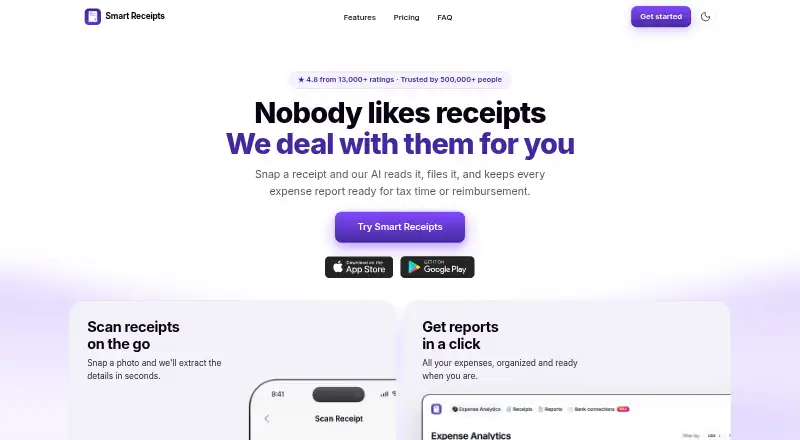
Smart Receipts scans and files receipts, then prepares expense reports for tax time or reimbursement. Receipt recognition reads merchant, date, total and tax details from paper or digital receipts. Users can forward receipts by email for filing, export reports as PDF and CSV files, and log trips to calculate reimbursement-ready mileage totals. The Free plan is mobile-app-only and includes manual receipt entry and basic expense reports. Pro adds web access, AI-powered receipt recognition, email forwarding, automatic cloud backup, spending insights, and PDF, CSV and ZIP exports; it is listed at $12.99 a month. Max adds bank connections in the US and Canada, plus bank statement and CSV imports, for $17.99 a month. The maker says bank connections are read-only and cannot move money or write to accounts. Smart Receipts is available on Android, iOS and the web, with account syncing across listed devices. The maker says data is encrypted in transit and at rest. When cloud sync is enabled, the privacy policy says data is processed using AWS infrastructure hosted in the United States.
Who it suits
Smart Receipts suits freelancers, small business owners, nonprofits, bookkeepers, and field or trades teams managing expenses. The Free plan may fit mobile users who need manual receipt entry and basic reports; Pro and Max add web access and further capture or import options.
What it does well
- Recognizes merchant, date, total and tax
- Exports reports as PDF and CSV
- Logs trips and calculates reimbursement-ready mileage
- Paid plans add email receipt capture
- Max offers read-only bank connections in the US and Canada
What to know first
- Free plan is mobile-app-only
- Free plan requires manual receipt entry
- Max bank connections are limited to the US and Canada
- Cloud-sync data is processed in the United States
Limits
The Free plan is mobile-app-only, with manual receipt entry and basic expense reports. Web access starts with Pro; bank connections and bank statement and CSV imports are included with Max.
Plans
| Plan | Billed and limits | Price |
|---|---|---|
| Free | Mobile app only · Manual receipt entry · Basic expense reports · No ads · Technical support | Free |
| Pro | Mobile app + web · AI-powered receipt recognition · Email forwarding · Automatic cloud backup · Advanced spending insights · PDF, CSV, and ZIP exports | $12.99 a month |
| Max | $138.96 per year (= $11.58/month, billed annually) · Mobile app + web · Everything in Pro · Bank connections (US and Canada) · Bank statement and CSV imports | $138.96 a year |
| Max | Mobile app + web · Everything in Pro · Bank connections (US and Canada) · Bank statement and CSV imports | $17.99 a month |
| Pro | $99.96 per year (= $8.33/month, billed annually) · Mobile app + web · AI-powered receipt recognition · Email forwarding · Automatic cloud backup · Advanced spending insights · PDF, CSV, and ZIP exports | $99.96 a year |
As smartreceipts.co lists them, read 30 Sept 2026. The maker's own page has the final word.
Getting started
- Visit the Smart Receipts website or use the app on Android or iOS.
- Create an account and choose the Free, Pro, or Max plan.
- On Free, enter receipts manually in the mobile app.
- On Pro or Max, use web access, receipt recognition, or email forwarding.
- On Max, connect a supported bank or import statements and CSV files if needed.
Smart Receipts is an expense-recording app for freelancers, small businesses, nonprofits, bookkeepers, and field teams. It is best suited to people who need receipt capture, mileage totals, and exportable reports across phones and a browser. The free tier is useful for manual mobile filing, while automation and web access require a paid plan.
Overview
Smart Receipts brings receipt storage, expense reporting, and trip mileage into one workflow for reimbursement and tax records. Its recognition can read the merchant, date, tax, and total from paper or digital receipts, with line-item OCR also supported. Users can forward receipts by email, then export reports as PDF or CSV.
This combination covers routine business-expense administration without splitting receipts and mileage between separate tools. The important limitation is the Free plan: it supports manual entry on mobile only, so browser users and anyone seeking automated capture must move to Pro.
Key features
- Receipt recognition: Pro's AI-powered recognition extracts core fields, including merchant, date, tax, and total, and supports line items. That can reduce repetitive typing for regular receipt volume; Free users enter receipts manually.
- Email capture: Pro lets users forward receipts for filing, useful when receipts arrive in an inbox rather than through the phone camera.
- Reports and mileage: Expense reports export to PDF and CSV, and trip logging calculates reimbursement-ready mileage totals. These formats fit common reimbursement and tax workflows.
- Bank imports: Max adds bank connections in the US and Canada, along with bank-statement and CSV imports. Connections are read-only and cannot move money or write to accounts, which limits risk but also means the app is not a payment or banking tool.
- Security and control: Data is encrypted with TLS in transit and AES-256 at rest. Account holders can download a full data export or permanently delete the account. With cloud sync enabled, processing uses AWS infrastructure hosted in the United States, a material consideration for organizations with location requirements.
Pricing
| Plan | Price | What you get |
|---|---|---|
| Free | free | Mobile app only, manual receipt entry, basic expense reports, no ads, and technical support. |
| Pro | $12.99 a month | Mobile and web access, AI receipt recognition, email forwarding, automatic cloud backup, advanced spending insights, and PDF, CSV, and ZIP exports. |
| Max | $17.99 a month | Everything in Pro, plus US and Canadian bank connections and bank-statement and CSV imports. |
The maker also advertises paid access from $8.33/mo on an annual term. No free trial is offered. Free fits occasional, phone-based manual filing; it gives up web access, recognition, email capture, cloud backup, and advanced exports. Pro is the practical choice for users who want automated capture and browser syncing. Max earns its extra cost only when bank feeds or statement imports remove enough manual reconciliation, and its banking coverage is limited to the US and Canada.
Platforms
Smart Receipts runs on Android, iPhone, iPad, Apple Watch, and the web, with account syncing across devices. Web access starts with Pro, so the full cross-device workflow is not part of the free tier.
Who it's for
Freelancers, small-business owners, nonprofits, bookkeepers, and field or trades teams are the clearest audience. It suits people who need mileage reimbursement alongside receipts and reports, or who must send PDF and CSV records to an accountant or employer. It is less suitable for users who require a free browser workflow, bank connections outside the US and Canada, or local-only cloud processing.
Pros and cons
- Pros: Receipt recognition covers merchant, date, tax, total, and line items; mileage totals support reimbursement; PDF, CSV, and ZIP exports cover common handoff needs; read-only bank connections avoid money movement; encryption and account deletion controls are clearly provided.
- Cons: Free is mobile-only and manual; automation, email capture, backup, and web access begin at Pro; Max's bank connections are geographically limited; US AWS processing may conflict with some data-location policies; there is no free trial.
Alternatives
For a broader starting point, browse Receipt Scanner Apps. Choose Bonro if an on-device OCR free tier and five monthly receipts matter more than Smart Receipts' mileage workflow. Easy Expense is a fit when a free plan with ten scans and two reports per month, plus cloud storage and exports, is sufficient. Pick Foreceipt when explicit receipt, team-member, bank-statement, and report allowances suit your volume. OpenReceipts is the alternative for a free, self-hosted or desktop-capable product with no subscriptions, limits, or accounts. Receipt Reader AI suits users who want a small monthly AI-scan allowance and API access. ReceiptMe is worth considering for its free receipt quota, vendor rules, and email scanning. OCR Receipt is a desktop-oriented option. Receipt Scanner is the simpler free choice when unlimited scans without an account are the priority.
Verdict
Choose Smart Receipts if you need one system for receipts, mileage, reports, and—on Max—North American bank imports. Pro is the sweet spot for automated, web-accessible expense administration; Max is justified by its read-only bank feeds. Look elsewhere if you need a genuinely free web plan, broader banking geography, or processing outside the United States.
Verdict
Smart Receipts combines receipt capture, expense reports and mileage tracking, with plan features that expand from manual entry to bank imports. Check the Free plan’s mobile-only limit and the US-based cloud processing detail if either affects your needs.
Questions
Does Smart Receipts have a free plan?
Yes. The Free plan costs nothing and includes manual receipt entry and basic expense reports in the mobile app.
What do Pro and Max cost?
Pro costs $12.99 a month, and Max costs $17.99 a month. The listed paid-from rate is 8.33 per month.
Is there a free trial?
No. Smart Receipts has no free trial.
Which platforms and devices are supported?
Smart Receipts is available on Android, iOS, and the web. Its FAQ lists iPhone, iPad, Apple Watch, Android, and web access, with account syncing across them.
What does Max add?
Max includes everything in Pro, plus bank connections in the US and Canada and bank statement and CSV imports. The maker says bank connections are read-only and cannot move money or write to accounts.
How does Smart Receipts handle data?
The site says data is encrypted with TLS in transit and AES-256 at rest. When cloud sync is enabled, data is processed using AWS infrastructure hosted in the United States; users can also download a full data export or permanently delete their account.
Facts from Smart Receipts's own pages
- Bank data access
- The maker says bank connections are read-only and cannot move money or write to accounts. · smartreceipts.co, 30 Sept 2026
- Bank import
- Max includes bank connections in the US and Canada, and bank statement and CSV imports. · smartreceipts.co, 30 Sept 2026
- Devices
- The FAQ lists iPhone, iPad, Apple Watch, Android, and web access, with account syncing across them. · smartreceipts.co, 30 Sept 2026
- Email capture
- Users can forward receipts by email for capture and filing. · smartreceipts.co, 30 Sept 2026
- Free plan limit
- The Free plan is mobile-app-only; web access starts with Pro. · smartreceipts.co, 30 Sept 2026
- Intended users
- The maker identifies freelancers, field and trades teams, nonprofits, bookkeepers, and small business owners as intended users. · smartreceipts.co, 30 Sept 2026
- Mileage
- The app logs trips and calculates reimbursement-ready mileage totals. · smartreceipts.co, 30 Sept 2026
- Privacy and cloud region
- The privacy policy says that when cloud sync is enabled, data is processed using AWS infrastructure hosted in the United States. · smartreceipts.co, 30 Sept 2026
- Privacy controls
- Users can download a full data export or permanently delete their account. · smartreceipts.co, 30 Sept 2026
- Purpose
- Smart Receipts scans and files receipts and prepares expense reports for tax time or reimbursement. · smartreceipts.co, 30 Sept 2026
- Receipt recognition
- Its receipt recognition reads the merchant, date, total, and tax from paper or digital receipts. · smartreceipts.co, 30 Sept 2026
- Reports
- Users can export expense reports as PDF and CSV files. · smartreceipts.co, 30 Sept 2026
- Security
- The site says data is encrypted with TLS in transit and AES-256 at rest. · smartreceipts.co, 30 Sept 2026
- Support
- The maker links to a Help Center with articles about getting started, subscriptions, backups, app features, and troubleshooting. · help.smartreceipts.co, 30 Sept 2026
Where Smart Receipts stands on Freedom251
- Receipt Scanner Apps#15 of 30