Freedom251 › Receipt Scanner Apps
ReceiptMe
What ReceiptMe is
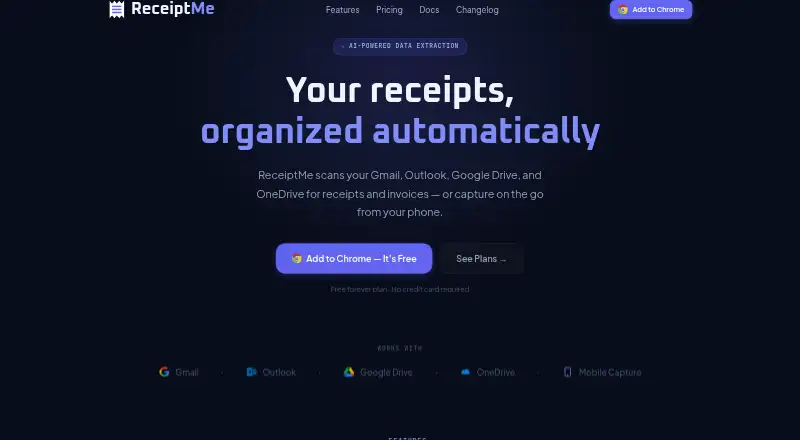
ReceiptMe finds receipts, invoices, and purchase confirmations in connected Gmail and Outlook accounts, and can import files from Google Drive and OneDrive. Its machine-learning classifier sorts expenses by vendor, amount, category, and IRS Schedule C line. Email scanning is manual on Free and automatic on Pro and Business. Users can download receipts as individual or bulk PDFs; paid plans also add Google Drive and Google Sheets export. ReceiptMe is available on the web, iOS, Android, and as a Chrome extension that also works in Chromium-based browsers such as Edge, Brave, and Arc. Phone capture is available through the web app. Receipt records are stored locally in the browser unless explicitly exported. Email message bodies are processed inside the extension, while OCR attachments and short classification snippets are sent for processing. The Free plan allows 50 receipts and 10 AI extractions per month. Pro costs $5 a month, and Business costs $10 a month.
Who it suits
ReceiptMe suits freelancers, consultants, self-employed professionals, and small business owners who want to organize receipts and invoices from email or cloud storage. Its Schedule C categorization may also suit users tracking business expenses.
What it does well
- Classifies expenses by vendor, amount, category, and Schedule C line.
- Imports from Google Drive and OneDrive.
- Exports single or bulk PDFs.
- Receipt records stay in the browser unless exported.
- Available on web, iOS, Android, and Chromium browsers.
What to know first
- Email scanning is manual on the Free plan.
- Supports Gmail and Outlook; other email providers are on the roadmap.
- Free plan limits users to 50 receipts and 10 AI extractions monthly.
- No free trial is listed.
Limits
The Free plan allows 50 receipts, 10 AI extractions per month, three vendor rules, and a seven-day lookback. It uses manual email scans and does not include cloud auto-import or the Google Drive and Google Sheets export options. Pro costs $5 a month and allows 500 AI extractions monthly; Business costs $10 a month and allows 1,000.
Plans
| Plan | Billed and limits | Price |
|---|---|---|
| Free | 50 receipts · 10 AI extractions/month · 3 vendor rules · 7-day lookback · manual email scan · bulk PDF download · mobile capture | Free |
| Business | $ 10 / mo · 5,000 receipts · 1,000 AI extractions/month · up to 5 email accounts · up to 1 year lookback · cross-device receipt sync · priority email support | $10 a month |
| Pro | $ 5 / mo · 5,000 receipts · 500 AI extractions/month · unlimited vendor rules · up to 1 year lookback · automatic email scan · cloud import/export · cross-device settings and rules sync · email support | $5 a month |
As receiptme.ai lists them, read 5 Oct 2026. The maker's own page has the final word.
Getting started
- Open the ReceiptMe website or use its web, iOS, or Android app.
- For browser use, add the Chrome extension or use a Chromium-based browser such as Edge, Brave, or Arc.
- Connect Gmail or Outlook to find receipts, invoices, and purchase confirmations.
- Choose the Free plan for manual email scans, or Pro or Business for automatic scans.
- Import receipts from Google Drive or OneDrive; paid plans include cloud auto-import.
ReceiptMe is a browser-centered organizer for receipts and invoices spread across email and cloud storage. It is most useful to freelancers, consultants, and small businesses working primarily in Gmail or Outlook.
Overview
ReceiptMe pulls receipts, invoices, and purchase confirmations from Gmail, Outlook, Google Drive, and OneDrive. Its classifier assigns vendor, amount, category, and IRS Schedule C line, giving self-employed users a structured basis for expense records rather than a simple image archive.
Records extracted from receipts remain in the browser unless explicitly exported. Email message bodies are processed inside the extension; OCR attachments and brief classification snippets are sent for processing. Communications use TLS 1.3 (with TLS 1.2 or higher required), and persisted server data is encrypted at rest with AES-256. That local-storage model limits routine server retention, although attachment and snippet processing still involves transmitting selected content.
Key features
- Email scanning: Free accounts scan Gmail and Outlook manually. Pro and Business scan automatically, a substantial convenience difference for anyone receiving receipts throughout the day.
- Expense classification: Machine learning sorts transactions by vendor, amount, category, and Schedule C line. OCR covers merchant, date, and total fields, so users needing richer line-item extraction should temper expectations.
- Exports: Single and bulk PDF downloads are supported on Free. Pro and Business add Google Drive and Google Sheets export, making those plans more suitable for ongoing bookkeeping workflows.
- Cloud imports: Google Drive and OneDrive can be imported; automatic cloud import is reserved for Pro and Business.
- Capture and browser support: Receipts can be captured from a phone through the web app. The Chrome extension also runs in Edge, Brave, and Arc, while Android, iOS, and web access cover common device combinations.
- Provider scope: Gmail and Microsoft Outlook are supported. Other email providers are not included, which may rule out ReceiptMe for teams with mixed or specialized mail systems.
Pricing
Free — $0.00 USD forever: The free plan allows 50 receipts, 10 AI extractions per month, three vendor rules, and a seven-day lookback. It includes manual email scanning, bulk PDF download, and mobile capture. Those caps fit occasional filing, but 10 monthly extractions and a short history make it unsuitable for a busy tax period.
Pro — $5.00 per month: Pro raises capacity to 5,000 receipts and 500 AI extractions monthly, with unlimited vendor rules and up to a one-year lookback. Automatic email scanning, cloud import/export, Google Drive and Sheets export, and cross-device settings and rules sync justify it for a solo professional who wants receipts collected continuously. It includes email support.
Business — $10.00 per month: Business keeps the 5,000-receipt limit, doubles extraction capacity to 1,000 per month, supports up to five email accounts, and adds cross-device receipt sync and priority email support. It is the more sensible choice for a small team or an owner consolidating several inboxes. There is no free trial; paid plans are monthly.
Platforms
ReceiptMe is offered on Android, iOS, and the web, with a Chrome extension that also works in Chromium-based Edge, Brave, and Arc. Phone capture uses the web app rather than a separately described capture workflow.
Who it's for
Freelancers, consultants, self-employed professionals, and small-business owners using Gmail or Outlook are the clearest audience. Pro suits a single operator who values automatic collection and cloud exports; Business fits up to five inboxes and requires priority support. Free is appropriate for low-volume users willing to scan manually. Organizations dependent on other email providers or needing extraction beyond merchant, date, and total should look elsewhere.
Pros and cons
Pros
- Automatic collection at a low price: Pro enables automatic email and cloud imports for $5 per month.
- Useful tax-oriented classification: Schedule C line categorization can reduce sorting work for self-employed filers.
- Browser-local records: Extracted records are not uploaded unless exported, limiting routine centralized storage.
- Broad export choices on paid plans: PDFs plus Google Drive and Sheets support connect receipt data to common workflows.
Cons
- Narrow email coverage: Only Gmail and Outlook are supported.
- Free limits are restrictive: Fifty receipts, 10 monthly AI extractions, three rules, and seven days of history favor occasional use.
- Extraction is not exhaustive: OCR coverage is limited to merchant, date, and total.
- Some processing leaves the browser: OCR attachments and classification snippets are sent for processing.
Alternatives
Choose Bonro if on-device OCR and AI categorization matter more than ReceiptMe’s email automation; its free plan allows five receipts per month and has no export.
Easy Expense is a better fit for users wanting manual tracking, data export, and cloud storage, with 10 scans and two expense reports per month on Free.
Pick Foreceipt when team access and report generation are priorities; its free plan supports 100 receipts, two team members, and PDF/Excel reports.
OpenReceipts suits users seeking a free, self-hosted option with no subscriptions, limits, or accounts.
Choose Receipt Reader AI for an API-oriented service with 10 free AI scans per month and PDF export.
Smart Receipts is the alternative for a mobile-only workflow with manual entry and basic expense reports.
OCR Receipt is worth considering for desktop users who want an unlimited-receipt free tier.
Receipt Scanner offers unlimited scans without caps or an account.
For a broader comparison, see Receipt Scanner Apps.
Verdict
ReceiptMe is a strong choice for Gmail- or Outlook-based freelancers and small businesses that want automatic receipt gathering, Schedule C-oriented classification, and browser-local records. Pro is the standout tier because $5 per month removes manual scanning and adds practical cloud exports. Look elsewhere if you need other email providers, richer OCR fields, or uncapped processing without a paid plan.
Verdict
ReceiptMe combines email and cloud-storage receipt collection with expense classification and PDF exports. Pro and Business add automatic email scanning and additional cloud features, while the free plan has defined receipt and extraction limits.
Questions
How much does ReceiptMe cost?
The Free plan costs nothing. Pro is $5 a month, and Business is $10 a month.
What does the Free plan include?
It includes 50 receipts, 10 AI extractions per month, three vendor rules, a seven-day lookback, manual email scanning, bulk PDF downloads, and mobile capture.
Which email services does ReceiptMe support?
It currently supports Gmail and Microsoft Outlook. Email scanning is manual on Free and automatic on Pro and Business.
Where can I use ReceiptMe?
ReceiptMe is available on web, iOS, and Android, and as a Chrome extension. The extension also works in Chromium-based browsers including Edge, Brave, and Arc.
How does ReceiptMe handle receipt data?
Extracted receipt records stay in the browser unless users explicitly export them. Email message bodies are processed inside the extension, while OCR attachments and short classification snippets are sent for processing.
What support does ReceiptMe offer?
General support is available by email. Business customers receive priority email responses.
Facts from ReceiptMe's own pages
- Audience
- The product is described as built for freelancers, consultants, self-employed professionals, and small business owners. · receiptme.ai, 5 Oct 2026
- Browser support
- ReceiptMe is a Chrome extension that also works in Chromium-based browsers including Edge, Brave, and Arc. · receiptme.ai, 5 Oct 2026
- Classification
- Its machine-learning classifier categorizes expenses by vendor, amount, category, and IRS Schedule C line. · receiptme.ai, 5 Oct 2026
- Cloud integrations
- ReceiptMe supports Google Drive and OneDrive imports, with cloud auto-import available on Pro and Business. · receiptme.ai, 5 Oct 2026
- Data storage
- Extracted receipt records are stored locally in the browser and are not uploaded unless users explicitly export them. · receiptme.ai, 5 Oct 2026
- Email scanning
- It scans Gmail and Outlook for receipts, invoices, and purchase confirmations, manually on Free and automatically on Pro and Business. · receiptme.ai, 5 Oct 2026
- Exports
- Users can export receipts as single or bulk PDFs, and Pro and Business add Google Drive and Google Sheets export. · receiptme.ai, 5 Oct 2026
- Free trial
- The pricing FAQ says the Free plan is available indefinitely and that no trial period is needed. · receiptme.ai, 5 Oct 2026
- Headquarters
- Harrisonville, Missouri, United States · receiptme.ai, 28 Sept 2026
- Limits
- ReceiptMe currently supports Gmail and Microsoft Outlook; support for other email providers is described as on the roadmap. · receiptme.ai, 5 Oct 2026
- Mobile capture
- Users can capture receipts from a phone using the ReceiptMe web app. · receiptme.ai, 5 Oct 2026
- Privacy
- Email message bodies are processed inside the extension and are not transmitted to ReceiptMe servers; OCR attachments and short classification snippets are sent for processing. · receiptme.ai, 5 Oct 2026
- Purpose
- ReceiptMe finds and organizes receipts and invoices from connected email and cloud-storage accounts. · receiptme.ai, 5 Oct 2026
- Security
- The privacy policy states that communications use TLS 1.3, with TLS 1.2 or higher required, and that persisted server data is encrypted at rest with AES-256. · receiptme.ai, 5 Oct 2026
- Support
- General support is available by email, and Business customers receive priority responses. · receiptme.ai, 5 Oct 2026
Where ReceiptMe stands on Freedom251
- Receipt Scanner Apps#7 of 30