Freedom251 › Event Scheduling Software
Sessionize
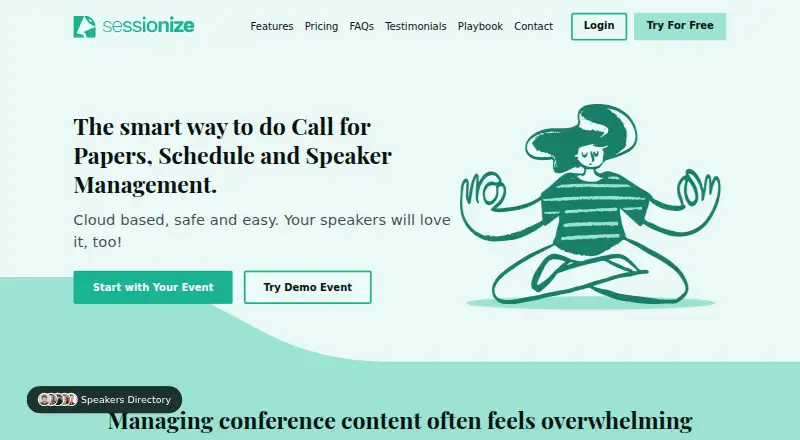
What Sessionize is
Sessionize is cloud-based software for managing the content of in-person and online events, from speaker submissions through published schedules. Organizers can create calls for speakers with custom fields, submission limits, deadlines, and agent mode. Proposals can be assessed using star ratings, Yes/No decisions, or comparisons, while session and speaker management supports the event planning process. Schedules can be arranged by drag and drop, embedded on websites, or retrieved as JSON or XML. The attendee app works on phones, tablets, and desktops; it supports offline use and lets people create personal schedules. Integrations include an API and embedding for event websites, mobile apps, and WordPress. Sessionize lists unlimited sessions, speakers, team members, organizers, and evaluators. A free trial requires no credit card. The Community event plan is free for community events only; Professional event costs $499, paid once for one event occurrence. Sessionize does not include attendee management, ticket selling, live streaming, video hosting, or an event webpage builder. It is available on Android, iOS, and web.
Who it suits
Sessionize suits event organizers who need to collect and evaluate speaker proposals, manage sessions, and publish schedules. Its free plan is limited to community events; Professional is listed for one event occurrence.
What it does well
- Customizable speaker forms include limits and deadlines
- Offers three proposal evaluation modes
- Schedules can be embedded or retrieved as JSON or XML
- Attendee app supports offline personal schedules
- Unlimited sessions, speakers, organizers, and evaluators listed
What to know first
- No attendee management or ticket selling
- No live streaming or video hosting
- No event webpage builder
- Free plan is limited to community events
Limits
The free Community event plan is limited to free community events; it cannot be used for internal, private, promotional, marketing, profit, or commercial events. The Professional event plan is $499, paid once for one event occurrence.
Plans
| Plan | Billed and limits | Price |
|---|---|---|
| Community event | free community events only · not internal, private, promotional, marketing, profit or commercial events | Free |
| Professional event | one event occurrence · priority email support · no credit card required · fully functional test mode | $499, paid once |
| Bulk | 5+ events per year · activation codes purchased in advance | On request |
As sessionize.com lists them, read 30 Sept 2026. The maker's own page has the final word.
Getting started
- Visit the Sessionize website.
- Start the free trial; no credit card is required.
- Log in with Google, Microsoft, Facebook, Office 365, or Twitter.
- Choose the Community event plan for a free community event, or Professional event for one event occurrence.
- Use the web service or its Android and iOS platforms.
Sessionize is cloud software for managing event submissions, speakers, sessions, and schedules. It suits organizers coordinating a program for an in-person or online event; its focused content workflow and offline-capable attendee app are useful, but it leaves ticketing and several other event operations to separate tools.
Overview
The product covers the path from a call for speakers through proposal evaluation and schedule publishing. Its reach is strongest on the program side: organizers can handle content at scale, while attendees can build personal schedules. Teams seeking a single platform for ticket sales, attendee management, streaming, and event pages should look elsewhere or plan to pair Sessionize with other services.
Key features
Customizable submission forms support custom fields, submission limits, deadlines, and agent mode. Organizers can review proposals with star ratings, Yes/No decisions, or comparisons, then manage speakers and sessions, arrange tracks and rooms, and build the schedule by drag and drop. That gives event teams a coherent content workflow rather than a collection of disconnected program tasks.
Schedules can be embedded on websites or retrieved as JSON or XML. API integration and embedding for event websites, mobile apps, and WordPress sites offer ways to put event content where attendees and organizers need it. The attendee app supports personal schedules, works on phones, tablets, and desktops, and functions offline—a practical advantage when attendees cannot rely on a connection.
Sessionize states that sessions, speakers, team members, organizers, and evaluators are unlimited. That removes stated ceilings on the core content workflow, although it does not extend the product into ticketing, attendee management, live streaming or video hosting, or webpage building. Security measures include HTTPS, one-way password hashing and salting, request-level role-based access control, and encrypted data at rest; the service also states 99.9% uptime, geo-redundant backups, and hosting through Microsoft Azure and Amazon AWS. Email support and the Playbook provide assistance and guidance.
Pricing
The Community event plan is free, but is limited to free community events. It excludes internal, private, promotional, marketing, profit, and commercial events, so it is not a general-purpose free tier for organizers running other kinds of events.
Professional event costs $499, paid once, billed for one event occurrence. It includes priority email support, a fully functional test mode, and does not require a credit card. This is the straightforward fit for a single eligible paid or commercial event; teams repeating events should compare the per-occurrence charge with Bulk.
Bulk has custom pricing and is intended for five or more events per year, with activation codes purchased in advance. The free trial requires no credit card and allows login through Google, Microsoft, Facebook, Office 365, or Twitter. The Community event plan's restrictions matter more than its zero price: organizers whose event falls outside the permitted community category need another plan.
Platforms
Sessionize is available on the web, Android, and iOS. Its attendee app also works on tablets and desktops and supports offline use, while API access and embedding provide integration options for event sites, mobile apps, and WordPress.
Who it's for
Sessionize is a strong fit for organizers whose central challenge is collecting and evaluating speaker proposals, coordinating a large program, and publishing schedules. The stated unlimited content and team counts suit teams that do not want those workflow elements constrained by a published quota. It is a weaker fit for anyone who expects the same product to handle registrations or tickets, streaming, video, or event-page creation.
Pros and cons
- Pro: One workflow spans submissions, evaluation, speaker and session management, room and track planning, and schedule publishing, reducing the need to stitch together separate program tools.
- Pro: Unlimited sessions, speakers, team members, organizers, and evaluators avoid stated scale caps for content operations.
- Pro: The offline-capable attendee app supports personal schedules across phones, tablets, and desktops.
- Con: No attendee management, ticket sales, streaming or video hosting, or event webpage builder; events needing those functions require additional services.
- Con: The free Community event plan excludes commercial and several other event types, while the Professional plan charges for each event occurrence.
Alternatives
For other options, see Call for Papers Software, Speaker Management Software, and Event Scheduling Software.
- ConfTool is worth considering for smaller non-commercial events of up to 150 participants if a free license with local installation is suitable; that license has no support.
- Fourwaves may suit teams that want unlimited registrations and events on its free Starter plan, provided 25 abstract submissions per year and a 3% service fee fit their needs.
- HotCRP has free plans for ACM-sponsored and USENIX-sponsored conferences, journals, and workshops, making it a possible fit for those sponsored event contexts.
- AbstractWiz offers a free plan capped at 20 submissions and a $270, paid once Standard plan with unlimited submissions; it may suit organizers seeking a submissions-focused option at that price.
- Airballoon is an alternative with a free companion event and networking app.
- EasyChair offers a free plan capped at 20 submissions and a $3.90, paid once Professional plan capped at 60 submissions, so it may suit events with modest submission volumes.
- Fireside is a free, open-source option under the Apache-2.0 license.
- MeetingHand Abstract Management has a free plan capped at 25 registrations or abstracts and a pay-as-you-go option, which may suit smaller-volume needs.
Verdict
Choose Sessionize if your priority is a structured, scalable speaker-to-schedule workflow with an attendee app that works offline. Its main advantage is the breadth of program management without stated content or team caps; its main limitation is that ticketing, attendee management, streaming, and event pages are outside its scope. Check the Community event restrictions and per-event Professional charge against your event model before committing.
Verdict
Sessionize covers speaker submissions, evaluation, session management, and schedule publishing, with an offline-capable attendee app. Check its exclusions and community-event restriction against your event needs before choosing a plan.
Questions
Is Sessionize free?
Yes. The Community event plan is free, for free community events only.
How much does the Professional event plan cost?
It costs $499, paid once and covers one event occurrence.
Is there a free trial?
Yes. The trial is free and requires no credit card. Login is available through Google, Microsoft, Facebook, Office 365, or Twitter.
What platforms does Sessionize support?
Sessionize is available on Android, iOS, and web. Its attendee app also works on tablets and desktops and supports offline use.
Does Sessionize sell tickets or manage attendees?
No. It does not provide attendee management or ticket selling.
Can organizers publish schedules on their own sites?
Yes. Schedules can be embedded on websites or retrieved as JSON or XML. Sessionize also offers API integration and embedding for event websites, mobile apps, and WordPress sites.
Facts from Sessionize's own pages
- Attendee app
- The included app is installable on mobile phones, works on tablets and desktops, supports offline use, and lets attendees build personal schedules. · sessionize.com, 30 Sept 2026
- Core workflow
- It supports calls for speakers, session evaluation, session and speaker management, schedule building, and related event-content tasks. · sessionize.com, 30 Sept 2026
- Evaluation
- Sessionize provides stars rating, Yes/No, and comparison evaluation modes. · sessionize.com, 30 Sept 2026
- Integrations
- Sessionize offers API integration and embedding for event websites, mobile apps, and WordPress sites. · sessionize.com, 30 Sept 2026
- Product boundaries
- Sessionize does not provide attendee management or ticket selling, live streaming or video hosting, or an event webpage builder. · sessionize.com, 30 Sept 2026
- Product type
- Sessionize is cloud-based event content management software for organizing in-person or online events of any size and complexity. · sessionize.com, 30 Sept 2026
- Reliability and hosting
- Sessionize states 99.9% uptime, encrypted data at rest, geo-redundant backups, and hosting through Microsoft Azure and Amazon AWS. · sessionize.com, 30 Sept 2026
- Schedule publishing
- Schedules can be built by drag and drop, embedded on websites, or retrieved as JSON or XML. · sessionize.com, 30 Sept 2026
- Security
- The service uses HTTPS, one-way password hashing and salting, and request-level role-based access control. · sessionize.com, 30 Sept 2026
- Submission management
- Organizers can create customizable call-for-speakers forms with custom fields, submission limits, deadlines, and agent mode. · sessionize.com, 30 Sept 2026
- Support
- Support is available by email, and the Playbook provides articles and guidance for using Sessionize. · sessionize.com, 30 Sept 2026
- Trial
- The trial is free, requires no credit card, and supports login through Google, Microsoft, Facebook, Office 365, or Twitter. · sessionize.com, 30 Sept 2026
- Usage limits
- The feature page states unlimited sessions, speakers, and team members, with unlimited organizers and evaluators. · sessionize.com, 30 Sept 2026
Where Sessionize stands on Freedom251
- Event Scheduling Software#13 of 34
- Speaker Management Software#13 of 28
- Call for Papers Software#13 of 24