Freedom251 › Screenshot Annotation Software
Screention
What Screention is
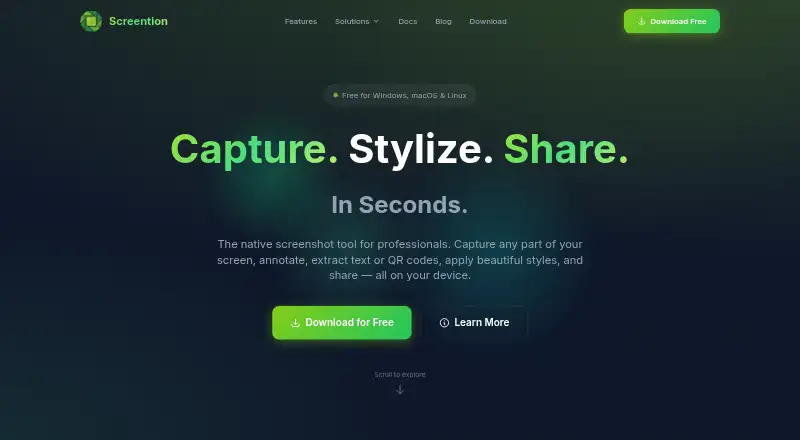
Screention is a native desktop screenshot tool for Windows, macOS, and Linux. It captures selected screen regions, with a live pixel-dimension readout and capture controls on the selection overlay. After capture, users can add arrows, shapes, blur, or highlighting, choose among 12 preset colors, and undo or redo edits. Screenshots can also be styled with solid or gradient backgrounds, adjustable padding, rounded corners, and shadows, then exported as PNG files.
The app includes on-device tools for extracting English text and reading QR codes and common 1D barcodes. Decoded barcode content is copied to the clipboard; OCR uses a bundled engine and does not send the image to a cloud service. Captures remain local by default, with an option to upload an image and copy a view link. A local gallery offers date sorting, filename or note search, previews, notes, and clipboard copying.
Screention has a free plan at no cost, with unlimited screenshots, basic annotations, local storage, and standard-quality export. Pro and Pro Lifetime list OCR, cloud sync and sharing, advanced analytics, and priority support. The maker says no account, subscription, or email is required to download or use the app.
Who it suits
Screention suits creators, designers, and developers who need to capture and annotate screenshots on a desktop. Its free plan may fit people who want unlimited local screenshots and basic markup, while the listed Pro features serve workflows that need OCR or cloud sharing.
What it does well
- Captures selected regions with a live pixel-dimension readout.
- Annotation tools include blur, highlighting, arrows, and shapes.
- Screenshot styling includes backgrounds, padding, rounded corners, and shadows.
- On-device OCR extracts English text without cloud image transfer.
- The local gallery supports search, notes, previews, and date sorting.
- Available for Windows, macOS, and Linux.
What to know first
- OCR and cloud sync and sharing are listed for Pro tiers.
- OCR supports English only.
- Wayland capture may require grim if the built-in path fails.
- The privacy policy says device and usage information may be collected.
Limits
The Free plan includes basic annotations, local storage, and standard-quality export. OCR, cloud sync and sharing, advanced analytics, and priority support are listed for Pro and Pro Lifetime; the OCR language is English.
Plans
| Plan | Billed and limits | Price |
|---|---|---|
| Pro | OCR / text extraction · Cloud sync and sharing · Advanced analytics · Priority support | On request |
| Pro | OCR / text extraction · Cloud sync and sharing · Advanced analytics · Priority support | On request |
| Pro Lifetime | OCR / text extraction · Cloud sync and sharing · Advanced analytics · Priority support | On request |
| Pro Lifetime | OCR / text extraction · Cloud sync and sharing · Advanced analytics · Priority support | On request |
| Screention | Free forever · no account required · Windows, macOS & Linux | Free |
| Free | Free forever · no account required · Windows, macOS & Linux | Free |
As screention.gkernel.com lists them, read 24 Sept 2026. The maker's own page has the final word.
Getting started
- Visit https://screention.gkernel.com/.
- Choose the download for Windows 10/11, macOS 11+, or a listed Linux build.
- Download and use the app without an account, subscription, or email.
- Capture a screen region and annotate or style the screenshot.
- Save or export screenshots as PNG, or choose to upload one and copy its view link.
Overview
Screention is a native desktop app for capturing, marking up, presenting, and organizing screenshots on Windows, macOS, and Linux. It is best suited to creators, designers, and developers who want a local-first workflow with occasional link sharing. The combination of precise capture, useful annotations, and presentation styling is compelling, although English-only OCR and a Linux-specific capture proviso limit its reach.
Key features
The capture overlay lets you select a region while showing its pixel dimensions live, with controls available before you commit the image. That is valuable for interface documentation, bug reports, and assets that must meet exact size requirements.
Markup tools include arrows, rectangles, circles, blur, highlighting, 12 preset colors, undo, and redo. This is a solid set for explaining a screen or hiding sensitive content; users needing a broader illustration toolkit will find the scope deliberately focused. Styling goes beyond annotation: solid or gradient backgrounds, adjustable padding, border radius, and shadows can turn a raw capture into a presentation-ready graphic. PNG is the export format.
OCR runs on the device through a bundled Tesseract WebAssembly engine, so extraction does not require sending the image to a cloud service. It recognizes English only, which is a meaningful restriction for multilingual workflows. The app also reads QR codes and common 1D barcodes locally, then copies the decoded payload to the clipboard—handy for transferring data without retyping.
Images remain on the computer unless you explicitly upload one to obtain a shareable view link. The local gallery can sort by date, search filenames or notes, show previews, store notes, and copy images to the clipboard. That organization is useful for a growing reference library, while the optional upload path preserves control for users who do not want every capture online.
Pricing
Screention uses a freemium structure and does not offer a free trial because a free plan is available. The Free plan costs free and includes unlimited screenshots, basic annotations, local storage, and standard-quality export. It is the sensible starting point for individuals who mainly capture and annotate locally, but it excludes the productivity features that make the app more than a desktop utility.
Pro has custom pricing and adds OCR/text extraction, cloud sync and sharing, advanced analytics, and priority support. It is aimed at teams or professionals who need searchable text, coordinated access, usage insight, or faster assistance; the published plan does not state a seat count or quota, so buyers should confirm those terms before committing. Pro Lifetime also uses custom pricing and lists the same feature set, making it the option for users who prefer a one-time-style entitlement if its commercial terms suit them.
A separate Screention plan is shown at free, with free-forever access, no account requirement, and support for Windows, macOS, and Linux. The maker says downloading and using the app requires no account, subscription, or email.
Platforms
Desktop builds support Windows 10 and 11, macOS 11 or newer, and Linux distributions including Debian/Ubuntu, Fedora/RHEL, and AppImage. There is no browser extension. On Linux, Wayland capture may need the grim utility when the built-in capture path fails, an extra setup consideration for some desktops.
Who it's for
Screention fits people producing annotated design feedback, technical documentation, tutorials, and bug reports who want captures kept locally and polished before export. Developers can use pixel measurements, notes, OCR, and barcode decoding in one desktop workflow. It is less suitable for users who need non-English OCR, browser-first capture, extensive video recording, or a clearly published team pricing schedule.
Pros and cons
Pros
- Precise region capture: live dimensions help meet exact image-size requirements.
- Practical markup: blur, highlighting, shapes, colors, and history controls cover common explanation and redaction jobs.
- Presentation styling: backgrounds, padding, rounded corners, and shadows improve shareable visuals without another editor.
- Local-first privacy: captures and OCR can stay on-device, with sharing initiated only when you choose.
- Broad desktop coverage: Windows, macOS, and several Linux packaging options are supported.
Cons
- English-only OCR: multilingual teams cannot rely on extraction for other languages.
- PNG-only export: projects requiring other image formats need a conversion step.
- Wayland caveat: some Linux users may need to install grim for dependable capture.
- Custom-priced upgrades: Pro and Pro Lifetime costs, seats, and quotas are not published.
- Analytics in the paid tier: users wanting those capabilities must move beyond the free local workflow.
Alternatives
ShareX is the stronger choice for Windows users who want free, open-source software with no account requirement.
Gyazo suits users who need Android, iOS, web, or extension access alongside desktop capture, with a free tier limited to 10 latest images and seven-second recordings.
Microsoft Edge is the alternative when screenshot access should be part of a cross-platform browser available on desktop, mobile, and the web.
Monosnap is worth considering for users who need cloud storage and recording; its free plan includes one user, 2 GB storage, a 100 MB file limit, and five-minute video recording.
Awesome Screenshot fits extension and web-centric workflows, with a free allowance of 100 screenshots, 20 recordings, recordings up to six hours, and 720p quality.
Flameshot is a free, open-source option across Windows, macOS, and Linux.
Ksnip is a libre, non-profit project for users who prioritize that licensing model.
Lightshot is a straightforward free choice for selected-area screenshots, online sharing, editing, and local saving.
For broader discovery, browse Screen Capture Software and Screenshot Annotation Software.
Verdict
Choose Screention if you want a cross-platform desktop capture workflow that keeps screenshots local, adds capable annotation and styling, and offers on-device text and code extraction. Look elsewhere if you need multilingual OCR, formats beyond PNG, a browser extension, or transparent pricing for professional collaboration.
Verdict
Choose Screention if you want a desktop capture tool with local storage, annotation, and screenshot styling across Windows, macOS, or Linux. The free plan covers unlimited screenshots and basic annotations; look to the Pro tiers for OCR, cloud sync and sharing, analytics, and priority support.
Questions
Is Screention free?
Yes. The Free plan is listed as free and includes unlimited screenshots, basic annotations, local storage, and standard-quality export.
Which platforms does Screention support?
It supports Windows 10/11, macOS 11+, and Linux builds for Debian/Ubuntu, Fedora/RHEL, and AppImage.
Does Screention require an account?
The maker says no account, subscription, or email is required to download or use the app.
Does Screention send screenshots to the cloud for OCR?
The OCR feature runs on-device and does not send the image to a cloud service. The app separately lets users choose to upload a capture for a shareable view link.
What export format does Screention support?
PNG is the listed export format.
Facts from Screention's own pages
- Account requirement
- The maker says no account, subscription, or email is required to download or use the app. · screention.gkernel.com, 11 Oct 2026
- Annotations
- The overlay provides arrows, rectangles, circles, blur redaction, highlighting, undo and redo. · screention.gkernel.com, 15 Oct 2026
- API and SDKs
- The published documentation describes no public API, SDK or extension mechanism. · screention.gkernel.com, 15 Oct 2026
- Background styling
- Screenshots can use solid or gradient backgrounds with adjustable padding, corner radius and shadow. · screention.gkernel.com, 15 Oct 2026
- Barcode scanning
- The app scans QR codes and common 1D barcodes on-device and copies the decoded payload to the clipboard. · screention.gkernel.com, 11 Oct 2026
- Browser extension
- No · screention.gkernel.com, 24 Sept 2026
- Capture
- Users select screen regions with a live pixel-size indicator and keyboard fine-tuning. · screention.gkernel.com, 15 Oct 2026
- Cloud sharing
- Users may upload a capture for a share link, while local saving and clipboard copying work without network access. · screention.gkernel.com, 15 Oct 2026
- Color controls
- Annotation colors include 12 presets, custom hex input and recently used colors. · screention.gkernel.com, 15 Oct 2026
- Export formats
- PNG · screention.gkernel.com, 24 Sept 2026
- Free plan
- Yes · screention.gkernel.com, 24 Sept 2026
- Gallery
- The local gallery supports date sorting, filename or note search, previews, notes, folder opening and clipboard copying. · screention.gkernel.com, 15 Oct 2026
- Hotkeys
- The default global capture shortcut is Ctrl+Alt+A on Windows/Linux and Cmd+Alt+A on macOS, and it can be changed. · screention.gkernel.com, 15 Oct 2026
- Independent review availability
- Search results did not surface Screention profiles on the requested major review platforms or app stores, so no verified third-party rating or review count is stated here. · g2.com, 15 Oct 2026
- Intended users
- The site says Screention is made for creators, designers, and developers. · screention.gkernel.com, 11 Oct 2026
- Licence
- Terms grant a revocable, non-exclusive, non-transferable limited licence and prohibit redistribution, modification and reverse engineering. · screention.gkernel.com, 15 Oct 2026
- Limit: Linux dependencies
- Wayland capture can fail without grim, and minimal Linux installations may require WebKitGTK 4.1. · screention.gkernel.com, 15 Oct 2026
- Limit: OCR accuracy
- Documentation warns that OCR accuracy falls with very small fonts and improves with high contrast and 100% zoom. · screention.gkernel.com, 15 Oct 2026
- Limit: unsigned builds
- Windows SmartScreen and macOS Gatekeeper may warn because distributed installers are not signed by Microsoft or Apple. · screention.gkernel.com, 15 Oct 2026
- Linux packages
- Linux downloads include Debian, RPM and AppImage packages for distributions such as Ubuntu, Fedora and Arch. · screention.gkernel.com, 15 Oct 2026
- macOS support
- macOS builds support Intel and Apple Silicon systems including M1 through M4. · screention.gkernel.com, 15 Oct 2026
- Maker delivery claims
- Gkernel reports more than 20 projects delivered, over 15 clients, service in six or more countries and 99% on-time delivery. · gkernel.com, 15 Oct 2026
- Maker location
- Gkernel lists Brahmanbaria, Bangladesh as its company contact location. · gkernel.com, 15 Oct 2026
- Maker product portfolio
- Gkernel lists Screention as one of its live software products alongside MyQuran and Blaadline. · gkernel.com, 15 Oct 2026
Where Screention stands on Freedom251
- Screenshot Annotation Software#20 of 76
- Screen Capture Software#21 of 61