Freedom251 › Screenshot Annotation Software
PixelCopy
by PixelCopy
What PixelCopy is
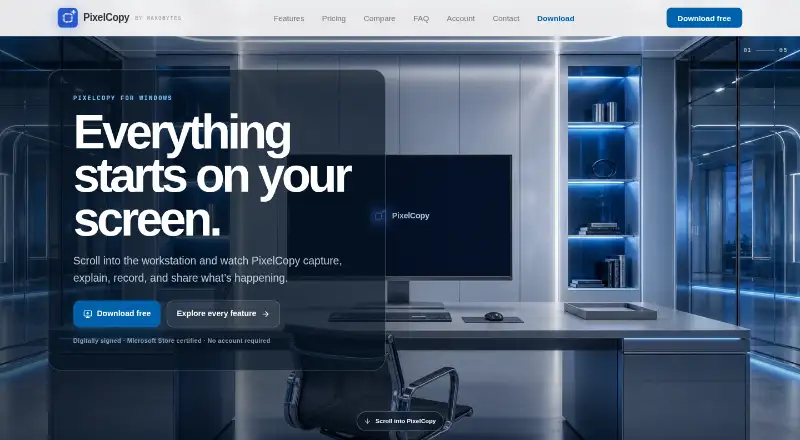
PixelCopy is a Windows screen-capture studio for capturing, editing, recording, extracting text from and sharing screen content. It can capture a selected region, window, full display or scrolling page, with automatic header and footer detection for scrolling captures. Its editor includes arrows, shapes, text, numbered steps, highlighting, blur, pixelation, backgrounds and padding. PixelCopy can record a screen, window or region as an MP4 or GIF, with microphone and system audio, a webcam overlay and trimming controls.
On-device OCR recognizes text in more than 25 languages and works offline without uploading the recognized content. Searchable capture history supports filtering, re-editing and resharing, with optional scheduled cleanup to the Recycle Bin. The pixelcopy:// URL scheme can trigger app actions from scripts or hotkey tools such as AutoHotkey, PowerShell and Stream Deck. Pro adds uploads to Slack, Microsoft Teams or a custom webhook, plus short sharing links with expiry, password protection and view counts. PixelCopy has a free plan with local features and a Pro plan at $8/mo. It targets Windows 10 version 1903 or later and Windows 11, including x64 and ARM64 systems.
Who it suits
PixelCopy suits Windows users who need to capture, annotate or record screen content, including people who want offline OCR or searchable capture history. Pro is a fit for users who need cloud uploads, protected share links or posting to Slack, Microsoft Teams and webhooks.
What it does well
- Captures regions, windows, full displays and scrolling pages.
- Annotates with shapes, numbered steps, blur and pixelation.
- Records MP4 or GIF with audio and webcam overlay.
- Offline OCR supports more than 25 languages.
- Searchable history supports filtering and re-editing.
- Pro sharing links support expiry and password protection.
What to know first
- Available on the web and Windows.
- Pro uploads are limited to 500 MB per file.
- Cloud uploads and integrations require Pro.
Limits
The free plan is limited to local capture, recording and annotation. Pro cloud uploads allow up to 500 MB per file; local features remain available after cancellation.
Plans
| Plan | Billed and limits | Price |
|---|---|---|
| Free | $0 forever · Local capture, recording and annotation features; no expiry | Free |
| Pro | $8/ month · Unlimited cloud storage; 500 MB per file; local features remain available after cancellation | $8 a month |
As pixelcopy.app lists them, read 8 Oct 2026. The maker's own page has the final word.
Getting started
- Visit the PixelCopy website.
- Install the Windows app or get it through the Microsoft Store.
- Use the free plan for local capture, recording and annotation, or choose Pro at $8/mo for cloud features.
Verdict
Choose PixelCopy if you need a Windows capture tool that combines annotation, recording, offline OCR and searchable history. The free plan covers local capture, recording and annotation; look at Pro if you need cloud uploads, integrations or controlled sharing links.
Questions
Is PixelCopy free?
Yes. Its Free plan costs $0 forever and includes local capture, recording and annotation features with no expiry.
How much does Pro cost?
Pro is $8/mo. It includes unlimited cloud storage, with a 500 MB limit per file.
Which platforms does PixelCopy support?
PixelCopy is available for Windows 10 version 1903 or later and Windows 11, with x64 and ARM64 in scope.
Can PixelCopy work offline?
Its on-device OCR works offline and does not upload recognized content.
What can Pro connect to?
Pro can post uploads to Slack, Microsoft Teams or a custom webhook. Examples of custom endpoints include Discord and Zapier.
Does PixelCopy offer a free trial?
No. PixelCopy has a free plan and a paid Pro plan, but no free trial.
Facts from PixelCopy's own pages
- Annotation
- Its editor supports arrows, shapes, text, numbered steps, highlighting, blur, pixelation, backgrounds and padding. · pixelcopy.app, 8 Oct 2026
- Automation
- The pixelcopy:// URL scheme can trigger app actions from scripts or hotkey tools, including AutoHotkey, PowerShell and Stream Deck. · pixelcopy.app, 8 Oct 2026
- Availability
- The maker says version 1.0 is available for Windows and through the Microsoft Store. · pixelcopy.app, 8 Oct 2026
- Browser extension
- No · pixelcopy.app, 24 Sept 2026
- Capture
- It captures a region, window, fullscreen display or scrolling page, with automatic header and footer detection for scrolling captures. · pixelcopy.app, 8 Oct 2026
- Cloud sharing
- Pro uploads generate short links and offer link expiry, password protection and view counts; each file is limited to 500 MB. · pixelcopy.app, 8 Oct 2026
- Export formats
- MP4 and GIF recording; image export formats not specified · pixelcopy.app, 24 Sept 2026
- Free plan
- Yes · pixelcopy.app, 24 Sept 2026
- Headquarters
- Montgomery, Texas, USA · pixelcopy.app, 4 Oct 2026
- History
- Capture history is searchable and supports filtering, re-editing, re-sharing and optional scheduled cleanup to the Recycle Bin. · pixelcopy.app, 8 Oct 2026
- Integrations
- Pro can post uploads to Slack, Microsoft Teams or a custom webhook, with examples including Discord, Zapier and custom endpoints. · pixelcopy.app, 8 Oct 2026
- Maker
- PixelCopy is a MakoBytes product made by Mako Logics LLC, and the maker describes it as built in the US. · pixelcopy.app, 8 Oct 2026
- OCR
- On-device OCR supports more than 25 languages and runs offline without uploading recognized content. · pixelcopy.app, 8 Oct 2026
- Product
- PixelCopy is a Windows screen-capture studio for capturing, annotating, recording, extracting on-screen text and sharing captures. · pixelcopy.app, 8 Oct 2026
- Recording
- It records a screen, window or region as MP4 or GIF, with microphone, system audio, webcam overlay and trimming. · pixelcopy.app, 8 Oct 2026
- Security
- The maker says the executable and installer are Authenticode-signed, the app passed Microsoft Store certification, and server storage occurs only when a Pro user chooses to upload. · pixelcopy.app, 8 Oct 2026
- Support
- Pro includes priority email support, and the maker says the product is supported by humans. · pixelcopy.app, 8 Oct 2026
- Windows compatibility
- PixelCopy targets Windows 10 version 1903 or later and Windows 11, with x64 and ARM64 in scope. · pixelcopy.app, 8 Oct 2026
Where PixelCopy stands on Freedom251
- Screenshot Annotation Software#16 of 76
- Screen Capture Software#20 of 61