Freedom251 › Screenshot Annotation Software

Ashampoo Snap Pro 26
What Ashampoo Snap Pro 26 is
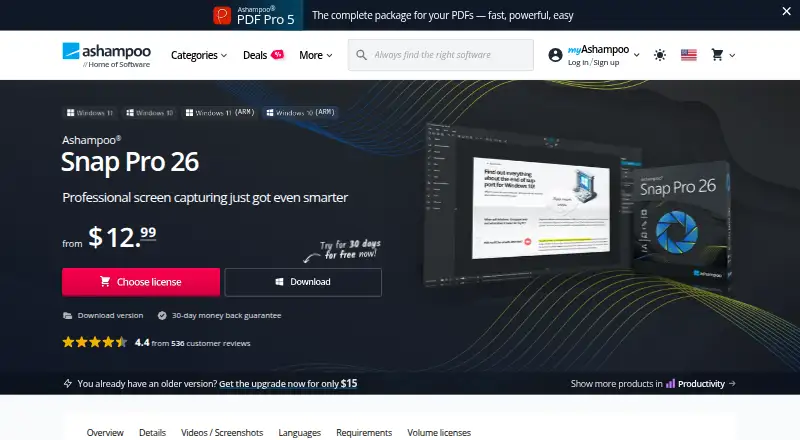
Ashampoo Snap Pro 26 is Windows software for capturing, editing, recording, and sharing screen content. It captures screens, windows, selected areas, scrolling content, and video with sound, with hotkeys for quick access. Live Edit places annotations on a transparent desktop layer before capture. Its editor includes text, arrows, highlights, numbering, blur effects, stickers, and a screenshot library. Video tools trim recordings, add voice narration or webcam feeds, show mouse clicks and keystrokes, and export WMV or MP4. OCR uses Windows language packs and supports more than 180 languages. Captures can be emailed, printed, or uploaded to Dropbox and OneDrive. Still-image exports include JPEG, PDF, PNG, and PSD. The free edition provides basic screenshots; the full version adds video, advanced editing, automation, and professional tools. Snap Pro 26 requires 64-bit Windows 10 or 11, .NET Desktop Runtime 9, and WebView2.
Who it suits
It suits Windows users who need annotated screenshots, scrolling captures, OCR, or narrated screen recordings. The free edition is for basic screenshot work, while the full version adds video and advanced tools.
What it does well
- Captures scrolling content
- OCR supports over 180 languages
- Exports JPEG, PDF, PNG, PSD
- Includes video narration and webcam feeds
- Free edition offers basic screenshots
What to know first
- Windows-only platform
- Internet required for activation
- License verified repeatedly
- Full version is paid
Plans
| Plan | Billed and limits | Price |
|---|---|---|
| Lifetime license | — | $40 a month |
| Lifetime license | — | $40, paid once |
| Snap 365 Subscription | $ 12.99 (per year) · 3 devices · all upgrades included · terminable at will · 30-day money back guarantee | $12.99 a year |
| Snap Pro 26 | $ 40 (one-time) · 1 device · 30-day money back guarantee | $40, paid once |
As ashampoo.com lists them, read 19 Sept 2026. The maker's own page has the final word.
Verdict
Ashampoo Snap Pro 26 combines screenshot capture, screen recording, editing, OCR, and sharing in one Windows application. Its trial and free edition provide ways to start, while full features require a paid license or subscription.
Facts from Ashampoo Snap Pro 26's own pages
- Capture
- It captures screens, windows, custom areas, scrolling content, and video with sound, using hotkeys for quick access. · ashampoo.com, 11 Oct 2026
- Editing
- The editor supports text, arrows, highlights, numbering, blur effects, stickers, and a screenshot library. · ashampoo.com, 11 Oct 2026
- Export formats
- JPEG, PDF, PNG, PSD · ashampoo.com, 19 Sept 2026
- Free edition
- The product FAQ says Ashampoo Snap FREE includes basic screenshot features, while the full version adds video recording, advanced editing, automation, and professional tools. · ashampoo.com, 11 Oct 2026
- Free plan
- No · ashampoo.com, 19 Sept 2026
- Headquarters
- Rastede, Germany · ashampoo.com, 4 Oct 2026
- License verification
- An internet connection is required to activate the program, and its license is verified repeatedly at regular intervals. · ashampoo.com, 11 Oct 2026
- Live Edit
- Live Edit lets users annotate a transparent layer over the active desktop before taking a screenshot. · ashampoo.com, 11 Oct 2026
- OCR
- The product’s text recognition uses Windows language packs and supports more than 180 languages. · ashampoo.com, 11 Oct 2026
- Purpose
- Ashampoo Snap is screenshot and screen recording software for capturing, editing, and sharing screen content. · ashampoo.com, 11 Oct 2026
- Scrolling capture
- Yes · ashampoo.com, 19 Sept 2026
- Sharing
- The product page says users can send captures by email, print them, or upload them to cloud services including Dropbox and OneDrive. · ashampoo.com, 11 Oct 2026
- Support and company trust
- Ashampoo says its support is expert and its installers are reviewed by internal quality assurance, with GDPR-compliant data protection. · ashampoo.com, 11 Oct 2026
- System requirements
- Snap Pro 26 requires 64-bit Windows 10 or Windows 11, .NET Desktop Runtime 9 (X64), and Microsoft Edge WebView2 (X64). · ashampoo.com, 11 Oct 2026
- Video tools
- Users can trim recordings, add voice narration and webcam feeds, visualize mouse clicks and keystrokes, and export video as WMV or MP4. · ashampoo.com, 11 Oct 2026
Where Ashampoo Snap Pro 26 stands on Freedom251
- Screenshot Annotation Software#14 of 76
- Screen Capture Software#13 of 61
- Screenshot Software#12 of 39
- Screenshot tools#16 of 40