Freedom251 › Screenshot Annotation Software
PixPin
by PixPin
What PixPin is
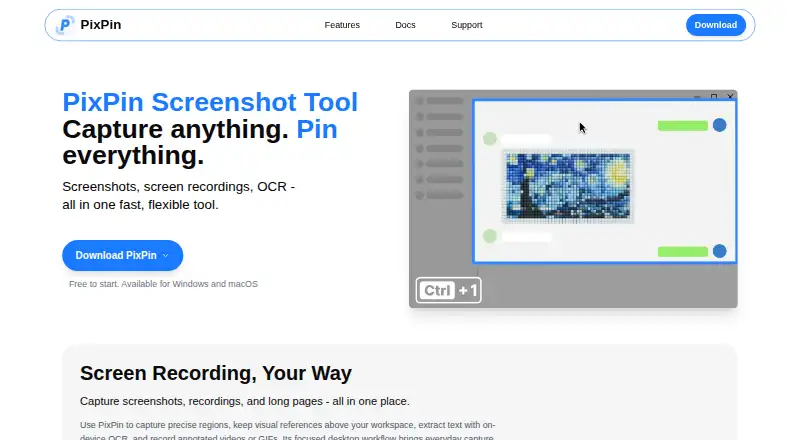
PixPin is a screenshot and pinning tool for Windows and macOS that also provides annotation, screen recording, GIF creation, and OCR. It captures windows, regions, screens, and long pages, then can record annotated videos or GIFs. Users can pin images, text, colors, and files on screen as references. Annotation options include shapes, arrows, numbering, highlighting, mosaic, blur, and Smart Eraser. Basic OCR runs locally and offline; membership adds multilingual and table recognition, along with global mouse actions, recording edits, translation, formula recognition, and cloud configuration sync. Screenshots and pinned images are stored locally by default. If cloud sync is enabled, selected content and configurations are encrypted on PixPin servers. Some recognition and translation features may send selected image data to Baidu, Tencent, or Alibaba. PixPin says company use is free, while some features require membership. The Membership plan is a monthly subscription with no price listed. The maker is PixPin, headquartered in Wyoming, USA.
Who it suits
It suits people on Windows or macOS who need capture, annotation, pinned references, recording, or OCR. Teams should review which membership features and data-processing options they need.
What it does well
- Captures windows, regions, screens, and long pages
- Includes annotation and redaction tools
- Basic OCR works locally offline
- Pins images, text, colors, and files
- Supports screen recording and GIF creation
What to know first
- No browser extension
- Some features may send image data to providers
Plans
| Plan | Billed and limits | Price |
|---|---|---|
| Membership | Monthly subscription; price not stated on the pages opened · Unlocks exclusive membership features | On request |
As pixpin.com lists them, read 11 Oct 2026. The maker's own page has the final word.
Verdict
PixPin combines capture, annotation, pinning, recording, GIF creation, and OCR in a desktop app. Local storage and offline basic OCR are available, while membership and selected cloud or recognition features change the data and feature setup.
Facts from PixPin's own pages
- Annotations
- Annotation tools include shapes, arrows, numbering, highlighter, mosaic, blur, and Smart Eraser. · pixpin.com, 11 Oct 2026
- Browser extension
- No · pixpin.com, 24 Sept 2026
- Captures
- It can capture windows, regions, screens, and long pages, and record annotated videos or GIFs. · pixpin.com, 11 Oct 2026
- Cloud sync
- When subscribers enable cloud sync, configurations and selected content are encrypted and stored on PixPin servers for syncing across devices. · pixpin.com, 11 Oct 2026
- Company use
- PixPin says it may be used free within a company, while some features require membership. · pixpin.com, 11 Oct 2026
- Data collection
- The desktop app collects operating system version, device identifier, IP address, anonymous usage data, and crash logs. · pixpin.com, 11 Oct 2026
- Free plan
- Yes · pixpin.com, 24 Sept 2026
- Headquarters
- Wyoming, USA · pixpin.com, 19 Oct 2026
- Integrations
- Translation, table recognition, and LaTeX formula recognition may send selected image data to providers including Baidu, Tencent, or Alibaba for processing. · pixpin.com, 11 Oct 2026
- Maker
- PixPin's privacy policy identifies Depth Pixel LLC as the operator and says it is registered in Wyoming, United States. · pixpin.com, 11 Oct 2026
- Membership features
- Membership features include global mouse actions, editing recordings, translation, formula recognition, and cloud configuration sync. · pixpin.com, 11 Oct 2026
- OCR
- Basic OCR runs locally on the device, while membership includes multilingual text recognition and table recognition. · pixpin.com, 11 Oct 2026
- Pinning
- Users can pin images, text, colors, and files on screen as references. · pixpin.com, 11 Oct 2026
- Platforms
- The homepage says PixPin is available for Windows and macOS, and the download page offers a macOS version and Windows portable download. · pixpin.com, 11 Oct 2026
- Privacy
- Screenshots and pinned images are stored locally by default, and standard OCR works offline on the device. · pixpin.com, 11 Oct 2026
- Product
- PixPin is a screenshot and pinning tool with annotation, screen recording, GIF creation, and OCR features. · pixpin.com, 11 Oct 2026
- Redaction tools
- Yes · pixpin.com, 24 Sept 2026
- Support
- The About Us page provides separate email contacts for feedback and business or company purchasing inquiries. · pixpin.com, 11 Oct 2026
- Team collaboration
- No · pixpin.com, 24 Sept 2026
Where PixPin stands on Freedom251
- Screenshot Annotation Software#15 of 76