Freedom251 › Screenshot Annotation Software

PicPick
by PicPick
What PicPick is
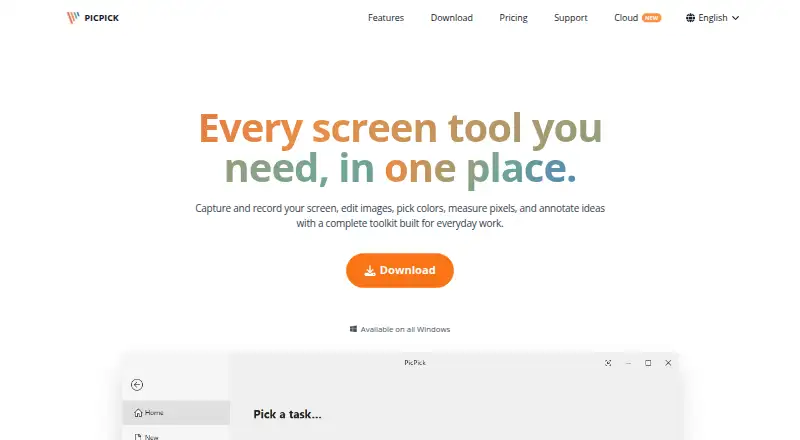
PicPick is a Windows application for screen capture, recording, image editing, color picking, measurement, and annotation. It can capture full screens, active or scrolling windows, fixed or freehand regions, and multiple monitors; hotkeys and auto-save are supported. Recordings can cover a screen, window, or selected region, include system audio and microphone input, and be saved locally. The editor provides drawing, shapes, callouts, stamps, cropping, resizing, erasing, and retouching. Other built-in tools include a color picker and palette, pixel ruler, magnifier, crosshair, protractor, and whiteboard. Images can be exported as PNG, JPEG, BMP, GIF, or PDF, and sharing destinations include cloud storage, email, social platforms, and Microsoft Office apps. The maker says PicPick runs locally and does not need an internet connection to function. The free Home plan is for personal, non-commercial use and has manual updates and no technical support. Professional costs $36 per user per year, billed annually, and allows business use.
Who it suits
PicPick suits Windows users who need capture, recording, image annotation, or pixel-measurement tools. Its Home plan is for personal, non-commercial use, while Professional permits business use.
What it does well
- Captures scrolling windows and multiple monitors
- Records system audio and microphone input
- Exports PNG, JPEG, BMP, GIF, and PDF
- Includes color, measurement, and annotation tools
- Portable ZIP download is available
What to know first
- Windows only; Mac and Linux builds are not planned
- Home plan has no technical support
- Home plan is limited to non-commercial use
- Professional costs $36 per user per year
Limits
The free Home plan is limited to personal, non-commercial use, has manual updates, and includes no technical support. Professional costs $3,630 a year, billed per year, and covers one user on up to two computers; it cannot be shared with other users.
Plans
| Plan | Billed and limits | Price |
|---|---|---|
| Professional | per year · Commercial and business use · auto updates · priority technical support · no ads · up to two computers per user | $3,630 a year |
| Home | Free · personal, non-commercial use only · manual updates · no technical support | Free |
As picpick.app lists them, read 7 Oct 2026. The maker's own page has the final word.
Getting started
- Open the PicPick website.
- Choose the standard installer or portable ZIP download.
- Use the Home plan for personal, non-commercial use, or choose Professional for commercial and business use.
- Install the application, or run the portable ZIP package without installation.
PicPick is a Windows application that combines screen capture, recording, image editing, annotation, and measurement utilities. It suits developers, designers, educators, and business teams that want one local toolkit for screenshots and visual communication. It is a strong fit for Windows users who value broad capture modes and offline operation, but unsuitable if you need macOS or Linux support.
Overview
PicPick captures full screens, active windows, scrolling windows, and fixed or freehand regions. Multiple-monitor support, hotkeys, and automatic saving make it practical for repeated documentation work rather than occasional snapshots. Captures can be exported as PNG, JPEG, BMP, GIF, or PDF.
The application also records a full screen, window, or selected area with system audio and microphone input, saving video locally. That combination covers software demonstrations, lessons, bug reports, and internal explainers without sending recordings to a hosted service.
PicPick runs locally, does not collect usage data, and does not require an internet connection to function. Optional Google Drive uploads involve account information, folder metadata, and files PicPick creates or uploads; the maker says unrelated Drive files are not accessed. A standard installer and a portable ZIP package are offered, so it can run without installation when needed.
Key features
Editing and annotation
The editor handles screenshot annotations, freehand drawing, shapes, callouts, stamps, cropping, resizing, erasing, and retouching. These tools are sufficient for marking defects, clarifying instructions, and preparing classroom or team material immediately after capture. Sharing destinations include Google Drive, Dropbox, OneDrive, Box, FTP, email, social platforms, Microsoft Word, PowerPoint, and Excel, giving office users many ways to distribute finished images.
Measurement and design utilities
A color picker and palette, pixel ruler, magnifier, crosshair, protractor, and whiteboard extend PicPick beyond a basic screenshot utility. Designers can inspect colors and dimensions, while educators and support staff can highlight or explain on-screen content without switching applications.
Pricing
PicPick uses a freemium model, with paid access from $36/user/yr. The Home plan has no listed price and permits personal, non-commercial use with screen capture, the image editor, and design tools. It uses manual updates and includes no technical support, so it fits individuals who can maintain the software themselves and do not use it for business.
Professional costs $3,630 a year, billed per year. It adds commercial and business use, automatic updates, priority technical support, no ads, and a license for one user on up to two computers. The license cannot be shared with other users. Choose it when workplace deployment, support, or uninterrupted updating matters; Home gives up those business-oriented terms and support.
Platforms
PicPick is Windows-only. The maker says it supports Windows Vista through Windows 11, and Mac or Linux versions are not planned. That makes it unsuitable for mixed-platform households or teams requiring a single cross-platform capture tool.
Who it's for
Developers can capture scrolling windows and annotate bugs; designers get pixel and color measurement tools; educators can record lessons with microphone input; and business teams gain office-app sharing plus local files. Users who need commercial rights should select Professional, while personal users can consider Home if manual updates and self-service support are acceptable.
Pros and cons
- Pros: Broad capture modes, scrolling and multi-monitor support, hotkeys, and auto-save suit intensive documentation.
- Pros: Local recording with system audio and microphone input avoids dependence on a hosted video workflow.
- Pros: Editing, annotation, color, pixel, and presentation tools are consolidated in one application.
- Pros: Offline operation and no usage-data collection appeal to privacy-conscious users.
- Cons: Windows exclusivity rules out Mac and Linux users, with no builds planned.
- Cons: Home is personal-use only, updates are manual, and technical support is absent.
- Cons: Professional is a recurring annual purchase and its single-user license cannot be shared.
Alternatives
For a free, open-source Windows capture tool with no account requirement, choose ShareX. Awesome Screenshot is the better choice when browser, mobile, macOS, or web access matters and you can work within its free screenshot, recording, duration, resolution, and trash-recovery limits. Pick Screenpresso for Windows capture with HD video and a limited editor, accepting branding on free outputs and sharing.
Greenshot suits users wanting free Windows screenshot annotation and export to files, clipboard, printer, or email. Choose Flameshot for free, open-source capture across Linux, macOS, and Windows. Monosnap is an option when cloud storage and video limits are acceptable. Pick Markup Hero for a lightweight annotation workflow with a 25-screenshot free history. ScreenAI is preferable when OCR, redaction, and limited daily AI requests accompany capture and annotation.
Browse more options in Screenshot Annotation Software, Screenshot Software, and Screen Capture Software.
Verdict
PicPick is a compelling choice for Windows professionals and teams that need capture, recording, editing, measurement, and broad sharing in one offline-capable package. Its main reasons to look elsewhere are the Windows-only platform and the recurring Professional cost when free, open-source, or cross-platform alternatives meet your requirements.
Verdict
PicPick combines screen capture and recording with editing and design tools in one Windows application. The choice between Home and Professional depends on whether use is personal or commercial and whether technical support is needed.
Questions
Is PicPick free?
Yes. Its Home plan is free for personal, non-commercial use.
How much does Professional cost?
Professional costs $3,630 a year, billed per year.
Which platforms does PicPick support?
PicPick is available for Windows. The maker says Mac and Linux builds are not planned.
What does Professional include?
It allows commercial and business use and includes automatic updates, priority technical support, and no ads.
Can I use PicPick on more than one computer?
A Professional license covers one user on up to two computers and cannot be shared with another user.
Who makes PicPick?
PicPick is made by PicPick, headquartered in Cheonan-si, Chungcheongnam-do, Republic of Korea.
Facts from PicPick's own pages
- Design tools
- Built-in tools include a color picker and palette, pixel ruler, magnifier, crosshair, protractor, and whiteboard. · picpick.app, 7 Oct 2026
- Downloads
- The download page offers a standard installer and a portable ZIP package that runs without installation. · picpick.app, 7 Oct 2026
- Export formats
- PNG, JPEG, BMP, GIF, PDF · picpick.app, 19 Sept 2026
- Free plan
- Yes · picpick.app, 19 Sept 2026
- Google Drive data
- For optional Drive uploads, PicPick says it accesses account information, folder metadata, and files it creates or uploads, and does not access unrelated Drive files. · picpick.app, 7 Oct 2026
- Headquarters
- Cheonan-si, Chungcheongnam-do, Republic of Korea · picpick.app, 28 Sept 2026
- Image editing
- The editor supports screenshot annotations, drawing, shapes, callouts, stamps, crop and resize, erasing, and retouching. · picpick.app, 7 Oct 2026
- Integrations
- Sharing destinations include Google Drive, Dropbox, OneDrive, Box, FTP, email, social platforms, Microsoft Word, PowerPoint, and Excel. · picpick.app, 7 Oct 2026
- Intended users
- The site describes use cases for developers, designers, educators, and business teams. · picpick.app, 7 Oct 2026
- Licensing
- A Professional license covers one user on up to two computers and cannot be shared with other users. · picpick.app, 7 Oct 2026
- Privacy
- The maker says PicPick runs locally, does not collect usage data, and does not require an internet connection to function. · picpick.app, 7 Oct 2026
- Product
- PicPick combines screen capture and recording, image editing, color picking, pixel measurement, and annotation tools. · picpick.app, 7 Oct 2026
- Screen capture
- It captures full screens, active windows, scrolling windows, fixed or freehand regions, and supports multiple monitors, hotkeys, and auto-save. · picpick.app, 7 Oct 2026
- Screen recording
- It records a full screen, window, or selected region with system audio and microphone input, and saves video locally. · picpick.app, 7 Oct 2026
- Scrolling capture
- Yes · picpick.app, 19 Sept 2026
- Support
- The free Home plan has no technical support; Professional includes priority technical support. · picpick.app, 7 Oct 2026
- Windows support
- PicPick is a Windows-only application; the features page says it supports Windows Vista through Windows 11 and that Mac or Linux builds are not planned. · picpick.app, 7 Oct 2026
Where PicPick stands on Freedom251
- Screenshot Annotation Software#13 of 76
- Screenshot tools#14 of 40
- Screen Capture Software#23 of 61
- Screenshot Software#20 of 39