Screaming Frog SEO Log File Analyser
Visit Screaming Frog SEO Log File Analyser Alternatives Pricing
What Screaming Frog SEO Log File Analyser is
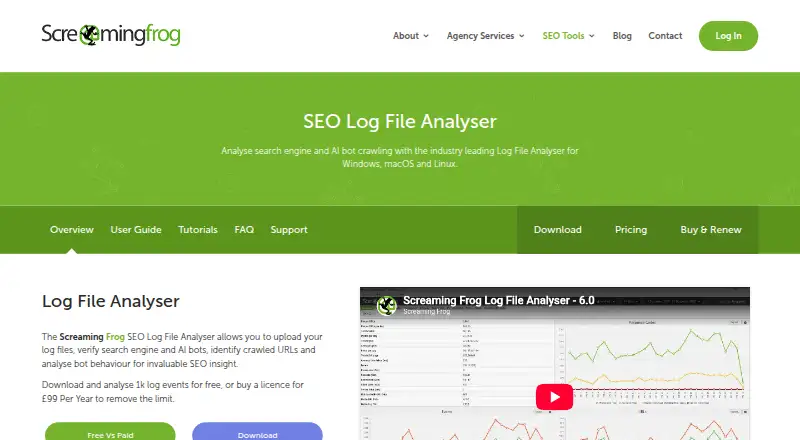
Screaming Frog SEO Log File Analyser is a desktop application for examining access logs and understanding search engine and AI bot crawl activity. It runs locally and stores log event data in a local database. Supported formats include Apache, W3C Extended and Amazon Elastic Load Balancing logs. The analyser can verify supported search and AI bots to help identify spoofed requests. Reports cover crawled URLs, crawl frequency, response errors, redirects, bytes downloaded and response times. Users can compare imported data with a URLs column against log activity, including crawls, directives or external link data. Log files can be added by drag and drop, and analysis can be exported to CSV or Excel. The maker says the software can process millions of log events, with capacity dependent on hard drive capacity. It runs on Linux, macOS and Windows, and free technical support is listed for both editions. The free plan allows 1,000 log event lines and one project. The paid licence costs $139 a year and includes unlimited events and projects, subject to hard drive capacity; licences last one year and require renewal.
Who it suits
It suits SEOs analysing search and AI bot activity in website access logs. Teams can match URL-based data to log activity and export analysis for further work.
What it does well
- Stores log data locally for analysis.
- Accepts three listed log formats.
- Can help identify spoofed bot requests.
- Exports analysis to CSV and Excel.
- Free technical support is listed for both editions.
What to know first
- Free plan is limited to 1,000 event lines.
- Free plan allows one project.
- Paid licence requires annual renewal.
- Processing capacity depends on hard drive capacity.
Limits
The free plan allows 1,000 log event lines and one project. The $139 a year paid licence provides unlimited log events, subject to hard drive capacity, and unlimited projects; it lasts one year and requires renewal.
Plans
| Plan | Billed and limits | Price |
|---|---|---|
| Free | 1,000 log event lines · 1 project | Free |
| Paid | Licences last 1 year and require renewal · Unlimited log events · Unlimited projects | $139 a year |
| Free Version | 1,000 log-event lines · 1 project · unlimited imported-URL matching | Free |
| Paid licence | Per Year · Unlimited log events, subject to hard drive capacity · Unlimited projects · Per user · Licence lasts 1 year and requires renewal | $139 a year |
| Paid Version | per licence, annually · Unlimited log events subject to disk capacity · unlimited projects · free technical support | $139 a year |
As screamingfrog.co.uk lists them, read 30 Sept 2026. The maker's own page has the final word.
Getting started
- Visit the Screaming Frog Log File Analyser website.
- Choose the free plan or the paid licence.
- Download and install the desktop application for Linux, macOS or Windows.
- Drag and drop supported access log files into the application.
- Import URL-based data to match it against log activity, if needed.
- Export analysis data to CSV or Excel, if needed.
Overview
Screaming Frog SEO Log File Analyser is a locally installed desktop tool for examining server access logs through the lens of search and AI bot activity. It is best suited to SEO practitioners who need to connect crawler requests with URL and response behaviour. Its focus is useful and specific, but the free tier is too limited for sustained work on a substantial site.
Log data is stored in a local database, rather than handled as a hosted service. The analyser accepts Apache, W3C Extended and Amazon Elastic Load Balancing logs, and can process millions of events; practical capacity depends on available hard drive space. That makes storage a real consideration for large analyses, but the local workflow suits teams that want log events kept on their own machine.
Key features
Bot verification
The analyser can verify supported search and AI bots as genuine, helping distinguish actual crawler visits from spoofed requests. That is valuable when crawl decisions depend on knowing which bots are reaching the site, rather than treating every request that claims to be a crawler as legitimate. Verification is limited to supported bots, so it is not a general-purpose check of all log traffic.
Crawl and response reporting
Reports cover crawled URLs, crawl frequency, response errors, redirects, bytes downloaded and response times. Taken together, those measures show both where bots go and what happens when they request pages. The reporting is well aimed at crawl diagnostics; readers looking for wider traffic or product analytics should choose a broader tool.
Matching and file handling
Users can import data with a URLs column and match it against log data, including crawl information, directives or external-link data. This can put request activity in context with other URL sets, though the usefulness depends on having that data ready to import. Log files can be brought in by drag and drop, and analysis can be exported to CSV or Excel for further work.
Pricing
The Free plan costs nothing and allows 1,000 log event lines across one project. It is enough to assess the workflow or examine a small sample, but the event cap makes it a poor fit for regular analysis of large logs. Free technical support is included.
The Paid plan costs $139 a year. It provides unlimited log events, subject to hard drive capacity, and unlimited projects, on a per-user licence. Each licence lasts one year and requires renewal, so teams should account for a separate licence for each user and recurring annual cost. Paid users also receive free technical support. A free trial is available.
Platforms
The desktop application is available for Linux, macOS and Windows. Its local installation and database make it a fit for users who prefer desktop log analysis, rather than a web-based workflow.
Who it's for
This is a strong fit for SEO specialists who need to investigate search and AI bot crawling, validate supported bots, and compare requests with other URL data. Its reporting and local processing are more relevant to that work than to general log monitoring. The free tier suits a limited evaluation; anyone handling ongoing or high-volume analysis will need the paid licence and enough local storage.
Pros and cons
- Useful bot verification: Checking supported search and AI bots as genuine helps filter spoofed requests from crawl analysis.
- Focused crawl diagnostics: URL, frequency, error, redirect, byte and response-time reporting gives SEO users several practical angles on crawler behaviour.
- Local data handling: Log events are stored in a local database, while imports and CSV or Excel exports support a file-based workflow.
- Free tier is tightly capped: 1,000 event lines and one project are suitable for sampling, not substantial recurring log analysis.
- Paid use is per user: The annual licence renews and requires available hard drive capacity for larger event volumes, which matters for teams and large log archives.
Alternatives
SEO Log Auditor is the better fit for readers who want a free, open-source, locally run alternative, though it has no free trial. Log File Bot Traffic Cost Analyzer offers a free workflow split by log size, from browser triage under 500 MB to exact CLI analysis at 500 MB–50 GB and BigQuery for 50 GB or more. LogLens is a web, API and self-hosted option with a free tier capped at 500K requests per month, one website and 30 days of history, alongside real-time analytics and bot and AI crawler detection.
Nirengi Log Analyzer is a free macOS alternative for users on macOS 14.4 or later who want no subscription or in-app purchase. SEOMER is a web-based alternative with limited daily usage on its free plan and a 5.00 USD one-time 5,000 TOK top-up. Crawl Lab is a free web option with no sign-up, no paid tier and no server-side size limit. Patrick Stox Log File Analyzer is a free web tool that needs no signup, supports multiple files and streams large logs in chunks. Crawler Log Analyser is another free Linux option.
For related software, browse SEO Log File Analysis Tools, Technical SEO Software, SEO Crawler Software and SEO tools.
Verdict
SEO practitioners who need a locally stored, detailed view of search and AI bot crawling should put Screaming Frog SEO Log File Analyser on their shortlist. Bot verification, response reporting and URL matching make it purpose-built for crawl investigation. Look elsewhere if you need a useful free allowance for large logs, a shared team licence, or a web-first workflow.
Verdict
The analyser focuses on local access-log analysis, with bot verification, crawl reporting and data matching. The free version has event and project limits; the paid licence is $139 a year and renews annually.
Questions
How much does Screaming Frog SEO Log File Analyser cost?
The free plan costs nothing. The paid licence costs $139 a year per user and requires renewal after one year.
What does the free plan include?
It allows 1,000 log event lines and one project. Free technical support is listed.
Which platforms does it run on?
The desktop application is available for Linux, macOS and Windows.
Which log formats does it support?
It supports Apache, W3C Extended and Amazon Elastic Load Balancing log files.
Does it store logs online?
The software installs locally and stores log event data in a local database for analysis.
Who makes the analyser?
Screaming Frog is based in Henley-on-Thames, Oxfordshire, UK, and was founded in 2010.
Facts from Screaming Frog SEO Log File Analyser's own pages
- API and SDK
- The official Log File Analyser navigation and documentation describe no public API, SDK or developer integration surface. · screamingfrog.co.uk, 20 Oct 2026
- Audience
- The maker describes the software as specifically designed for SEOs analysing search and AI bot activity. · screamingfrog.co.uk, 30 Sept 2026
- Bot verification
- The software verifies genuine search and AI bots and can expose spoofed bot IP activity. · screamingfrog.co.uk, 20 Oct 2026
- Company
- Screaming Frog says it was founded in 2010 and is based in Henley-on-Thames, Oxfordshire, UK. · screamingfrog.co.uk, 30 Sept 2026
- Company headquarters
- LinkedIn lists headquarters in Henley-on-Thames, England, at 6 Greys Road. · linkedin.com, 20 Oct 2026
- Company size
- LinkedIn lists Screaming Frog as privately held with 11–50 employees. · linkedin.com, 20 Oct 2026
- Crawl analysis
- It reports crawled URLs, crawl frequency, response errors, redirects, bytes downloaded and response times. · screamingfrog.co.uk, 30 Sept 2026
- Crawled URLs
- It shows which URLs search and AI bots requested and how often each was crawled. · screamingfrog.co.uk, 20 Oct 2026
- Data matching
- Users can import data containing a URLs column and match it against log data, including crawls, directives or external link data. · screamingfrog.co.uk, 30 Sept 2026
- Documentation
- The vendor publishes user guides covering importing, projects, tabs, configuration, bot verification, filtering, proxies and troubleshooting. · screamingfrog.co.uk, 20 Oct 2026
- Errors and redirects
- Reports identify 4xx and 5xx responses, temporary or permanent redirects, and URLs with changing response codes. · screamingfrog.co.uk, 20 Oct 2026
- Exports
- Analysis data can be exported to CSV and Excel, and version 7 added Google Sheets export. · screamingfrog.co.uk, 20 Oct 2026
- Founded
- LinkedIn gives 2010 as the founding year. · linkedin.com, 20 Oct 2026
- Free plan
- Yes · screamingfrog.co.uk, 22 Sept 2026
- Headquarters
- Henley-on-Thames, Oxfordshire, UK · screamingfrog.co.uk, 28 Sept 2026
- Import and export
- Users can drag and drop log files for import and export analysis data to CSV and Excel. · screamingfrog.co.uk, 30 Sept 2026
- Installation
- Windows supports silent installation with the /VERYSILENT command-line option, and installers are also provided for macOS and Linux distributions. · screamingfrog.co.uk, 20 Oct 2026
- Latest release
- Release 7.1 dated July 6, 2026 is described as a bug-fix update. · screamingfrog.co.uk, 20 Oct 2026
- Legal entity
- UK Companies House identifies Screaming Frog Limited, company number 07277243, incorporated on June 8, 2010. · find-and-update.company-information.service.gov.uk, 20 Oct 2026
- Licence expiry
- After a paid licence expires, existing projects remain open but the application returns to the 1,000-event and one-project restrictions. · screamingfrog.co.uk, 20 Oct 2026
- Licence model
- The product is distributed under a commercial, per-user annual licence and no open-source licence is stated. · screamingfrog.co.uk, 20 Oct 2026
- Licence terms
- Each licence is assigned to one user; that user may install it on multiple devices, while shared use is blocked. · screamingfrog.co.uk, 20 Oct 2026
- Limit: desktop collaboration
- Auditite reports that the desktop-only design lacks cloud sharing and team-collaboration features. · auditite.com, 20 Oct 2026
- Limit: free tier
- A Trustpilot reviewer says the free Screaming Frog tier is too restricted for practical sites and pushes users toward a paid licence. · trustpilot.com, 20 Oct 2026
Where Screaming Frog SEO Log File Analyser stands on Freedom251
- SEO tools#14 of 245
- SEO Log File Analysis Tools#9 of 27
- Technical SEO Software#10 of 29
- SEO Crawler Software#17 of 34