Google Keyword Planner
What Google Keyword Planner is
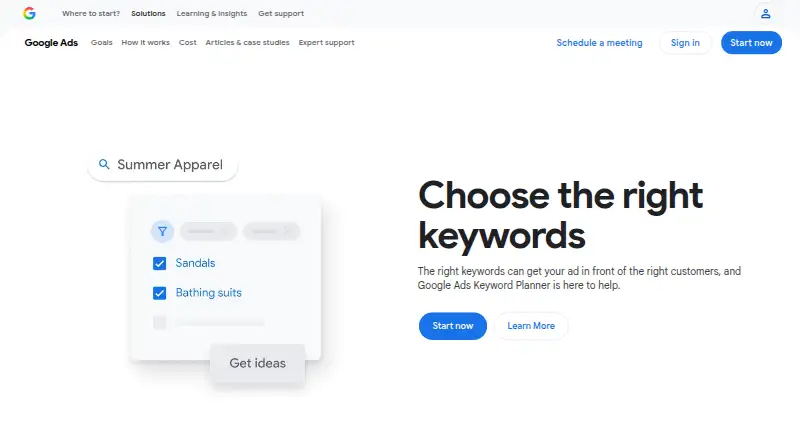
Google Keyword Planner is a free tool for advertisers planning Search campaigns. It helps find keyword ideas related to a business’s products, services, or website, then estimates monthly searches and the average cost for an ad to appear on searches for each keyword. Users can start with entered terms or a website, or upload a keyword list in CSV format. The tool can filter and categorize ideas and arrange them into ad groups; ad group organization is available in English only. A forecast estimates clicks, impressions, or conversions from planned spend. Forecasts update daily, using the previous 7–10 days of data with seasonal adjustments, and can be downloaded or shared by enabling access to the plan. The tool is available on the web and through an API, and its listed capabilities include search volume data, keyword difficulty, and competitor keywords. Accessing basic features such as keyword ideas requires completing Google Ads account setup and entering billing information. Keywords may contain up to 80 characters and 10 words. Very low-volume terms and terms in sensitive categories may not be discoverable or forecastable. Google Ads Help provides a contact option and a help community.
Who it suits
It suits advertisers researching terms for Search campaigns who want keyword ideas, monthly search estimates, and cost estimates. It can also help people compare forecasted clicks, impressions, or conversions against planned spend, provided they complete Google Ads account setup and enter billing information.
What it does well
- Suggests terms related to products, services, or a website.
- Estimates monthly searches and average ad costs.
- Forecasts clicks, impressions, or conversions based on spend.
- Forecasts refresh daily with seasonal adjustments.
- Available on the web and through an API.
What to know first
- Basic keyword suggestions require billing information and Google Ads setup.
- Very low-volume or sensitive-category terms may not appear or be forecastable.
- Ad group organization is available in English only.
Limits
The free resource requires completed Google Ads account setup and billing information for basic keyword suggestions. Very low-volume and sensitive-category keywords may be unavailable for discovery or forecasting; ad group organization is limited to English.
Plans
| Plan | Billed and limits | Price |
|---|---|---|
| Google Keyword Planner | Free resource; billing information and completed Google Ads account setup required to access basic keyword suggestion features | Free |
As business.google.com lists them, read 9 Oct 2026. The maker's own page has the final word.
Getting started
- Open the Google Keyword Planner website.
- Complete Google Ads account setup and enter billing information.
- Enter keywords or a website, or upload a keyword list as a CSV.
- Filter and categorize ideas, then organize keywords into ad groups if needed.
- Build a plan forecast and download it or enable access to share the plan.
Verdict
Choose Google Keyword Planner if you need keyword ideas and Search campaign estimates in a free tool. It can also forecast outcomes from planned spend. Look elsewhere if you need guaranteed discovery or forecasts for very low-volume or sensitive-category keywords.
Questions
How much does Google Keyword Planner cost?
It is listed as a free resource at no cost.
Is there a free plan?
Yes. The tool has a free plan, but basic features such as keyword ideas require Google Ads account setup and billing information.
What platforms does it support?
It is available on the web and through an API.
Can I share a forecast?
Yes. Forecasts can be downloaded, and a plan can be shared by enabling share access.
What keywords may be unavailable?
Keywords with very low search volumes or in sensitive categories may not be discoverable or forecastable.
How long can a keyword be?
Each new keyword can contain up to 80 characters and 10 words.
Facts from Google Keyword Planner's own pages
- Access requirement
- Users must complete Google Ads account setup and enter billing information to access basic features such as keyword ideas. · support.google.com, 9 Oct 2026
- API access
- Yes · business.google.com, 22 Sept 2026
- Cost estimates
- It shows the average cost for an ad to appear on searches for a keyword. · support.google.com, 9 Oct 2026
- Forecasting
- A plan forecast estimates conversions, clicks, or impressions based on spend. · support.google.com, 9 Oct 2026
- Forecast updates
- Forecasts refresh daily and use the last 7–10 days of data adjusted for seasonality. · support.google.com, 9 Oct 2026
- Free plan
- Yes · business.google.com, 22 Sept 2026
- Keyword ideas
- It suggests keywords related to a business’s products, services, or website. · support.google.com, 9 Oct 2026
- Keyword inputs
- Users can find ideas from entered keywords or a website, and can upload existing keywords using a CSV file. · support.google.com, 9 Oct 2026
- Keyword length
- Each new keyword can contain up to 80 characters and 10 words. · support.google.com, 9 Oct 2026
- Notable limits
- Keywords with very low search volumes or in sensitive categories may not be discoverable or forecastable. · support.google.com, 9 Oct 2026
- Organization
- Users can filter and categorize keyword ideas and organize keywords into ad groups; ad group organization is available in English only. · support.google.com, 9 Oct 2026
- Plan sharing
- Users can download forecasts and share a plan by enabling share access. · support.google.com, 9 Oct 2026
- Purpose
- Google Keyword Planner helps advertisers research keywords for Search campaigns and view estimates of search volume and targeting costs. · support.google.com, 9 Oct 2026
- Search estimates
- It provides estimates of monthly searches for keywords. · support.google.com, 9 Oct 2026
- Support
- Google Ads Help offers a contact option and a help community for assistance. · support.google.com, 9 Oct 2026
Where Google Keyword Planner stands on Freedom251
- SEO tools#17 of 245
- Paid Search Advertising Software#1 of 12
- Ad Management#2 of 17
- PPC Software#3 of 16
- Keyword Research Tools#7 of 36