Freedom251 › SEO Log File Analysis Tools

Nirengi Log Analyzer
What Nirengi Log Analyzer is
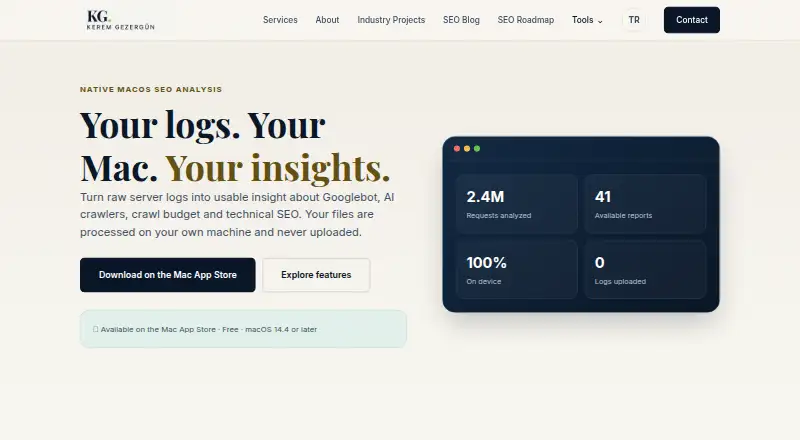
Nirengi Log Analyzer is a free native macOS app for examining server logs and crawler activity. It reports on crawl budget, technical errors, coverage, content freshness, and bandwidth, and compares Googlebot with AI agents such as GPTBot, ClaudeBot, and PerplexityBot. Reports can identify 404 and 5xx responses, redirects, soft-404 candidates, parameter waste, and robots.txt issues. Sitemap URLs can be compared with observed traffic to spot uncrawled, orphaned, or neglected URLs. It supports Apache and Nginx logs, IIS W3C, AWS CloudFront, Cloudflare Logpush NDJSON, JSON Lines access logs, and AWS ALB logs. Filtered results can be exported as CSV, while a complete report can be shared as a single-file HTML document. The maker says selected files are processed locally in the macOS App Sandbox and that logs and results are not uploaded through the app. Version 1.0 requires macOS 14.4 or later and has no subscription or in-app purchase; the maker lists 41 reports across several analysis categories.
Who it suits
It suits technical SEO specialists, consultants, publishers, SaaS teams, and e-commerce teams using macOS 14.4 or later to analyze server logs. Its crawler comparisons and sitemap coverage reporting are relevant to teams monitoring search and AI-agent traffic.
What it does well
- Compares Googlebot with AI crawlers.
- Supports Apache, Nginx, IIS, Cloudflare, and AWS logs.
- Exports filtered results as CSV.
- Shares complete reports as single-file HTML.
- Selected files are processed locally in the App Sandbox.
What to know first
- Requires macOS 14.4 or later.
- Available only for macOS.
- Log input is by upload.
Plans
| Plan | Billed and limits | Price |
|---|---|---|
| Version 1.0 | macOS 14.4 or later · no subscription or in-app purchase | Free |
As keremgezergun.com lists them, read 3 Oct 2026. The maker's own page has the final word.
Getting started
- Visit the Nirengi Log Analyzer product page
- Use a Mac running macOS 14.4 or later
- Get Version 1.0, which is free and has no subscription or in-app purchase
- Upload supported server log files for analysis
- Export filtered results as CSV or share a complete report as a single-file HTML document
Verdict
Nirengi Log Analyzer brings crawler, error, and coverage reporting together for a broad range of log formats. Its local-processing approach and CSV or HTML exports may suit teams that want to analyze and share results from a Mac.
Questions
How much does Nirengi Log Analyzer cost?
Version 1.0 costs nothing and has no subscription or in-app purchase.
Which operating system does it support?
It is a native macOS app and requires macOS 14.4 or later.
Is there a free trial?
No. The product facts say there is no free trial; Version 1.0 is free.
Which server log formats can it read?
It supports Apache and Nginx logs, IIS W3C, AWS CloudFront, Cloudflare Logpush NDJSON, JSON Lines access logs, and AWS ALB logs.
How are log files and results handled?
Selected files are processed locally in the macOS App Sandbox. The maker says the app does not upload logs or analysis results.
Who makes Nirengi Log Analyzer?
The developer is based in Istanbul, Türkiye, and offers direct support by email or phone.
Facts from Nirengi Log Analyzer's own pages
- Bot verification
- Reverse and forward DNS checks help distinguish supported search bots from spoofed traffic. · keremgezergun.com, 3 Oct 2026
- Coverage reports
- It compares sitemap URLs with observed traffic to find uncrawled, orphaned or neglected URLs. · keremgezergun.com, 3 Oct 2026
- Crawler analysis
- It compares Googlebot with GPTBot, ClaudeBot, PerplexityBot and other AI agents. · keremgezergun.com, 3 Oct 2026
- Data collection
- The privacy policy says the app requires no account and contains no advertising, analytics, tracking pixels, telemetry or crash-reporting SDK. · keremgezergun.com, 3 Oct 2026
- Error reports
- It can identify 404s, 5xx responses, redirects, soft-404 candidates, parameter waste and robots.txt problems. · keremgezergun.com, 3 Oct 2026
- Exports
- Users can export filtered results as CSV or share a complete report as a single-file HTML document. · keremgezergun.com, 3 Oct 2026
- Headquarters
- Istanbul, Türkiye · keremgezergun.com, 28 Sept 2026
- Intended users
- The maker describes it as a native macOS app for technical SEO specialists, consultants, publishers, SaaS teams and e-commerce teams. · keremgezergun.com, 3 Oct 2026
- Local processing
- Selected files are processed locally in the macOS App Sandbox, and the maker says logs and analysis results are not uploaded through the app. · keremgezergun.com, 3 Oct 2026
- Log formats
- Supported formats include Apache and Nginx logs, IIS W3C, AWS CloudFront, Cloudflare Logpush NDJSON, JSON Lines access logs and AWS ALB logs. · keremgezergun.com, 3 Oct 2026
- Network access
- Network requests are limited to user-initiated sitemap or robots.txt retrieval, DNS bot verification and opening product or support links. · keremgezergun.com, 3 Oct 2026
- Performance example
- The maker reports processing a 15.4 GB production log in 40 seconds on an Apple M4 Mac with 16 GB of memory, noting results vary by hardware and settings. · keremgezergun.com, 3 Oct 2026
- Purpose
- Nirengi analyzes server logs to show crawler behavior, errors, crawl budget, coverage, content freshness and bandwidth. · keremgezergun.com, 3 Oct 2026
- Report count
- The product page lists 41 reports across crawler identity, AI crawlers, crawl budget, technical errors, coverage and freshness, visitor traffic and category analysis. · keremgezergun.com, 3 Oct 2026
- Support
- The developer offers direct support by email or phone and asks users not to send production logs before removing confidential information. · keremgezergun.com, 3 Oct 2026
Where Nirengi Log Analyzer stands on Freedom251
- SEO Log File Analysis Tools#11 of 27