Freedom251 › SEO Log File Analysis Tools
Spider-Lens
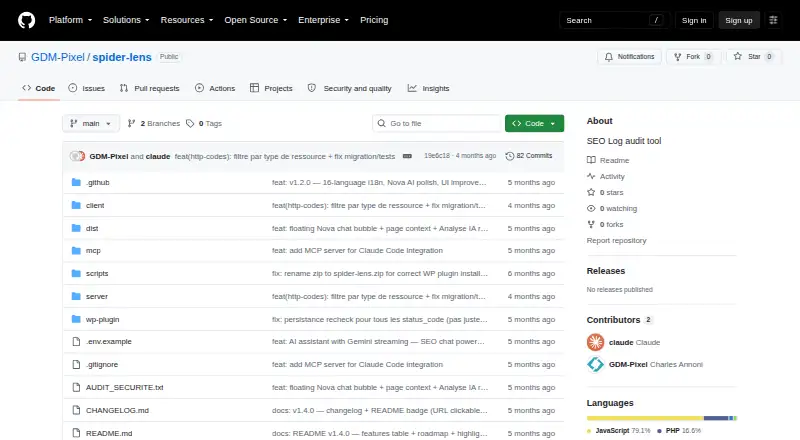
What Spider-Lens is
Spider-Lens analyzes Apache and Nginx server logs to monitor traffic, HTTP errors, crawler bots, and server performance. Its dashboard summarizes requests, human visits, bots, error rates, HTTP status trends, bot distribution, and 12-week trends. Crawler monitoring detects 16 or more bots and visualizes crawl budget and crawler volume. Performance reports show Time to First Byte per URL, with configurable slow thresholds and CSV or Excel exports. A sitemap crawler follows internal links and extracts page titles, H1 headings, word counts, canonicals, robots directives, and crawl depth. Configurable SMTP email alerts and webhooks cover 404 spikes, server errors, missing Googlebot, and weekly reports; the project also documents Discord and Slack webhooks and an MCP server. Spider-Lens runs as a standalone Node.js application or native WordPress plugin. The Node.js version needs Node.js 18 or later, npm 9 or later, and access to Apache or Nginx logs. The optional Nova assistant requires a Gemini API key. The free, self-hosted project supports Linux, macOS, Windows, and web use.
Who it suits
Spider-Lens suits site operators who need to inspect Apache or Nginx logs, crawler activity, and page response times. Its WordPress plugin is an option for users who do not want Node.js on the server.
What it does well
- Tracks traffic, errors, bots, and performance.
- Exports performance results to CSV or Excel.
- Provides configurable alerts and webhooks.
- WordPress plugin does not require server-side Node.js.
- Interface supports 16 listed languages.
What to know first
- Node.js app requires Node.js 18 or later.
- Node.js app requires npm 9 or later.
- Nova requires a Gemini API key.
- Requires access to Apache or Nginx logs.
Plans
| Plan | Billed and limits | Price |
|---|---|---|
| Open-source self-hosted | No paid plans or usage limits stated | Free |
As github.com lists them, read 8 Oct 2026. The maker's own page has the final word.
Getting started
- Visit the Spider-Lens project website on GitHub.
- Choose the standalone Node.js application or the native WordPress plugin.
- For the Node.js application, provide Node.js 18 or later, npm 9 or later, and access to Apache or Nginx logs.
- Change the default JWT secret and admin password before deployment.
- Configure SMTP email alerts or webhook notifications as needed.
- Add a Gemini API key to use Nova and AI Analysis.
Spider-Lens analyzes Apache and Nginx logs and crawls sitemap-linked pages. It is best for site operators who want crawler, traffic, and technical page data in a free self-hosted tool. Its broad feature set has clear appeal, though setup depends on deployment choice and Nova requires a Gemini API key.
Overview
Spider-Lens brings log monitoring and site crawling into one application. Its dashboard covers requests, human visits, bots, errors, HTTP status trends, bot distribution, and 12-week patterns. The sitemap crawler adds page-level context, including titles, headings, word counts, canonical URLs, robots directives, and crawl depth. That pairing helps operators consider crawler behavior alongside the pages their site exposes.
The free self-hosted model avoids a stated subscription price or usage cap. It also means operators need access to server logs and must manage deployment. The native WordPress plugin avoids requiring Node.js on the server, while the standalone application requires Node.js 18 or later and npm 9 or later.
Key features
Log and crawler monitoring
The dashboard places traffic, bot activity, and HTTP health in one view. Spider-Lens detects 16 or more bots and visualizes crawler volume and crawl budget; crawler segmentation gives operators another way to examine that activity. This makes the tool useful when bot traffic and errors need to be understood alongside overall requests, though the dashboard's value depends on having the relevant logs accessible.
Performance and site crawling
Per-URL Time to First Byte reporting, configurable slow thresholds, and CSV and Excel exports give teams a way to identify slow responses and carry results into other workflows. The sitemap crawler follows internal links and extracts practical SEO and structure signals. Together, these features make Spider-Lens broader than a log dashboard, particularly for teams that want to relate server behavior to crawlable site content.
Alerts and integrations
SMTP email alerts and webhooks can flag 404 spikes, server errors, missing Googlebot, and weekly reports. Documented Discord and Slack webhooks and an MCP server for Claude Code or other compatible clients extend those notifications and data into existing workflows. These are useful operational hooks, although the project expects the operator to configure them.
Nova and data handling
Nova uses Google Gemini and requires a Gemini API key. Without one, the rest of the application continues to work, while Nova and AI Analysis show a configuration prompt. The README says Nova sends Google a compact JSON summary of about 500 tokens per request rather than raw logs. That distinction may matter to teams evaluating AI use with operational data, but the assistant remains optional and depends on an external API key.
Pricing
The Open-source self-hosted plan costs nothing. It includes the application with no paid plans or usage limits stated, so it suits users prepared to run and maintain their own deployment. There is no cheaper tier to compare; the trade-off is taking responsibility for setup and log access. Nova also requires a Gemini API key, which is separate from the application's free plan.
Platforms
Spider-Lens supports Linux, macOS, Windows, web, and self-hosted use. Deployment is available as a standalone Node.js application or a native WordPress plugin. The standalone version requires Node.js 18 or later, npm 9 or later, and access to Apache or Nginx logs; the WordPress plugin does not require Node.js on the server. Its interface supports 16 languages and can detect the browser language automatically.
Who it's for
Spider-Lens fits site owners and technical SEO teams who can access Apache or Nginx logs and want log analysis, crawler monitoring, page crawling, and alerts in one free deployment. WordPress operators who want to avoid a Node.js server dependency have a native plugin option. It is a weaker fit for users who want a managed service or who cannot take on deployment and log access; the standalone route also has explicit runtime requirements.
Pros and cons
- Pro: Log dashboards and sitemap crawling sit in one tool, connecting traffic and crawler signals with page-level SEO data.
- Pro: Alerts cover specific operational conditions, including 404 spikes, server errors, and missing Googlebot.
- Pro: The free self-hosted plan states no usage limits, and the WordPress plugin does not require Node.js on the server.
- Con: The standalone app requires Node.js 18 or later, npm 9 or later, and access to server logs, which adds deployment work.
- Con: Nova and AI Analysis require a Gemini API key, so the AI assistant is not included as a ready-to-use feature of the free deployment.
- Con: JWT authentication uses a seven-day token, and the maker advises changing the default JWT secret and admin password before deployment.
Alternatives
Choose SEO Log Auditor if you want a free, open-source MIT-licensed tool that runs locally. Choose Screaming Frog SEO Log File Analyser if its free tier's 1,000 log event lines and one project suit your needs, or if you want a paid licence at $139 a year.
CrawlGenius Log Analyzer is another freemium alternative. Log File Bot Traffic Cost Analyzer offers a free option organized around browser, CLI, and BigQuery log-size ranges. LogLens is a freemium alternative with a free tier described by a monthly request quota, website count, and history window. SEOMER has a limited-use free plan and paid token top-ups. AuditLabs SEO Log File Analyzer is a web alternative with a paid Supporter tier. Choose Crawl Lab if you want a free web tool with no sign-up, paid tier, or server-side size limit.
For more options, browse SEO Log File Analysis Tools.
Verdict
Spider-Lens is a strong choice for operators who can self-host and want log dashboards, crawler analysis, sitemap crawling, and alerts without a stated usage cap. Its main advantage is the range of those tools in one free application; its main drawback is the deployment responsibility, with Nova adding a separate Gemini API key requirement. Choose it when log access and self-management are acceptable, and look elsewhere if you need a managed setup.
Verdict
Spider-Lens pairs log dashboards with crawler analysis, sitemap crawling, and alerts in a free self-hosted application. Nova is optional, but using it requires a Gemini API key; the maker says the rest of the app works without one.
Questions
How much does Spider-Lens cost?
The Open-source self-hosted plan is free.
Which platforms does Spider-Lens support?
It lists Linux, macOS, self-hosted, web, and Windows. It is available as a standalone Node.js application and a native WordPress plugin.
What does the Node.js version require?
It requires Node.js 18 or later, npm 9 or later, and access to Apache or Nginx log files.
Does Spider-Lens include AI features?
Nova uses Google Gemini and requires a Gemini API key. Without one, the rest of the application works normally, while Nova and AI Analysis show a configuration prompt.
Who makes Spider-Lens?
The repository identifies GDM-Pixel as the maker and lists Caen, France.
What integrations are documented?
The project documents Discord and Slack webhooks and an MCP server for Claude Code or other MCP-compatible clients.
Facts from Spider-Lens's own pages
- AI assistant
- Nova uses Google Gemini and requires a Gemini API key; without one, the rest of the application works normally while Nova and AI Analysis show a configuration prompt. · github.com, 8 Oct 2026
- AI data handling
- The README says Nova does not send raw log data to Google and transmits only a compact JSON summary of about 500 tokens per request. · github.com, 8 Oct 2026
- Alerts
- Configurable SMTP email alerts and webhook notifications cover 404 spikes, server errors, missing Googlebot, and weekly reports. · github.com, 8 Oct 2026
- Crawler monitoring
- It detects 16 or more bots and visualizes crawl budget and crawler volume. · github.com, 8 Oct 2026
- Deployment
- It is available as a standalone Node.js application and as a native WordPress plugin; the plugin does not require Node.js on the server. · github.com, 8 Oct 2026
- Headquarters
- Caen, France · github.com, 28 Sept 2026
- Integrations
- The project documents Discord and Slack webhooks and an MCP server for Claude Code or other MCP-compatible clients. · github.com, 8 Oct 2026
- Languages
- The interface supports 16 listed languages and can detect the browser language automatically. · github.com, 8 Oct 2026
- Maker
- The repository identifies the maker as GDM-Pixel and lists Caen, France. · github.com, 8 Oct 2026
- Performance analysis
- It reports Time to First Byte per URL and supports configurable slow thresholds plus CSV and Excel exports. · github.com, 8 Oct 2026
- Purpose
- Spider-Lens analyzes Apache and Nginx server logs to monitor traffic, HTTP errors, crawler bots, and server performance. · github.com, 8 Oct 2026
- Requirements
- The Node.js application requires Node.js 18 or later, npm 9 or later, and access to Apache or Nginx log files. · github.com, 8 Oct 2026
- Security
- Spider-Lens uses JWT authentication with a seven-day token and advises changing the default JWT secret and admin password before deployment. · github.com, 8 Oct 2026
- SEO dashboard
- The dashboard summarizes requests, human visits, bots, error rates, HTTP status trends, bot distribution, and 12-week trends. · github.com, 8 Oct 2026
- Site crawler
- The sitemap crawler follows internal links and extracts page titles, H1 headings, word counts, canonicals, robots directives, and crawl depth. · github.com, 8 Oct 2026
Where Spider-Lens stands on Freedom251
- SEO Log File Analysis Tools#10 of 27