Freedom251 › Gym Waiver Software

RhinoFit Sign-In Kiosk
What RhinoFit Sign-In Kiosk is
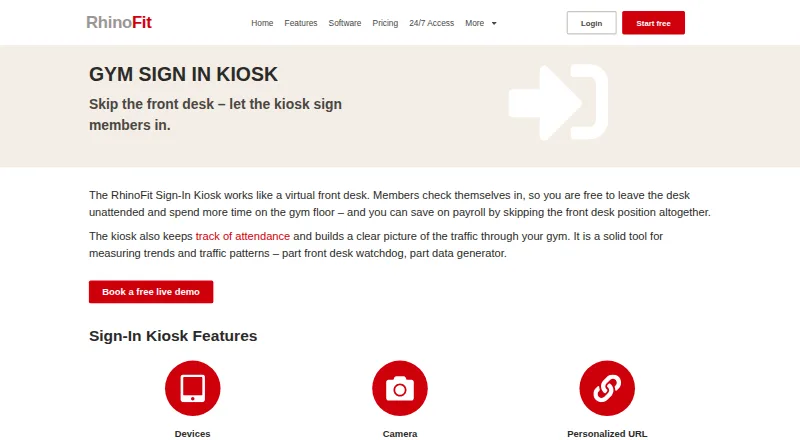
RhinoFit Sign-In Kiosk lets gym members check themselves in while recording attendance, reducing the need for a staffed front desk. It runs on laptops, desktop computers, or tablets and works with a touchscreen or mouse. A gym can use a dedicated kiosk URL, display a personalized message, and add its logo. Access settings can allow current members, past members, or prospective members using trial memberships. Attendance data can show traffic patterns, popular classes and instructors, and how often members attend. A device camera can be enabled for members to add a profile picture. The kiosk belongs to a broader platform that includes membership management, payment processing, scheduling, digital waivers, product sales, workout tracking, and reporting. Members can use iPhone or Android apps for class reservations, WODs, benchmarks, and attendance history. A free Start Up option is listed for organizations with 20 or fewer active users; Standard costs $57 a month. A 30-day trial is offered without a credit card, and billing is month-to-month.
Who it suits
The kiosk suits gyms and other facilities that want members to self-check in and track attendance. RhinoFit also describes its platform for personal trainers, studios, sports organizations, and training centers.
What it does well
- Runs on laptops, desktops, and tablets.
- Supports touchscreen or mouse check-in.
- Access rules can include trial members.
- Attendance data shows traffic and class patterns.
- Members can access attendance history in mobile apps.
What to know first
- Free Start Up option is for 20 or fewer active users.
- 24/7 door-access hardware is purchased separately.
Limits
The free Start Up plan is available to organizations with 20 or fewer active users. The 24/7 Access plan’s door-access hardware must be purchased separately.
Plans
| Plan | Billed and limits | Price |
|---|---|---|
| Standard | Monthly · Unlimited members and data · member/staff management · scheduling · kiosk and mobile app · payment processing · email and SMS marketing | $57 a month |
| 24/7 Access | Monthly software license · Standard features · proprietary closed door-access API · mobile key tags · visitation tracking · real-time access · voice notifications · hardware purchased separately | $99 a month |
| Start Up | Monthly · 20 or fewer active users · US/Canadian clients must log no more than $2,500 in monthly payments · some communications and payment features may be restricted | Free |
As rhinofit.ca lists them, read 14 Oct 2026. The maker's own page has the final word.
Getting started
- Open the RhinoFit website.
- Start the 30-day trial without a credit card, or choose the free Start Up plan if eligible.
- Set up the kiosk on a laptop, desktop computer, or tablet.
- Choose member access rules and customize the kiosk URL, message, and logo.
- Enable the device camera if members should be able to add profile pictures.
- Members can use the iPhone or Android app for reservations and attendance history.
Overview
RhinoFit Sign-In Kiosk is a member self-check-in tool for gyms, studios, and other member facilities using RhinoFit’s management platform. It best suits operators who want attendance records tied to memberships, classes, and payments, rather than a stand-alone check-in screen. Its breadth is useful, but the free option is restricted to facilities with 20 or fewer active users.
Key features
Members can check in from a laptop, desktop, or tablet using a touchscreen or mouse, helping reduce routine front-desk check-in work. A gym-specific URL, logo, and personalized message let facilities give the kiosk a branded presence. Operators can also choose whether past members, current members, or prospective members with trial memberships may sign in, which supports different visitor policies but requires a deliberate access setup.
Attendance data can show traffic patterns, popular classes and instructors, and how frequently individual members attend. QR and mobile check-in, along with attendance reports, give members and staff additional ways to record and review visits. Members can use RhinoFit’s iPhone or Android app for class reservations, WODs, benchmarks, and attendance history. The kiosk’s optional camera can let members add a profile photo.
Beyond check-in, RhinoFit combines membership management, payment processing, scheduling, digital waivers, product sales, workout tracking, and reporting. It also identifies DailyStory and Mailchimp as email marketing integrations, and offers website integrations for calendars, membership and product stores, prospect forms, member login, and the kiosk. This makes the kiosk more compelling for a gym seeking an interconnected operating platform; facilities that only need a simple attendance terminal may find the wider package unnecessary.
Pricing
RhinoFit offers a 30-day free trial without a credit card, and standard SaaS billing is month-to-month.
- Start Up: free for eligible businesses with 20 or fewer active users. This is the entry point for a small facility, but the active-user cap makes it unsuitable once membership grows past that threshold.
- Standard: $57 a month, billed monthly. It includes member and staff management, class and appointment scheduling, check-in, reservation and attendance functions, a tablet kiosk and mobile app, automated payment processing, and email marketing and SMS messaging. It is the main fit for gyms that want the kiosk as part of day-to-day management rather than as an isolated tool.
- 24/7 Access: $99 a month for the software license; door-access hardware is purchased separately. It adds a 24/7 door-access control API, mobile key tags, visitation-pattern tracking, real-time member access, and dynamic voice notifications to Standard. This is for facilities needing controlled access outside staffed hours, with the extra hardware cost to account for.
Platforms
RhinoFit supports Android, iOS, and web. The kiosk can run on laptops, desktop computers, and tablets, while members can use the mobile app for reservations, workout information, and attendance history. RhinoFit says its service is hosted on North American Amazon Web Services servers and cites redundant storage and network security among its reasons for using AWS. It offers US-based phone and email support, including a published phone line where customers can speak to a person.
Who it's for
RhinoFit describes its audience as gyms, personal trainers, studios, sports organizations, member facilities, and training centers. The strongest fit is a facility that wants self-service check-in and attendance insight alongside membership, payment, and scheduling tools. A gym with more than 20 active users should budget for Standard or higher rather than expect the free Start Up option to scale.
Pros and cons
- Pro: Check-in, attendance reporting, and management tools share one platform, which can suit facilities that want fewer disconnected systems.
- Pro: The kiosk supports multiple device types and can be branded and configured for different member groups.
- Pro: Month-to-month Standard billing and a no-card 30-day trial lower the commitment required to evaluate the service.
- Con: Start Up is limited to 20 or fewer active users, restricting its use as a lasting free option for growing facilities.
- Con: 24/7 Access requires separately purchased door hardware, so the software price alone does not represent the full cost of unattended entry.
- Con: The kiosk is most valuable alongside RhinoFit’s wider gym-management tools; a facility seeking only a basic check-in utility may be paying for more platform than it needs.
Alternatives
For an attendance-focused choice with a stated forever-free tier for up to 50 attendees, unlimited sheets, one extra team member, and QR/barcode, public QR link, and Web Kiosk check-in, consider Attenditai. BJJChat Attendance System is a free option with no tiers or per-member fees and unlimited coaches and students. For a free plan capped at 20 active members that includes scheduling, online booking, a member portal, and self check-in, MoveMembers is another option.
AdviceFit has a free plan and a Basic plan at $25 a month. Organised Gym offers a free plan for up to 25 members and paid plans starting at ₹699 a month. UrbanGym has a web-based free plan capped at one location, 50 members, two staff accounts, and 100 SMS per month, plus a Pro plan at ₹1,499 a month. Gym Ledger is another freemium option, with a Pro plan at ₹333 a month. For businesses seeking a custom package, Exercise.com Websites uses quote-based pricing.
Browse Gym Check-In Software for more check-in options, Gym Management Software for broader operating platforms, or Gym Waiver Software for waiver-focused tools.
Verdict
RhinoFit Sign-In Kiosk is a strong fit for a gym or studio that wants branded self-check-in and useful attendance insight within the same platform as memberships, scheduling, and payments. The main reason to choose it is that connected scope; the main reason to look elsewhere is the 20-active-user ceiling on the free plan and the $57.00 USD monthly step up for Standard. Facilities planning 24/7 entry should also factor in separately purchased hardware.
Verdict
RhinoFit Sign-In Kiosk pairs configurable self-check-in with attendance information and the wider RhinoFit management platform. Review the Start Up eligibility limit and whether the broader Standard or 24/7 Access features fit your facility.
Questions
Is RhinoFit Sign-In Kiosk free?
RhinoFit lists a free Start Up plan for organizations with 20 or fewer active users. The Standard plan is $57 a month.
Does RhinoFit offer a free trial?
Yes. The pricing page offers a 30-day trial without requiring a credit card.
Which devices can run the kiosk?
The kiosk can run on laptops, desktop computers, or tablets, with a touchscreen or mouse.
Can members check in from a phone?
RhinoFit says its software runs on phones and offers iPhone and Android apps. Members can use the apps for class reservations, WODs, benchmarks, and attendance history.
What does the 24/7 Access plan add?
It includes Standard features, door-access control API, mobile key tags, visitation pattern tracking, real-time member access, and dynamic voice notifications. Door-access hardware is purchased separately.
Who makes RhinoFit?
The maker is RhinoFit Sign-In Kiosk, headquartered in Clearwater, Florida, United States. The maker is listed as founded in 2012.
Facts from RhinoFit Sign-In Kiosk's own pages
- 24/7 API
- The 24/7 Access package connects door-access hardware through a proprietary closed API. · rhinofit.ca, 14 Oct 2026
- Attendance analytics
- Kiosk check-ins feed attendance data used to identify busy periods, popular classes and instructors, and member visit frequency. · rhinofit.ca, 14 Oct 2026
- Attendance insights
- Kiosk attendance data can show traffic patterns, popular classes and instructors, and how often individual members attend. · rhinofit.ca, 29 Sept 2026
- Backups
- The company says it makes multiple daily online and offline backups with redundant storage and recurring third-party vulnerability scans. · rhinofit.ca, 14 Oct 2026
- Camera option
- The kiosk device camera can be enabled so members can add a picture to their profile. · rhinofit.ca, 29 Sept 2026
- Company founded
- LinkedIn lists RhinoFit Inc. as founded in 2011. · linkedin.com, 14 Oct 2026
- Company headquarters
- RhinoFit lists 3001 Eastland Blvd, Suite 5, Clearwater, Florida 33761 as its office address. · rhinofit.ca, 14 Oct 2026
- Company history
- RhinoFit’s About page says the product was first created in 2012 for CrossFit gyms and later expanded to other fitness businesses. · rhinofit.ca, 14 Oct 2026
- Company legal brand
- The website footer identifies RhinoFit as a brand of Gulf Management Systems, Inc. · rhinofit.ca, 14 Oct 2026
- Company size
- LinkedIn lists RhinoFit Inc. as a 2–10 employee software-development company. · linkedin.com, 14 Oct 2026
- Developer extensibility
- The public pricing page documents a door-access API but the reviewed official pages do not provide public SDKs or an external developer reference. · rhinofit.ca, 14 Oct 2026
- Digital waivers
- RhinoSign provides online custom waivers integrated into the gym-management platform. · rhinofit.ca, 14 Oct 2026
- Founded
- 2012 · rhinofit.ca, 28 Sept 2026
- Free plan
- Yes · rhinofit.ca, 20 Sept 2026
- Headquarters
- Clearwater, Florida, United States · rhinofit.ca, 28 Sept 2026
- Hosting
- RhinoFit says it runs on Amazon Web Services servers located in North America. · rhinofit.ca, 14 Oct 2026
- Integrations
- RhinoFit identifies DailyStory and Mailchimp as email marketing platforms and offers website integrations for calendars, membership and product stores, prospect forms, member login, and the kiosk. · rhinofit.ca, 29 Sept 2026
- Kiosk access rules
- The kiosk can be configured to allow past members, current members, or potential members using a trial membership to log in. · rhinofit.ca, 29 Sept 2026
- Kiosk branding
- The kiosk display supports a custom greeting or motivational message and the gym logo. · rhinofit.ca, 14 Oct 2026
- Kiosk camera
- Administrators can enable the kiosk device camera so members can add profile photos. · rhinofit.ca, 14 Oct 2026
- Kiosk devices
- The kiosk runs on laptops, desktop computers, or tablets and can be used with a touchscreen or mouse. · rhinofit.ca, 29 Sept 2026
- Kiosk eligibility rules
- Gyms can allow past members, current members or trial-membership prospects to sign in. · rhinofit.ca, 14 Oct 2026
- Kiosk operation
- The Sign-In Kiosk acts as a virtual front desk so members can check themselves in without staff assistance. · rhinofit.ca, 14 Oct 2026
- Kiosk purpose
- The Sign-In Kiosk lets members check themselves in, reducing the need for a staffed front desk and recording gym attendance. · rhinofit.ca, 29 Sept 2026
Where RhinoFit Sign-In Kiosk stands on Freedom251
- Gym Waiver Software#5 of 38
- Gym Management Software#5 of 37
- Fitness Software#5 of 28
- Gym Check-In Software#6 of 26
- Fitness apps#7 of 29