Freedom251 › Print Management Software
PrinterLogic
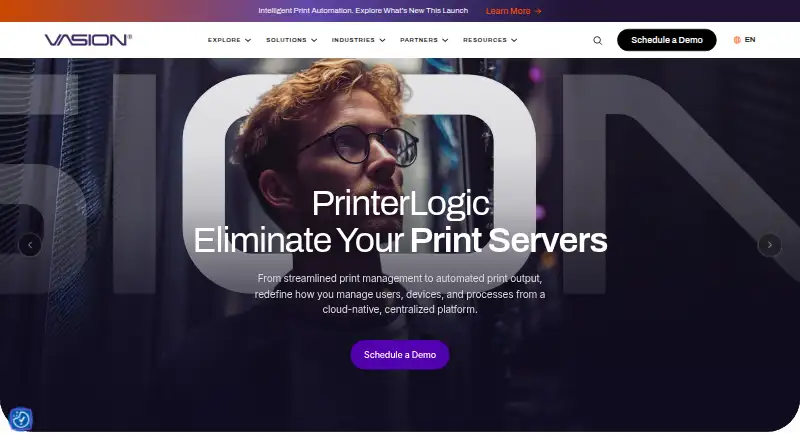
What PrinterLogic is
PrinterLogic manages organizational printing through centrally controlled direct IP printing instead of print servers. Administrators use one console to manage printers, drivers, profiles and settings, and can deploy printers without scripting or Group Policy Objects. A self-service portal lets users install printers and drivers without IT support. Secure Release Printing holds jobs until users authenticate at a printer. The product keeps print jobs local and encrypts confidential data until it is behind the organization’s firewall. Its mobile app supports direct IP printing, scanning, print release and off-network printing on iOS and Android. The Agent supports current and previous releases of Windows, macOS, ChromeOS and Linux distributions including Red Hat and Ubuntu. The product page lists more than 200 integrations across identity, print, storage, back-office, operating-system and virtual-desktop systems. Pricing is on request, and a 30-day trial is listed. Usage-based plans list $109.60 a month for 50–99 print queues and $121.80 a month for 25–49 queues. Direct Secure Release, Off-Network Print and Quota Management require additional licensing.
Who it suits
PrinterLogic suits organizations that want centralized printer administration and direct IP printing. Its self-service portal and mobile printing features may suit teams supporting users across desktop and mobile devices.
What it does well
- Central console manages printer objects, drivers, profiles and settings.
- Deployments can be pushed without scripting or Group Policy Objects.
- Self-service lets users install printers and drivers without IT support.
- Print jobs remain local, with confidential data encrypted.
- Mobile app supports printing, scanning and print release.
What to know first
- Pricing is on request.
- Several features require additional licensing.
- The 100+ print queue plan has no listed price.
Limits
The listed plans cover 25-49 print queues at $121.80 a month and 50-99 print queues at $109.60 a month, both usage based. Direct Secure Release, Off-Network Print, and Quota Management require additional licensing.
Plans
| Plan | Billed and limits | Price |
|---|---|---|
| 50-99 Print Queues | Usage Based · 50-99 print queues | $109.60 a month |
| 25-49 Print Queues | Usage Based · 25-49 print queues | $121.80 a month |
| 100+ Print Queues | 100+ print queues | On request |
As vasion.com lists them, read 1 Oct 2026. The maker's own page has the final word.
Getting started
- Open the PrinterLogic product page at https://vasion.com/products/printerlogic/.
- Request pricing for the required number of print queues.
- Use the 30-day trial to begin evaluating PrinterLogic.
- Set up printer objects, drivers, profiles, and settings in the Admin Console.
- Deploy printers and direct users to the Self-service Portal to install printers and drivers.
PrinterLogic is a centrally managed print-management system built around direct IP printing instead of print servers. It is a strong fit for organizations that want IT to control printer fleets while letting users install printers themselves. Its local print handling and secure release are persuasive; queue-based charges and separately licensed features call for careful budgeting.
Overview
PrinterLogic brings printer objects, drivers, profiles and settings together in one Admin Console. Administrators can push deployments without scripting or Group Policy Objects, which can simplify rollout across a managed fleet. The trade-off is that the quoted plans are organized by print queues, so the relevant queue count—not just the number of users—shapes the price.
The Self-service Portal lets employees install printers and drivers without involving IT. Print jobs stay local, and confidential data is encrypted until it is behind the organization’s firewall. Secure Release Printing holds a job until its user authenticates and releases it at the printer, adding a controlled step for sensitive output.
Key features
- Central administration: One console manages printer objects, drivers, profiles and settings. That is useful for IT teams seeking consistent administration across a printer fleet.
- Self-service installation: Users can install printers and drivers on their own, reducing routine support requests; organizations that prefer IT to handle every installation may gain less from this feature.
- Secure release and local processing: Jobs wait for user authentication at the printer, while print data remains local and confidential data is encrypted until it is behind the firewall. Direct Secure Release requires additional licensing, so the security benefit may raise the total cost.
- Mobile printing: The iOS and Android app supports direct IP printing, scanning, print release and off-network printing. Off-Network Print requires additional licensing.
- Integrations and identity: Vasion’s product page describes more than 200 integrations spanning identity, print, storage, back-office, operating-system and virtual-desktop systems. The mobile app supports LDAP, Entra ID (SAML), Google Identity Sync, PingFederate and Okta (SAML), giving organizations several identity options.
- Controls and reporting: Print quotas, policy rules and detailed reporting support organizations that need oversight of print activity. Quota Management also requires additional licensing.
Vasion states that PrinterLogic Print and Output Automation are covered by FedRAMP High Authorization, ISO 27001:2022, ISO 42001:2023 and SOC 2 Type II. That can matter to organizations evaluating compliance coverage, but it does not remove the need to check whether the product and its licensing meet their own requirements.
Pricing
PrinterLogic is paid software with pricing on request and a 30-day trial. Published usage-based queue tiers are:
- 25-49 Print Queues: $121.80 a month, billed Usage Based, for 25-49 print queues.
- 50-99 Print Queues: $109.60 a month, billed Usage Based, for 50-99 print queues.
- 100+ Print Queues: custom pricing for 100+ print queues.
The 50-99 tier has a lower monthly figure than the 25-49 tier, but the usage-based billing and queue bands mean organizations should confirm how their queue count maps to charges. The 100+ tier requires a custom quote. Direct Secure Release, Off-Network Print and Quota Management require additional licensing, so teams relying on those capabilities should include their cost in a comparison rather than treating them as included in the queue price.
Platforms
PrinterLogic supports Windows, macOS, Linux, ChromeOS, iOS, Android and web browsers. Its Agent supports current and previous releases of Windows and macOS, ChromeOS, and Linux distributions including Red Hat and Ubuntu. The broad desktop coverage suits mixed operating-system environments, while mobile printing extends use to iOS and Android devices.
Who it's for
PrinterLogic is best suited to organizations that want to manage printer settings and deployments centrally, reduce reliance on print servers, and give employees self-service installation. Its local job handling, secure release and policy controls make it relevant to environments with security or print-governance needs. It is a weaker fit for buyers seeking a simple free option or for teams whose required secure release, off-network printing or quota controls make the additional licensing uneconomical.
Pros and cons
- Pros: Centralized control of printer objects, drivers, profiles and settings; deployments can be pushed without scripting or Group Policy Objects.
- Pros: Self-service printer installation can reduce routine IT involvement, while direct IP printing avoids reliance on print servers.
- Pros: Local print handling, encryption behind the firewall and authentication-based release address distinct data-handling and output-control needs.
- Cons: Pricing is based on print-queue tiers, with a custom quote for 100+ queues, making budget fit dependent on queue count.
- Cons: Direct Secure Release, Off-Network Print and Quota Management require additional licensing, potentially increasing the cost of a feature-rich deployment.
- Cons: Buyers seeking a free plan will need to consider another product.
Alternatives
Compare print management software if you want to consider the wider category. ezeep is worth considering for buyers who want a free plan: its Personal tier costs nothing for up to 10 users, one connector and unlimited user print jobs, with 50 API pages per month per organization. QZ Tray has a free plan and may suit buyers evaluating a freemium option, though its Sponsored Support plan has special qualification requirements.
LRS VPSX, Pharos Uniprint, YSoft SAFEQ Platform, MyQ X, Xerox Workplace Suite and Print Manager are other print-management options to compare.
Verdict
Choose PrinterLogic if your organization needs centralized administration, user self-service and local, controlled print handling across a varied device fleet. Its strongest case is combining deployment control with secure release and print-governance features. Look elsewhere if a free plan is essential or if queue-based pricing and the extra licenses for key capabilities do not fit your budget.
Verdict
PrinterLogic brings printer administration, self-service and secure release functions into a centrally managed system. Review the queue-based pricing and additional licensing requirements when assessing its fit.
Questions
Does PrinterLogic offer a trial?
Yes. A 30-day trial is available.
How much does PrinterLogic cost?
Pricing is on request. Listed usage-based plans cost $121.80 a month for 25-49 print queues and $109.60 a month for 50-99 queues.
Which platforms does PrinterLogic support?
The listed platforms include Windows, macOS, Linux, Chrome OS, iOS, Android, web browser, self-hosted use, and an extension.
Can users install printers without IT support?
Yes. The Self-service Portal lets end users install printers and drivers without IT support.
Does PrinterLogic support secure print release?
Yes. Secure Release Printing holds jobs until users authenticate and release them at the printer.
Which features require additional licensing?
Direct Secure Release, Off-Network Print, and Quota Management require additional licensing.
Facts from PrinterLogic's own pages
- Additional licensing
- Direct Secure Release, Off-Network Print and Quota Management require additional licensing. · docs.vasion.com, 1 Oct 2026
- Central management
- Administrators manage printer objects, drivers, profiles and settings from one Admin Console. · vasion.com, 1 Oct 2026
- Company scale
- Vasion says PrinterLogic is trusted by more than 14,000 organizations worldwide. · vasion.com, 1 Oct 2026
- Core purpose
- PrinterLogic eliminates print servers through centrally managed direct IP printing. · docs.vasion.com, 1 Oct 2026
- Deployment
- Printer deployments can be pushed without scripting or Group Policy Objects. · vasion.com, 1 Oct 2026
- Headquarters
- St. George, Utah, USA · vasion.com, 28 Sept 2026
- Identity providers
- The mobile app supports LDAP, Entra ID (SAML), Google Identity Sync, PingFederate and Okta (SAML). · docs.vasion.com, 1 Oct 2026
- Integrations
- The product page states that more than 200 integrations are available across identity, print, storage, back-office, operating-system and virtual-desktop systems. · vasion.com, 1 Oct 2026
- Local print data
- PrinterLogic keeps print jobs local and encrypts confidential data until it is behind the organization’s firewall. · vasion.com, 1 Oct 2026
- Mobile printing
- The mobile app provides direct IP printing, scanning, print release and off-network printing for iOS and Android devices. · docs.vasion.com, 1 Oct 2026
- Operating systems
- The PrinterLogic Agent supports current and previous releases of Windows, macOS, ChromeOS and Linux distributions including Red Hat and Ubuntu. · docs.vasion.com, 1 Oct 2026
- Security compliance
- Vasion states that PrinterLogic Print and Output Automation are covered by FedRAMP High Authorization, ISO 27001:2022, ISO 42001:2023 and SOC 2 Type II. · vasion.com, 1 Oct 2026
- Security printing
- Secure Release Printing holds jobs until users authenticate and release them at the printer. · vasion.com, 1 Oct 2026
- Self-service
- The Self-service Portal lets end users install printers and drivers without IT support. · docs.vasion.com, 1 Oct 2026
- Support
- PrinterLogic Support is available by email at [email protected] and by phone at +1 435.652.1288, extension 1. · vasion.com, 1 Oct 2026
Where PrinterLogic stands on Freedom251
- Print Management Software#19 of 37