Freedom251 › Print Management Software

ezeep
What ezeep is
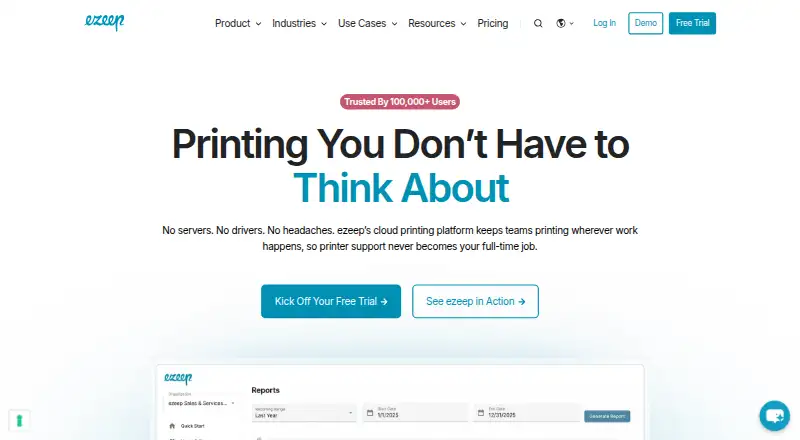
ezeep is a cloud printing platform for teams that print across locations and devices. It is designed to avoid print servers and printer drivers, and supports Windows, macOS, ChromeOS, iOS, Android, Linux, and web browsers. Its Secure Pull Printing feature holds a job at the printer until the user authenticates. Print data is encrypted in transit over HTTPS with TLS 1.2 minimum and at rest using AES-256 through Azure Storage Service Encryption. Unreleased Pull Printing jobs are discarded after 72 hours; released jobs are deleted once printing finishes. Listed integrations include Microsoft 365, Google Workspace, Zapier, Make, Pabbly Connect, Jamf, Zebra, and Lexmark. The REST API can submit jobs, manage printers and users, and automate document output; an MCP server is also available. The free Personal plan allows up to 10 users and unlimited user print jobs, plus 50 API-triggered pages per organization monthly. Pro costs €3.45 per user per month billed monthly, or €2.75 per user per month billed annually, with a 10-user minimum. A 14-day trial is listed.
Who it suits
ezeep is intended for IT teams, developers, hybrid teams, multi-site organizations, shared spaces, and administrators managing printing across devices and locations.
What it does well
- Designed to work without print servers or printer drivers.
- Secure Pull Printing requires authentication at the printer.
- Lists support for desktop, mobile, and browser platforms.
- REST API can manage printers and users.
- Free plan includes unlimited user print jobs.
What to know first
- Free plan allows 50 API pages per organization monthly.
- Pro has a 10-user minimum.
- Unreleased Pull Printing jobs expire after 72 hours.
Plans
| Plan | Billed and limits | Price |
|---|---|---|
| Personal (Free) | Up to 10 users · 1 connector · Unlimited user print jobs · 50 API pages/month per organization | Free |
| Pro | Billed monthly; €2.75 per user/month billed annually · 10 users minimum · Up to 10 connectors · 1,000 API pages/month per organization · Support response time up to next business day | €3.45 a month |
| Business | Billed monthly; €4.75 per user/month billed annually · 10 users minimum · Up to 80 connectors · 1,000+ API pages/month per organization; contact for quote for more | €5.95 a month |
| Enterprise | Unlimited connectors · Custom API package · Custom support package | On request |
As ezeep.com lists them, read 30 Sept 2026. The maker's own page has the final word.
Overview
ezeep is a cloud printing service for organizations that need staff to print across sites and devices without maintaining print servers or printer drivers. It is best suited to IT teams managing hybrid or multi-site environments, especially where secure release and centralized print controls matter. Its broad platform coverage and API tools are compelling; the main trade-off is that paid plans start at 10 users.
Secure Pull Printing keeps a job on hold until its user authenticates at the printer, which can help prevent unattended documents from being collected by the wrong person. ezeep says print data is encrypted in transit over HTTPS using TLS 1.2 or later and at rest with AES-256 through Azure Storage Service Encryption. Unreleased jobs are discarded after 72 hours, and released jobs are deleted when printing completes. The company says its Information Security Management System is ISO/IEC 27001 certified and operates under GDPR principles.
Key features
- Server- and driver-free cloud printing: The design reduces the need to manage print servers and install printer drivers. That is useful for teams supporting varied devices and locations, though it makes ezeep a poor fit for organizations seeking an explicitly on-premises print system.
- Secure release and retention: Authentication at the printer gives users control over when held jobs print. The 72-hour expiry for unreleased jobs limits how long abandoned jobs remain queued; released jobs are removed after printing.
- Administration: Print quotas, policy rules, and detailed reporting give administrators tools to govern usage rather than simply route jobs. These controls suit shared environments where visibility and limits matter.
- Integrations and automation: Connections include Microsoft 365, Google Workspace, Zapier, Make, Pabbly Connect, Jamf, Zebra, and Lexmark. The REST API can submit jobs, manage printers and users, and automate document output; an MCP server is also available. This breadth is useful for teams tying printing into existing workflows, but API volume is capped on the free plan.
Pricing
ezeep uses a freemium model, with a 14-day trial. The paid plans have a 10-user minimum, so smaller teams should weigh that threshold against the added connectors and API capacity.
- Personal (Free): free, for up to 10 users and one connector. Regular user print jobs are unlimited, but API-triggered printing is limited to 50 pages per month per organization. It is a sensible way for a small team to use standard printing, but not for API-heavy workflows.
- Pro: €3.45 a month billed monthly; €2.75 per user/month billed annually. It has a 10-user minimum, up to 10 connectors, 1,000 API pages per month per organization, and support with a response time up to the next business day. It fits teams that need more integrations and predictable API use; the seat minimum may be excessive for a small deployment.
- Business: €5.95 a month billed monthly; €4.75 per user/month billed annually. It keeps the 10-user minimum, raises the connector limit to 80, and includes 1,000+ API pages per month per organization, with a quote required for more. Choose it when the larger connector allowance or higher API capacity justifies the step up from Pro.
- Enterprise: Custom pricing, with unlimited connectors, a custom API package, and a custom support package. It is aimed at organizations whose connector, API, or support needs exceed the defined plans.
Platforms
ezeep supports Windows, macOS, Linux, ChromeOS, iOS, Android, and web browsers. That range suits mixed-device organizations and mobile printing needs. The platform list also includes an API and extension, complementing its developer and browser-oriented options.
Who it's for
ezeep is a strong fit for IT administrators, hybrid teams, multi-site organizations, and shared spaces that want cloud-managed printing with secure job release and administrative controls. Developers can use its API to automate print workflows. It is less attractive for very small teams needing a paid plan, because Pro and Business require at least 10 users, or for teams whose API use would quickly exceed the free plan's 50-page monthly allowance.
Pros and cons
- Pro: Server- and driver-free design reduces infrastructure and device setup burdens across locations.
- Pro: Secure Pull Printing, defined job deletion periods, encryption, and stated ISO/IEC 27001 certification address important document-handling concerns.
- Pro: Broad operating-system support plus quotas, policy rules, and detailed reporting serve organizations with varied users and administrative needs.
- Con: The free plan's API allowance is only 50 pages monthly per organization, despite unlimited regular user printing.
- Con: Paid plans start at 10 users, which can make Pro or Business a poor economic fit for a smaller group.
- Con: Business requires a quote for API volume beyond its 1,000+ pages per month, while Enterprise also uses custom pricing.
Alternatives
Consider MyQ X if you want a freemium option whose Enterprise plan emphasizes advanced print management, embedded terminals, integrations, and scan and copy workflows. QZ Tray or PrintNode are other freemium alternatives to compare for supported-platform coverage.
Pharos Uniprint is a paid option oriented toward on-premises print management for colleges and universities. PrinterLogic, YSoft SAFEQ Platform, LRS VPSX, and Synappx Cloud Print are also paid alternatives to compare. Browse Print Management Software for more options.
Verdict
Choose ezeep if your organization needs cloud-managed printing across mixed devices and locations, with secure release, administration, and API-driven automation in one service. Its strongest case is reducing print infrastructure while covering a wide range of platforms. Look elsewhere if you need a paid plan for fewer than 10 users or expect API printing to outgrow the included monthly quota.
Verdict
ezeep offers server-free cloud printing, secure job release, and API tools across a broad range of listed platforms. The free plan has an API page limit, while Pro begins with a 10-user minimum.
Facts from ezeep's own pages
- API quota
- The Personal plan includes 50 API-triggered print pages per month per organization, while regular user printing is unlimited. · ezeep.com, 30 Sept 2026
- Compliance
- ezeep states that its Information Security Management System is ISO/IEC 27001 certified and that it operates under GDPR principles. · ezeep.com, 30 Sept 2026
- Data retention
- Unreleased Pull Printing jobs are discarded after 72 hours, and released jobs are deleted after printing completes. · ezeep.com, 30 Sept 2026
- Deployment
- Its cloud printing platform is designed to remove the need for print servers and printer drivers. · ezeep.com, 30 Sept 2026
- Developer tools
- The REST API can submit print jobs, manage printers and users, and automate document output; an MCP server is also available. · ezeep.com, 30 Sept 2026
- Encryption
- Print data is encrypted in transit over HTTPS with TLS 1.2 minimum and at rest with AES-256 through Azure Storage Service Encryption. · ezeep.com, 30 Sept 2026
- Founded
- 1999 · ezeep.com, 28 Sept 2026
- Headquarters
- Berlin, Germany · ezeep.com, 28 Sept 2026
- Integrations
- Listed integrations include Microsoft 365, Google Workspace, Zapier, Make, Pabbly Connect, Jamf, Zebra, and Lexmark. · ezeep.com, 30 Sept 2026
- Intended users
- The company describes ezeep for IT teams, developers, hybrid teams, multi-site organizations, shared spaces, and administrators. · ezeep.com, 30 Sept 2026
- Product
- ezeep is a driverless, server-free cloud printing platform for teams printing across locations and devices. · ezeep.com, 30 Sept 2026
- Secure release
- Secure Pull Printing holds print jobs until the user authenticates at the printer. · ezeep.com, 30 Sept 2026
- Support
- The Pro plan includes customer support with a response time up to the next business day. · ezeep.com, 30 Sept 2026
- Supported devices
- The product page lists support for Windows, macOS, ChromeOS, iOS, Android, Linux, and web browsers. · ezeep.com, 30 Sept 2026
Where ezeep stands on Freedom251
- Print Management Software#1 of 37