Freedom251 › Print Management Software

MyQ X
What MyQ X is
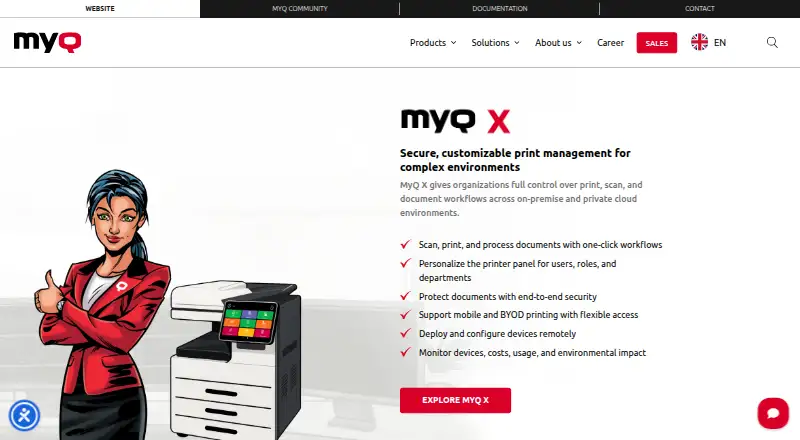
MyQ X is print management software for organizations that run print, scan, and document workflows on-premise or in a private cloud. It brings together remote device deployment and configuration, user workflows, print controls, and accounting. Users can start one-click document workflows at personalized printer panels, while administrators can deploy and configure devices remotely. Printing options include pull, direct, delegated, tandem, rule-based, and fallback printing, with job roaming and personal print queues. The mobile client for iOS and Android supports job management, QR-code login, remote device control, and email printing.
MyQ X connects with services such as Microsoft 365 and Entra ID, Google Workspace, AWS, RightFax, eGoldFax, and Microsoft Universal Print, and it provides a REST API. Cloud storage connections include OneDrive, SharePoint, Amazon S3, Box, Dropbox, and Google Drive. Security controls include encrypted data transfers and print jobs, two-factor authentication, and granular access control. Accounting tools cover quotas, credit, project and cost-centre accounting, payment gateways, and customizable reports. A free plan is available, alongside SMART, ENTERPRISE, and ULTIMATE plans. MyQ is headquartered in Prague and was founded in 1992.
Who it suits
MyQ X suits organizations that need to coordinate printing and scanning across managed device fleets, with choices for on-premise or private cloud deployment. It is also relevant to teams that need mobile printing, identity and cloud storage integrations, print accounting, or controls such as quotas and policy rules.
What it does well
- Supports on-premise and private cloud environments.
- Offers several print methods, job roaming, and personal queues.
- Mobile client includes QR-code login and email printing.
- Connects to cloud storage services including OneDrive and Google Drive.
- Includes quotas, cost-centre accounting, and customizable reports.
- Security options include two-factor authentication and job encryption.
What to know first
- Support requires a valid Software Assurance license.
- Support requires upgrading to the latest available software version.
- The three named plans have no listed prices.
Plans
| Plan | Billed and limits | Price |
|---|---|---|
| ENTERPRISE | SMART features · advanced print management · embedded terminals · integrations · scan and copy workflows · OCR · format conversion | On request |
| SMART | Fleet management · SFP and MFP support · cost monitoring · fleet notifications · flexible printing | On request |
| ULTIMATE | Enterprise features · Scan Review · built for scan-intensive environments | On request |
As myq-solution.com lists them, read 30 Sept 2026. The maker's own page has the final word.
Getting started
- Visit the MyQ X website.
- Choose a platform: Windows, macOS, iOS, Android, Chromebook, web, or REST API.
- Select a plan: SMART, ENTERPRISE, or ULTIMATE.
- Use the MyQ X Desktop Client on Windows or macOS if that fits your deployment.
- For support, maintain a valid Software Assurance license and upgrade to the latest available version.
Verdict
Choose MyQ X if your organization needs print and scan management with deployment options, device controls, and accounting features. A free plan is available, while Software Assurance and current-version requirements shape access to support. The right plan depends on whether you need fleet management, advanced print management, or scan-intensive features.
Questions
Does MyQ X have a free plan?
Yes. MyQ X is freemium and offers a free plan.
Which platforms does MyQ X support?
Supported platforms include Windows, macOS, iOS, Android, Chromebook, web, and REST API. The platform list also includes Android, iOS, extension, API, and self-hosted.
What plans does MyQ X offer?
The named plans are SMART, ENTERPRISE, and ULTIMATE. SMART covers fleet management and cost monitoring; ENTERPRISE includes advanced print management and scan and copy workflows; ULTIMATE includes Enterprise features and Scan Review.
What integrations are available?
Listed integrations include Microsoft 365 and Entra ID, Google Workspace, AWS, RightFax, eGoldFax, Microsoft Universal Print, and REST API. Cloud storage connections include OneDrive, OneDrive Business, SharePoint, Amazon S3, Box, Dropbox, and Google Drive.
What is required to get support?
A valid Software Assurance license is required. MyQ also says the software must be upgraded to the latest available version.
Who makes MyQ X?
MyQ is headquartered in Prague, Czech Republic. The company says its first print management software launched in 2007 and it became an independent entity in 2014.
Facts from MyQ X's own pages
- Cloud storage
- Cloud storage integrations include OneDrive, OneDrive Business, SharePoint, Amazon S3, Box, Dropbox, and Google Drive. · myq-solution.com, 30 Sept 2026
- Compliance and accessibility
- The administrator UI lists GDPR compliance and WCAG 2.1 AA accessibility standards. · myq-solution.com, 30 Sept 2026
- Deployment
- The product page lists Microsoft Azure and Amazon Web Services private cloud support and a MyQ X Desktop Client for Windows and macOS. · myq-solution.com, 30 Sept 2026
- Founded
- 1992 · myq-solution.com, 23 Sept 2026
- Headquarters
- Prague, Czech Republic · myq-solution.com, 23 Sept 2026
- Integrations
- Listed integrations include Microsoft 365 and Entra ID, Google Workspace, AWS, RightFax, eGoldFax, Microsoft Universal Print, and REST API. · myq-solution.com, 30 Sept 2026
- Maker history
- MyQ says its first print management software launched in 2007 and that it became an independent entity in 2014. · myq-solution.com, 30 Sept 2026
- Mobile
- The mobile client supports iOS and Android, job management, QR-code login, remote device control, and email printing. · myq-solution.com, 30 Sept 2026
- Pricing model
- MyQ X licenses are offered as annual or monthly auto-renewing subscriptions or as perpetual licenses for a single payment; the page asks buyers to get a quote for Enterprise and Ultimate. · myq-solution.com, 30 Sept 2026
- Print features
- Print features include pull, direct, delegated, tandem, rule-based, and fallback printing, plus job roaming and personal print queues. · myq-solution.com, 30 Sept 2026
- Product
- MyQ X manages print, scan, and document workflows in on-premise and private cloud environments. · myq-solution.com, 30 Sept 2026
- Reporting and controls
- Accounting features include quotas, credit, project and cost-centre accounting, payment gateways, and customizable reports. · myq-solution.com, 30 Sept 2026
- Security
- Security features include IPPS and HTTPS data transfer, database and end-to-end job encryption, two-factor authentication, and granular access control. · myq-solution.com, 30 Sept 2026
- Support
- Software Assurance provides updates, security patches, access to MyQ expertise, and incident requests; subscriptions include Software Assurance in the license cost. · myq-solution.com, 30 Sept 2026
- Support requirement
- A valid Software Assurance license is required for support, and MyQ says software must be upgraded to the latest available version. · myq-solution.com, 30 Sept 2026
- Workflows
- It supports one-click document workflows, personalized printer panels, and remote device deployment and configuration. · myq-solution.com, 30 Sept 2026
Where MyQ X stands on Freedom251
- Print Management Software#2 of 37