Freedom251 › Animation Software

Pixelorama
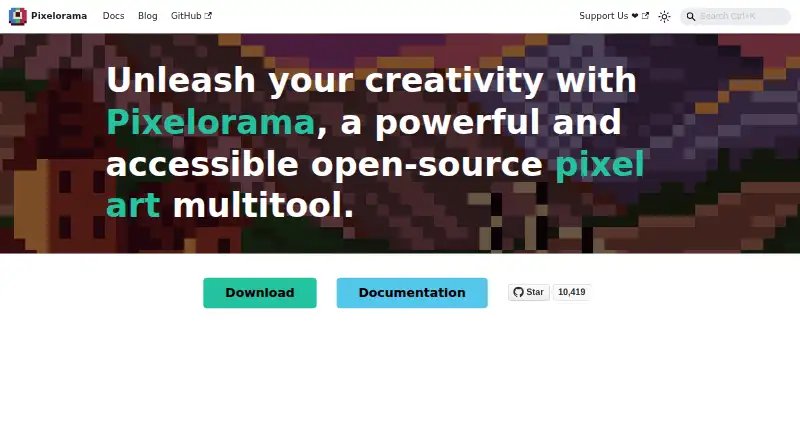
What Pixelorama is
Pixelorama is a free, open-source tool for creating pixel art, animations, game graphics, sketches, and pixelated memes. Drawing features include shading, palettes, indexed color, and tools for rotating and scaling pixel art. Its layers support clipping masks, group blending, non-destructive effects, and 3D layers. Animation tools include frame-by-frame drawing, onion skinning, frame tags, and audio synchronization; projects can be exported as PNG, animated PNG, spritesheets, GIFs, or video. It can import animations from Aseprite, Photoshop, and Krita. Tilemap layers support rectangular, isometric, and hexagonal tiles, and elements can hold custom user data. The desktop command-line interface can automate project exports. Pixelorama is available for Windows, Linux, macOS, and web browsers, with an experimental Android version. Its MIT license permits personal and commercial use, modification, and redistribution. The Android interface is not properly adapted for phones and is mostly intended for tablets. The FAQ says it should run on most devices supporting OpenGL 3.3 or OpenGL ES 3.0.
Who it suits
Pixelorama suits people making pixel art, animated sprites, or tilemaps, including game graphics creators. It is available on desktop and web, while Android use is described as mostly intended for tablets.
What it does well
- Animation tools include onion skinning and audio synchronization.
- Exports include spritesheets, GIFs, and video.
- Tilemaps support rectangular, isometric, and hexagonal tiles.
- MIT license permits commercial use and modification.
- Desktop CLI can automate project exports.
What to know first
- Android version is experimental.
- Android interface is not properly adapted for phones.
- CLI export automation is available on desktop platforms.
Plans
| Plan | Billed and limits | Price |
|---|---|---|
| Free | Paying is optional on itch.io and free builds are available. · Free and open-source software · Windows, Linux, macOS, Android, and web availability | Free |
| Steam | Windows and Linux · Steam Cloud synchronization · Steam Achievements · Automatic updates | On request |
| Free version | $0.00 · Windows · Linux · macOS · Web; Android version is experimental | Free |
| Steam version | Paid; price not stated on the page · Windows · Linux · Steam features include automatic updates and achievements | On request |
As pixelorama.org lists them, read 20 Sept 2026. The maker's own page has the final word.
Pixelorama is a pixel-art editor that brings illustration, animation, and game-asset tools into one workspace. It is a strong fit for artists and game makers who want a capable, openly licensed desktop editor without a software charge. Its main caveat is platform-specific: Android is experimental and best suited to tablets.
Overview
Pixelorama is developed by Orama Interactive and contributors. It supports uses from sketches and animated graphics to game art and pixelated memes, with a range of tools that can serve both individual artwork and asset production.
The MIT license permits personal and commercial use, modification, and redistribution. That makes it a practical choice for commercial projects as well as personal work, without requiring a paid license to use or adapt the software.
Key features
Drawing and color
Drawing and shading tools, palettes, and indexed-color mode cover core pixel-art work. Rotation and scaling algorithms designed for pixel art help preserve crisp pixel edges when changing an image, rather than treating it like an ordinary raster illustration.
Animation
The timeline supports frame-by-frame drawing, onion skinning, and frame tags. Audio synchronization and imports from Aseprite, Photoshop, and Krita make it more useful for ongoing animation projects, while exports to animated PNG, GIF, video, and spritesheets provide several ways to deliver the result.
Layers and tilemaps
Clipping masks, group blending, non-destructive effects, and 3D layers give the layer system more range than a basic stack of image planes. Tilemap layers support rectangular, isometric, and hexagonal layouts, and elements can store custom user data. These tools make Pixelorama relevant to game-asset workflows, not just standalone pixel illustrations.
Automated exports
On desktop, the command-line interface can automate project exports. This is useful for repeatable asset pipelines, though that automation does not extend to the web or Android versions.
Pricing
The Free plan costs nothing, and free builds are available. It includes the free, open-source software, with availability across Windows, Linux, macOS, Android, and web browsers. The separate Free version is also priced at $0 and is described for Windows, Linux, macOS, and web; Android remains experimental.
The Steam version has custom pricing and is for Windows and Linux. Its Steam-specific features include Steam Cloud synchronization, achievements, and automatic updates. Choose it if those Steam features matter; otherwise, the free builds provide a no-cost route to Pixelorama.
Platforms
Pixelorama is available on Windows, Linux, macOS, and web browsers, with an experimental Android version. Because its Android interface is not properly adapted for mobile phones, tablet users are the more suitable audience on that platform. The FAQ says it should run on most devices that support OpenGL 3.3 or OpenGL ES 3.0. Official builds are generated from source using GitHub Actions; unsigned builds may prompt security warnings such as Windows SmartScreen.
Who it's for
Pixelorama suits pixel artists, animators, and game makers who value a broad set of creative tools, export options, and the freedom to use or modify software under an MIT license. Desktop users who need tilemaps or automated exports have particular reason to consider it. Phone users looking for a polished touch-first editor should look elsewhere, as should anyone who needs a paid Steam purchase price before deciding whether to use that version.
Pros and cons
- Pro: The MIT license allows commercial use, modification, and redistribution, so it can fit both personal and commercial projects.
- Pro: Animation imports, multiple output formats, and a desktop CLI cover a wider production path than drawing alone.
- Pro: Tilemap layouts and custom user data support game-oriented work.
- Con: Android is experimental and poorly adapted to phones, limiting its suitability for mobile-first workflows.
- Con: The Steam version's price is custom, so its cost cannot be compared upfront.
- Con: Unsigned builds may trigger security warnings, which can add friction during installation.
Alternatives
Pixelc is another freemium option with a free, open-source plan across Android, Linux, macOS, web, and Windows; Android Premium is a separate purchase.
PixelPen is a free, MIT-licensed pixel-art editor offered as a Godot addon or standalone application, making it worth considering if that format suits your workflow.
LibreSprite is a free, open-source alternative under GNU General Public License Version 2 for Android, Linux, macOS, and Windows.
Pixel Studio is a freemium choice for Android, iOS, macOS, and Windows. Its free plan contains ads and in-app purchases; Google Drive sync, dark theme, and other features require PRO, which costs $12.99, paid once.
PixelWall is another freemium option with a free studio plan.
Pro Motion NG offers a free edition with limited features and a full version for $19 a month.
Pixilart has a free plan and a PRO plan for $4.99 a month, with a 3-day free period before monthly billing begins.
Manabit offers Manabit Pro for $5.99 a month through an auto-renewing PayPal subscription and requires a Manabit license.
Explore more options in Pixel Art Software, Game Animation Software, and Animation Software.
Verdict
Pixelorama is an easy recommendation for desktop pixel artists and game makers who want drawing, animation, and tilemap capabilities in free, MIT-licensed software. Its breadth and commercial-use permission are strong reasons to choose it; the experimental Android experience and custom-priced Steam edition are reasons to look elsewhere if mobile polish or a known purchase price is essential.
Verdict
Pixelorama offers drawing, animation, and tilemap tools in a free, open-source package. Its Android version is experimental and described as better suited to tablets than phones.
Facts from Pixelorama's own pages
- Android limitation
- The Android version is experimental and its interface has not been properly adapted for mobile phones; the page says it is mostly meant for tablets. · pixelorama.org, 30 Sept 2026
- Animation
- Its animation tools include frame-by-frame drawing, onion skinning, frame tags, audio synchronization, and exports to spritesheets, GIFs, and videos. · pixelorama.org, 30 Sept 2026
- Animation imports
- The site says Pixelorama can import animations from Aseprite, Photoshop, and Krita. · pixelorama.org, 30 Sept 2026
- Audience
- The introduction describes uses including pixel art, animations, game graphics, sketches, and pixelated memes. · pixelorama.org, 30 Sept 2026
- CLI exports
- The command-line interface can automate project exports and is available on desktop platforms. · pixelorama.org, 30 Sept 2026
- Drawing tools
- Pixelorama includes drawing and shading tools, palettes, indexed mode, and pixel-art rotation and scaling algorithms. · pixelorama.org, 30 Sept 2026
- Export formats
- PNG,animated PNG,spritesheets,GIF,video · pixelorama.org, 20 Sept 2026
- Free plan
- Yes · pixelorama.org, 20 Sept 2026
- Game development
- Tilemap layers support rectangular, isometric, and hexagonal tiles, and elements can hold custom user data. · pixelorama.org, 30 Sept 2026
- Layer editing
- Its layer system includes clipping masks, group blending, non-destructive effects, and 3D layers. · pixelorama.org, 30 Sept 2026
- License and commercial use
- The FAQ says Pixelorama is free and open source under the MIT license, and permits personal and commercial use, modification, and redistribution. · pixelorama.org, 30 Sept 2026
- Product
- Pixelorama is an open-source pixel-art creation tool developed by Orama Interactive and contributors. · pixelorama.org, 30 Sept 2026
- Security
- The FAQ says official builds are generated from source using GitHub Actions and warns that unsigned builds may trigger security warnings such as Windows SmartScreen. · pixelorama.org, 30 Sept 2026
- Support
- The documentation directs users seeking help to the project's Discord community and GitHub repository. · pixelorama.org, 30 Sept 2026
- System requirement
- The FAQ says Pixelorama should run on most devices that support OpenGL 3.3 or OpenGL ES 3.0. · pixelorama.org, 30 Sept 2026
- Web and desktop
- The installation page lists free versions for Windows, Linux, macOS, and Web browsers. · pixelorama.org, 30 Sept 2026
Where Pixelorama stands on Freedom251
- Animation Software#18 of 106
- Pixel Art Software#14 of 70
- Game Animation Software#9 of 32