Freedom251 › Animation Software

Pro Motion NG
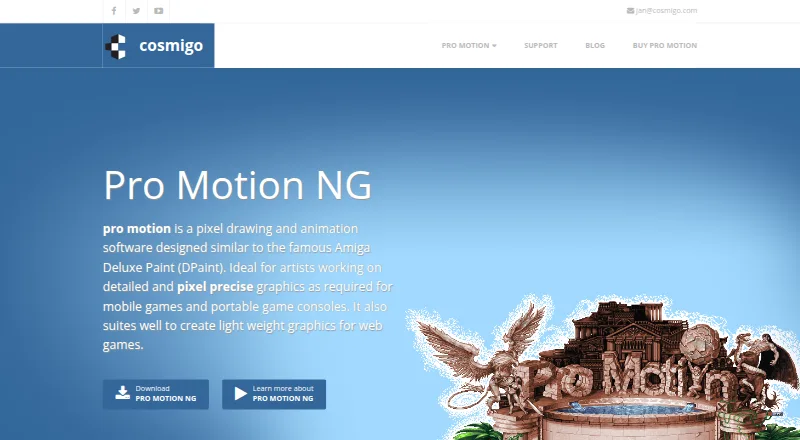
What Pro Motion NG is
Pro Motion NG creates pixel-precise images, animations, sprites, tiles, and game-level maps. Its maker describes it as suited to detailed graphics for mobile systems and handheld game devices, as well as lightweight graphics for web games and applications. Animation tools include key frames, playback modes, and light-table onion skinning. The tile-map editor supports auto optimization, mirroring, flexible export, and in-place tile modification. Pixel-perfect drawing removes smeared pixels in real time, while pen pressure can affect brush size, gradients, and halftones. Supported formats include PNG, BMP, GIF, JPEG, TGA, AVI, and Autodesk Flic. The maker says it can be used with engines or frameworks including Unity, Game Maker, Havok, App Game Kit, Marmalade, and Clickteam Fusion. The free edition permits commercial use but has feature limits, including restrictions on full transformations, pixel-perfect drawing, onion skinning, and graphic layers beyond four. The full version is listed at $19 a month, with free updates. It runs on Windows; macOS and Linux support is via Wine.
Who it suits
It suits artists making pixel graphics, sprites, animations, tiles, and game maps, including graphics for handheld devices or web games. Users on macOS or Linux need Wine support.
What it does well
- Animation includes key frames and onion skinning.
- Tile-map editor supports mirroring and in-place modification.
- Free edition allows commercial use.
- Exports include PNG, BMP, GIF, JPEG, and TGA.
What to know first
- Free edition has feature limits.
- macOS and Linux support is via Wine.
- Full version is listed at $19 a month.
Limits
The free edition omits some full-version features, including full transformation options, pixel-perfect drawing, onion skinning, and more than four graphic layers. The full version is listed at $19 a month; the upgrade from versions before NG is $10 a month.
Plans
| Plan | Billed and limits | Price |
|---|---|---|
| Pro Motion NG Free | Free edition with limited features · commercial use allowed | Free |
| Pro Motion NG – Upgrade | For owners of a previous version · licenses can be upgraded to the latest version | $10, paid once |
| Pro Motion NG | Full version with all features · free updates | $19, paid once |
As cosmigo.com lists them, read 29 Sept 2026. The maker's own page has the final word.
Getting started
- Visit https://www.cosmigo.com/.
- Use Windows, or use Wine on macOS or Linux.
- Start with the Pro Motion NG Free edition, which permits commercial use with limited features.
- Purchase Pro Motion NG for $19 a month to get the full version and free updates.
- After purchase, use the emailed license key to unlock the installed software; processing can take up to one working day.
Overview
Pro Motion NG is a pixel-art editor for creating sprites, animations, tiles and game-level maps. It suits artists building detailed graphics for handheld devices and lightweight art for web games or applications. Its combination of precise drawing and tile-map editing is compelling for 2D game assets, but the free edition restricts several important tools.
Key features
Pixel-perfect drawing removes smeared pixels in real time, helping preserve crisp edges on small sprites. Pen pressure can control brush size, gradients and halftones, and indexed-color tools support a pixel-focused workflow. Sprite-sheet export gives game artists a way to prepare assets for use beyond the editor.
Animation includes key frames, playback modes, a timeline and onion skinning through a light table. These tools keep frame-based work alongside drawing, though onion skinning and other capabilities are reserved for the full edition. The tile-map editor adds auto optimization, mirroring, flexible export and in-place tile modification, making Pro Motion NG useful for more than individual images.
Supported formats include BMP, PNG, JPEG, TGA, GIF, AVI and Autodesk Flic. The maker says it can be used with game engines and frameworks including Unity, Game Maker, Havok, App Game Kit, Marmalade and Clickteam Fusion. That gives it a place in a game-art workflow, but it remains a focused graphics tool rather than a game engine.
Pricing
Pro Motion NG Free costs nothing and allows commercial use, but it has limited features. The comparison reserves full transformation options, pixel-perfect drawing, onion skinning and more than four graphic layers for the full edition. That makes the free plan useful for assessing the workflow, but a poor fit if those tools are central to production.
Pro Motion NG costs $19 a month for all features and free updates. It is the relevant plan for artists who need the complete toolset. Pro Motion NG – Upgrade costs $10 a month for upgrades from versions before NG and unlocks all features with a license key; it is aimed at existing users, not a lower-cost substitute for a new full license.
A purchased license key is emailed and unlocks features in the installed software; processing can take up to one working day. For usage questions, the maker directs users to its forum and documentation, with email for private or unrelated questions.
Platforms
Pro Motion NG supports Windows directly and runs on macOS and Linux via Wine. That requirement makes it less straightforward on those systems than a native application, so users should account for Wine in their setup. The maker also says its computer systems are located in the USA and Germany, and that technical logs are automatically deleted after seven days.
Who it's for
Choose Pro Motion NG if you make pixel-art game assets and want drawing, frame animation and tile-map work in one focused application. It is especially suited to artists making detailed graphics for handheld devices or lightweight art for web games and applications. Look elsewhere if you need a native macOS or Linux application, or if the free edition's feature limits block your workflow.
Pros and cons
- Pro: Pixel-perfect drawing and pen-pressure controls serve detailed pixel work without sacrificing edge clarity.
- Pro: Animation and tile-map tools extend the editor beyond static sprites, including key frames, onion skinning and in-place tile edits in the full edition.
- Pro: Commercial use is allowed on the free plan, and the software supports common image formats plus AVI and Autodesk Flic.
- Con: The free edition excludes pixel-perfect drawing and onion skinning, among other full-version features.
- Con: macOS and Linux users need Wine, adding a compatibility layer to the setup.
- Con: The full version is priced monthly, which may be less appealing to artists seeking a free or open-source tool.
Alternatives
Pixelorama is a free and open-source option for artists who want pixel-art software across Windows, Linux, macOS, Android and the web. LibreSprite is another free, open-source choice, available for Windows, macOS, Linux and Android.
Piskel suits readers who want a free browser-based pixel-art editor; its code is open source. Rive is worth considering for collaborative design, animation and coding in its editor, though its free plan is capped at three collaborative files and one project.
Cascadeur is a different option for animation and rigging, with a free plan limited to non-commercial use and .casc exports. SkelForm is a free, open-source 2D skeletal animator. TexturePacker is an alternative for texture packing, with a free Essential plan restricted to non-commercial use. akeytsu offers a 30-day full-feature trial for non-commercial use.
For broader browsing, see Pixel Art Software, Game Animation Software and Animation Software.
Verdict
Pro Motion NG is a strong fit for pixel artists who need drawing, animation and tile-map tools together, particularly for game assets built from sprites and reusable tiles. Its main trade-offs are the free edition's missing features and the monthly cost of the full version; macOS and Linux users must also be comfortable running it through Wine. Choose it for a concentrated game-art workflow, and look elsewhere if native platform support or an unrestricted free tool matters more.
Verdict
Pro Motion NG combines pixel-art drawing, animation, and tile-map tools, with a free edition and a paid full version. Review the free edition’s limits and the Wine requirement on macOS or Linux before choosing.
Questions
Is Pro Motion NG free?
Yes. The Pro Motion NG Free plan costs nothing and allows commercial use, with limited features.
How much does the full version cost?
Pro Motion NG is listed at $19 a month and includes all features and free updates. The upgrade from versions before NG is listed at $10 a month.
Which operating systems does it support?
It supports Windows, with macOS and Linux support via Wine.
Which formats can it export?
Listed formats include BMP, PNG, JPEG, TGA, GIF, AVI, and Autodesk Flic.
Can I use it with game engines or frameworks?
The maker lists Unity, Game Maker, Havok, App Game Kit, Marmalade, and Clickteam Fusion.
How do I unlock the full version?
A purchased license key is emailed and unlocks all features in the installed software. Processing can take up to one working day.
Facts from Pro Motion NG's own pages
- Animation
- Features include key frames, playback modes, and light table onion skinning. · cosmigo.com, 29 Sept 2026
- Data handling
- The privacy statement says technical logs are automatically deleted after seven days and that Cosmigo computer systems are located in the USA and Germany. · cosmigo.com, 29 Sept 2026
- Export formats
- BMP,PNG,JPEG,TGA,GIF · cosmigo.com, 20 Sept 2026
- File formats
- Supported formats include PNG, BMP, GIF, JPEG, TGA, AVI, and Autodesk Flic. · cosmigo.com, 29 Sept 2026
- Free edition limits
- The comparison lists full transformation options, pixel perfect drawing, onion skinning, and more than four graphic layers among features reserved for the full edition. · cosmigo.com, 29 Sept 2026
- Free plan
- Yes · cosmigo.com, 20 Sept 2026
- Headquarters
- Chemnitz, Germany · cosmigo.com, 28 Sept 2026
- Integrations
- The maker says Pro Motion can be used with game creation engines or frameworks including Unity, Game Maker, Havok, App Game Kit, Marmalade, and Clickteam Fusion. · cosmigo.com, 29 Sept 2026
- Intended users
- The maker describes it as suited to artists creating detailed graphics for mobile systems and handheld game devices, as well as lightweight graphics for web games and applications. · cosmigo.com, 29 Sept 2026
- Licensing
- A purchased license key is emailed and unlocks all features in the installed software; processing can take up to one working day. · cosmigo.com, 29 Sept 2026
- Pixel drawing
- Pixel perfect drawing removes smeared pixels in real time, and the software supports pen pressure for brush size, gradients, and halftones. · cosmigo.com, 29 Sept 2026
- Platforms
- The download page lists Windows 7, 8, 10, and 11, and provides a separate download area for Mac OS and Linux. · cosmigo.com, 29 Sept 2026
- Purpose
- Pro Motion NG creates pixel precise images, animations, sprites, tiles, and game level maps. · cosmigo.com, 29 Sept 2026
- Security and privacy
- Cosmigo says it uses security measures to protect personal information, while noting that internet and email transmission may have security vulnerabilities. · cosmigo.com, 29 Sept 2026
- Support
- For product usage questions, the maker directs users to its community forum and documentation; private or unrelated questions can be sent by email. · cosmigo.com, 29 Sept 2026
- Tile maps
- The tile map editor supports auto optimization, mirroring, flexible export, and in place tile modification. · cosmigo.com, 29 Sept 2026
Where Pro Motion NG stands on Freedom251
- Animation Software#39 of 106
- Game Animation Software#15 of 32
- Pixel Art Software#33 of 70