Freedom251 › 2D Character Animation Software

SkelForm
What SkelForm is
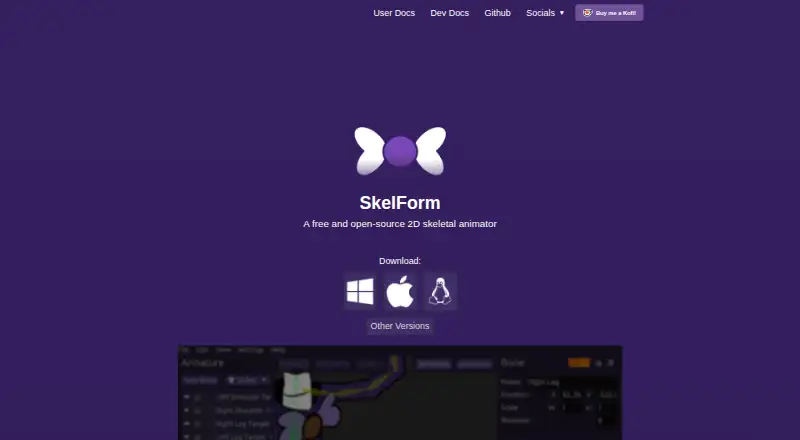
SkelForm is a free 2D skeletal animator designed for game animation. Its web editor can be used without downloading the software, and desktop availability is listed for Linux, macOS and Windows. Animation features include styles, inverse kinematics and mesh deformation. It imports Photoshop Document files to create an armature: PSD groups become bones, and the layers inside each group are merged into a texture. Listed exports include sprite sheets and video. A runtime is needed to use SkelForm animations in games; the site lists generic and engine runtimes, and its user guide includes instructions for pygame. The installation guide describes the downloaded editor as a portable program without an installer, while the v0.8 release notes dedicated Windows and Mac installers. SkelForm and its documentation are works in progress. The public repository identifies the license as GPL-3.0. Mobile development is inactive, with no direct mobile build process; the described route is to use the web version in a WebView wrapper. Questions, suggestions and bug reports can be posted in its Discord server or forums without an account.
Who it suits
It suits game creators seeking a free skeletal animation tool with web editing, PSD import and sprite-sheet or video export. Using its animations in games requires a runtime.
What it does well
- Web editor works without downloading SkelForm.
- PSD groups can form armature bones.
- Exports include sprite sheets and video.
- License is listed as GPL-3.0.
What to know first
- A runtime is needed to use animations in games.
- Mobile development is inactive with no direct build process.
- Software and documentation are works in progress.
Limits
The free plan is listed as free. Using animations in games requires a runtime; mobile development has no direct build process.
Plans
| Plan | Billed and limits | Price |
|---|---|---|
| Free and open-source | Free and open-source 2D skeletal animator | Free |
As skelform.org lists them, read 3 Oct 2026. The maker's own page has the final word.
Getting started
- Open the SkelForm website and use its web editor, or choose a desktop option.
- For desktop use, download the editor; the guide describes it as portable, and v0.8 lists Windows and Mac installers.
- Import a PSD file to create an armature, or begin with another animation workflow.
- Create an animation using the listed skeletal animation features.
- Export a sprite sheet or video, or use a listed runtime to run the animation in a game.
SkelForm is a 2D skeletal animator for game projects. It is best suited to makers who want a free, open-source rigging tool and already work with layered PSD art. Its strongest draw is the combination of browser editing and game-focused animation; the need for a separate runtime and the project’s work-in-progress status are important trade-offs.
Overview
SkelForm focuses on skeletal animation, with a web editor that works without downloading the application. Desktop users also have Windows and Mac installers; the installation guide describes the downloaded editor as a portable program distributed without an installer. Linux is among the supported platforms.
The PSD workflow turns groups into bones and merges the layers within each group into a texture. This gives Photoshop users a route from layered art to an armature, but the PSD’s group structure shapes how that rig is built. The project is GPL-3.0 licensed, which will matter to users choosing open-source software. SkelForm and its documentation are works in progress, a caveat for teams that need settled guidance for production.
Key features
- Skeletal animation and rig controls: The feature set includes skeletal animation, inverse kinematics, styles, and mesh deformation. These tools suit character motion built around a rig, including deformation beyond simply moving rigid parts.
- PSD import: Group-to-bone and layer-to-texture conversion makes layered Photoshop artwork a useful starting point. Artists whose files are organized differently may need to account for that structure when preparing a rig.
- Exports and runtime: SkelForm lists sprite sheet and video exports, and runtime export is supported. To play SkelForm animations in a game, a runtime is needed; the site lists generic and engine runtimes, and the user guide includes instructions for pygame. That extra integration step makes it less self-contained than a tool whose animations can be used directly by a game without a runtime.
- Community support: Users can ask questions, suggest improvements, or report bugs in the Discord server or forums without an account. That offers a way to seek help, though the project’s work-in-progress documentation remains relevant for users who prefer established guidance.
Pricing
SkelForm is free and open-source: the Free and open-source plan costs nothing. There is no free trial because the software has a free plan. There are no paid tiers or seat and quota limits described in the plan, making it a straightforward fit for individuals and teams looking to avoid a software fee. The cost saving does not remove the runtime requirement for game use.
Platforms
SkelForm supports Linux, macOS, web, and Windows. The v0.8 release describes dedicated Windows and Mac installers, while the installation guide calls the downloaded editor portable and installer-free. Mobile development is inactive, with no direct mobile build process; the repository describes using the web version in a WebView wrapper instead.
Who it's for
SkelForm is a sensible fit for game makers who want rig-based 2D animation, especially those starting from grouped PSD artwork or working in pygame. The browser editor is useful for avoiding a download, and the open-source license suits users who prioritize software they can inspect and use under GPL-3.0. Teams that require mature documentation, a direct mobile build, or a game workflow without a separate runtime should look elsewhere.
Pros and cons
- Pros: Free and GPL-3.0 licensed, so there is no software price and the project is open source.
- Pros: PSD groups become bones and their layers form textures, connecting layered Photoshop art to rigging.
- Pros: A web editor works without a download, alongside Linux, macOS, and Windows support.
- Cons: Games need a runtime to run SkelForm animations, adding an integration dependency.
- Cons: The software and documentation are works in progress, which may not suit production teams seeking established guidance.
- Cons: Mobile development is inactive and there is no direct mobile build process.
Alternatives
Choose Effekseer if you want a free, open-source tool with Android and iOS support alongside desktop and web platforms. Rive may suit readers seeking a collaborative editor workflow: its free plan includes 3 collaborative files and 1 project, with Android and iOS support. LibreSprite is another free, open-source option, with Android support as well as Linux, macOS, and Windows.
Pixelpart is an alternative with a free Demo plan. SpineBones offers a free plan with a 300-frame timeline, playback up to 120 FPS, and WebM, PNG sequence, and sprite sheet exports, for macOS and Windows. Spriter has a free version with PNG and spritesheet animation and basic animation features, plus paid options. Keyframe.it offers four browser tools without an account or ads. Phluxel may fit Windows users seeking a free option for personal, non-commercial work, with limits including a watermark and 128×128 output.
Browse more options in 2D Game Animation Software, Game Animation Software, and 2D Character Animation Software.
Verdict
Choose SkelForm if you want a free, open-source 2D skeletal animator, particularly for turning grouped PSD art into game character rigs. Its browser editor and rigging features are compelling for that focused workflow. Look elsewhere if your project cannot accommodate a separate runtime, needs direct mobile builds, or depends on mature documentation.
Verdict
SkelForm combines skeletal animation tools with PSD import and web editing. Account for the required game runtime and the project’s stated work-in-progress status.
Questions
Is SkelForm free?
Yes. Its plan is listed as free, and the pricing model is free.
Can I use SkelForm without installing it?
Yes. The site offers a web editor that can be used without downloading SkelForm.
Which platforms does it support?
The listed platforms are Linux, macOS, web, and Windows.
What does it export?
The site lists sprite sheet and video exports. A runtime is needed to run SkelForm animations in games.
Is SkelForm open source?
The public GitHub repository identifies its license as GPL-3.0.
Who makes SkelForm?
The site credits Retropaint as the maker.
Facts from SkelForm's own pages
- Animation features
- The site lists skeletal animations, styles, inverse kinematics, and mesh deformation as features. · skelform.org, 3 Oct 2026
- Desktop availability
- The v0.8 release says SkelForm has dedicated installers for Windows and Mac. · github.com, 3 Oct 2026
- Documentation status
- The user documentation says SkelForm and its documentation are works in progress. · skelform.org, 3 Oct 2026
- Exports
- The site lists sprite sheet and video exports. · skelform.org, 3 Oct 2026
- Game runtimes
- The site says a runtime is needed to run SkelForm animations in games and lists generic and engine runtimes. · skelform.org, 3 Oct 2026
- Integrations
- The user guide includes instructions for using SkelForm animations in pygame. · skelform.org, 3 Oct 2026
- License
- The public GitHub repository identifies its license as GPL-3.0. · github.com, 3 Oct 2026
- Maker
- The site credits Retropaint as the maker. · skelform.org, 3 Oct 2026
- Mobile limitation
- The repository says mobile development is inactive and there is no direct mobile build process; it describes using the web version in a WebView wrapper. · github.com, 3 Oct 2026
- Portable download
- The installation guide describes the downloaded editor as a portable program distributed without an installer. · skelform.org, 3 Oct 2026
- PSD import
- SkelForm supports importing Photoshop Document (PSD) files to create an armature. · skelform.org, 3 Oct 2026
- PSD structure
- PSD groups become bones, and the layers within each group are merged to form its texture. · skelform.org, 3 Oct 2026
- Purpose
- SkelForm is a 2D skeletal animator designed for games. · skelform.org, 3 Oct 2026
- Support
- The site invites users to ask questions, suggest improvements, or report bugs in its Discord server or forums without an account. · skelform.org, 3 Oct 2026
- Web editor
- The site offers an editor that can be used without downloading SkelForm. · skelform.org, 3 Oct 2026
Where SkelForm stands on Freedom251
- 2D Character Animation Software#12 of 48
- 2D Game Animation Software#7 of 25
- Game Animation Software#12 of 32