Freedom251 › 2D Game Animation Software
Pixelpart
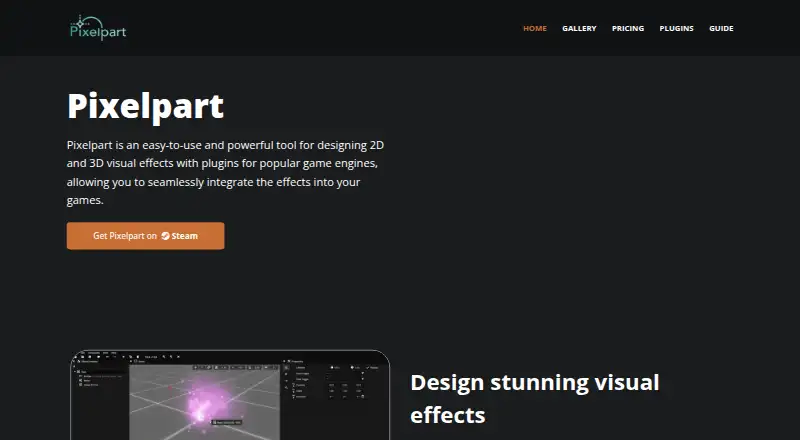
What Pixelpart is
Pixelpart is an application for creating 2D and 3D visual effects for games. Its particle-based workflow includes emitters, force fields, colliders, light sources, group nodes, keyframe animations, and motion paths. Inputs and triggers let its game-engine plugins respond to changes in game state. Effects can be exported as videos, sprite sheets, image sequences, and animated images, or used at runtime through plugins for Unity, Godot, and GameMaker. The maker lists those plugins as free and open-source. They work with effects made in Pixelpart version 1.9.x; listed engine requirements are Unity 2021.3 or later, Godot 4.3 or later, and GameMaker 2024 or later. The application is listed for Windows and Linux, with requirements specifying Windows 10 x64 or Ubuntu 20.04 x64; Linux use needs X11. Plugin documentation lists runtime targets including Windows, Linux, macOS, iOS, Android, and Web/HTML5. A free Demo is available for simple effects. Professional costs $24.99 as a one-time purchase and includes all features, unlimited nodes and particle types, unlimited inputs and triggers, and unrestricted video and sprite export.
Who it suits
Pixelpart suits game developers creating 2D or 3D effects for projects using Unity, Godot, or GameMaker. It may also fit creators who want video, sprite-sheet, image-sequence, or animated-image exports.
What it does well
- Creates 2D and 3D game visual effects.
- Includes emitters, force fields, colliders, and motion paths.
- Exports videos, sprite sheets, image sequences, and animated images.
- Free, open-source plugins are listed for three engines.
What to know first
- Linux use requires X11.
- Plugins work with effect files from version 1.9.x.
- Professional costs $24.99 as a one-time purchase.
Limits
The free Demo is for simple effects. Professional costs $24.99, paid once and adds all features, unlimited nodes and particle types, unlimited effect inputs and triggers, and unrestricted video and sprite export.
Plans
| Plan | Billed and limits | Price |
|---|---|---|
| Demo | Free download · Simple effects · future updates and bug fixes · game engine integration | Free |
| Professional | One-time purchase · All features · unlimited nodes and particle types · unlimited effect inputs and triggers · unrestricted video and sprite export | $24.99, paid once |
As pixelpart.net lists them, read 7 Oct 2026. The maker's own page has the final word.
Getting started
- Open https://pixelpart.net/ and choose the free Demo or Professional plan.
- Install the application on Windows or Linux, meeting the listed operating-system requirements.
- Create effects using particle emitters, force fields, colliders, and the other available controls.
- Export effects as videos, sprite sheets, image sequences, or animated images, or use a game-engine plugin.
- For runtime use, match the plugin to Unity 2021.3 or later, Godot 4.3 or later, or GameMaker 2024 or later.
Pixelpart is a particle-based editor for building 2D and 3D visual effects for games. It is best suited to developers and effects artists working with Unity, Godot or GameMaker who want effects that can respond to game state. Its free Demo is a useful starting point, but the Professional license is needed for unrestricted exports and advanced authoring.
Overview
Pixelpart combines particle authoring with keyframe animation and motion paths. Emitters, force fields, colliders, light sources and group nodes give effects several ways to shape movement and interaction, making the tool more suited to layered, changing effects than to frame-by-frame sprite animation. Hybrid animation and runtime export support both authored motion and effects used inside a game.
Effect inputs and triggers let the Unity, Godot and GameMaker plugins react to game state. That makes Pixelpart a stronger fit for interactive effects than a workflow limited to exporting a finished clip. The trade-off is engine dependence: its runtime advantages matter most when a project uses one of those three integrations.
For work outside an engine, effects can be exported as videos, sprite sheets, image sequences and animated images. The maker, Sören Möllers, publishes the plugins as free and open-source software. They are compatible with effect files generated in Pixelpart 1.9.x, so compatibility should be checked before building a pipeline around existing files.
Key features
- Particle controls: Emitters, force fields, colliders, light sources and group nodes provide the core pieces for assembling effects.
- Animation tools: Keyframes and motion paths complement the particle workflow, allowing both directed movement and particle-based behavior.
- Interactive inputs: Inputs and triggers allow compatible engine plugins to respond dynamically to game state.
- Multiple outputs: Video, sprite sheet, image sequence and animated image exports suit projects that need rendered assets rather than runtime effects.
- Engine plugins: Free, open-source integrations cover Unity, Godot and GameMaker, with documented targets including Windows, Linux, macOS, iOS, Android and Web/HTML5.
Pricing
The free Demo costs free and includes simple effects, future updates and bug fixes, and game engine integration. It gives prospective users a no-cost way to work with the basic workflow, but simple effects are a meaningful ceiling for production needs.
Professional costs $24.99, paid once as a one-time purchase. It adds all features, unlimited nodes and particle types, unlimited effect inputs and triggers, and unrestricted video and sprite export. This is the relevant plan for users who need complex authoring or broad export capacity; the Demo is the better fit for simpler experiments. The plans do not state a seat allowance.
Platforms
The editor is listed for Linux and Windows. Steam gives minimum requirements of Windows 10 x64 or Ubuntu 20.04 x64; Linux requires X11. Plugin targets extend to macOS, iOS, Android and Web/HTML5, but those targets do not change the editor's stated desktop operating systems.
Engine requirements are Unity 2021.3 or later, Godot 4.3 or later, and GameMaker 2024 or later. Projects on older engine versions should not assume the plugins will fit their setup.
Who it's for
Pixelpart is a practical match for game developers and effects artists who need reusable particle effects, runtime controls and a path to rendered exports. It is less compelling for someone seeking a general-purpose 2D animation editor or an integration for an engine outside Unity, Godot and GameMaker.
Pros and cons
- Pro: Runtime inputs and triggers connect effects to game state, which supports interactive rather than fixed effects.
- Pro: The free, open-source engine plugins and multiple export formats support both in-game use and rendered assets.
- Pro: Professional is a one-time purchase and removes node, particle-type, input, trigger and video/sprite export limits.
- Con: The Demo is restricted to simple effects, so it is not a substitute for the full authoring feature set.
- Con: Plugin compatibility is tied to Pixelpart 1.9.x effect files and specified minimum engine versions, which can constrain existing projects.
- Con: The editor's listed operating systems are Linux and Windows, despite plugins documenting additional runtime targets.
Alternatives
For a broader set of options, browse 2D Game Animation Software.
- Effekseer is the stronger fit for users prioritizing a free, open-source effects program across its listed desktop, mobile and web platforms.
- Rive suits collaborative editor work: its free plan includes three collaborative files and one project, with apps listed across desktop, mobile and web.
- LibreSprite is a free, open-source alternative for users who want a sprite-oriented tool across its listed platforms.
- SkelForm is a free and open-source 2D skeletal animator for users whose priority is skeletal animation rather than particle effects.
- SpineBones fits users looking for a free animation workflow with a 300-frame timeline, playback up to 120 FPS, and WebM, PNG sequence and sprite sheet exports.
- Spriter offers a free version with basic PNG and spritesheet animation; its Pro plan is listed at $59.99 a month for one user license.
- Keyframe.it is a free browser-based choice with four tools, no account and no ads.
- Phluxel is a Windows option with a forever-free, no-account tier limited to watermarked 128×128 output, 1024px / 300 frames and personal, non-commercial use.
Verdict
Choose Pixelpart if you need particle-based game effects that can respond to runtime state in Unity, Godot or GameMaker, with a one-time Professional purchase for unrestricted authoring and exports. Look elsewhere if your priority is a broad animation editor, a different engine integration, or an editor platform beyond Linux and Windows.
Verdict
Pixelpart combines particle-based effect design with exports and runtime plugins for three named game engines. Check the operating-system requirements and plugin compatibility before choosing a plan.
Questions
Is Pixelpart free?
A free Demo is available for simple effects. Professional costs $24.99, paid once.
Which operating systems support the application?
The application is listed for Windows and Linux. Minimum requirements specify Windows 10 x64 or Ubuntu 20.04 x64, with X11 needed on Linux.
Which game engines have plugins?
The maker lists plugins for Unity, Godot, and GameMaker, and says they are free and open-source.
Which engine versions are specified for the plugins?
The listed versions are Unity 2021.3 or later, Godot 4.3 or later, and GameMaker 2024 or later.
What can Pixelpart export?
Effects can be exported as videos, sprite sheets, image sequences, and animated images.
Who is the maker?
The Steam store listing names Sören Möllers as both developer and publisher.
Facts from Pixelpart's own pages
- Dynamic effects
- Effect inputs and triggers let game engine plugins respond dynamically to game state. · pixelpart.net, 7 Oct 2026
- Effect controls
- The application includes particle emitters, force fields, colliders, light sources, and group nodes. · pixelpart.net, 7 Oct 2026
- Engine versions
- The Steam listing specifies Unity 2021.3 or later, Godot 4.3 or later, and GameMaker 2024 or later for its plugins. · store.steampowered.com, 7 Oct 2026
- Export formats
- Effects can be exported as videos, sprite sheets, image sequences, and animated images. · pixelpart.net, 7 Oct 2026
- Game engine plugins
- The maker lists plugins for Unity, Godot, and GameMaker, and says the plugins are free and open-source. · pixelpart.net, 7 Oct 2026
- Maker
- The Steam store listing names Sören Möllers as both developer and publisher. · store.steampowered.com, 7 Oct 2026
- Plugin compatibility
- The listed plugins are compatible with effect files generated in Pixelpart version 1.9.x. · pixelpart.net, 7 Oct 2026
- Privacy and security
- The privacy policy says website information may be collected for abuse detection and usage statistics, and describes administrative, technical, and physical safeguards while stating that transmission security cannot be guaranteed. · pixelpart.net, 7 Oct 2026
- Purpose
- Pixelpart is an application for designing 2D and 3D visual effects for games. · pixelpart.net, 7 Oct 2026
- Support
- The privacy policy lists [email protected] for questions, concerns, complaints, and rights requests. · pixelpart.net, 7 Oct 2026
- Supported operating systems
- The Steam listing gives minimum system requirements for Windows 10 x64 and Ubuntu 20.04 x64, with X11 needed on Linux. · store.steampowered.com, 7 Oct 2026
- Workflow
- It uses a particle-based workflow and includes force fields, colliders, keyframe animations, and motion paths. · pixelpart.net, 7 Oct 2026
Where Pixelpart stands on Freedom251
- 2D Game Animation Software#10 of 25