Freedom251 › Motion Graphics Template Libraries

Jitter
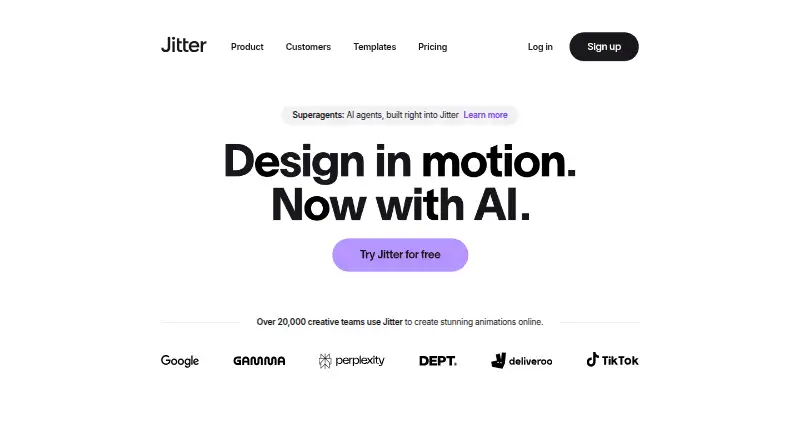
What Jitter is
Jitter is a web-based motion design tool for creating and shipping animations, with cloud collaboration for teams. Its design workspace includes an infinite canvas, vector and alpha masks, gradients, blur, SVG support, and imported images, GIFs, video, and audio. Animation tools include a timeline, text and easing presets, reusable animations, and curved paths. Users can create editable animations, effects, and variations from a description with Jitter AI. A Figma plugin imports designs, allows layer editing in Jitter, and can sync later Figma changes while preserving animations. Teams can work together in a shared workspace, share files by link, and leave in-context comments. Exports include MP4, MOV, WebM, GIF, Lottie, and ProRes 4444. The free plan is listed as free and can be used indefinitely, with three workspace files, 720p at 30fps export, and limited AI credits. Higher plans list greater export capabilities, while Ultra adds AI output and Enterprise includes organizational security and support features. No prices are listed for those plans.
Who it suits
Jitter suits designers and teams creating motion graphics in a browser, especially those who want shared editing or a Figma workflow. Its free tier may fit smaller projects that can work within three workspace files and 720p, 30fps exports.
What it does well
- Works in a browser without download or installation.
- Exports MP4, MOV, WebM, GIF, Lottie, and ProRes 4444.
- Teams can collaborate in real time.
- Figma plugin preserves animations when syncing changes.
What to know first
- Free plan is limited to three workspace files.
- Free exports are limited to 720p at 30fps.
- Free plan includes limited AI credits.
Limits
The Free plan allows three workspace files, exports at up to 720p and 30fps, and includes limited AI credits. Pro raises the export ceiling to 1080p and 60fps, while Max supports 4K and 120fps.
Plans
| Plan | Billed and limits | Price |
|---|---|---|
| Pro (monthly) | 1080p export · 60fps export | On request |
| Max (monthly) | 4K export · 120fps export | On request |
| Ultra (monthly) | Increased AI output · 3x Max AI credits · Everything in Max | On request |
| Free | Unlimited drafts · 3 workspace files · Video/GIF/Lottie export · 720p 30fps · Limited AI credits | Free |
| Enterprise | Advanced security · Custom SSO and SCIM · Dedicated account manager · Pre-release features · Custom integrations and workflow support | On request |
| Ultra | billed annually · Everything in Max · Increased AI output · 3x Max AI credits | On request |
| Max | billed annually · Brand Kits · Transparent export · Frame-by-frame export · 4K 120fps · 2x Pro AI credits | On request |
| Pro | billed annually · Unlimited files and folders · 1080p 60fps · ProRes/WebM · Image to Video · Standard AI credits | On request |
As jitter.video lists them, read 24 Sept 2026. The maker's own page has the final word.
Getting started
- Open https://jitter.video/ in a web browser.
- Start creating without downloading or installing software.
- Use the Free plan, which can be used indefinitely, or review the listed plan options.
- Import a design with the Figma plugin if needed.
- Create animations and export in a supported format.
Jitter is a web-based workspace for making and shipping motion graphics. It is best suited to designers and teams that want to create, animate, and review work in one place. The main trade-off is that free exports stop at 720p and 30fps, while prices for the higher export tiers are custom pricing.
Overview
Jitter combines design tools, animation controls, and collaboration in a browser, with no download or installation required to start. That makes it a practical fit for people who need to move from visual assets to animation and feedback in one workflow. It is less compelling for anyone whose main need is downloading finished templates or stock assets rather than building animations.
Key features
Design and animation
The infinite canvas supports vectors, alpha masks, gradients, blur, SVGs, and imported images, GIFs, video, and audio. A timeline, text and easing presets, reusable animations, and curved paths give designers control over how elements move. More than 400 free templates offer a head start, though they do not replace tailoring an animation to a project.
AI and production at scale
Jitter AI generates editable animations, effects, and variations from a description. Magic Import, auto-resize and auto-translate, animated components, and batch export are aimed at teams producing multiple variations. These tools could reduce repetitive production work; Ultra is the clearest tier for users who need more AI output, with three times Max AI credits.
Figma and collaboration
The Figma plugin imports designs and layers into Jitter, then lets users swap in synced Figma changes while preserving animations. Real-time shared workspaces, link-based file sharing, and in-context comments bring review into the same workflow. This is a meaningful advantage for teams building on Figma files, while solo users may get less benefit from the collaboration features.
Export
Jitter supports MP4, MOV, WebM, GIF, Lottie, and ProRes 4444. The range covers several common animation delivery formats, but resolution and frame-rate needs determine which plan is viable: Free is capped at 720p and 30fps, Pro raises that to 1080p and 60fps, and Max reaches 4K and 120fps.
Pricing
Jitter uses a freemium model. Free costs nothing, can be used indefinitely, and includes three workspace files, 720p export at 30fps, and limited AI credits. It is a useful no-cost way to explore the workflow, but the small file allowance and lower export ceiling make it restrictive for ongoing or higher-quality delivery.
Pro and Pro (monthly) have custom pricing and include 1080p export at 60fps. They suit users who need a step up from Free without the 4K and 120fps ceiling of Max. Max and Max (monthly) also have custom pricing and add 4K export at 120fps, a better match for work with demanding output requirements.
Ultra and Ultra (monthly) have custom pricing and include everything in Max, increased AI output, and three times Max AI credits. Enterprise has custom pricing and adds advanced security, custom SSO and SCIM, a dedicated account manager, and custom integrations and workflow support. It is aimed at organizations with security and workflow requirements beyond an individual or small team. Chat support is listed for plans; priority support is listed for Max, Ultra, and Enterprise. Stripe processes payments, and Jitter says it does not handle customers’ credit card information directly.
Platforms
Jitter runs on the web, so users can start without installing software. Its browser-based access is convenient across locations, but it also means the product is centered on a web workspace rather than a native desktop app.
Who it's for
Jitter is a strong fit for designers and teams creating motion graphics who value Figma handoff, shared review, and multiple export formats. It is also worth considering for workflows that produce many localized or resized variations. It is a weaker choice for users who only need a library of ready-made assets, or for production that depends on 4K or 120fps output but cannot justify a higher-tier plan.
Pros and cons
- Pros: Design and animation tools share one workspace, reducing handoffs between creating visuals and animating them.
- Pros: Figma sync can preserve animations when designs change, which helps teams iterate without rebuilding motion work.
- Pros: MP4, MOV, WebM, GIF, Lottie, and ProRes 4444 exports provide several delivery options.
- Cons: Free allows only three workspace files and caps output at 720p and 30fps, limiting ongoing production.
- Cons: Pro, Max, Ultra, and Enterprise have custom pricing, making cost comparisons harder before choosing a tier.
- Cons: AI credits are limited on Free, so users relying on generated variations may need a higher tier.
Alternatives
For a ready-made asset library rather than an animation workspace, ProductionCrate offers a free plan with five downloads per day and basic libraries, while PRO costs $49 a month, billed per month, for full library access and up to 50 downloads. Allavio is another option for free sample titles and selected templates, with listed items requiring DaVinci Resolve 19 and above.
Pixel Film Studios offers a free Starter plan with unlimited downloads, free asset updates, free assets, and live chat support; its Monthly plan costs $39.99 a month, billed monthly. Animdock is a free web option with no subscription fees or registration required and WebM and PNG exports. Mixkit is a free web library with unlimited downloads and no attribution or sign-up requirement.
Motion Master Templates offers free-to-download Final Cut Pro templates with optional donations. Motion Array provides selected free video templates, songs, sound effects, and graphics through a free account. Artlist Templates is a paid alternative with a Footage and Templates plan at $31.99 a year, billed 31.99 / month (billed annually), including footage up to 8K, video templates, LUTs, and three channels on each social platform. For broader browsing, see Motion Graphics Template Libraries or Animation Software.
Verdict
Choose Jitter if you want to create and animate designs in a web workspace, especially when Figma syncing and collaborative review matter. Its free plan is a sensible starting point, but the three-file limit and 720p, 30fps cap are real constraints; look elsewhere if ready-made assets are enough, or compare higher tiers carefully if your work requires high-resolution exports.
Verdict
Jitter brings design, animation, collaboration, and export tools into a web workspace. Compare the free plan's file and export limits with the higher tiers before committing.
Questions
Is Jitter free?
Yes. The Free plan costs nothing and can be used indefinitely.
What are the Free plan limits?
It includes three workspace files, exports up to 720p at 30fps, and limited AI credits.
Which platforms does Jitter support?
Jitter is available on the web, and users can start without a download or installation.
What formats can Jitter export?
It lists MP4, MOV, WebM, GIF, Lottie, and ProRes 4444.
Does Jitter integrate with Figma?
Yes. Its Figma plugin imports designs, lets users edit layers in Jitter, and can swap synced Figma changes while preserving animations.
What do the paid plans include?
Pro lists 1080p and 60fps exports; Max lists 4K and 120fps. Ultra adds increased AI output and three times Max AI credits, while Enterprise lists advanced security, custom SSO and SCIM, a dedicated account manager, and custom integrations and workflow support. Prices are not provided here.
Facts from Jitter's own pages
- AI animation
- Jitter AI can generate editable animations, effects and variations from natural-language prompts. · jitter.video, 15 Oct 2026
- AI image to video
- The Image to Video feature turns still images into animated video scenes. · jitter.video, 15 Oct 2026
- Animation controls
- The editor provides pen and morph tools, gradients, blur, blend modes, audio/video layers and animated text. · jitter.video, 15 Oct 2026
- Animation features
- Animation features include a timeline, text animation presets, easing presets, reusable animations, and curved paths. · jitter.video, 5 Oct 2026
- Batch production
- Magic Import, auto-resize, auto-translate, animated components and batch export support large-scale content production. · jitter.video, 15 Oct 2026
- Browser-based access
- Jitter says users can start creating without a download or installation. · jitter.video, 5 Oct 2026
- Browser requirement
- Jitter recommends the latest desktop Google Chrome, especially for exporting. · help.jitter.video, 15 Oct 2026
- Changelog news
- On October 14, 2026 Jitter added Balanced and Smart AI chat modes powered by Claude Sonnet 5.5 and Claude Opus 5.5. · jitter.video, 15 Oct 2026
- Cloud collaboration
- Yes · jitter.video, 24 Sept 2026
- Collaboration
- Shared workspaces, real-time collaboration, link sharing and in-context comments are available. · jitter.video, 15 Oct 2026
- Company profile
- LinkedIn lists Jitter as a privately held design-services company with 11–50 employees, headquartered in Paris, and founded in 2022. · uk.linkedin.com, 15 Oct 2026
- Design features
- The design tool includes an infinite canvas, vector and alpha masks, gradients, blur, SVG support, and imported images, GIFs, video, and audio. · jitter.video, 5 Oct 2026
- Developer extensibility
- The public developer-facing integration documented for Jitter is its Figma Community plugin; no official public REST API or SDK documentation is presented on the product or help pages. · figma.pluginsage.com, 15 Oct 2026
- Documentation
- The help center has collections for getting started, using Jitter, billing, workspaces, troubleshooting and FAQs, totaling 101 listed articles. · help.jitter.video, 15 Oct 2026
- Enterprise security
- The Enterprise plan lists advanced security, custom SSO and SCIM, and a dedicated account manager. · jitter.video, 5 Oct 2026
- Export formats
- Jitter supports MP4, MOV, WebM, GIF, and Lottie exports, with up to 4K and 120fps listed on its product page. · jitter.video, 5 Oct 2026
- Exports
- Export formats include video, GIF and Lottie on Free, with ProRes and WebM on paid plans. · jitter.video, 15 Oct 2026
- Figma integration
- Jitter provides a Figma plugin that copies selected Figma layers or frames into Jitter for animation. · jitter.video, 15 Oct 2026
- Figma plugin update
- The February 2025 plugin update added Figma Slides import, multiselect and full-file import. · edge.jitter.video, 15 Oct 2026
- Fonts
- Jitter offers more than 1,500 free fonts and supports importing custom fonts. · jitter.video, 15 Oct 2026
- Free plan
- Yes · jitter.video, 24 Sept 2026
- Free plan limits
- The Free plan includes three workspace files, 720p at 30fps export, and limited AI credits; the pricing page says it can be used indefinitely. · jitter.video, 5 Oct 2026
- Funding
- CB Insights lists Jitter as founded in 2020 in Paris with $500,000 total funding and Y Combinator among its investors. · cbinsights.com, 15 Oct 2026
- GetApp integration rating
- Figma received a 5.0 integration rating from 2 user reviews on GetApp. · getapp.com, 15 Oct 2026
Where Jitter stands on Freedom251
- Motion Graphics Template Libraries#6 of 21
- Animation Software#36 of 106