Freedom251 › Motion Graphics Template Libraries
Motion Master Templates
What Motion Master Templates is
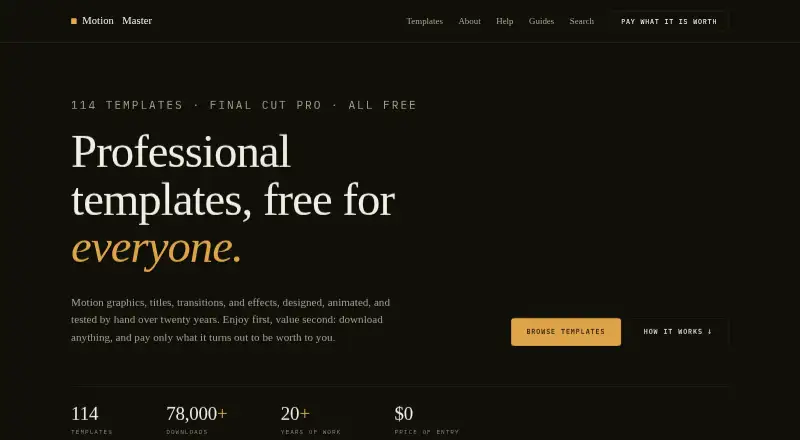
Motion Master Templates offers motion graphics, titles, transitions, and effects templates for Final Cut Pro on macOS. Its library lists 114 templates, each free to download with a tutorial video. Categories include 3D, backgrounds, lower thirds, masks, photo and video, text, transitions, and logo reveals. Templates can be opened and edited in Apple Motion to adjust additional parameters and customization options. They download as DMG files and are installed in the appropriate Final Cut Pro template location. A template made for a newer Final Cut Pro version may show a missing-generator warning in an older one. The templates are permitted in personal and commercial video projects, client work, and published content, but users may not redistribute or resell the files, claim them as their own, or offer them elsewhere for download. The site says it has no ads, tracking, or accounts. Donations are optional and non-refundable; the maker says they support maintenance of the template library and website.
Who it suits
This library suits Final Cut Pro editors on macOS looking for downloadable templates they can customize in Final Cut Pro or Apple Motion. Its stated license permits use in personal and commercial projects, including client work.
What it does well
- Lists 114 free templates with tutorial videos
- Includes categories from 3D to logo reveals
- Templates can be edited in Apple Motion
- Allows personal and commercial project use
What to know first
- Templates are for Final Cut Pro on macOS
- Newer templates may warn in older Final Cut Pro versions
- Template files cannot be redistributed or resold
Plans
| Plan | Billed and limits | Price |
|---|---|---|
| Free / pay what it is worth | Free to download; optional voluntary donations · 114 Final Cut Pro templates · personal and commercial use · may not redistribute or resell template files | Free |
As motionmastertemplates.com lists them, read 8 Oct 2026. The maker's own page has the final word.
Getting started
- Visit the Motion Master Templates website.
- Choose a template from the library and download its DMG file.
- Install it in the appropriate Final Cut Pro template location.
- Open the template in Final Cut Pro, or use Apple Motion for additional customization.
- Use the Help Center for installation instructions or troubleshooting.
Verdict
Motion Master Templates offers a free library across multiple Final Cut Pro template categories, with Apple Motion customization and commercial project use permitted. Editors should check version compatibility and observe the limits on redistributing template files.
Questions
Is Motion Master Templates free?
The plan is free to download at no cost. Donations are voluntary and non-refundable.
How many templates are available?
The library lists 114 templates, each with a tutorial video.
Can I use the templates in commercial work?
Yes. The license allows personal and commercial projects, client work, and published content.
Can I edit the templates?
Yes. They can be opened and customized in Apple Motion, which provides additional parameters.
What platforms and apps does it support?
The listed platform is macOS. The templates are for Final Cut Pro and can also be edited in Apple Motion.
Can I share or resell the template files?
No. Users may not redistribute or resell them, claim them as their own, or offer them elsewhere for download.
Facts from Motion Master Templates's own pages
- Compatibility limit
- A template built in a newer version of Final Cut Pro may show a missing-generator warning in an older version. · motionmastertemplates.com, 8 Oct 2026
- Customization
- Templates can be opened and edited in Apple Motion for additional parameters and customization options. · motionmastertemplates.com, 8 Oct 2026
- Donations
- Donations are voluntary, non-refundable, and support maintenance of the template library and website. · motionmastertemplates.com, 8 Oct 2026
- Installation
- Templates are downloaded as DMG files and installed into the appropriate Final Cut Pro template location. · motionmastertemplates.com, 8 Oct 2026
- Library
- The template library lists 114 templates, each free to download with a tutorial video included. · motionmastertemplates.com, 8 Oct 2026
- License
- Templates may be used in personal and commercial video projects, client work, and published content. · motionmastertemplates.com, 8 Oct 2026
- Maker experience
- Deyson says he has designed, animated, and sold Final Cut Pro templates for more than twenty years. · motionmastertemplates.com, 8 Oct 2026
- Payment security
- The site says donations are handled securely via Stripe and do not require an account. · motionmastertemplates.com, 8 Oct 2026
- Privacy
- The maker states that the site has no ads, tracking, or accounts. · motionmastertemplates.com, 8 Oct 2026
- Restrictions
- Users may not redistribute, resell, claim as their own, or offer the template files for download elsewhere. · motionmastertemplates.com, 8 Oct 2026
- Support
- The Help Center provides installation instructions and troubleshooting guidance for template use. · motionmastertemplates.com, 8 Oct 2026
- Template types
- The library includes categories such as 3D, backgrounds, lower thirds, masks, photo and video, text, transitions, and logo reveals. · motionmastertemplates.com, 8 Oct 2026
- What it does
- The site offers motion graphics, titles, transitions, and effects templates for Final Cut Pro. · motionmastertemplates.com, 8 Oct 2026
Where Motion Master Templates stands on Freedom251
- Motion Graphics Template Libraries#13 of 21