Freedom251 › Motion Graphics Template Libraries
MrAlexTech
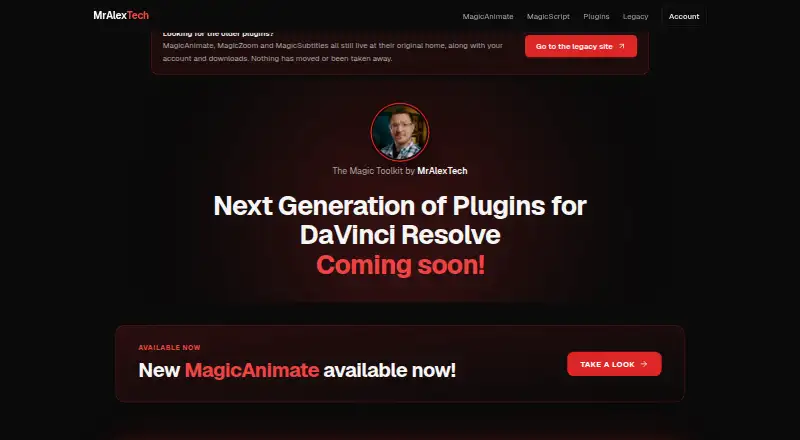
What MrAlexTech is
MrAlexTech makes plugins and tools for DaVinci Resolve, including the Magic Toolkit, for Windows and macOS. MagicAnimate adds In, Mid, and Out moves to clips, logos, webcams, and titles without requiring keyframes; its free version uses the same motion engine as the full version. The full version adds MagicMove and MagicKeyframe, 159 presets, and up to six extra timeline positions. MagicZoom provides point-based zooms, dynamic camera moves, magnifier-window Pop Out effects, and face tracking. MagicScript lets DaVinci Resolve Studio users run saved scripts from inside Resolve. MagicAnimate and MagicZoom require DaVinci Resolve 21 or later, while MagicScript needs Studio 21.1 or later and does not run in the free edition of Resolve. MagicAnimate and MagicZoom face detection or tracking runs on the user’s computer, and the maker says frames and faces are not uploaded. MagicScript is free; MagicAnimate full version and MagicZoom each cost $49.99 once, with tax where applicable. Paid products include free updates for life, and a 7-day trial is listed.
Who it suits
This is for DaVinci Resolve users looking for animation, zoom, or script tools. MagicScript is specifically for users of Resolve Studio 21.1 or later.
What it does well
- MagicAnimate has a free version with no licence or time limit.
- MagicZoom includes point-based zooms and face tracking.
- MagicScript runs saved scripts inside Resolve Studio.
- Paid products include free updates for life.
What to know first
- MagicAnimate and MagicZoom require Resolve 21 or later.
- MagicScript does not run in free Resolve.
- MagicScript requires Resolve Studio 21.1 or later.
- Digital product sales are final, subject to stated exceptions.
Limits
MagicScript requires DaVinci Resolve Studio 21.1 or later and will not run in the free version of Resolve. MagicAnimate full version and MagicZoom cost $49.99 once each, plus tax where applicable.
Plans
| Plan | Billed and limits | Price |
|---|---|---|
| MagicAnimate free version | In, Mid and Out · same motion engine as full version · no licence, account, or time limit | Free |
| MagicScript | Free forever · DaVinci Resolve Studio 21.1 or later · Windows and Mac · no licence, account, or sign-up | Free |
| MagicZoom | one-time purchase, plus tax where it applies · Three effects · 20 zoom styles · up to 200 points per clip · Windows and Mac · free updates for life | $49.99, paid once |
| MagicAnimate full version | one-time · Three effects · over 80 Ins and Outs, 26 Flows, 13 Effects, 40+ Mids · 159 presets · Windows and Mac · free updates for life | $49.99, paid once |
As mralextech.com lists them, read 8 Oct 2026. The maker's own page has the final word.
Getting started
- Visit https://www.mralextech.com/.
- Use a Windows or Mac computer with DaVinci Resolve for MagicAnimate or MagicZoom.
- Use DaVinci Resolve Studio 21.1 or later for MagicScript.
- Choose the free MagicAnimate version or MagicScript, or select a paid tool at $49.99 once.
- Use the available 7-day trial if you want to try a product before buying.
Overview
MrAlexTech makes DaVinci Resolve tools for editors who want preset animation, zoom effects or script management inside their editing workflow. It is most compelling for Resolve users willing to choose carefully around version and Studio requirements; its free animation option is unusually open-ended, while the paid tools are focused one-time purchases.
Key features
Animation without keyframes
MagicAnimate applies In, Mid and Out moves to clips, logos, webcams and titles without requiring keyframes. The free version has the same motion engine as the full version and no licence, account or time limit, so it lets editors use the basic workflow indefinitely. The full version adds MagicMove and MagicKeyframe, 159 presets and up to six extra timeline positions. That is the better fit for editors who want a larger library of prepared motion and more placement options; the free edition is sufficient for the core In/Mid/Out approach.
Zoom and scripts
MagicZoom combines point-based zooms, dynamic camera moves and magnifier-window Pop Out effects with face tracking. Up to 200 points per clip supports sequences with multiple zoom targets, and 20 styles offer more variety than a single zoom treatment. Face tracking runs on the user's computer; the maker says no frame or face is uploaded and the tool does not identify anyone.
MagicScript manages saved scripts and runs them from within DaVinci Resolve Studio. It costs nothing, but requires Resolve Studio 21.1 or later and does not run in the free version of Resolve. It is therefore useful to Studio users, not a route around the Studio requirement.
Compatibility and privacy
MagicAnimate and MagicZoom require DaVinci Resolve 21 or later and support Windows and Mac. MagicAnimate face detection also runs locally, with the maker saying no image, frame or face leaves the machine. The privacy notice says the service collects email addresses, hashed device identifiers, machine names and transaction details, and does not sell user data. Payments go through Stripe. Digital sales are final, with no refunds except for exceptions the maker may allow at its discretion, so buyers should confirm compatibility before purchasing.
Pricing
MagicAnimate's free version costs nothing and has no licence, account or time limit. It includes In, Mid and Out using the same motion engine as the full version. The full version costs $49.99, paid once, billed one-time, and adds three effects, over 80 Ins and Outs, 26 Flows, 13 Effects, 40+ Mids, 159 presets, Windows and Mac support, and free updates for life. It suits editors who need the expanded controls and preset selection; the free version gives up those additions.
MagicZoom costs $49.99, paid once, billed as a one-time purchase plus tax where it applies. It includes three effects, 20 zoom styles, up to 200 points per clip, Windows and Mac support, and free updates for life. It is a straightforward fit for Resolve users who need its specific zoom treatments rather than a general template library. MagicScript is free forever, with no licence, account or sign-up, but needs Resolve Studio 21.1 or later. There is also a 7-day trial; the paid tools are one-time purchases rather than subscriptions.
Platforms
MagicAnimate and MagicZoom support Windows and Mac and require DaVinci Resolve 21 or later. MagicScript supports Windows and Mac but requires DaVinci Resolve Studio 21.1 or later. DaVinci Resolve is the included app. The wider template types include animation presets, titles, backgrounds, reveals, generators, storyboard panels and color presets, with 4K resolution available.
Who it's for
MrAlexTech is a good match for DaVinci Resolve editors seeking focused motion tools rather than a broad asset subscription. The free MagicAnimate edition suits those who want to keep costs at zero while using its core animation engine; the full version is more appropriate when its expanded effects and preset collection matter. MagicZoom is for editors who specifically need point-based zooms, camera moves or magnifier effects. MagicScript is only relevant to Resolve Studio users on a sufficiently recent version.
It is a weaker choice for editors on older Resolve releases, anyone using the free Resolve edition who wants MagicScript, or buyers who need generous refund flexibility. Email support is available at [email protected], and the maker also directs users to its Discord community; its How To page says guides and documentation are coming soon.
Pros and cons
- Pros: MagicAnimate's free version retains the same motion engine as the full version and has no time, licence or account limit.
- Pros: Both paid tools are one-time purchases with free updates for life, avoiding recurring subscription fees.
- Pros: MagicZoom supports up to 200 points per clip and face tracking without uploading frames or faces, according to the maker.
- Cons: MagicAnimate and MagicZoom require Resolve 21 or later, while MagicScript requires the Studio edition at version 21.1 or later.
- Cons: Digital purchases are final and refunds are not offered except at the maker's discretion under stated exceptions.
- Cons: Documentation is still forthcoming, which may leave users relying on email or Discord for urgent questions.
Alternatives
For a broader asset-library comparison, browse Motion Graphics Template Libraries. Choose ProductionCrate if you want basic libraries with five free downloads per day or full library access with its PRO plan at $49 a month. Allavio is another option for free sample titles and selected templates, including items for DaVinci Resolve 19 and above.
Jitter may suit web-based animation work: its free plan allows three workspace files and 720p, 30fps exports, while Pro adds 1080p and 60fps export. For Mac users seeking free assets and unlimited downloads, Pixel Film Studios offers a Starter plan; its Monthly plan costs $39.99 a month and also includes unlimited downloads.
Animdock is a free web option with WebM and PNG exports and no registration requirement. Mixkit is also free, with unlimited downloads and no attribution or sign-up required. If you need Final Cut Pro templates on macOS, Motion Master Templates offers 114 templates free to download with optional donations. Motion Array offers a free account with selected video templates, songs, sound effects and graphics.
Verdict
Choose MrAlexTech if you edit in a compatible version of DaVinci Resolve and want focused animation or zoom tools without a recurring fee. MagicAnimate's unrestricted free edition makes it easy to start, and its paid tools add specific capabilities for a one-time price. Look elsewhere if your Resolve version is too old, you need MagicScript without Resolve Studio, or refund terms are a deciding factor.
Verdict
MrAlexTech offers distinct tools for animation, zoom effects, and script management in DaVinci Resolve. Check each tool’s Resolve edition and version requirements before choosing it.
Questions
Is MrAlexTech free?
MagicAnimate's free version and MagicScript are free. MagicAnimate full version and MagicZoom each cost $49.99 once, plus tax where applicable.
Is there a free trial?
A 7-day trial is available.
Which platforms does it support?
MagicAnimate and MagicZoom support Windows and Mac.
What version of DaVinci Resolve do I need?
MagicAnimate and MagicZoom require DaVinci Resolve 21 or later. MagicScript requires DaVinci Resolve Studio 21.1 or later.
What does MagicScript do?
It is a script manager for DaVinci Resolve Studio that runs saved scripts from within Resolve.
How can I contact support?
Email [email protected] or use the maker's Discord community.
Facts from MrAlexTech's own pages
- Animation
- MagicAnimate animates clips, logos, webcams, and titles using In, Mid, and Out moves without requiring keyframes. · mralextech.com, 8 Oct 2026
- Compatibility
- MagicAnimate and MagicZoom require DaVinci Resolve 21 or later and support Windows and Mac. · mralextech.com, 8 Oct 2026
- Data handling
- The privacy notice says the service collects email addresses, hashed device identifiers, machine names, and transaction details, and does not sell user data. · mralextech.com, 8 Oct 2026
- Documentation
- The How To page says guides and documentation are coming soon and directs users with urgent questions to email support. · mralextech.com, 8 Oct 2026
- Free tool limit
- MagicScript requires DaVinci Resolve Studio 21.1 or later and will not run in the free version of Resolve. · mralextech.com, 8 Oct 2026
- Integrations
- MagicScript is a script manager for DaVinci Resolve Studio and can run saved scripts from within Resolve. · mralextech.com, 8 Oct 2026
- Local processing
- MagicAnimate face detection runs on the user's computer, and the maker says no image, frame, or face leaves the machine. · mralextech.com, 8 Oct 2026
- MagicAnimate features
- The full version includes MagicAnimate, MagicMove, and MagicKeyframe, plus 159 presets and up to six extra timeline positions. · mralextech.com, 8 Oct 2026
- MagicZoom privacy
- MagicZoom face tracking runs on the user's computer, and the maker says no frame or face is uploaded and it does not identify anyone. · mralextech.com, 8 Oct 2026
- Payments and refunds
- Payments are processed through Stripe; the terms say digital product sales are final and refunds are not offered, subject to stated exceptions at the maker's discretion. · mralextech.com, 8 Oct 2026
- Support
- The maker provides support by email at [email protected] and also directs users to its Discord community. · mralextech.com, 8 Oct 2026
- What it is
- MrAlexTech makes plugins and tools for DaVinci Resolve, including the Magic Toolkit. · mralextech.com, 8 Oct 2026
- Zoom
- MagicZoom offers point-based zooms, dynamic camera moves, and magnifier-window Pop Out effects, with face tracking. · mralextech.com, 8 Oct 2026
Where MrAlexTech stands on Freedom251
- Motion Graphics Template Libraries#14 of 21