Freedom251 › Motion Graphics Template Libraries

Allavio
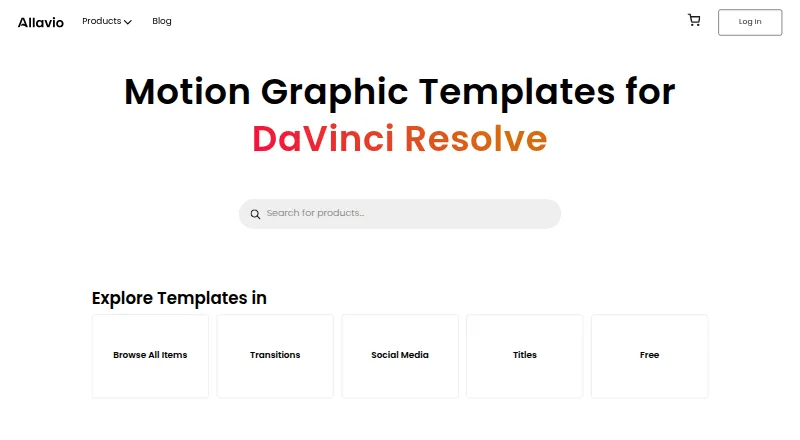
What Allavio is
Allavio makes customizable templates for editing video in DaVinci Resolve. Its catalog includes titles, transitions, effects, infographics, openers, overlays, social media assets, tools, and video displays. Most templates allow changes to text, fonts, colors, animation, shadows, and glows, and editable source files are available. The templates are built with Blackmagic Design’s Fusion software. Most are DRFX files that can be installed with a double-click; Text Animator instead requires the free Allavio Hub desktop app and DaVinci Resolve 19 or above on macOS or Windows. The free catalog includes a sample with 10 motion graphic titles and a Highlighter Effect, both listed at $0.00. Individual DaVinci Resolve templates are listed at $14.99, paid once, with requirements varying by template. A commercial license is available, as are HD and 4K resolution options. Allavio says it offers personalized support, including one-on-one video calls and tutorials, for paid and free products. Its homepage says it will issue a full refund if a template does not work as expected or unresolved technical issues prevent use.
Who it suits
Allavio suits filmmakers, editors, videographers, and content creators who work in DaVinci Resolve, including film and YouTube creators. It offers templates for both free and paid use.
What it does well
- Catalog spans titles, transitions, effects, and more
- Most templates allow text and style customization
- Editable source files are available
- Commercial license and HD and 4K options
What to know first
- Templates are designed for DaVinci Resolve
- Text Animator requires Resolve 19 or above
- Individual templates are listed at $14.99, paid once
Limits
The listed free templates require DaVinci Resolve 19 or later. Individual templates are listed at $14.99 USD once.
Plans
| Plan | Billed and limits | Price |
|---|---|---|
| Free templates | free titles sample with 10 motion-graphic titles · Highlighter Effect · DaVinci Resolve 19+ · HD/4K | Free |
| Titles & effects templates | Individual DaVinci Resolve templates; product requirements vary by template | $14.99, paid once |
| Text Animator | 22 animated text presets · DaVinci Resolve 19+ · macOS or Windows · HD/4K · Allavio Hub installation | $14.99, paid once |
| Individual templates | single downloadable DaVinci Resolve asset · requirements vary by product · HD/4K options | $1.99, paid once |
As allavio.com lists them, read 14 Oct 2026. The maker's own page has the final word.
Getting started
- Visit the Allavio website.
- Choose a free catalog item listed at $0.00 USD or an individual template listed at $14.99 USD once.
- For most templates, install the DRFX file with a double-click.
- For Text Animator, install the free Allavio Hub desktop app and use DaVinci Resolve 19 or later on macOS or Windows.
Overview
Allavio is a catalog of customizable templates built for DaVinci Resolve. It is best suited to editors and video creators who want individual graphics they can adapt within Resolve, rather than a general-purpose asset subscription. Its breadth and free samples make it approachable, while per-item buying and Resolve-only design keep its appeal focused.
Key features
The catalog spans titles, transitions, effects, infographics, openers, overlays, social media assets, tools, and video displays. Most templates let users change text, fonts, colors, animation, shadows, and glows, which makes them more useful for matching a project's style than fixed, finished graphics. Editable source files and HD and 4K options add flexibility; a commercial license supports use in commercial work.
Templates are made for DaVinci Resolve with Blackmagic Design's Fusion software, so they suit editors already working in that environment, not people seeking assets for another editor. Most arrive as DRFX files that install with a double-click. Text Animator instead requires the free Allavio Hub desktop app and DaVinci Resolve 19 or later, and runs on macOS and Windows. Check requirements for each item before purchasing, particularly if using an older Resolve version.
Downloads are per item. The free catalog includes a sample containing 10 motion graphic titles and a Highlighter Effect, both priced at $0.00. Allavio says support for free and paid products includes tutorials and one-on-one video calls. It also promises a full refund when a template does not work as expected or unresolved technical problems prevent its use.
Pricing
Allavio combines free items with one-time template purchases; there is no free trial. The Free templates plan costs nothing and includes the sample titles and selected free templates. Listed free items require DaVinci Resolve 19 or above, so confirm compatibility before choosing one.
Titles & effects templates cost $14.99, paid once for individual DaVinci Resolve templates, with requirements varying by product. This approach suits buyers who need a particular asset and do not want a recurring plan, but it means building a larger collection requires buying items individually. The broader pricing note says paid plans start from $1.99, while the specified individual template plan is $14.99, paid once.
Platforms
Allavio is available on macOS, web, and Windows. Its templates are designed for DaVinci Resolve; Text Animator specifically supports macOS and Windows and requires Resolve 19 or later.
Who it's for
Filmmakers, editors, videographers, and content creators—including film and YouTube creators—are the intended audience. Allavio is a good fit for Resolve users who want editable titles, effects, or other project assets and prefer to buy per item. It is a weaker fit for creators using other editing software or anyone who wants one subscription to cover a broad asset library.
Pros and cons
- Pro: A wide range of template types gives Resolve users options for titles, transitions, social graphics, and more in one catalog.
- Pro: Most templates allow adjustments to several visual elements, and editable source files offer more room to tailor assets.
- Pro: Free items and one-time purchases let buyers start small without a recurring commitment.
- Con: Templates are built for DaVinci Resolve, limiting their usefulness for users of other editors.
- Con: Product requirements vary, and Text Animator adds a Hub installation and Resolve 19-or-later requirement.
- Con: Per-item downloads mean buyers assembling a large collection must select and purchase templates one by one.
Alternatives
For a broader directory of template providers, browse Motion Graphics Template Libraries.
Choose ProductionCrate if you want basic libraries with five free downloads per day or a monthly plan with full library access and up to 50 downloads. Pixel Film Studios is another option, with unlimited downloads on its free Starter plan and a paid monthly tier. For browser-based motion design, Jitter offers a free tier limited to three workspace files and 720p, 30fps exports; its Pro tiers support 1080p and 60fps exports.
Mixkit is worth considering if unlimited free downloads without attribution or sign-up matter more than buying Resolve templates individually. Motion Array offers selected free video templates, songs, sound effects, and graphics through a free account. For a broader footage-and-template package, Artlist Templates offers a Footage and Templates plan at $31.99 a year, billed 31.99 / month (billed annually). CinePacks suits buyers who prefer a one-time bundle: its Master Bundle costs $300, paid once and includes 57 packs and more than 4,700 assets. MotionVFX is another alternative for motion design assets.
Verdict
Choose Allavio if you edit in DaVinci Resolve and want to select customizable templates one at a time, with free samples available before spending. Its range, editable options, and one-time purchases are the main draw. Look elsewhere if you need assets for another editor or want a single subscription to cover a large library.
Verdict
Allavio provides a broad catalog of DaVinci Resolve templates, with many editable options and some free items. Check each template’s requirements, particularly for Text Animator.
Questions
Does Allavio have a free plan?
Yes. Its free catalog includes a sample with 10 motion graphic titles and a Highlighter Effect, each listed at $0.00 USD.
How much do individual templates cost?
Individual DaVinci Resolve templates are listed at $14.99 USD once.
Which platforms does Allavio support?
Allavio lists macOS, Windows, and web. Text Animator is available for macOS and Windows and requires DaVinci Resolve 19 or later.
Which video editor are the templates for?
The templates are designed for DaVinci Resolve and made using Blackmagic Design’s Fusion software.
Can I use the templates commercially?
A commercial license is available.
How are templates installed?
Most are DRFX files installed with a double-click. Text Animator is installed through the free Allavio Hub desktop app.
Facts from Allavio's own pages
- Account data
- Accounts retain a name, email address, and password so users can log in and re-download templates. · allavio.com, 14 Oct 2026
- API and SDK
- The public product and installation pages describe templates, DRFX files, Fusion, and Allavio Hub but do not document a public API or SDK. · allavio.com, 14 Oct 2026
- Commercial license
- The standard license permits unlimited personal and commercial projects and allows modification of purchased templates. · allavio.com, 14 Oct 2026
- Customization
- The maker says most templates expose controls for text, fonts, colors, animation, shadows, and glows. · allavio.com, 14 Oct 2026
- Example product price
- Call Outs costs $19.99 and includes 20 title designs with more than 15 published controls per preset. · allavio.com, 14 Oct 2026
- Example transition
- Bar Slide Transitions costs $9.99 and provides 40 customizable transitions for DaVinci Resolve. · allavio.com, 14 Oct 2026
- External product demonstration
- A YouTube video says Allavio’s travel pack contains three openers, five customizable titles, and a transition compatible with Resolve 19 and later. · youtube.com, 14 Oct 2026
- External tutorial
- Allavio’s Vimeo tutorial presents its YouTube Pack as customizable with color, size, position, text, animation style, and 12 presets. · vimeo.com, 14 Oct 2026
- External video listing
- Allavio’s YouTube channel describes its output as DaVinci Resolve titles, transitions, effects, and video templates. · youtube.com, 14 Oct 2026
- Free catalog
- The free section includes a 10-title sample pack and a Highlighter Effect, both priced at $0.00. · allavio.com, 14 Oct 2026
- Free items
- The free catalog includes a sample with 10 motion graphic titles and a Highlighter Effect, both listed at $0.00. · allavio.com, 28 Sept 2026
- Fusion integration
- Allavio says its assets are built with Blackmagic Design Fusion for integration with DaVinci Resolve. · allavio.com, 14 Oct 2026
- Independent metadata
- A site-analysis page identifies Allavio’s page title as DaVinci Resolve Templates and its description as titles, transitions, effects, generators, LUTs, and tutorials. · allavio.com.sitescorechecker.com, 14 Oct 2026
- Independent site finding
- ScamAdviser reports a valid SSL certificate and says it found no reviews on popular review sites for allavio.com. · scamadviser.com, 14 Oct 2026
- Independent technical concern
- A Reddit discussion about installing DaVinci Resolve templates describes the process as frustrating and links to Allavio’s installation tutorial. · reddit.com, 14 Oct 2026
- Independent uptime check
- An external site-status page reports allavio.com as alive and repeats its DaVinci Resolve template description. · allavio.com.atlaq.com, 14 Oct 2026
- Installation
- Most templates are DRFX files that can be installed with a double-click, while Text Animator is installed through the free Allavio Hub desktop app. · allavio.com, 28 Sept 2026
- Installation format
- Most products are distributed as .drfx files that can be installed by double-clicking or through DaVinci Resolve’s Fusion workflow. · allavio.com, 14 Oct 2026
- Integrations
- Allavio templates are designed for DaVinci Resolve and are made using Blackmagic Design’s Fusion software. · allavio.com, 28 Sept 2026
- Intended users
- The maker says its assets are for filmmakers, editors, videographers, and content creators, including film and YouTube creators. · allavio.com, 28 Sept 2026
- License restriction
- The license forbids reselling, redistributing, sublicensing, or publicly sharing the raw product files. · allavio.com, 14 Oct 2026
- Limit: editor scope
- The assets are designed for DaVinci Resolve and are not presented as templates for Premiere Pro, Final Cut, or other editors. · allavio.com, 14 Oct 2026
- Limit: extra installation layer
- Text Animator requires the separate Allavio Hub helper application and its rendering-engine components. · allavio.com, 14 Oct 2026
- Limit: pricing model
- The catalog uses one-time per-item purchases, so buying many assets requires multiple transactions rather than a stated all-access subscription. · allavio.com, 14 Oct 2026