Freedom251 › Pixel Art Software
Manabit
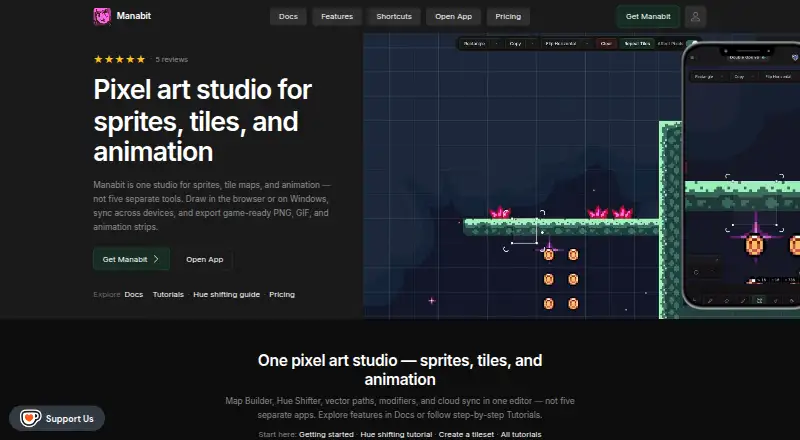
What Manabit is
Manabit is a pixel art editor for creating sprites, tile maps, animations, and multi-stage projects. Drawing tools include vector paths, editable shapes, pixel-perfect lines, modifiers, custom palettes, and a hue shifter. Map Builder can capture tiles and paint levels, while animation tools support independent frame counts per layer and animation-strip export. The editor opens images, GIFs, Aseprite files, and PSD files, and exports PNG, JPG, GIF, and animation strips. Projects can be saved online and reopened in another browser or device. The browser app is free to use, with some features limited until purchase. The maker describes Manabit as browser-first and intended for artists and indie game developers. Listed platforms include web, Windows, iOS, and Android, but the native desktop installer is Windows-only. Manabit Pro costs $5.99 a month, billed as an auto-renewing monthly PayPal subscription, and requires a Manabit license. The Full Editor costs $9.99, paid once and includes one seat, Windows and browser access, unlimited projects, and lifetime updates.
Who it suits
Manabit is intended for artists and indie game developers working on pixel art, sprites, tile maps, or animation. Its online project storage may suit users who want to reopen work in another browser or device.
What it does well
- Supports vector paths, editable shapes, and pixel-perfect lines.
- Map Builder supports capturing tiles and painting levels.
- Opens Aseprite and PSD files.
- Projects can be reopened in another browser or device.
- Exports PNG, JPG, GIF, and animation strips.
What to know first
- Some browser features are limited until purchase.
- Native desktop installer is Windows-only.
- Pro requires a Manabit license.
- Pro is an auto-renewing monthly PayPal subscription.
Limits
The free browser version limits some features until purchase. The Full Editor license covers one seat and Windows plus browser access; Manabit Pro requires a Manabit license.
Plans
| Plan | Billed and limits | Price |
|---|---|---|
| Manabit Pro | Auto-renewing monthly subscription via PayPal; requires a Manabit license · AI credits · automatic history backups | $5.99 a month |
| Manabit — Full Editor | One Time Purchase · Lifetime Updates · 1 seat · Windows + browser · unlimited projects · full editor | $9.99, paid once |
As manabit.app lists them, read 2 Oct 2026. The maker's own page has the final word.
Getting started
- Open the Manabit website in a browser.
- Use the browser app for free, or choose a paid plan for additional access.
- For the Full Editor, purchase the one-time license for one seat on Windows and browser.
- For Manabit Pro, subscribe monthly through PayPal and use a Manabit license.
- Save projects online to open them in another browser or device.
Overview
Manabit is a browser-first pixel-art editor for sprites, tile maps, animation, and projects developed in stages. It should suit artists and indie game developers who want these workflows together; its broad toolset is appealing, though some browser features require purchase and the desktop installer is limited to Windows.
Key features
Drawing and color
Vector paths and editable shapes complement pixel-perfect lines, with modifiers, custom palettes, a hue shifter, and indexed-color tools. That combination gives artists room to work with both precise pixel edits and broader shape and color adjustments, rather than focusing on sprites alone.
Maps and animation
Map Builder captures tiles and supports painting levels, a useful addition for developers creating environments alongside characters and objects. An animation timeline, independent frame counts per layer, sprite-sheet export, and animation-strip export cover several parts of a sprite-animation workflow.
Files and projects
Manabit opens images, GIFs, Aseprite files, and PSD files, and exports PNG, JPG, GIF, and animation strips. Online project saving lets users reopen work in another browser or on another device, which is helpful when moving between locations. Project files are stored on Manabit-operated servers, accessed through authenticated APIs, and protected in transit with HTTPS/TLS.
Privacy and support
Manabit says it does not sell personal data or share it for cross-context behavioral advertising. When a user messages its Potion AI assistant, message text and limited editor metadata go to Google Gemini; canvas pixels and the full project file do not. Sign-in uses Google OAuth or an email magic link through Supabase Auth, with optional itch.io or Steam license linking. A contact form handles support, feedback, questions, and partnerships.
Pricing
The browser app is free to use, but some features are limited until purchase. That makes it a practical way to explore the editor, though users who need the full feature set should budget for a paid option.
- Manabit Pro: $5.99 a month, billed as an auto-renewing monthly PayPal subscription. It requires a Manabit license and includes AI credits and automatic history backups. It suits license holders who want those additions on a monthly basis.
- Manabit — Full Editor: $9.99, paid once, a one-time purchase with lifetime updates. It includes one seat, Windows and browser access, unlimited projects, and the full editor. This is the clearer fit for someone who wants the complete editor without a recurring subscription; its desktop installer is Windows-only.
Platforms
Manabit supports web, Windows, iOS, and Android. The browser-first approach extends access beyond desktop, but native desktop installation is available only on Windows.
Who it's for
Manabit is a strong fit for artists and indie game developers who want drawing, tile-map creation, and animation tools in one editor, especially if they value opening saved projects across browsers or devices. It is less suitable for anyone who requires a native desktop app on macOS or Linux, or expects every browser feature to be included free.
Pros and cons
- Pro: Drawing, tile-map, and animation tools share one editor, supporting more of a game-art workflow than sprite drawing alone.
- Pro: Image, GIF, Aseprite, and PSD imports, plus several export formats, make it easier to work with existing assets and deliver animations.
- Pro: Online project saving supports switching browsers or devices.
- Con: Some browser features are purchase-gated, so the free option is not the full editor.
- Con: The native desktop installer is Windows-only.
- Con: The Pro subscription requires a Manabit license, so it is not a standalone route to the full editor.
Alternatives
Browse the Pixel Art Software category to compare more options. Choose Pixelc if free and open-source software is the priority; it also has a free Android option and supports web and desktop platforms. Pixelorama is another free and open-source choice, with free builds and support across desktop, Android, and web. Consider Pixel Studio if you want a free option across mobile and desktop, keeping in mind that it contains ads and some features require PRO. PixelWall offers a free studio with animation, tile-map editing, scripting, API, and CLI tools. Pro Motion NG suits readers seeking a free edition that permits commercial use, with a paid full version also available. Pix2D is a free option across web, desktop, and Android. void◆sprite is another freemium choice for web, desktop, and Android. Fizzy is a free option for web and desktop.
Verdict
Choose Manabit if you want one browser-first editor for pixel drawing, tile maps, and animation, with projects that can move between browsers and devices. Its strongest case is the breadth of that combined workflow; look elsewhere if you need a native macOS or Linux desktop installer or a fully featured free editor.
Verdict
Manabit brings drawing, tile-map, animation, and project tools into a browser-first editor. Check the purchase requirement for limited features and the Windows-only desktop installer if you need native desktop access.
Questions
Is Manabit free?
The browser app can be used for free, with some features limited until purchase.
What does Manabit cost?
Manabit Pro is $5.99 a month, billed as an auto-renewing monthly PayPal subscription. The Full Editor is $9.99, paid once.
Which platforms does Manabit support?
Supported platforms include web, Windows, iOS, and Android. The native desktop installer is Windows-only.
What files can Manabit open and export?
It opens images, GIFs, Aseprite files, and PSD files. It exports PNG, JPG, GIF, and animation strips.
Who makes Manabit?
The maker describes Manabit as a browser-first pixel art editor for artists and indie game developers.
Facts from Manabit's own pages
- AI assistant privacy
- Potion sends message text and limited editor metadata to Google Gemini when a user sends a message, but does not send canvas pixels or the full project file. · manabit.app, 2 Oct 2026
- Cloud sync
- Users can save projects online and open them in another browser or device. · manabit.app, 2 Oct 2026
- Data security
- Cloud project files are stored on Manabit-operated servers and accessed through authenticated APIs, with HTTPS/TLS in transit. · manabit.app, 2 Oct 2026
- Drawing and editing
- The editor includes vector paths, editable shapes, pixel-perfect lines, modifiers, custom palettes, and a hue shifter. · manabit.app, 2 Oct 2026
- Free access
- The browser app can be used for free with some features limited until purchase. · manabit.app, 2 Oct 2026
- Import and export
- Manabit can open images, GIFs, Aseprite files, and PSD files, and export PNG, GIF, and animation strips. · manabit.app, 2 Oct 2026
- Integrations
- The privacy policy identifies Google OAuth and email magic link through Supabase Auth, plus optional itch.io or Steam license linking. · manabit.app, 2 Oct 2026
- Intended users
- The maker describes Manabit as a browser-first pixel art editor for artists and indie game developers. · manabit.app, 2 Oct 2026
- Maps and animation
- Map Builder supports capturing tiles and painting levels, while animation features include independent frame counts per layer and animation strip export. · manabit.app, 2 Oct 2026
- Notable limits
- The native desktop installer is Windows-only, and the free browser version has some features limited until purchase. · manabit.app, 2 Oct 2026
- Platforms
- The native desktop installer is Windows-only; the full app also runs in modern browsers, including on Android and iPad. · manabit.app, 2 Oct 2026
- Privacy practices
- Manabit says it does not sell personal data or share it for cross-context behavioral advertising. · manabit.app, 2 Oct 2026
- Purpose
- Manabit is a pixel art editor for sprites, tile maps, animation, and multi-stage projects. · manabit.app, 2 Oct 2026
- Support
- The site provides a contact form for questions, feedback, support, and partnerships, and says it will reply as soon as it can. · manabit.app, 2 Oct 2026
Where Manabit stands on Freedom251
- Pixel Art Software#8 of 70